1. Pengenalan
Thank you for choosing the SCS Sentinel EcoBell 100 Wireless Plug-in Doorbell. This innovative, battery-free doorbell system is designed for ease of use and environmental responsibility. It features a 100-meter open-field range, 25 selectable melodies, and an integrated LED light indicator, making it suitable for various environments, including those with hearing-impaired individuals or noisy conditions.
This manual provides detailed instructions for the installation, operation, and maintenance of your EcoBell 100 doorbell to ensure optimal performance and longevity.
2. Arahan Keselamatan
- Ensure the chime unit is plugged into a standard 230V AC electrical outlet. Do not use with incompatible power sources.
- Do not expose the chime unit to water or excessive humidity. It is designed for indoor use only.
- The push button is IP55 rated for outdoor use and resistance to weather conditions. However, avoid submerging it in water.
- Jangan cuba membuka atau membaiki peranti sendiri. Rujuk semua servis kepada kakitangan yang berkelayakan.
- Jauhkan peranti daripada capaian kanak-kanak.
- Bersihkan peranti dengan kain lembut dan kering. Jangan gunakan pembersih atau pelarut yang melelas.
3. Kandungan Pakej
Verify that all items are present in your EcoBell 100 package:
- 1 x Plug-in Chime Unit
- 1 x Wireless, Battery-Free Push Button (IP55 rated)
- 1 x Manual Pengguna
- Skru Pemasangan dan Palam Dinding

Image 3.1: EcoBell 100 Product Packaging. The package contains the chime unit, push button, and accessories.
4. Persediaan dan Pemasangan
4.1 Chime Unit Installation
- Select an indoor electrical outlet within 100 meters (open field) of your desired push button location.
- Plug the chime unit directly into the electrical outlet. The unit will power on, and the LED indicator may flash briefly.

Image 4.1: Chime unit plugged into a wall outlet, ready for use.
4.2 Pemasangan Butang Tekan
The push button is battery-free and generates its own power when pressed. It is IP55 rated for outdoor use.
- Choose a suitable location for the push button, such as next to your front door or gate. Ensure it is within the 100-meter range of the chime unit.
- Use the provided screws and wall plugs to securely mount the push button to a flat surface. Alternatively, a strong adhesive (not included) can be used for mounting on smooth surfaces.
- Ensure the push button is mounted vertically to maintain its IP55 weather resistance.
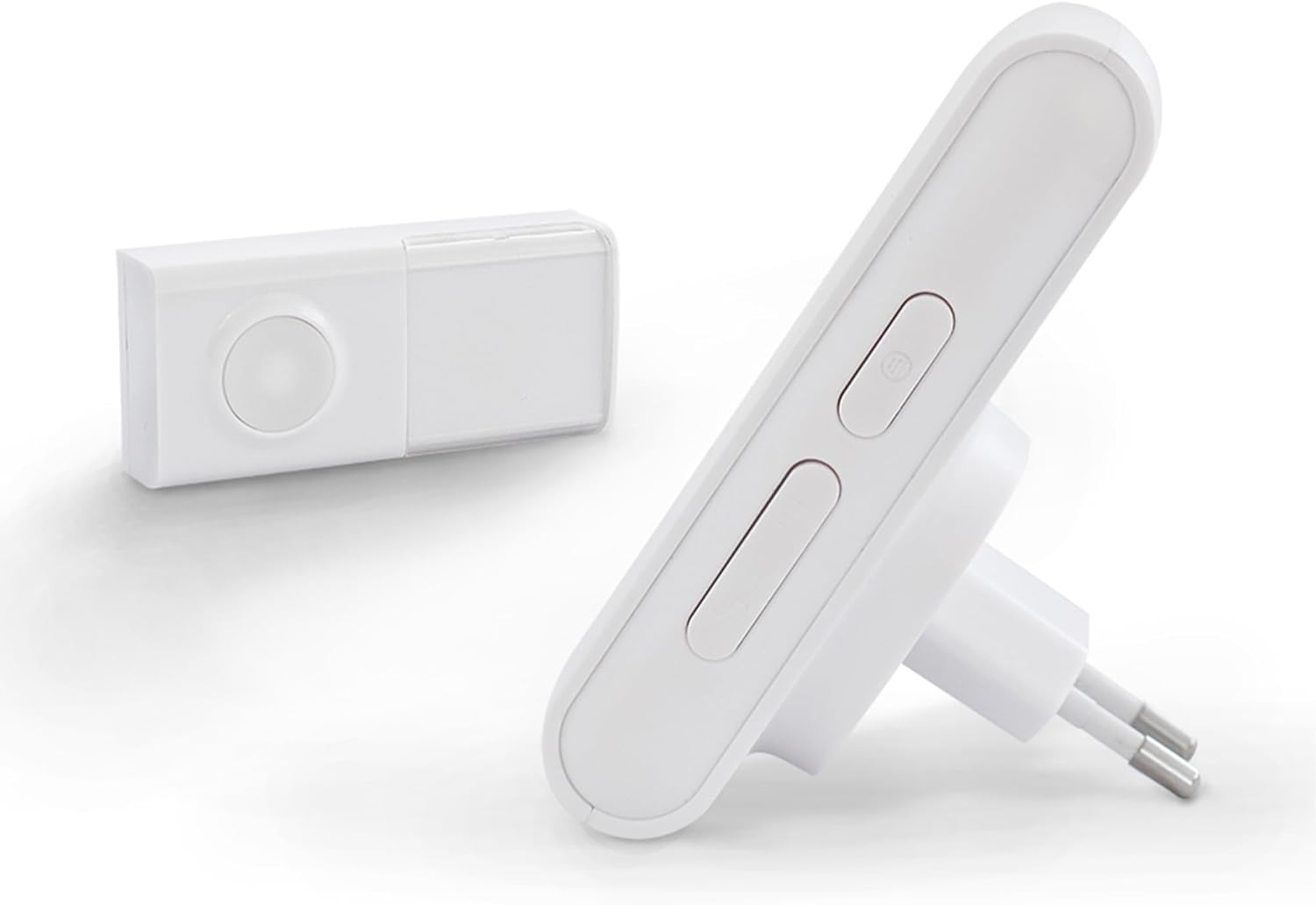
Image 4.2: Chime unit and push button. The push button is designed for outdoor installation.
4.3 Pairing (Pre-programmed)
Your EcoBell 100 system is pre-programmed at the factory for immediate use. No manual pairing is typically required. Simply plug in the chime and mount the push button.
4.4 Pemilihan Melodi
The chime unit offers 25 selectable melodies. To change the melody:
- Locate the melody selection button on the side of the chime unit.
- Press the button repeatedly to cycle through the available melodies. The chime will play each melody as you press the button.
- Once you hear your desired melody, stop pressing the button. The selected melody will be saved.
5. Arahan Operasi
5.1 Operasi Asas
To operate the doorbell, simply press the push button. The chime unit will sound the selected melody and the LED indicator will flash simultaneously.
5.2 LED Light Indicator
The chime unit features an LED light indicator that flashes when the doorbell is activated. This provides a visual alert, which is particularly useful in noisy environments or for individuals with hearing impairments.
5.3 Range and Expansion
The EcoBell 100 offers a wireless range of up to 100 meters in open-field conditions. This range may be reduced by obstacles such as walls, metal structures, or other electronic devices.
The EcoBell range is expandable. You can add up to 5 additional push buttons within the 100m range or add additional chime units to extend the range and repeat the chime throughout your home (up to 350m with multiple chimes).

Image 5.1: EcoBell system range and expansion capabilities.
6. Penyelenggaraan
6.1 Pembersihan
- Lap unit loceng dan tekan butang dengan kain lembut dan kering.
- Jangan gunakan pembersih cecair, aerosol atau pelarut, kerana ini boleh merosakkan peranti.
6.2 Pertimbangan Alam Sekitar
The push button is designed to withstand various weather conditions due to its IP55 rating. However, regularly check for any debris or blockages around the button mechanism to ensure smooth operation.
7. Penyelesaian masalah
| Masalah | Kemungkinan Punca | Penyelesaian |
|---|---|---|
| Chime unit does not sound or light up when button is pressed. | Chime unit is not powered. Push button is out of range. Gangguan daripada peranti lain. | Ensure chime unit is securely plugged into a working 230V outlet. Alihkan unit loceng lebih dekat dengan butang tekan. Relocate chime unit or push button away from potential sources of interference (e.g., large metal objects, other wireless devices). |
| Reduced wireless range. | Obstacles between units. Gangguan. | Ensure a clear line of sight between the push button and chime unit as much as possible. Avoid placing units near large metal objects or thick walls. See above for interference solutions. |
| Selected melody does not save after unplugging the chime unit. | This model may not retain melody selection after power loss. | Re-select your preferred melody after plugging the chime unit back in. Keep the chime unit plugged in to retain the setting. |
| Push button is difficult to press or unresponsive. | Debris or obstruction. Damage to the button mechanism. | Inspect the button for any dirt or debris and clean if necessary. Jika rosak, hubungi khidmat pelanggan untuk mendapatkan bantuan. |
8. Spesifikasi
- model: CSF0078
- Jenama: SCS Sentinel
- Power Source (Chime): Electrical cable (230 Volts)
- Power Source (Push Button): Battery-free (self-powered)
- Kaedah Kawalan: Taktil
- Tahap Bunyi: 90 Desibel
- Fixation Type: Pemasangan dinding
- Teknologi Sensor: Audio sensor
- Product Dimensions (Chime): 6.9 x 6.6 x 10.5 cm
- Berat: 190 gram
- Bahan: ABS
- gaya: Penunjuk cahaya
- Julat Tanpa Wayar: Sehingga 100 meter (padang terbuka)
- Melodi: 25 boleh dipilih
- Push Button IP Rating: IP55 (tahan cuaca)
9. Waranti
The SCS Sentinel EcoBell 100 comes with a Waranti 2 tahun from the date of purchase. This warranty covers manufacturing defects under normal use. Please retain your proof of purchase for warranty claims. The warranty does not cover damage caused by misuse, accidents, unauthorized modifications, or improper installation.

Image 9.1: 2-Year Warranty Icon.
10. Sokongan
For technical assistance, installation guidance, or any questions regarding your SCS Sentinel EcoBell 100, please contact our customer support. Our technical support team is based in France and is available to provide expert and personalized advice.
Sila rujuk maklumat perhubungan yang diberikan pada pembungkusan produk atau maklumat rasmi kami webtapak untuk mendapatkan butiran sokongan yang paling terkini.


