1. Pengenalan
Terima kasih kerana membeliasing the Plumeet Digital Alarm Clock. This manual provides detailed instructions for setting up, operating, and maintaining your new alarm clock. Please read this manual thoroughly before use to ensure proper function and to maximize your product experience.

Rajah 1: Depan view of the Plumeet Digital Alarm Clock, displaying time, date, and alarm setting.
2. Maklumat Keselamatan
- Jangan dedahkan peranti kepada suhu yang melampau, cahaya matahari langsung atau kelembapan yang tinggi.
- Jauhkan peranti daripada air atau cecair lain.
- Use only the specified battery type (2 AA batteries). Do not mix old and new batteries, or different types of batteries.
- Buang bateri terpakai mengikut peraturan tempatan.
- Do not attempt to disassemble or repair the device yourself. Contact customer support if service is required.
3. Kandungan Pakej
Sila semak pakej untuk item berikut:
- Plumeet Digital Alarm Clock (1 unit)
- Manual Pengguna (dokumen ini)
Nota: 2 bateri AA diperlukan dan tidak termasuk dalam pakej.
4. Persediaan
4.1 Pemasangan Bateri
- Cari penutup petak bateri di belakang jam penggera.
- Luncurkan penutup ke bawah untuk membuka petak.
- Insert two (2) new AA batteries, ensuring the correct polarity (+ and -) as indicated inside the compartment.
- Gantikan penutup petak bateri, gelongsorkannya ke atas sehingga ia berbunyi klik pada tempatnya.
The clock display should now turn on. If not, please check battery orientation or replace with fresh batteries.

Rajah 2: Belakang view of the alarm clock with battery compartment and control buttons.
5. Arahan Operasi
5.1 Butang Selesaiview
The alarm clock features several buttons and switches on its rear and top for various functions:
- YEAR / MONTH / DATE / HOUR / MINUTE: Buttons for adjusting respective values.
- PENGGERA: Button to enter alarm setting mode.
- TIME-CALENDAR: Button to switch between time display and calendar display.
- 12/24: Button to toggle between 12-hour and 24-hour time formats.
- OFF-ON ALARM: Slide switch to enable or disable the alarm function.
- SNOOZE/LIGHT (Top Button): Activates the snooze function when the alarm sounds, or illuminates the backlight for 5 seconds.
5.2 Menetapkan Masa
- Tekan ke TIME-CALENDAR butang sehingga waktu semasa dipaparkan.
- Tekan dan tahan butang JAM button to adjust the hour. Release and press repeatedly to advance.
- Tekan dan tahan butang MINIT button to adjust the minute. Release and press repeatedly to advance.
- For 12-hour format, ensure AM/PM indicator is correct.
5.3 Menetapkan Tarikh
- Tekan ke TIME-CALENDAR button until the calendar (Month/Date/Year) is displayed.
- Tekan dan tahan butang TAHUN button to set the current year.
- Tekan dan tahan butang BULAN button to set the current month.
- Tekan dan tahan butang TARIKH button to set the current day.
5.4 Menetapkan Format 12/24 Jam
- Dalam mod paparan masa, tekan butang 12/24 butang untuk bertukar antara format 12 jam (dengan penunjuk AM/PM) dan 24 jam.
5.5 Menetapkan Penggera
- Luncurkan OFF-ON ALARM switch to the 'ON' position. An alarm icon will appear on the display.
- Tekan ke PENGGERA butang. Masa penggera akan berkelip.
- Gunakan JAM dan MINIT butang untuk menetapkan masa penggera yang anda inginkan.
- Tekan ke PENGGERA button again to confirm the setting, or wait a few seconds for it to automatically save.
- Untuk menyahaktifkan penggera, luncurkan OFF-ON ALARM switch to the 'OFF' position. The alarm icon will disappear.
5.6 Fungsi Tunda
Apabila penggera berbunyi:
- Tekan yang besar SNOOZE / CAHAYA button on the top of the clock.
- The alarm will temporarily stop and sound again after approximately 8 minutes.
- To completely turn off the alarm, slide the OFF-ON ALARM switch to 'OFF'.

Figure 3: Activating the snooze function.
5.7 Nightlight/Backlight Function
To illuminate the display in low light conditions:
- Tekan yang besar SNOOZE / CAHAYA button on the top of the clock.
- The display will light up for approximately 5 seconds, then automatically turn off.
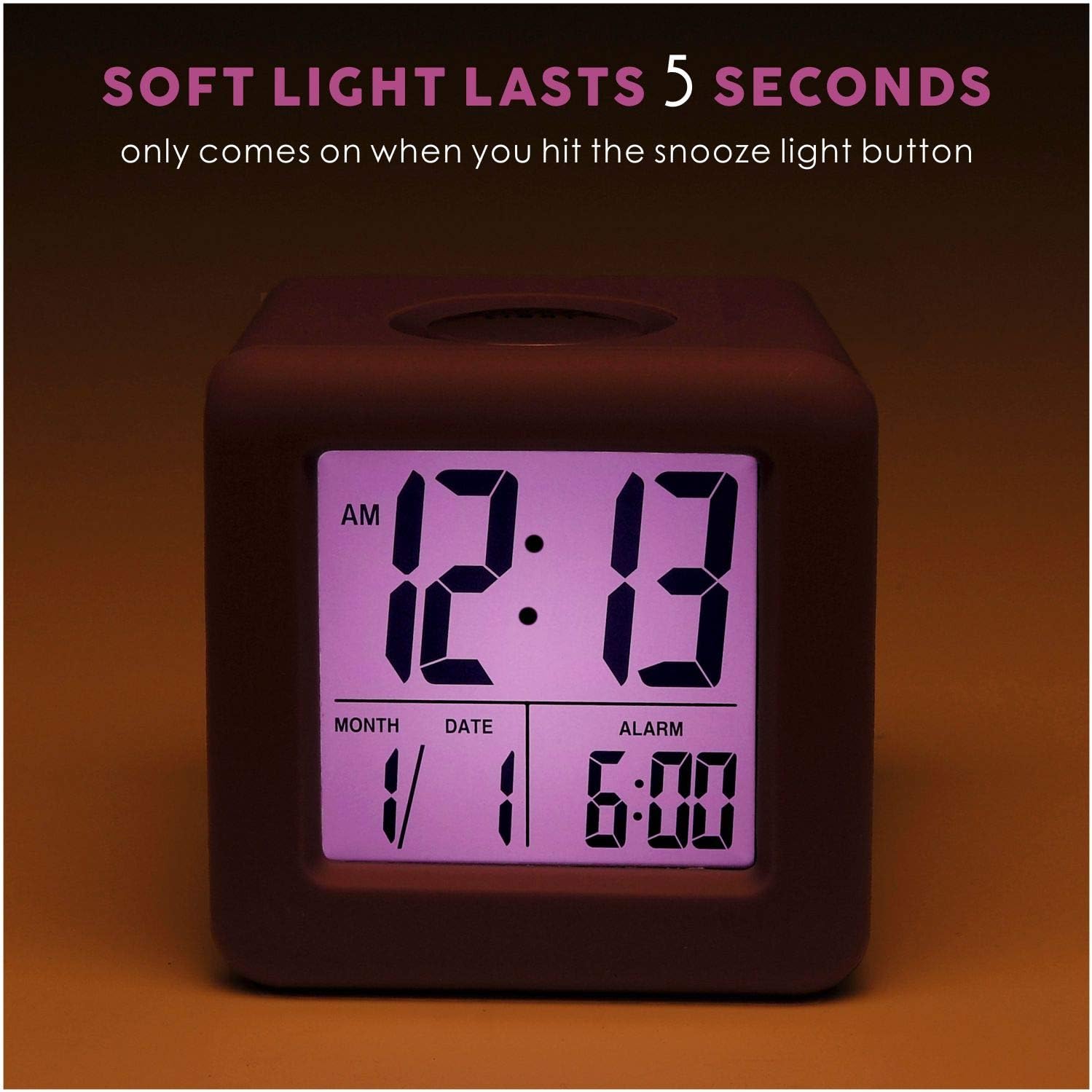
Figure 4: Display with backlight activated.
6. Penyelenggaraan
6.1 Pembersihan
To clean the alarm clock, gently wipe the surface with a soft, dry cloth. Do not use abrasive cleaners, solvents, or chemical sprays, as these may damage the device.
6.2 Penggantian Bateri
When the display becomes dim or the clock stops functioning, it is time to replace the batteries. Follow the battery installation steps in Section 4.1. It is recommended to replace both AA batteries simultaneously with new ones.
7. Penyelesaian masalah
| Masalah | Kemungkinan Punca | Penyelesaian |
|---|---|---|
| Paparan kosong atau malap. | Bateri rendah atau mati; pemasangan bateri yang salah. | Gantikan bateri dengan bateri AA baharu, memastikan kekutuban yang betul. |
| Penggera tidak berbunyi. | Alarm function is off; alarm time not set correctly. | Luncurkan OFF-ON ALARM switch to 'ON'. Verify the alarm time is set as desired. |
| Lampu latar tidak berfungsi. | Bateri lemah. | Gantikan bateri dengan bateri AA baharu. |
| Masa/tarikh yang dipaparkan salah. | Time/date not set correctly after battery installation or reset. | Refer to Sections 5.2 and 5.3 to reset the time and date. |
8. Spesifikasi
| Ciri | Perincian |
|---|---|
| Nombor Model | EM-008-PU |
| Jenis Paparan | LCD |
| Sumber Kuasa | 2 x Bateri AA (tidak termasuk) |
| Dimensi Produk | 3.15"W x 3.15"H |
| Berat Barang | 5.4 Auns |
| bahan | Silikon, Plastik |
| Ciri Khas | Snooze, Nightlight, Ascending Alarm, 12/24 Hour Format, Date Display |
9. Waranti dan Sokongan
Plumeet products are designed for reliability and performance. For warranty information or technical support, please refer to the contact details provided with your purchase or visit the official Plumeet webtapak. Sila simpan bukti pembelian anda untuk tuntutan waranti.


