1. Pengenalan
Thank you for choosing the 2BOOM HPBT500K Wireless Headphone System. This manual provides essential information for the proper setup, operation, and maintenance of your new headphones. Please read it thoroughly before use to ensure optimal performance and longevity of the product.
The HPBT500K headphones offer a wireless audio experience with a built-in microphone for hands-free calling, enhanced bass sound, and comfortable wear.
2. Apa yang ada di dalam Kotak
- 2BOOM HPBT500K Wireless Headphone
- Kabel Pengecas USB
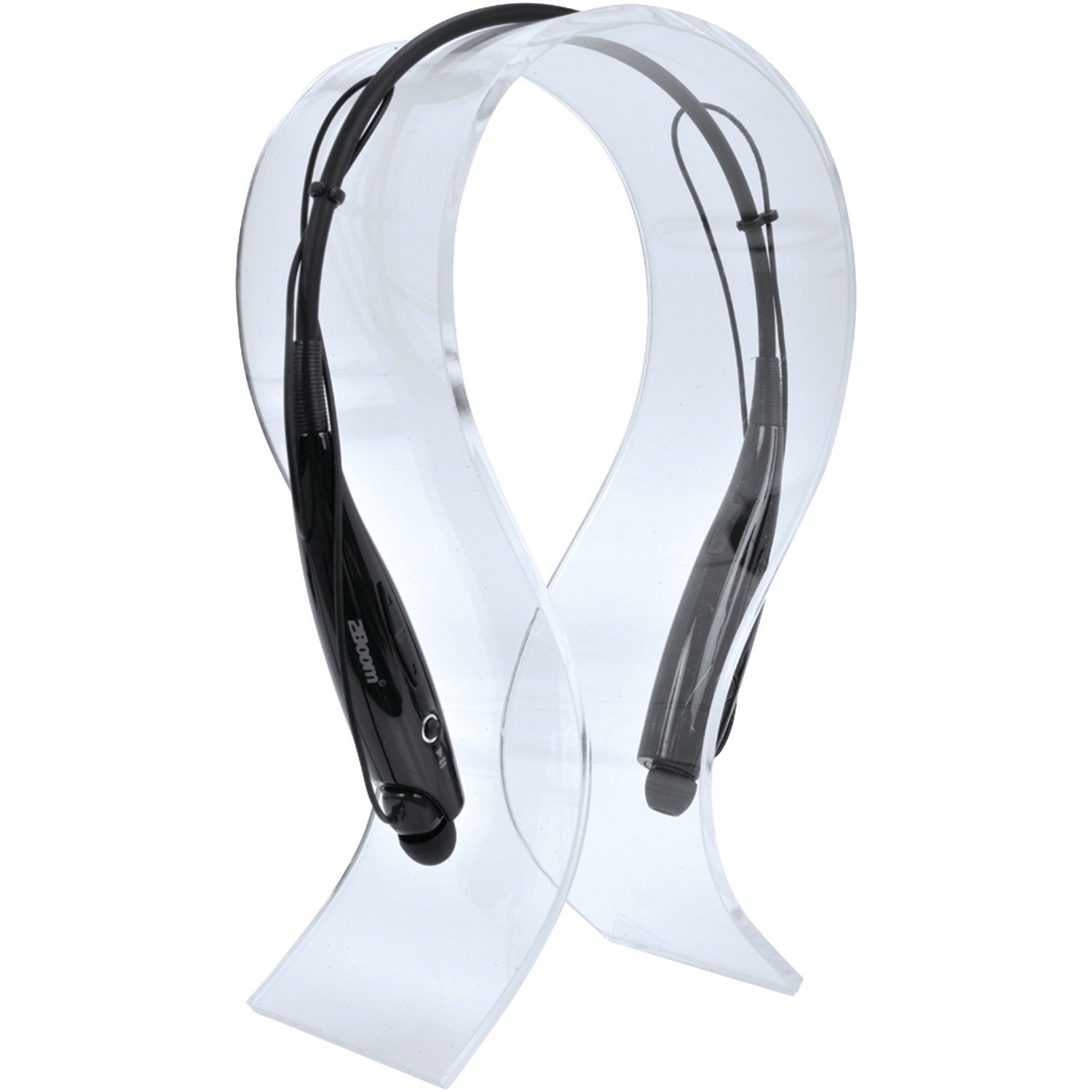
Image: The 2BOOM HPBT500K Wireless Headphone, showcasing reka bentuknya.
Image: The included USB charging cable for the headphones.
3. Produk Lebihview
Familiarize yourself with the various parts and controls of your HPBT500K headphones.

Imej: Sisi view of the 2BOOM HPBT500K Wireless Headphone, highlighting control buttons and ports.
Kawalan dan Penunjuk:
- Butang Kuasa: Used to turn the headphones on/off and for pairing.
- Jilid Naik / Laluan Seterusnya: Meningkatkan kelantangan atau melangkau ke lagu seterusnya.
- Turunkan Volume / Lagu Sebelumnya: Mengurangkan kelantangan atau pergi ke lagu sebelumnya.
- Butang berbilang fungsi (MFB): Play/Pause, Answer/End Call.
- mikrofon: Untuk komunikasi bebas tangan.
- Penunjuk LED: Menunjukkan status kuasa, mod berpasangan dan status pengecasan.
- Port Pengecasan USB Mikro: Untuk menyambungkan kabel pengecasan.
4. Mengecas Fon Kepala
Before first use, fully charge your headphones. A full charge typically takes about 2-3 hours.
- Connect the small end of the USB charging cable to the Micro USB charging port on your headphones.
- Connect the larger end of the USB charging cable to a USB power source (e.g., computer USB port, USB wall adapter). Ensure the power source provides DC 5V.
- The LED indicator will illuminate during charging and change color or turn off once charging is complete.
Nota: Do not use chargers with a voltage higher than DC 5V, as this may damage the headphones.
5. Persediaan dan Penggandingan Bluetooth
Follow these steps to pair your HPBT500K headphones with your Bluetooth-enabled device.
- Hidupkan kuasa: Press and hold the Power button on the headphones until the LED indicator flashes, usually alternating blue and red, indicating pairing mode.
- Aktifkan Bluetooth: On your smartphone, tablet, or other Bluetooth device, go to the Bluetooth settings and ensure Bluetooth is turned on.
- Cari untuk Peranti: Your device will scan for available Bluetooth devices.
- Select 'HPBT500K': From the list of found devices, select 'HPBT500K'.
- Sahkan Gandingan: Once paired, the LED indicator on the headphones will typically flash blue slowly or remain solid blue, and your device may confirm the connection.
The operating distance for Bluetooth connectivity is up to 33 feet (10 meters) in an open environment. Obstacles may reduce this range.
6. Arahan Operasi
Main Balik Muzik:
- Main/Jeda: Press the Multi-function Button (MFB) once.
- Lagu Seterusnya: Tekan dan tahan butang Naik Kelantangan.
- Trek Sebelumnya: Tekan dan tahan butang Kurangkan Kelantangan.
- Kelantangan: Tekan butang Kelantangan Naik sebentar.
- Perlahankan suara: Tekan butang Kelantangan Turun sebentar.
Music playback time is up to 3 hours on a full charge.
Panggilan Bebas Tangan:
- Jawab Panggilan: Press the MFB once when a call comes in.
- Tamatkan Panggilan: Tekan MFB sekali semasa panggilan.
- Tolak Panggilan: Press and hold the MFB for approximately 2 seconds when a call comes in.
- Dail Semula Nombor Terakhir: Tekan dua kali pada MFB.
Talk time is up to 3 hours on a full charge.
7. Penyelenggaraan
Untuk memastikan jangka hayat dan prestasi optimum fon kepala anda, ikut garis panduan penyelenggaraan ini:
- Keep the headphones dry. Avoid exposure to moisture, rain, or liquids.
- Clean the headphones with a soft, dry cloth. Do not use harsh chemicals or abrasive cleaners.
- Simpan fon kepala di tempat yang sejuk dan kering jauh dari suhu yang melampau.
- Elakkan daripada menjatuhkan atau meletakkan fon kepala kepada kesan yang kuat.
- Jangan cuba membuka atau mengubah suai fon kepala, kerana ini akan membatalkan jaminan.
8. Penyelesaian masalah
If you encounter issues with your HPBT500K headphones, refer to the following common problems and solutions:
- Fon kepala tidak dihidupkan:
Ensure the headphones are fully charged. Connect them to a power source using the provided USB cable. - Tidak boleh berpasangan dengan peranti:
Make sure Bluetooth is enabled on your device and the headphones are in pairing mode (LED flashing blue/red). Move the headphones closer to your device. Try turning both devices off and on again. - Tiada bunyi atau kelantangan rendah:
Semak tahap kelantangan pada kedua-dua fon kepala dan peranti anda yang disambungkan. Pastikan fon kepala dipasangkan dengan betul. - Kualiti bunyi yang buruk atau terputus sambungan:
Ensure there are no obstructions between the headphones and your device. Move closer to your device. Avoid environments with strong Wi-Fi or other wireless interference. - Mikrofon tidak berfungsi:
Pastikan fon kepala disambungkan dengan betul dan dipilih sebagai peranti input audio pada telefon/komputer anda.
9. Spesifikasi
| Ciri | Spesifikasi |
|---|---|
| Versi Bluetooth | 2.1 + EDR |
| Jarak Operasi | Sehingga 33 kaki (10 meter) |
| Masa Main semula Muzik | Sehingga 3 jam |
| Masa Berbual | Sehingga 3 jam |
| Mengecas Input Voltage | DC 5V |
| Masa Mengecas | Lebih kurang 2-3 jam |
| Output Speaker | 2 x 40mW |
| Bateri Terbina dalam | 3.7V, 150mAh |
| Berat Barang | 113 g |
| Dimensi Produk (LxWxH) | 23.11 x 16.76 x 3.81 cm |
| Komponen yang Disertakan | Headphone with charging cable |
| Kaedah Kawalan | Sentuh |
| Ciri Khas | Ringan, Mikrofon Termasuk |
10. Waranti dan Sokongan
For warranty information or technical support, please refer to the documentation provided at the time of purchase or contact 2BOOM customer service. Keep your proof of purchase for warranty claims.


