pengenalan
This manual provides essential information for the proper setup, operation, and maintenance of your RME ADI-2 Pro 2-in/4-out AD/DA Converter. The ADI-2 Pro is a versatile audio device designed for professional studio environments, offering high-end analog-to-digital and digital-to-analog conversion, a powerful headphone amplifier, and various digital connectivity options. Please read this manual thoroughly before using the device to ensure optimal performance and longevity.
Maklumat Keselamatan
Sentiasa patuhi langkah keselamatan berikut untuk mengelakkan kerosakan pada peranti atau kecederaan kepada diri anda:
- Jangan dedahkan unit kepada hujan, kelembapan atau suhu yang melampau.
- Pastikan pengudaraan yang betul di sekeliling unit untuk mengelakkan terlalu panas.
- Use only the specified power supply (9-15V DC, 10 Watt, center pin positive).
- Elakkan meletakkan objek berat pada unit.
- Jangan cuba membuka atau menservis unit ini sendiri. Rujuk semua servis kepada kakitangan yang berkelayakan.
- Jauhkan unit daripada medan magnet yang kuat.
Kandungan Pakej
Sahkan bahawa semua item terdapat dalam pakej:
- RME ADI-2 Pro Unit
- Unit Bekalan Kuasa Luaran
- Kabel USB
- Manual Pengguna (dokumen ini)
- Remote Control (if included with specific model variant)
Produk Selesaiview: Panel Belakang
The rear panel of the ADI-2 Pro provides all necessary connections for power, digital, and analog audio signals.
Imej: Rear panel of the RME ADI-2 Pro. From left to right, it features the power input, USB 2.0 port, digital I/O section with optical SPDIF/AES-3 and a D-sub connector, analog outputs (Right and Left XLR, plus L/R 1/4" TRS), and analog inputs (Right and Left XLR).
Sambungan Panel Belakang:
- Input Kuasa: DC input for the external power supply. Requires 9-15V DC, 10 Watt, with a center pin positive configuration.
- USB 2.0: Connects the ADI-2 Pro to a computer for audio interface functionality.
- Digital I/O (SPDIF / AES-3):
- Keluar: Optical output for SPDIF or AES-3 digital audio.
- Dalam: Optical input for SPDIF or AES-3 digital audio.
- D-sub Connector: Provides additional digital I/O options, typically for AES-3 via breakout cable.
- Keluaran Analog:
- Right / Left XLR: Balanced analog audio outputs for connecting to studio monitors or other audio equipment.
- L / R (1/4" TRS): Additional balanced analog outputs, often used for alternative monitoring or routing.
- Input Analog:
- Right / Left XLR: Balanced analog audio inputs for connecting microphones (with external pre-amp) or line-level sources.
Persediaan
- Sambungan Kuasa: Connect the external power supply to the DC input on the rear panel and then to a power outlet.
- Sambungan USB: Connect the ADI-2 Pro to your computer using the provided USB cable.
- Pemasangan Pemandu: For Windows and macOS, download and install the latest drivers from the official RME website. Follow the on-screen instructions.
- Sambungan Audio:
- Connect your studio monitors to the Analog Outputs (XLR or TRS).
- Connect your audio sources (e.g., pre-amplifiers, instruments) to the Analog Inputs (XLR).
- For digital audio, connect optical cables to the SPDIF/AES-3 In/Out pelabuhan mengikut keperluan.
- Kuasa Awal Hidup: Power on the ADI-2 Pro. The device should be recognized by your computer's operating system and audio software.
Arahan Operasi
The RME ADI-2 Pro offers extensive functionality through its front panel controls and display. Refer to the detailed software manual for in-depth configuration options.
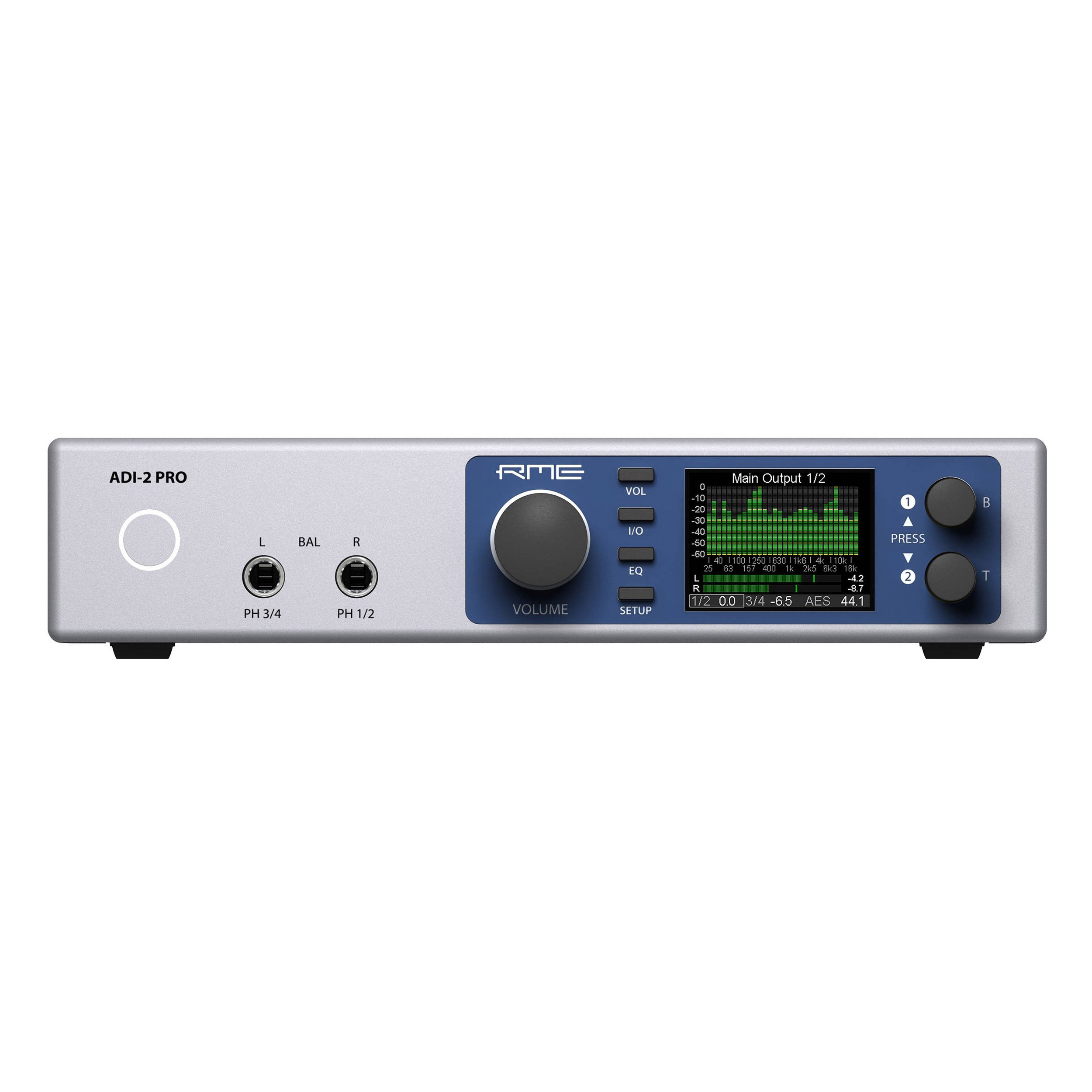
- Kawalan Panel Depan: Use the rotary encoders and buttons on the front panel to navigate menus, adjust parameters, and select inputs/outputs.
- paparan: The high-resolution display provides real-time metering, settings, and status information.
- Output Fon Kepala: The ADI-2 Pro features two high-quality headphone outputs. Adjust their volume independently via the front panel.
- Mod Operasi: The device can function as a standalone AD/DA converter, a USB audio interface, a headphone amplifier, and a digital format converter. Specific modes and routing are configured through the internal menu system.
- Kawalan Perisian: Advanced settings and routing can be managed via the RME driver control panel on your computer.
Penyelenggaraan
- Pembersihan: Gunakan kain lembut dan kering untuk membersihkan bahagian luar unit. Jangan gunakan pembersih cecair atau pelarut.
- Pengudaraan: Pastikan slot pengudaraan tidak tersumbat untuk mengelakkan pemanasan melampau.
- Kemas kini Firmware: Periodically check the RME website for firmware updates to ensure optimal performance and access to new features. Follow the provided instructions carefully when updating firmware.
- Storan: When not in use for extended periods, store the unit in a dry, dust-free environment.
Menyelesaikan masalah
- Tiada Kuasa:
- Check the power cable connection to the unit and the wall outlet.
- Verify the power adapter is functioning correctly and matches the required specifications (9-15V DC, 10 Watt, center pin positive).
- Tiada Output Audio:
- Ensure the correct output is selected on the ADI-2 Pro and in your computer's audio settings.
- Check all cable connections to your monitors or headphones.
- Verify volume levels on the unit and in your software.
- Tiada Input Audio:
- Confirm the input source is correctly connected to the ADI-2 Pro's analog or digital inputs.
- Select the correct input source on the ADI-2 Pro and in your recording software.
- Ensure any external pre-ampPengaktif telah dihidupkan dan berfungsi.
- Peranti Tidak Dikenali oleh Komputer:
- Re-install the latest drivers from the RME webtapak.
- Cuba port USB atau kabel USB yang berbeza.
- Restart your computer and the ADI-2 Pro.
For further assistance, consult the comprehensive RME ADI-2 Pro manual available on the RME website or contact RME technical support.
Spesifikasi
| Berat Barang | 4.49 paun |
| Dimensi Produk | 13.75 x 8.5 x 3.35 inci |
| Nombor Model | ADI2PRO |
| ASIN | B01MTWM896 |
| Tarikh Mula-mula Tersedia | 24 Mac 2017 |
| Keperluan Kuasa | 9-15V DC, 10 Watt (Center Pin +) |
| Ketersambungan | USB 2.0, Optical SPDIF/AES-3 I/O, D-sub Digital I/O, Analog XLR I/O, Analog 1/4" TRS Outputs |
Waranti dan Sokongan
RME products are covered by a manufacturer's warranty. For specific warranty terms and conditions, please refer to the documentation included with your product or visit the official RME website. For technical support, driver downloads, and additional resources, please visit the RME support page:


