1. Pengenalan
This manual provides instructions for the proper setup, operation, maintenance, and troubleshooting of your Onn ONA11HO089 Soft-Touch USB Keyboard. Please read this manual thoroughly before using the product to ensure optimal performance and longevity.
The Onn ONA11HO089 is a full-sized, black USB keyboard designed for comfortable and efficient typing across various compatible devices.
2. Persediaan
Setting up your Onn ONA11HO089 keyboard is a simple plug-and-play process. No additional drivers are typically required for most operating systems.
- Buka pek Papan Kekunci: Tanggalkan papan kekunci dari pembungkusannya dengan berhati-hati.
- Cari Port USB: Identify an available USB-A port on your computer, laptop, gaming console, or tablet.
- Sambungkan Kabel USB: Insert the USB connector of the keyboard cable into the chosen USB port.
- Pengecaman Sistem: Your operating system should automatically detect and install the necessary drivers for the keyboard. This process may take a few moments.
- Test the Keyboard: Open a text editor or any application that accepts text input and type to confirm the keyboard is functioning correctly.
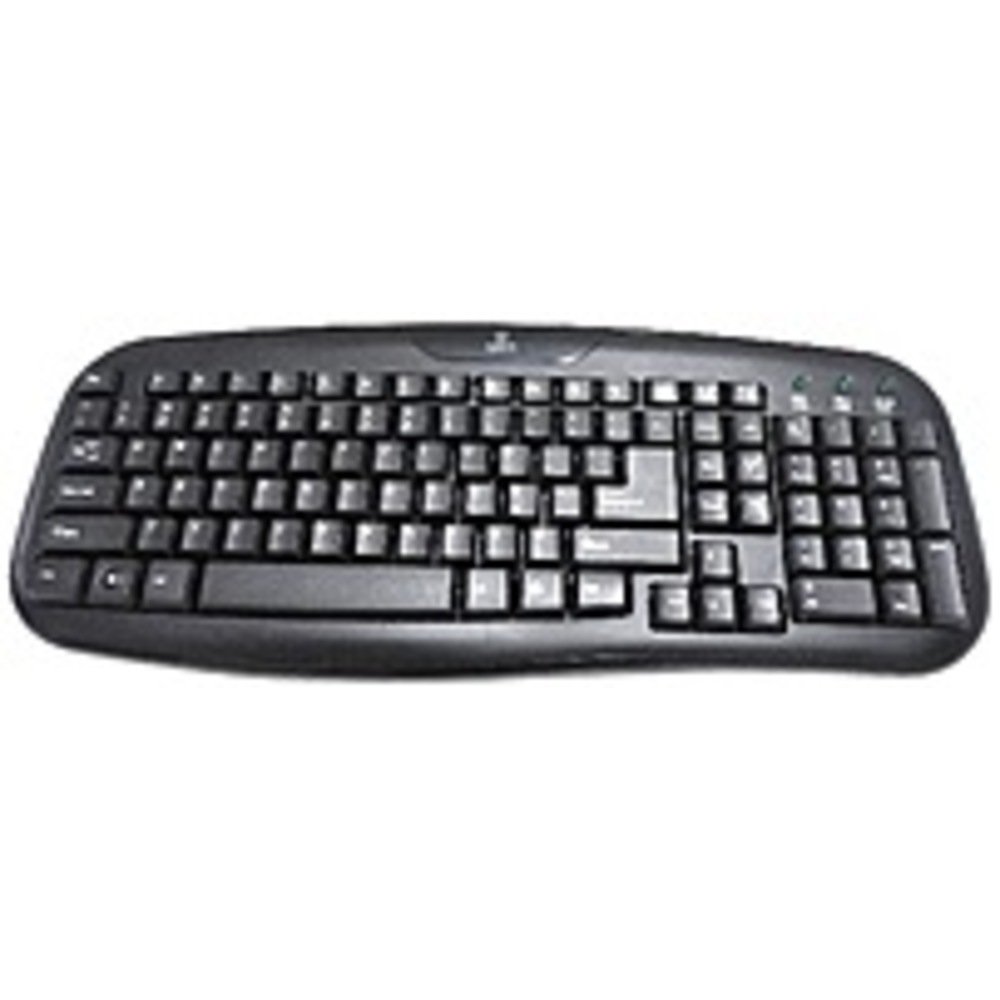
Figure 2.1: The Onn ONA11HO089 USB Keyboard. Connect the USB cable to an available port on your device.
3. Mengendalikan Papan Kekunci
The Onn ONA11HO089 keyboard offers a standard layout for intuitive typing. Its soft-touch keys are designed for comfortable and responsive input.
- Basic Typing: Use the alphanumeric keys for standard text input. The keyboard features a full QWERTY layout, including a numeric keypad for data entry.
- Kekunci Fungsi: The F1-F12 keys provide various functions, often used in combination with the Fn key on laptops, though this keyboard is a standalone unit and these keys typically perform their standard functions directly.
- Kunci Khas: Utilize keys like Ctrl, Alt, Beralih, dan Windows/Command key for shortcuts and system commands.
- Soft-Touch Experience: The tactile switches provide a comfortable typing experience, reducing fatigue during extended use.
- Keserasian: This keyboard is compatible with various devices including PCs, laptops, gaming consoles, and tablets that support USB keyboard input.
Figure 3.1: The key layout of the Onn ONA11HO089 keyboard, showing the standard QWERTY arrangement and numeric keypad.
4. Penyelenggaraan
Proper maintenance can extend the life of your keyboard and ensure consistent performance.
- Pembersihan:
- Putuskan sambungan papan kekunci daripada peranti anda sebelum membersihkannya.
- Gunakan kain lembut dan tidak berbulu sedikit dampened with water or a mild cleaning solution to wipe the surface of the keys and casing.
- Untuk habuk dan serpihan di antara kunci, gunakan udara termampat.
- Elakkan daripada menggunakan bahan kimia yang keras, pembersih yang melelas, atau kelembapan yang berlebihan, kerana ini boleh merosakkan papan kekunci.
- Keycap Wear: Over time and with heavy use, the lettering on the keycaps may show signs of wear. This is a common characteristic of printed keycaps. Gentle use and regular cleaning can help minimize this, but it is not indicative of a functional defect.
- Storan: Apabila tidak digunakan, simpan papan kekunci dalam persekitaran yang bersih dan kering dari suhu yang melampau dan cahaya matahari langsung.
5. Penyelesaian masalah
If you encounter issues with your Onn ONA11HO089 keyboard, refer to the following common troubleshooting steps:
| Masalah | Kemungkinan Punca | Penyelesaian |
|---|---|---|
| Papan kekunci tidak bertindak balas. |
|
|
| Certain keys are not working. |
|
|
| Keyboard input is delayed or erratic. |
|
|
6. Spesifikasi
Below are the technical specifications for the Onn ONA11HO089 Soft-Touch USB Keyboard:
- model: ONA11HO089
- Jenama: Onn
- Teknologi Ketersambungan: USB
- Penerangan Papan Kekunci: Ergonomik
- Jenis Suis: Taktil
- warna: Hitam
- Sumber Kuasa: USB Powered
- Peranti Serasi: Konsol Permainan, Komputer Riba, PC, Tablet
- Dimensi Produk: 18 x 1.25 x 7 inci (kira-kira 45.7 x 3.2 x 17.8 cm)
- Berat Barang: 1.38 paun (kira-kira 0.63 kg)
- Tarikh Mula-mula Tersedia: 5 Januari 2017
7. Waranti dan Sokongan
For warranty information regarding your Onn ONA11HO089 Soft-Touch USB Keyboard, please refer to the documentation included with your purchase or visit the official Onn webtapak. Terma dan syarat waranti mungkin berbeza mengikut wilayah dan peruncit.
If you require technical support or have questions not covered in this manual, please contact Onn customer service through their official webtapak atau maklumat hubungan yang diberikan bersama produk anda.


