Produk Selesaiview
The Jebao SW4 Propeller Water Pump is a high-performance wave maker designed for aquariums, offering adjustable flow rates and multiple operating modes. It features a silent design, a wireless controller, and a magnetic mount for easy installation. This unit is suitable for both freshwater and saltwater environments, enhancing water circulation and oxygenation.
Ciri-ciri Utama
- Adjustable Flow Rates: Offers 8 different flow rates from 132 to 1000 GPH.
- Pengawal Tanpa Wayar: Includes a wireless controller for easy adjustment and master/slave pump connection.
- APEX System Compatibility: Features a 0-10V Input Port for integration with APEX systems.
- Operasi senyap: Engineered for quiet performance, minimizing disturbance to the aquarium environment.
- One-Touch Feed Mode: Temporarily slows the pump for 10 minutes to facilitate feeding.
- Penderia Malam: Automatically detects low light conditions and reduces pump activity.
- Pembinaan Tahan Lama: Equipped with a ceramic shaft for extended lifespan and reliability.
- Cekap Tenaga: Delivers powerful water flow with low energy consumption.
- Lekapan Magnet: Provides secure and flexible placement within the aquarium.
Kandungan Pakej
Sila pastikan semua barang ada semasa membuka bungkusan:
- 1x Jebao SW4 Propeller Water Pump
- Pengawal Tanpa Wayar 1x
- 1x AC Adapter
- 1x Magnet Mount

Image: The complete package contents including the Jebao SW4 pump, wireless controller, and AC adapter.

Image: The retail packaging for the Jebao SW4 Propeller Pump.
Arahan Persediaan
- Membongkar: Keluarkan semua komponen dari pembungkusan dengan berhati-hati. Periksa untuk sebarang kerosakan.
- Sambungan Komponen:
- Connect the wave maker pump to the controller. Ensure the waterproof connectors are aligned correctly and securely fastened by twisting the locking ring. Incorrect connection may prevent proper operation.
- Connect the AC adapter to the controller.
- Pasangkan penyesuai AC ke soket kuasa yang sesuai.
- Pemasangan magnetik:
- Place the wave maker pump inside the aquarium at the desired location. Ensure the pump is fully submerged.
- Position the external magnet mount on the outside of the aquarium glass, directly opposite the pump. The strong magnetic force will secure the pump in place.
- Adjust the pump's position as needed by sliding the external magnet.
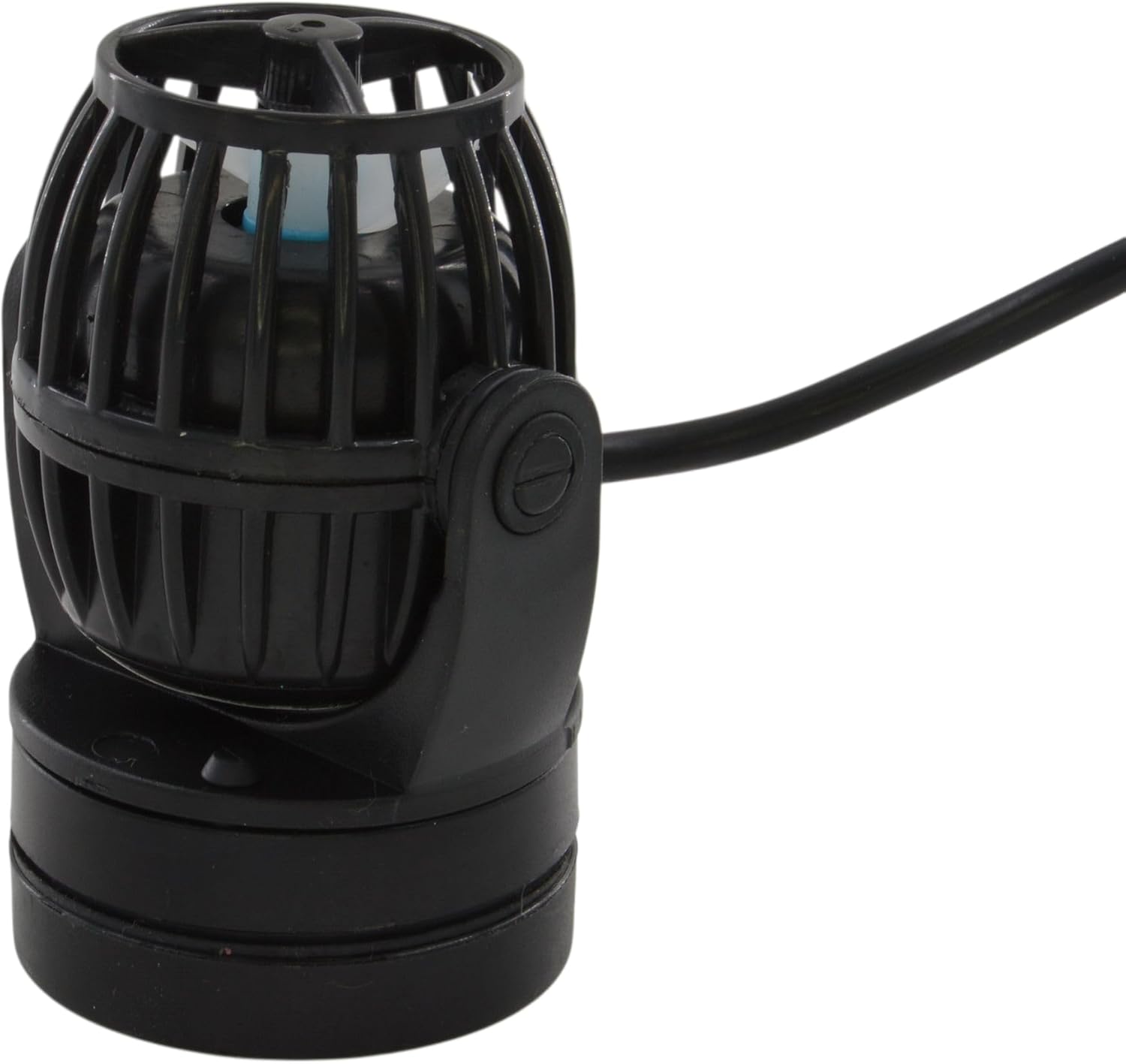
Imej: Sebelah view of the Jebao SW4 Propeller Water Pump, showing its compact design and the magnetic mounting mechanism for secure placement.
Panduan Video Persediaan
Video: An unboxing and initial setup guide for the Jebao SW4 wave maker, demonstrating component connection and magnetic mounting.
Arahan Operasi
The wireless controller provides comprehensive control over the wave maker's functions.
- Hidupkan/Mati Kuasa: Press the power button on the controller to turn the pump on or off.
- Pelarasan Kadar Aliran: Use the speed adjustment dial or dedicated buttons on the controller to select one of the 8 available flow rates (132-1000 GPH).
- Mod Pengendalian: The controller offers various wave patterns and modes to simulate natural water movement:
- Mod Aliran Malar: Provides a steady, continuous water flow.
- Mod Nadi: Creates intermittent pulses of water flow.
- Mod Gelombang Sinus: Generates a smooth, oscillating wave pattern.
- Mod Rawak: Produces unpredictable and varied flow patterns.
- Mod Terbalik: Changes the direction of water flow.
- Mod Suapan: Press the "Feed" button to activate the one-touch feed mode. The pump will slow down for 10 minutes to allow fish to feed without food being swept away. After 10 minutes, it will automatically resume its previous operating mode.
- Penderia Malam: The integrated night sensor automatically detects when tank lights are off and slows the pump to a gentler flow, simulating natural nighttime conditions.
- Master/Slave Control: For setups with multiple pumps, the wireless controller can connect pumps in a master/slave configuration, allowing synchronized operation and coordinated wave patterns.
Operation Video Guides
Video: Demonstrates the general operation and features of a quiet and powerful aquarium wave maker, including various modes and settings.
Video: Provides a detailed overview of an aquarium wave maker pump with its controller, showcasing different modes and functionalities.
Penyelenggaraan
Regular cleaning is essential for optimal performance and longevity of your Jebao SW4 wave maker.
- Pembongkaran: Unplug the pump from the power source. Carefully remove the pump from the aquarium.
- Membersihkan Pendesak: Open the protective shell of the wave maker to access the impeller. Remove any debris, algae, or foreign objects that may have accumulated around the impeller. A soft brush can be used for thorough cleaning.
- Pemasangan semula: Once clean, reassemble the pump components, ensuring all parts are securely in place.
- penempatan: Reinstall the pump in the aquarium using the magnetic mount and reconnect the power.

Imej: Dari dekat view of the Jebao SW4 Propeller Water Pump's impeller, highlighting the area that requires regular cleaning to prevent blockages and maintain efficiency.
Menyelesaikan masalah
- Pump Not Operating:
- Periksa semua sambungan kuasa untuk memastikan ia selamat.
- Verify the AC adapter is plugged into a working power outlet.
- Ensure the pump is correctly connected to the controller.
- Inspect the impeller for any blockages or debris. Clean if necessary.
- Reduced Flow/Weak Performance:
- Clean the impeller and protective cage as described in the Maintenance section.
- Check for any obstructions in the water flow path.
- Ensure the selected flow rate on the controller is appropriate.
- Bunyi Luar Biasa:
- Remove the pump and inspect the impeller for any foreign objects or damage.
- Ensure the pump is securely mounted and not vibrating against the aquarium glass.
- Check for air bubbles trapped within the pump housing.
- Gangguan Fungsi Pengawal:
- Ensure the controller is receiving power.
- Try resetting the controller by unplugging and replugging the power.
- Refer to the specific controller instructions for advanced troubleshooting.
Spesifikasi Teknikal
| Atribut | Perincian |
|---|---|
| Jenama | Jebao |
| Model | SW-4 |
| bahan | Polipropilena (PP) |
| warna | Hitam |
| Sumber Kuasa | AC Powered (via included adapter) |
| Berat Barang | 1.3 paun |
| Dimensi Produk | 6.5 x 6.5 x 3.75 inci |
| Kadar Aliran Maksimum | 16.66 Gelen Seminit (lebih kurang 1000 GPH) |
| Wattage | 10.00 W |
| Kegunaan Khusus | Akuarium Dalaman |

Image: The Jebao SW4 Propeller Water Pump showing its model number and other technical details on the label.
Waranti dan Sokongan
This Jebao SW4 Propeller Water Pump comes with a Waranti 180 hari dari tarikh pembelian. Sila simpan bukti pembelian anda untuk sebarang tuntutan waranti.
For technical assistance, troubleshooting, or to make a warranty claim, please contact Jebao customer support. Contact information can typically be found on the product packaging or the official Jebao webtapak.


