1. Pengenalan
The Autel AutoLink AL419 is a powerful and user-friendly diagnostic tool designed to quickly and efficiently troubleshoot OBDII/CAN compliant vehicles. This device allows you to read and clear Diagnostic Trouble Codes (DTCs), view live data, perform I/M readiness tests, and retrieve vehicle information, helping you identify and resolve vehicle issues.

Image 1.1: Autel AutoLink AL419 device highlighting key functions.
2. Kandungan Pakej
Please check the contents of your package carefully. If any items are missing or damaged, contact your vendor.

Image 2.1: Package contents of the Autel AutoLink AL419.
- Unit Autel AutoLink AL419
- Kabel OBDII
- Kabel USB
- Manual Pengguna
- Membawa Sarung
3. Produk Lebihview
The AL419 features a TFT color display and an intuitive button layout for easy navigation. Key components include:
- Paparan LCD: Menunjukkan keputusan ujian dan pilihan menu.
- Penyambung OBDII: Connects to the vehicle's Data Link Connector (DLC).
- Penyambung USB: For connecting to a PC for updates or printing data.
- Butang I/M: One-Click I/M Readiness check.
- Butang ESC: Exits current screen or cancels an action.
- Butang OK: Mengesahkan pilihan atau tindakan.
- Pad Arah: Menavigasi melalui menu dan pilihan.
- Butang Bantuan: Memberikan bantuan yang sensitif terhadap konteks.

Image 3.1: Labeled components of the Autel AutoLink AL419.
4. Persediaan
Before using the AL419, ensure your vehicle is OBDII compliant and the ignition is in the ON position.
- Locate the DLC: The Data Link Connector (DLC) is typically located under the dashboard on the driver's side. Refer to your vehicle's service manual for the exact location.
- Sambungkan Pengimbas: Plug the AL419's OBDII cable into the vehicle's DLC. The scanner will automatically power on.
- Permulaan Sistem: The scanner will perform a system initialization. Once complete, the main menu will appear.
5. Arahan Operasi
The AL419 offers various diagnostic functions accessible from the main menu.
5.1. Reading Codes
This function retrieves Diagnostic Trouble Codes (DTCs) from the vehicle's computer.
- Daripada menu utama, pilih 'Read Codes' dan tekan OK.
- The scanner will display any stored or pending DTCs.
- Use the directional pad to scroll through the codes and their definitions.
5.2. Clearing Codes
This function erases DTCs from the vehicle's computer and turns off the Check Engine Light (MIL).
- Daripada menu utama, pilih 'Erase Codes' dan tekan OK.
- Sahkan tindakan apabila digesa.
- Note: Clearing codes does not fix the underlying problem. Address the issue before clearing codes to prevent them from reappearing.
5.3. I/M Readiness Test
The I/M Readiness function checks the status of the emission-related monitoring systems on the vehicle.

Image 5.1: I/M Readiness status display on the AL419.
- Tekan berdedikasi Saya / M button on the device or select 'Kesediaan Saya' daripada menu.
- The screen will display the status of various monitors. A green checkmark indicates the monitor has completed its test, while a red 'X' indicates it has not.
- Color-coded LEDs (Green, Yellow, Red) and an audible tone provide quick status indication.
5.4. Viewdalam Data Langsung
This function displays real-time data from the vehicle's sensors and components.

Image 5.2: Live Data and RPM graph display.
- Daripada menu utama, pilih 'Data Langsung' dan tekan OK.
- Pilih untuk view data in a list format or graphical format (if supported).
- Observe parameters such as engine RPM, vehicle speed, oxygen sensor readings, and more.
5.5. Viewdalam Membekukan Data Bingkai
Freeze Frame Data captures a snapshot of the vehicle's operating conditions at the moment a DTC was set.
- Daripada menu utama, pilih 'Freeze Frame' dan tekan OK.
- The scanner will display various parameters recorded when the fault occurred, aiding in diagnosis.
5.6. Carian DTC
This feature provides detailed definitions for Diagnostic Trouble Codes.
- Daripada menu utama, pilih 'DTC Lookup' dan tekan OK.
- Enter the DTC code manually or select a code from a previously read list.
- The scanner will display the definition of the code.
5.7. Retrieving Vehicle Information (VIN, CIN, CVN)
This function allows you to retrieve the Vehicle Identification Number (VIN), Calibration Identification (CIN), and Calibration Verification Number (CVN).
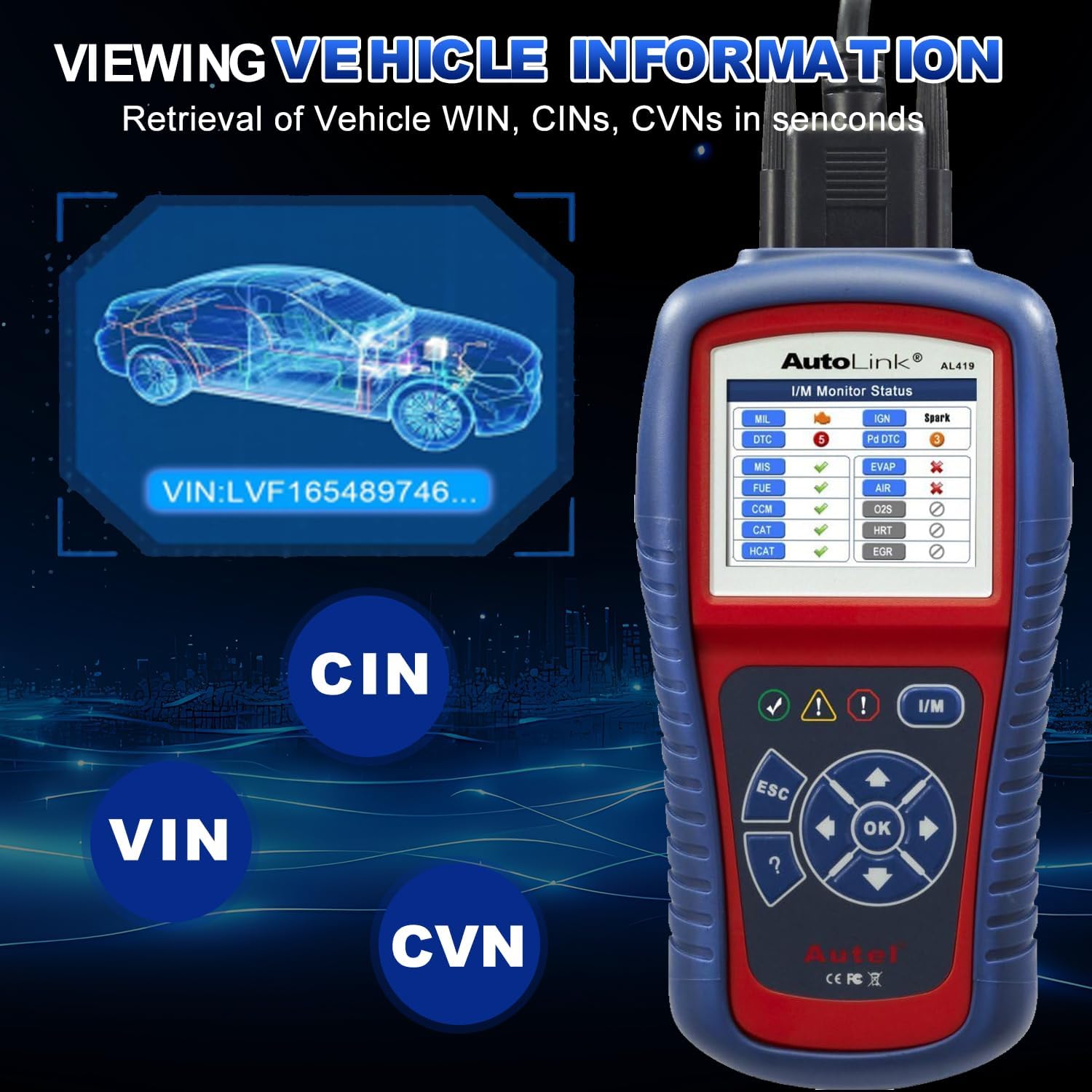
Imej 5.3: Viewing Vehicle Information on the AL419.
- Daripada menu utama, pilih 'Maklumat Kenderaan' dan tekan OK.
- The scanner will display the available vehicle identification data.
5.8. Data Playback and Printing
The AL419 can store diagnostic data for later review dan percetakan.

Image 5.4: Additional features including Data Playback and Printing.
- Main Balik Data: Review previously recorded diagnostic data directly on the device.
- Percetakan Data: Connect the AL419 to a PC via the USB cable and use the provided software to print diagnostic reports.
6. Keserasian Kenderaan
The Autel AutoLink AL419 is designed for broad vehicle compatibility, supporting most 1996 and newer vehicles that comply with OBDII & CAN protocols.
- Domestic & Imported Models: Works with a wide range of vehicles from various manufacturers.
- Petrol Vehicles: Applicable to models manufactured from 2001 onwards.
- Diesel Vehicles: Applicable to models manufactured from 2004 onwards.

Imej 6.1: Cthamples of vehicle brands supported by the AL419.
7. Penyelenggaraan
To ensure the longevity and optimal performance of your AL419, follow these maintenance guidelines:
- Pembersihan: Gunakan yang lembut, damp kain untuk membersihkan peranti. Jangan gunakan pembersih atau pelarut yang melelas.
- Storan: Store the device in its carrying case in a dry, cool environment when not in use.
- Kemas Kini Perisian: Regularly check for software updates on the Autel official website to ensure the scanner has the latest vehicle data and features. Connect the device to a PC via the USB cable for updates.
- Penjagaan Kabel: Elakkan membengkokkan atau memusingkan kabel OBDII secara berlebihan. Simpannya dengan kemas untuk mengelakkan kerosakan.
8. Penyelesaian masalah
If you encounter issues with your AL419, refer to the following common problems and solutions:
- Scanner Fails to Power On:
- Ensure the OBDII cable is securely connected to the vehicle's DLC.
- Pastikan penyalaan kenderaan berada dalam kedudukan ON.
- Periksa volum bateri kenderaantage; a low battery might prevent the scanner from powering on.
- Ralat Pautan:
- Confirm the vehicle is OBDII compliant (most 1996 and newer vehicles).
- Check for a loose connection at the DLC.
- Turn the ignition off, wait 10 seconds, then turn it back on and retry.
- Try the scanner on another OBDII compliant vehicle to rule out a vehicle-specific issue.
- DTC Tidak Dihapuskan:
- Ensure the ignition is ON and the engine is OFF.
- If the underlying fault is still present, the codes will reappear immediately after clearing. Address the vehicle issue first.
9. Spesifikasi
| Jenama | Autel |
| Model | AL419 |
| Paparan | TFT Color Display (320 x 240 dpi) |
| Sumber Kuasa | Kuasa 8.0 hingga 18.0 V disediakan melalui bateri kenderaan |
| Suhu Operasi | 0 hingga 60° C (32 hingga 140° F) |
| Suhu Penyimpanan | -20 hingga 70° C (-4 hingga 158° F) |
| Berat Barang | 2.2 paun |
| Dimensi Pakej | 10.31 x 7.48 x 3.54 inci |
| Bahasa OSD | Inggeris, Sepanyol, Perancis |
10. Waranti dan Sokongan
Autel menyediakan jaminan terhad untuk produknya. Untuk terma dan syarat jaminan tertentu, sila rujuk kad jaminan yang disertakan dengan produk anda atau lawati laman web rasmi Autel. webtapak.
For technical assistance, product inquiries, or after-sales support, please contact Autel customer service. The product includes 24/7 after-sale support.
Official Autel Webtapak: www.autel.com


