pengenalan
This manual provides detailed instructions for the Logitech M221 Wireless Mouse. Designed for quiet operation and reliable performance, the M221 offers a comfortable, ambidextrous design with an 18-month battery life. Please read this manual thoroughly to ensure proper setup and optimal use of your device.
Panduan Persediaan
Ikuti langkah-langkah ini untuk menyediakan Tetikus Tanpa Wayar Logitech M221 anda:
- Pasang Bateri:
Locate the battery compartment on the underside of the mouse. Slide the battery cover off. Insert the included AA battery, ensuring correct polarity. Replace the battery cover.

Imej: Bahagian bawah view of the Logitech M221 mouse, showing the battery compartment and the location of the USB receiver.
- Cari Penerima USB:
The tiny USB receiver is stored inside the battery compartment for convenience during transport. Carefully remove it from its slot.
- Connect the Receiver to Your Computer:
Plug the USB receiver into an available USB port on your computer (PC or Mac). The mouse will automatically connect to your computer.
- Hidupkan Tetikus:
Ensure the power switch on the underside of the mouse is in the "ON" position. The mouse is now ready for use.
Arahan Operasi
The Logitech M221 is designed for intuitive and comfortable use:
- Klik Senyap: The M221 features 90% reduced click sound, providing a quiet working environment without sacrificing the familiar click feel.
- Reka Bentuk Ambidextrous: Its comfortable, contoured shape is suitable for both left and right-handed users.
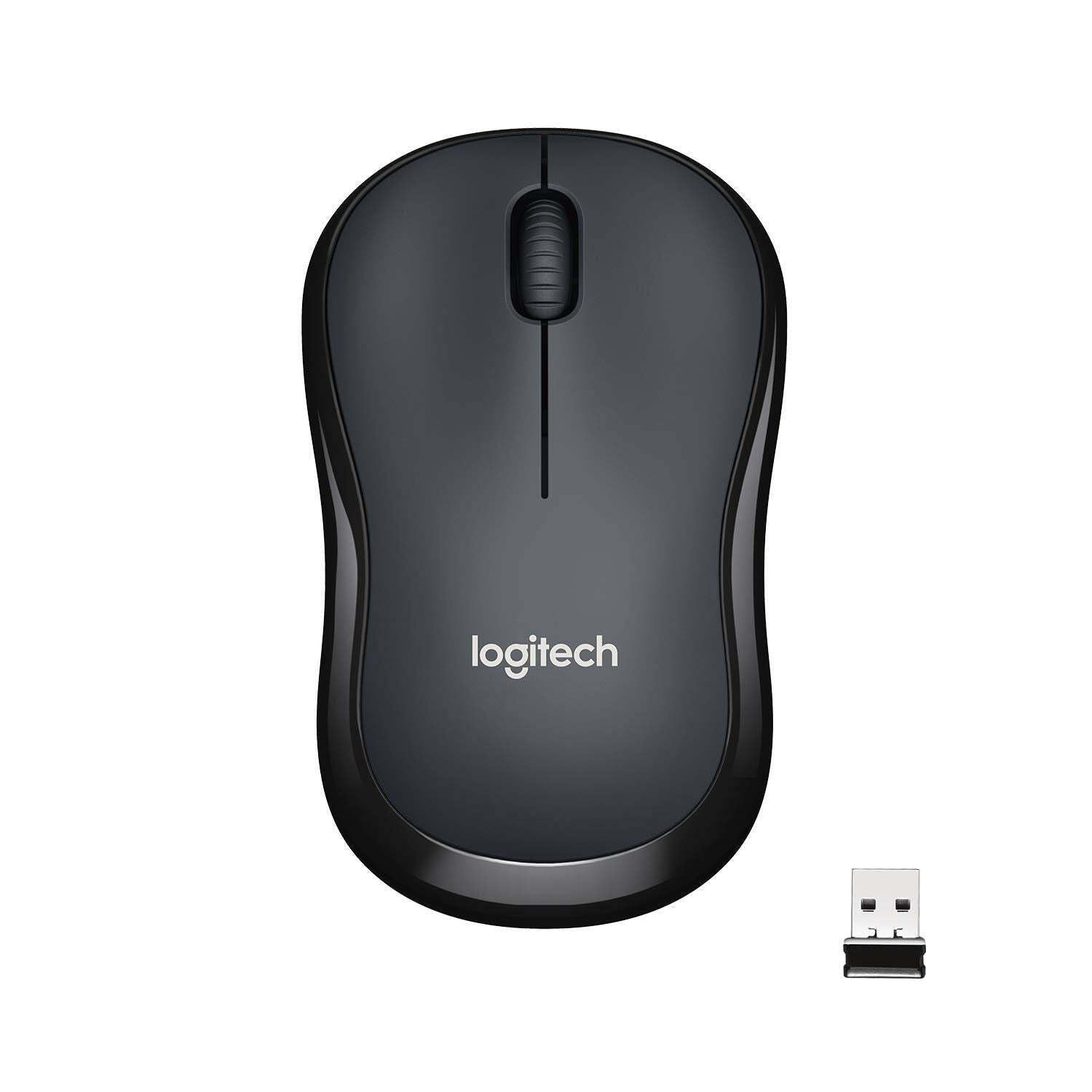
Imej: Atas view of the Logitech M221 Wireless Mouse in charcoal, alongside its compact USB receiver.
- Penjejakan Optik: The mouse uses 1000 DPI optical tracking for smooth and precise cursor control.
- Julat Tanpa Wayar: Enjoy reliable wireless connectivity up to 10 meters (33 feet) from your computer. Actual range may vary based on environmental conditions.
- Auto-Sleep Feature: To conserve battery life, the mouse automatically enters a sleep mode when not in use. Move the mouse or click a button to wake it up.
Penyelenggaraan
Proper maintenance ensures the longevity and optimal performance of your M221 mouse.
- Penggantian Bateri: The M221 mouse boasts an 18-month battery life. When the mouse performance degrades or the indicator light (if present) signals low battery, replace the AA battery. Refer to the "Install the Battery" step in the Setup Guide.
- Pembersihan: Use a soft, dry cloth to clean the mouse. Avoid abrasive cleaners or solvents.
- Storan: When not in use for extended periods, turn off the mouse using the power switch on the underside to further conserve battery life. Store the USB receiver inside the battery compartment to prevent loss.
Menyelesaikan masalah
Jika anda menghadapi masalah dengan tetikus Logitech M221 anda, cuba penyelesaian berikut:
- Tetikus Tidak Menjawab:
- Pastikan tetikus dihidupkan.
- Periksa bateri. Gantikannya jika perlu.
- Sahkan bahawa penerima USB dipasang dengan selamat ke port USB yang berfungsi pada komputer anda. Cuba port USB yang lain.
- Gerakkan tetikus lebih dekat dengan penerima USB untuk menolak isu julat.
- Pergerakan Kursor Tidak Menentu:
- Bersihkan penderia optik di bahagian bawah tetikus dengan kain lembut dan kering.
- Pastikan anda menggunakan tetikus pada permukaan yang sesuai. Elakkan permukaan yang sangat reflektif atau lutsinar.
- Semak gangguan daripada peranti wayarles lain.
- Butang atau Roda Tatal Tidak Berfungsi:
- Mulakan semula komputer anda.
- Masukkan semula penerima USB.
- If the issue persists, the mouse may require replacement.
Spesifikasi
| Ciri | Perincian |
|---|---|
| Jenama | Logitech |
| Model | M221 (Item model number: 910-004882) |
| Teknologi Ketersambungan | Tanpa Wayar 2.4 GHz (Penerima USB) |
| Pengesanan Pergerakan | Optical (1000 DPI) |
| Butang Senyap | Yes (90% reduced click sound) |
| Jenis Bateri | 1 x Bateri AA (termasuk) |
| Purata Hayat Bateri | 18 Bulan |
| Reka Bentuk Ambidextrous | ya |
| Sistem Operasi yang Serasi | Windows 10 or later, Windows 8, Windows RT, Windows 7, Mac OS X 10.5 or later, Chrome OS, Linux Kernel 2.6+2 |
| Dimensi Produk | 6 x 4 x 10 cm (L x W x T) |
| Berat Barang | 77 g |
| Komponen yang Disertakan | Mouse, Nano Receiver, 1 AA Battery, User Documentation |

Image: Diagram showing the dimensions of the Logitech M221 Wireless Mouse: 99mm length, 60mm width, 39mm height, and 75g weight.
Waranti dan Sokongan
Untuk maklumat jaminan dan sokongan teknikal, sila rujuk Logitech rasmi website or the documentation included with your product. Logitech provides customer support for product inquiries and assistance.
You can typically find support resources, FAQs, and contact information by visiting www.logitech.com/support.


