1. Pengenalan
This manual provides detailed instructions for the safe and correct installation and use of your One For All WM6211 Ultra-Slim Fixed TV Wall Mount. This mount is designed to securely hold televisions with screen sizes ranging from 13 to 42 inches and a maximum weight of 40 kg (88 lbs). It offers a fixed mounting solution with a minimal wall distance of only 13 mm, suitable for LED, LCD, and Plasma TVs.
Please read this manual thoroughly before beginning installation and retain it for future reference.
2. Maklumat Keselamatan
- Pastikan struktur dinding boleh menyokong berat gabungan pelekap dan televisyen anda. Rujuk profesional jika tidak pasti.
- Jangan melebihi kapasiti berat maksimum 40 kg (88 lbs).
- Use only the provided mounting hardware or appropriate hardware for your specific wall type.
- Always use a spirit level to ensure the mount is installed horizontally.
- Jauhkan kanak-kanak dan haiwan peliharaan dari kawasan pemasangan.
- Improper installation can result in serious injury or damage to property.
3. Kandungan Pakej
Verify that all components are present before starting the installation. The package for the One For All WM6211 TV Wall Mount includes:
- One For All WM6211 TV Wall Mount bracket
- Mounting hardware kit (screws, wall plugs, spacers)
- Manual Arahan
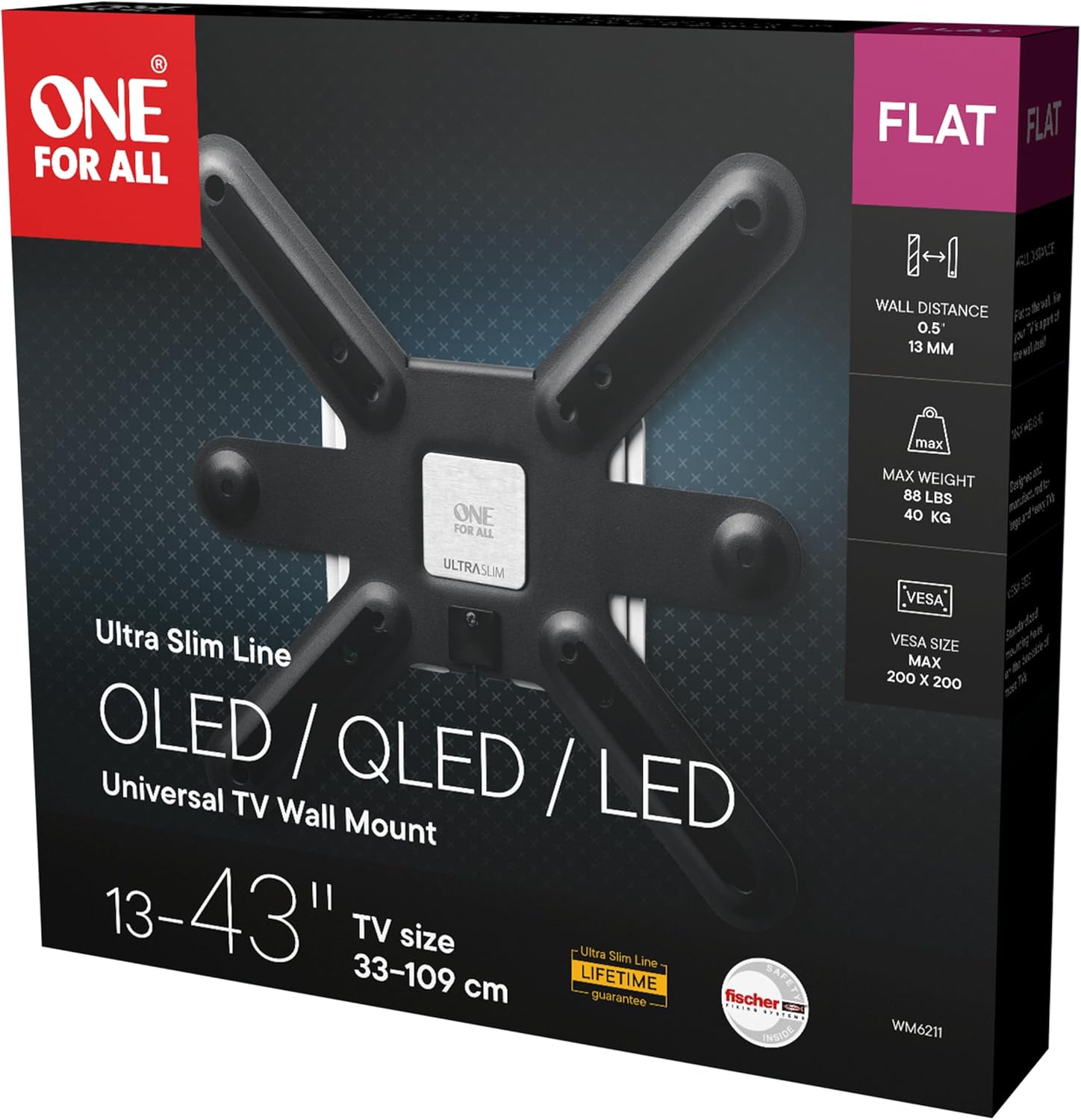
Image: The retail packaging for the One For All WM6211 TV Wall Mount, showing the product name, features, and specifications.
4. Spesifikasi
| Jenama | Satu Untuk Semua |
| Nombor Model | WM6211 |
| Jenis Produk | Pemasangan Dinding TV tetap |
| Peranti Serasi | Televisions (LED, LCD, Plasma) |
| Keserasian Saiz Skrin | 13 - 42 inci |
| Kapasiti Berat Maksimum | 40 kg (88 lbs) |
| Keserasian VESA | 75x75, 100x100, 200x100, 200x200 mm |
| Jarak Dinding | 13 mm |
| Jenis Pemasangan | Lekap di dinding |
| Jenis Pergerakan | tetap |
| bahan | logam |
| warna | Hitam |
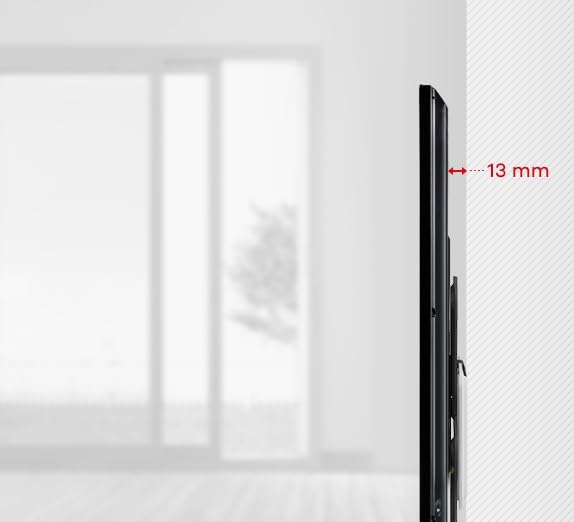
Imej: Pro sampinganfile view illustrating the ultra-slim 13 mm distance between the mounted television and the wall.
5. Persediaan dan Pemasangan
Follow these steps carefully to install your TV wall mount.
5.1 Prepare the TV Mount

Imej: Bahagian hadapan view of the One For All WM6211 TV Wall Mount, showing the central mounting plate and four arms for VESA compatibility.
- Buka bungkusan semua komponen dan sahkan terhadap senarai kandungan pakej.
- Identify the VESA mounting holes on the back of your television. The WM6211 supports VESA patterns: 75x75, 100x100, 200x100, and 200x200 mm.
- Attach the TV mount arms to the back of your television using the appropriate screws and spacers from the hardware kit. Ensure they are securely fastened.
5.2 Mark Drilling Positions
- Determine the desired height for the top of your television.
- Hold the wall plate of the mount against the wall at the desired position.
- Use a spirit level to ensure the mount is perfectly horizontal.
- Tandakan titik penggerudian melalui lubang pada plat dinding.

Imej: Dari dekat view of a small spirit level integrated into or placed on the TV mount, indicating proper horizontal alignment during installation.
5.3 Drill Holes and Secure Wall Plate
- Drill holes at the marked positions using an appropriate drill bit for your wall type (e.g., concrete, brick, wood stud).
- Insert the wall plugs (if required for your wall type) into the drilled holes.
- Secure the wall plate to the wall using the provided screws. Ensure it is firmly attached and level.
5.4 Mount the Television
- Carefully lift the television (with the attached mount arms) and align the arms with the wall plate.
- Hook the television onto the wall plate. The mount features an automatic lock-and-release mechanism for secure attachment.
- Gently push the bottom of the TV towards the wall until it clicks into place, indicating it is securely locked.
6. Operasi
The One For All WM6211 mount is designed for fixed positioning. Once installed, your TV will remain in a static position, 13 mm from the wall.
6.1 Detaching the Television
Untuk menanggalkan televisyen dari pelekap dinding:
- Locate the pull cords extending from the bottom of the mount behind the TV.
- Gently pull the cords downwards to disengage the locking mechanism.
- With the locking mechanism disengaged, carefully lift the television off the wall plate. It is recommended to have assistance when detaching the TV.
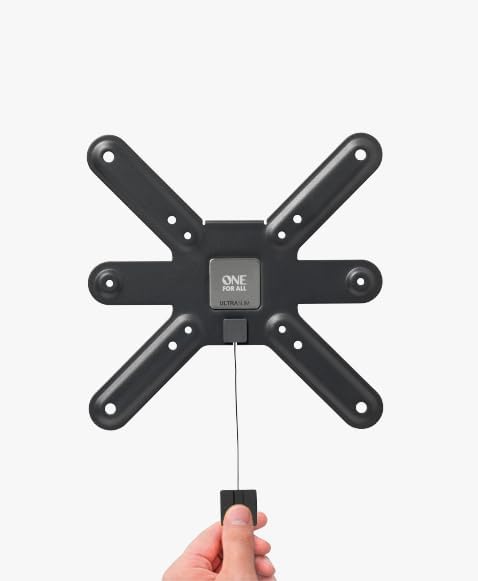
Image: A hand demonstrating the use of the pull cord mechanism, which is used to release the television from the wall mount for removal.
7. Penyelenggaraan
- Periksa semua skru dan sambungan secara berkala untuk memastikan ia kekal ketat dan selamat.
- Bersihkan pelekap dengan kain lembut dan kering. Elakkan pembersih atau pelarut yang melelas.
- Do not hang objects from the mount or apply excessive force to the television while it is mounted.
8. Penyelesaian masalah
- TV tidak rata: Ensure the wall plate was installed perfectly horizontally using a spirit level. If not, detach the TV, adjust the wall plate, and re-mount.
- TV not locking into place: Verify that the TV mount arms are correctly aligned with the wall plate and that no obstructions prevent the locking mechanism from engaging. Ensure the pull cords are not accidentally engaged.
- Difficulty detaching TV: Ensure the pull cords are fully engaged to release the locking mechanism. Do not force the TV off the mount.
- Gunung berasa tidak stabil: Re-check all wall plate screws and TV arm screws for tightness. Ensure the wall structure is adequate for the weight.
9. Waranti dan Sokongan
One For All products are designed for durability and reliability. For specific warranty information, please refer to the documentation included with your purchase or visit the official One For All webtapak.
For additional installation assistance, you may consult the free One For All application, which provides practical installation aids.
If you encounter any issues not covered in this manual, please contact One For All customer support through their official channels.


