pengenalan
This manual provides essential information for the safe and efficient operation of your Amazon Basics 15-Sheet Cross-Cut Paper, CD, and Credit Card Shredder. Please read all instructions carefully before use and retain this manual for future reference.
Maklumat Keselamatan
Untuk memastikan operasi yang selamat, sentiasa patuhi garis panduan berikut:
- Keep hands, hair, and loose clothing away from the paper entry slot.
- Jangan sembur atau simpan sebarang produk aerosol di dalam atau di sekeliling mesin pencincang.
- Do not shred items like metallic credit cards, adhesive labels, or continuous forms.
- Cabut plag mesin pencincang apabila tidak digunakan atau sebelum dibersihkan.
- Keep the shredder out of reach of children and pets.
- Jangan kendalikan mesin pencincang jika kord kuasa rosak.
Produk Selesaiview
The Amazon Basics 15-Sheet Cross-Cut Shredder is designed for efficient document destruction, offering a high level of security for personal and office use.

Rajah 1: Depan view daripada Penghancur Potong Silang 15-Keping Amazon Basics.
Ciri-ciri Utama:
- 15-Sheet Capacity: Shreds up to 15 sheets of 20 lb. paper at once.
- Cross-Cut Shredding: Shreds paper into 3/16" x 1-7/32" (4.7 x 31mm) particles for enhanced security (Security Level P-4).
- Penghancuran Pelbagai Bahan: Also destroys CD/DVDs, credit cards, staples, and small paper clips.
- Masa Larian Lanjutan: Features a 20-minute continuous run time.
- Ciri-ciri Keselamatan: Includes Overheat / Overload protection.
- Penunjuk LED: Provides visual alerts for Standby, Overheat, Overload, Door open, and Bin full status.
- Large Capacity Bin: Equipped with a 6-gallon pull-out basket for easy waste disposal.
- Mobiliti: Casters included for convenient movement.
- Suis 4-Mod: Auto/Off/Forward/Reverse settings for versatile control.
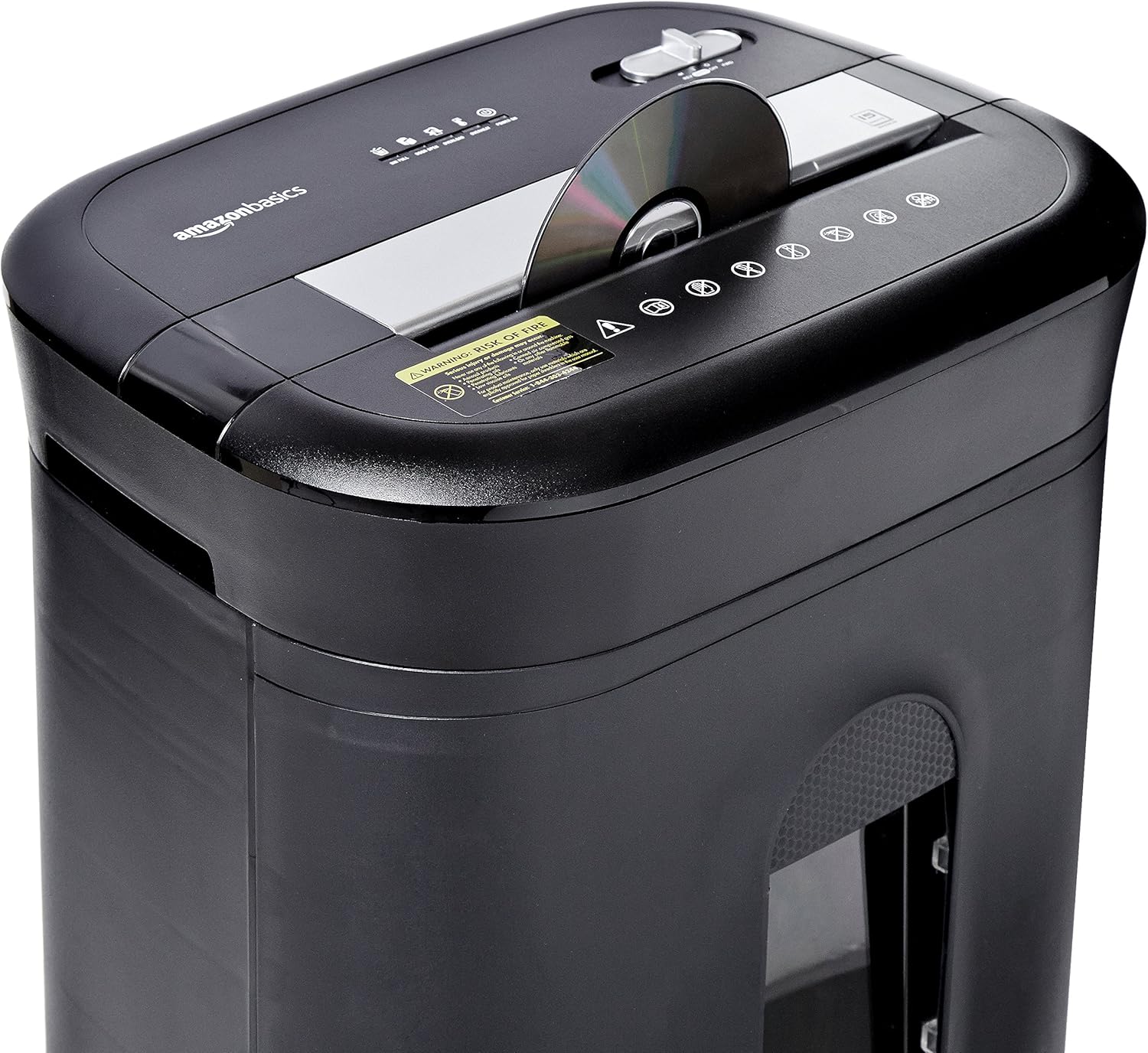
Figure 2: Diagram illustrating key features of the shredder.
Persediaan
Follow these steps to set up your shredder:
- Bongkar: Keluarkan semua komponen dari pembungkusan dengan berhati-hati.
- jawatan: Place the shredder on a flat, stable surface. Ensure the waste bin is securely closed and properly inserted into the main unit.
- Sambungkan Kuasa: Plug the power cord into a standard 120-volt AC outlet.
Video 1: Official product video demonstrating the setup and basic operation of the Amazon Basics 15-Sheet Cross-Cut Shredder.
Arahan Operasi
Suis Mod Kuasa:
The shredder features a 4-mode slide switch located on the top panel:
- AUTO (I): The shredder will automatically start when paper is inserted and stop when shredding is complete. This is the recommended setting for normal use.
- MATI (O): Turns off all shredder functions. Always select this setting when emptying the waste bin or when the shredder is not in use.
- FORWARD (▶▶): Manually activates the shredder to continuously cut. Useful for clearing minor jams.
- REVERSE (◀◀): Reverses the shredder mechanism to help clear paper jams.

Figure 3: Close-up of the control panel with the 4-mode switch.
Kertas Penghancur:
- Ensure the power mode switch is set to AUTO (I).
- Insert up to 15 sheets of paper (20 lb. bond) straight into the paper entry slot. The shredder will automatically start and stop.
- Do not force paper into the shredder. If the shredder struggles, reduce the number of sheets.

Figure 4: Inserting paper into the shredder.
Shredding Credit Cards and CDs/DVDs:
- Ensure the power mode switch is set to AUTO (I).
- Insert one credit card or CD/DVD at a time into the dedicated slot.
- Mesin pencincang akan bermula dan berhenti secara automatik.

Rajah 5: Menghancurkan kad kredit.
Penyelenggaraan
Emptying the Shredder Bin:
Regularly empty the waste bin to prevent paper jams and ensure optimal performance.
- Set the power mode switch to MATI (O) and unplug the shredder.
- Tarik keluar tong sampah dari bahagian hadapan mesin pencincang.
- Buang bahan yang dicincang.
- Luncurkan tong sampah kembali ke dalam mesin pencincang sehingga ia berbunyi klik dengan selamat di tempatnya.

Figure 6: Pull-out waste bin for easy emptying.
Menyapu Minyak pada Mesin Penghancur:
To maintain the shredder's performance and longevity, it is recommended to oil the cutting blades periodically, especially after emptying the bin multiple times or if performance decreases.
- Apply shredder oil (or vegetable oil) in a zigzag pattern across the paper entry slot.
- Set the power mode switch to FORWARD (▶▶) for 2-3 seconds to distribute the oil.
- Then, set the switch to REVERSE (◀◀) selama 2-3 saat.
- Shred a few sheets of paper to remove any excess oil.
Menyelesaikan masalah
The shredder is equipped with LED indicators to help diagnose common issues:
- Standby (Green): Menunjukkan mesin pencincang dihidupkan dan sedia untuk beroperasi.
- Terlalu Panas (Merah): The shredder has exceeded its maximum operating temperature. Allow it to cool down for approximately 20-30 minutes before resuming use.
- Lebihan beban (Merah): Too much material has been inserted. Use the REVERSE (◀◀) function to clear the jam, then reduce the amount of material.
- Pintu Terbuka (Merah): The waste bin is not properly closed or inserted. Ensure the bin is fully pushed in.
- Tong Penuh (Merah): The waste bin is full and needs to be emptied.
| Masalah | Kemungkinan Punca | Penyelesaian |
|---|---|---|
| Shredder tidak boleh dihidupkan. | Not plugged in; Power switch in OFF position; Waste bin not properly inserted. | Check power connection; Set switch to AUTO; Re-insert waste bin securely. |
| Mesin penghancur berhenti semasa operasi. | Overheat protection activated; Overload protection activated; Bin full. | Allow to cool down; Clear jam using REVERSE, then reduce material; Empty bin. |
| Kertas jem. | Too much paper inserted; Paper inserted at an angle. | Use REVERSE function; Reduce paper quantity; Insert paper straight. |
Spesifikasi
| Ciri | Spesifikasi |
|---|---|
| Jenama | Asas Amazon |
| Nombor Model | PBH-49976 |
| Jenis Carik | Potong Lintang |
| Saiz Carik | 3/16" x 1-7/32" (4.7 x 31mm) |
| Tahap Keselamatan | P-4 |
| Kapasiti Helaian | 15 sheets (20 lb. paper) |
| Masa Larian Berterusan | 20 minit |
| Masa Penyejukan | 30 minit |
| Kapasiti Tong Sampah | 6 gelen |
| Berat Barang | 22 paun |
| Dimensi Produk | 11 x 14.4 x 20.9 inci |
| warna | Hitam |
Waranti dan Sokongan
For warranty information or technical support, please refer to the documentation included with your product or contact Amazon Basics customer service.
Perkhidmatan Pelanggan: 1-844-303-4244
Untuk sumber tambahan, lawati Kedai Asas Amazon.


