1. Produk Lebihview
The Vimtag CP1 is a wireless IP video monitoring surveillance security camera designed for remote home or business monitoring. It features high-definition video, pan/tilt functionality, two-way audio, and night vision capabilities.
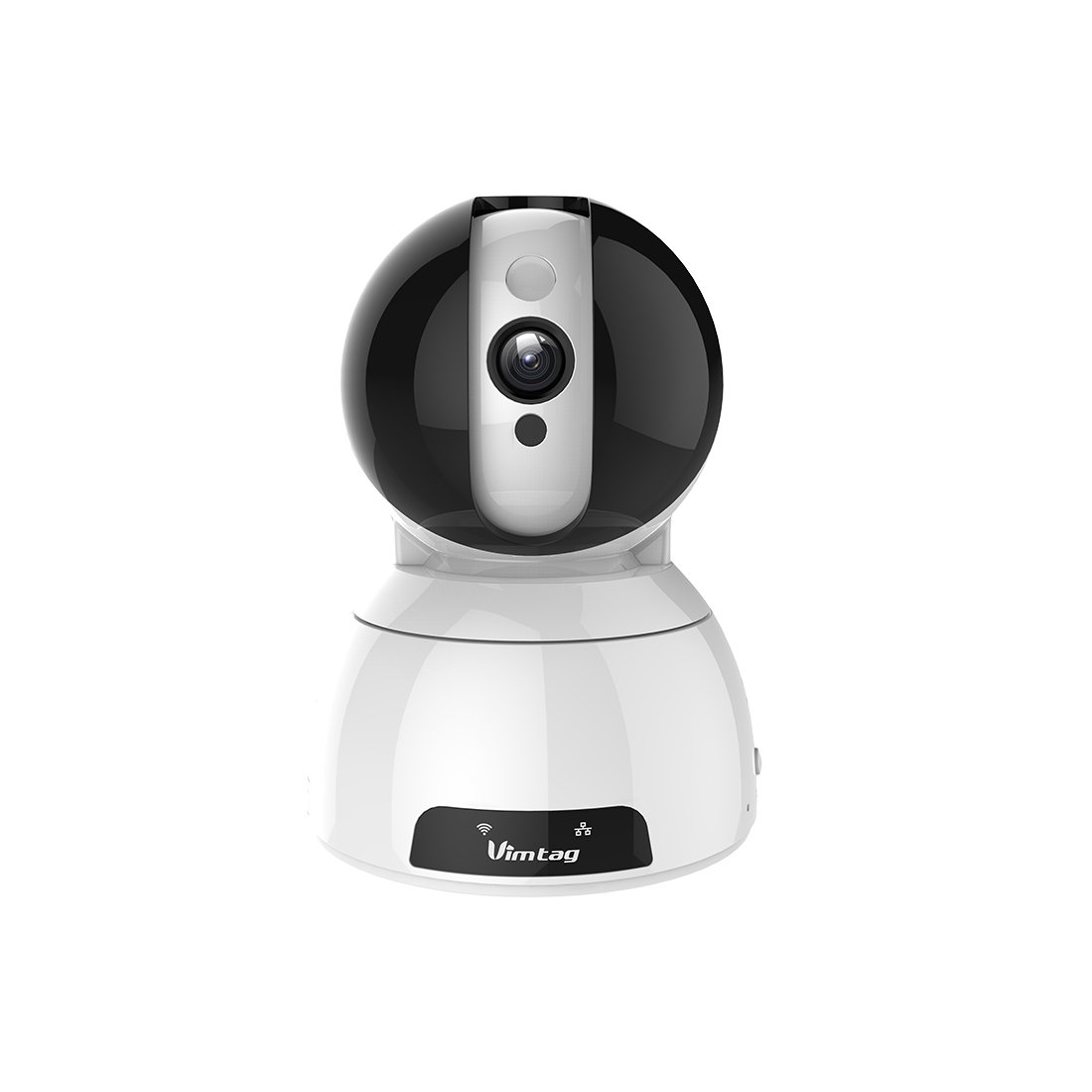
Figure 1: Vimtag CP1 Camera Front View
Ciri-ciri Utama:
- Kualiti Video HD: 1280 x 720p at 25 frames per second for clear monitoring.
- Fungsi Pan dan Condongkan: 350-degree horizontal rotation and 100-degree vertical tilt to cover a wide area.
- Audio Dua hala: Mikrofon dan pembesar suara terbina dalam untuk komunikasi.
- Penglihatan Malam: Infrared LEDs provide clear visibility up to 10 meters in low-light conditions.
- Pengesanan Pergerakan: Alerts with snapshots and video clips upon detecting movement.
- Tempatan dan Storan Awan: Supports Micro SD cards up to 64GB and optional cloud storage.
- Persediaan Mudah: Quick Wi-Fi setup via the Vimtag aplikasi mudah alih.

Figure 2: Vimtag CP1 Key Features
2. Panduan Persediaan
2.1 Kandungan Pakej
Sebelum memulakan, pastikan semua barang ada di dalam bungkusan:
- 1 x Vimtag Kamera CP1
- 1 x Camera Rack
- 1 x Kabel Kuasa
- 1 x Kabel Ethernet
- 1 x Manual Pengguna (dokumen ini)
2.2 Langkah Persediaan Awal
- Hidupkan kuasa: Connect the power cable to the camera and plug it into a power outlet. The camera will initiate its startup sequence.
- Muat turun Apl: Download the free Vimtag app from your smartphone's app store (iOS App Store or Google Play Store).
- Pendaftaran Akaun: Open the Vimtag app and register for a new account or log in if you already have one.
- Tambah Kamera: Follow the in-app instructions to add your new CP1 camera. This typically involves scanning a QR code on the camera or entering its device ID.
- Konfigurasi Wi-Fi: Configure the camera to connect to your Wi-Fi network using the app. Ensure your Wi-Fi network is 2.4GHz, as 5GHz networks may not be supported.
- Pemasangan (Pilihan): Use the included camera rack to mount the camera on a wall or ceiling if desired.
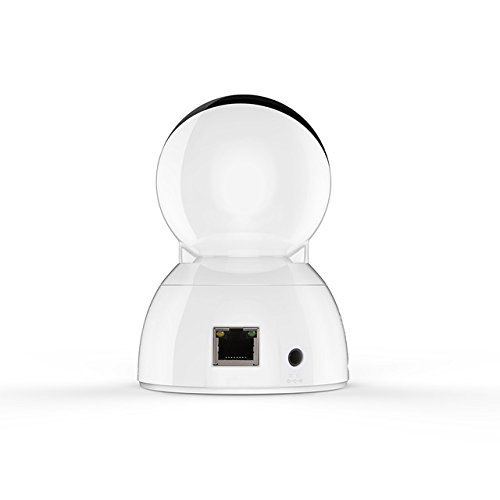
Figure 3: Vimtag CP1 Back View dengan Pelabuhan
For detailed visual guidance, refer to the video tutorials available on the official Vimtag sokongan webtapak.
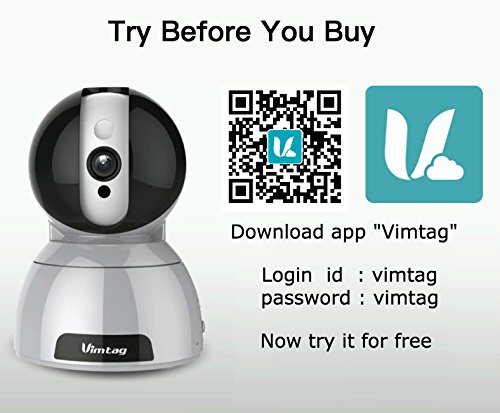
Figure 4: Vimtag App Download and Demo Information
Muat turun Vimtag aplikasi daripada vimtag.com/download/.
3. Arahan Operasi
3.1 Langsung View dan Kawalan Pan/Tilt
Once the camera is connected, open the Vimtag app to access the live video feed. Use the on-screen controls to pan the camera horizontally (350 degrees) and tilt it vertically (100 degrees) to adjust the viewsudut ing.

Figure 5: Pan and Tilt Control via App
3.2 Audio Dua Hala
The camera supports two-way audio. Tap the microphone icon in the app to speak through the camera's speaker, and listen to audio from the camera's built-in microphone.
3.3 Penglihatan Malam
The CP1 camera automatically switches to night vision mode in low-light conditions, providing clear black and white video up to 10 meters using its infrared LEDs.
3.4 Pengesanan Gerakan dan Makluman
Configure motion detection settings within the Vimtag app. You can set sensitivity levels and define specific areas for detection. When motion is detected, the camera can send instant notifications to your smartphone, including snapshots or short video clips.
3.5 Rakaman dan Penyimpanan Video
The camera supports two primary storage methods:
- Kad SD mikro: Insert a Micro SD card (up to 64GB, not included) into the camera's designated slot for local recording. Recordings can be accessed and managed through the app.
- Storan Awan: Optional cloud storage services are available through Vimtag for remote backup and access to recorded footage.
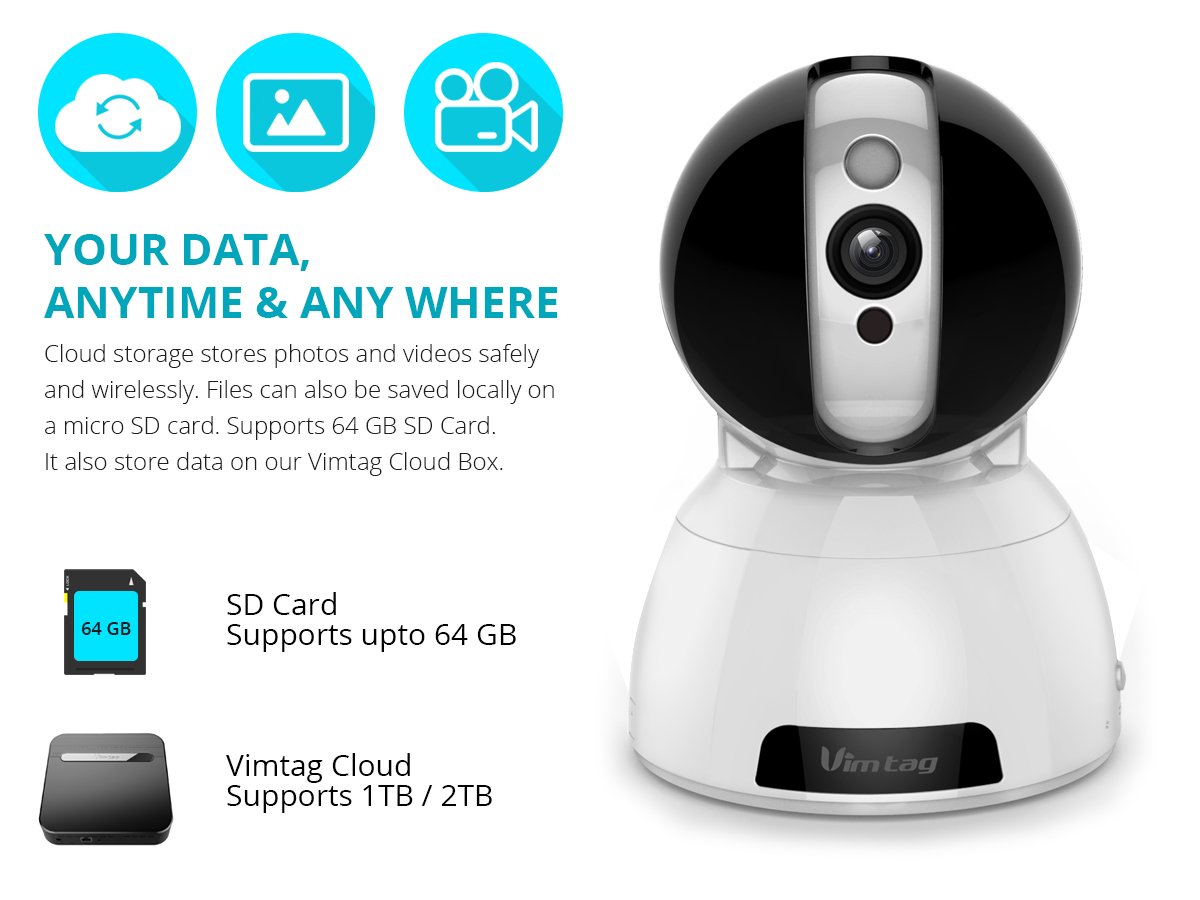
Figure 6: Storage Options for Vimtag CP1
4. Penyelenggaraan
4.1 Pembersihan
To maintain optimal performance, periodically clean the camera's lens and exterior. Use a soft, dry cloth. Avoid abrasive cleaners or solvents that could damage the camera's finish or lens coating.
4.2 Kemas Kini Perisian Tegar
Vimtag may release firmware updates to improve camera performance, add features, or enhance security. Check the Vimtag app regularly for available updates and follow the in-app instructions to install them. Ensure the camera remains powered during the update process.
4.3 Pertimbangan Alam Sekitar
The Vimtag CP1 camera is designed for indoor use. Avoid exposing it to extreme temperatures, direct sunlight, high humidity, or water, as it is not water-resistant.
5. Penyelesaian masalah
This section addresses common issues you might encounter with your Vimtag CP1 camera.
5.1 Kamera Tidak Menyambung ke Wi-Fi
- Semak Jalur Wi-Fi: Ensure your Wi-Fi network is 2.4GHz. The camera may not support 5GHz networks.
- Kekuatan Isyarat: Place the camera closer to your Wi-Fi router to ensure a strong signal.
- Kata Laluan yang Betul: Double-check that you are entering the correct Wi-Fi password in the app.
- Tetapkan Semula Kamera: Locate the reset button on the camera (often a small pinhole) and press it for 5-10 seconds until the camera resets. Then, attempt the setup process again.
- Tetapan Penghala: Verify that your router's firewall or security settings are not blocking the camera's connection.
5.2 Kualiti Video yang Buruk
- Jalur Lebar Rangkaian: Ensure your internet connection has sufficient upload speed for streaming HD video.
- Tetapan Aplikasi: Check the video quality settings within the Vimtag app; you might be able to adjust it.
- Kebersihan kanta: Bersihkan lensa kamera dengan kain lembut dan kering.
5.3 Isu Audio Dua Hala
- Tahap Kelantangan: Check the volume settings on your smartphone and within the Vimtag apl.
- Microphone/Speaker Obstruction: Pastikan mikrofon dan pembesar suara kamera tidak terhalang.
- Kependaman Rangkaian: High network latency can affect audio quality and introduce delays.
5.4 Pengesanan Pergerakan Tidak Berfungsi
- Enable Feature: Verify that motion detection is enabled in the Vimtag tetapan aplikasi.
- Sensitiviti: Adjust the motion detection sensitivity. If it's too low, it might miss events.
- Zon Pengesanan: Ensure the areas you want to monitor are correctly configured as detection zones.
6. Spesifikasi Teknikal
| Nama Model | Vimtag CP1 |
| Nombor Model Item | 6970167642228 |
| Resolusi Tangkapan Video | 720p (1280 x 720 piksel) |
| Kadar Bingkai | 25 bingkai sesaat |
| Julat Pan/Sendeng | 350 degrees (Pan) x 100 degrees (Tilt) |
| Zum Digital | 4x |
| Jarak Penglihatan Malam | Sehingga 10 meter (Inframerah) |
| Pilihan Storan | Mikro SD (sehingga 64GB), Storan Awan |
| Ketersambungan | Wireless (Wi-Fi IEEE802.12b/g/n) |
| Sumber Kuasa | AC Power Adapter (7 Watts) |
| Dimensi (L x W x H) | 40 x 30 x 40 Milimeter |
| Berat Barang | 450 gram |
| Penggunaan Dalaman/Luar | Dalaman |
| Tahap Ketahanan Air | Bukan Tahan Air |
| Kaedah Kawalan | App (Android, iOS), Voice |
7. Waranti dan Sokongan
7.1 Waranti Produk
The Vimtag CP1 camera comes with a Waranti penggantian 6 bulan. This warranty covers manufacturing defects and malfunctions under normal use. Please retain your proof of purchase for warranty claims.
7.2 Sokongan Pelanggan
For any queries, technical assistance, or warranty claims, please contact Vimtag customer support. Support is available via telephone, chat, Skype, and email. Refer to the official Vimtag webtapak untuk maklumat hubungan terkini.
Step-by-step setup instructions and video tutorials are also available on the Vimtag support portal to assist you with installation and operation.


