1. Pengenalan
This manual provides essential instructions for the safe and efficient operation, installation, maintenance, and troubleshooting of your Matala Rocking Piston 1/4HP Air Compressor. Please read this manual thoroughly before operating the unit and retain it for future reference.
1.1 Maklumat Keselamatan Penting
Sentiasa patuhi langkah berjaga-jaga keselamatan asas untuk mengurangkan risiko kebakaran, renjatan elektrik dan kecederaan diri. Kegagalan mematuhi arahan ini boleh mengakibatkan kecederaan serius atau kerosakan harta benda.
- Pastikan bekalan kuasa sepadan dengan voltage specified on the compressor's label.
- Do not operate the compressor in wet conditions or near water.
- Keep children and unauthorized personnel away from the operating unit.
- Sentiasa putuskan bekalan elektrik sebelum melakukan sebarang penyelenggaraan atau pembaikan.
- Gunakan hanya aksesori dan alat ganti yang diluluskan.
- Ensure adequate ventilation around the compressor during operation.
2. Produk Lebihview
The Matala Rocking Piston 1/4HP Air Compressor is designed for various applications requiring a reliable air source. Its compact and portable design makes it suitable for diverse environments.
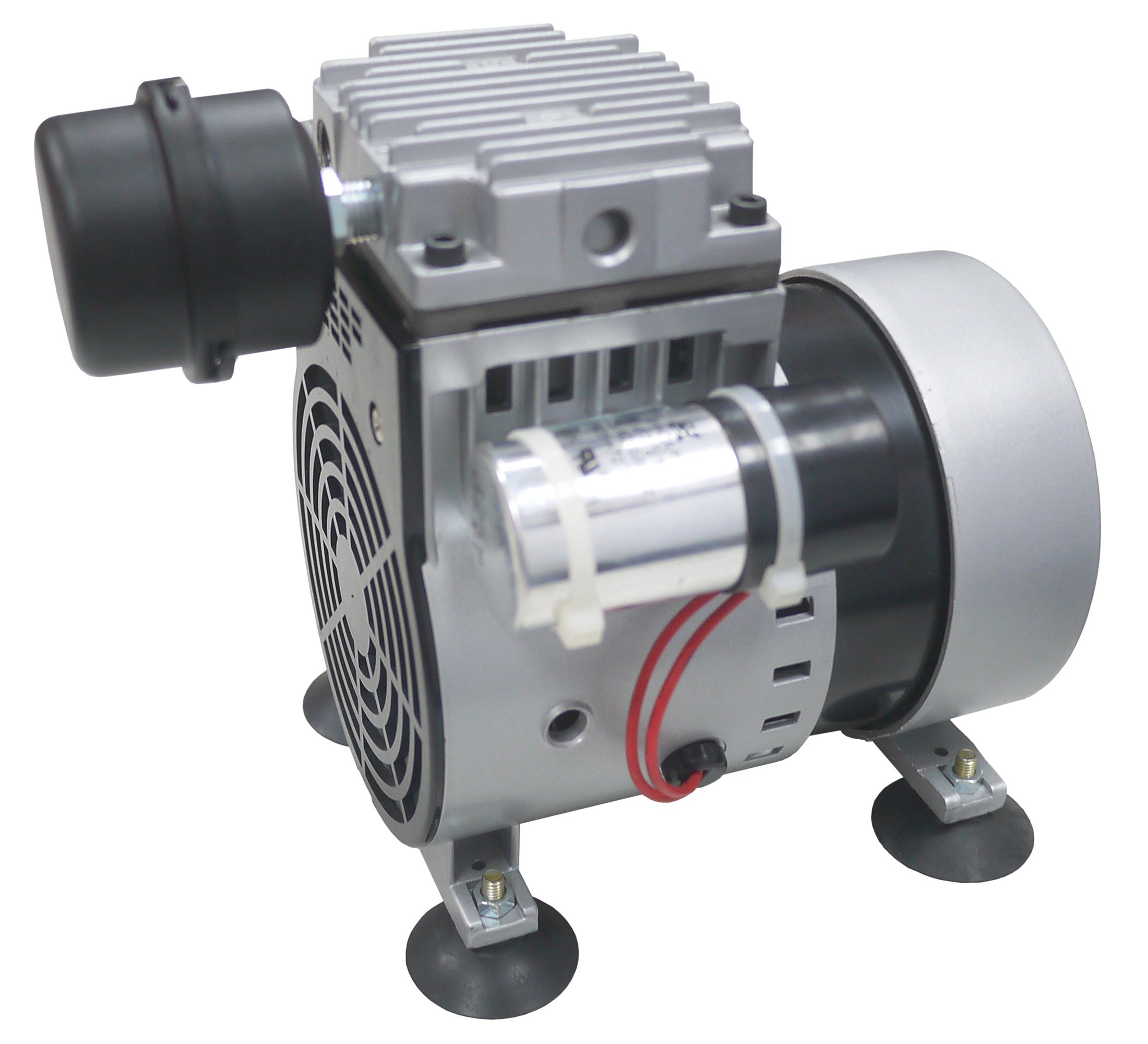
Rajah 2.1: Matala Rocking Piston 1/4HP Air Compressor. This image displays the compact design of the compressor, highlighting its main body and connection points.
3. Persediaan
3.1 Membongkar
Carefully remove the compressor from its packaging. Inspect the unit for any signs of damage that may have occurred during shipping. Report any damage to your supplier immediately.
3.2 Penempatan
Place the compressor on a stable, level surface. Ensure there is adequate clearance around the unit for proper ventilation. Avoid placing it in direct sunlight or areas with extreme temperatures.
3.3 Sambungan Elektrik
Connect the power cord to a grounded electrical outlet. Verify that the outlet's voltage matches the compressor's specified voltage (120 Volts). Do not use extension cords unless absolutely necessary, and ensure any used extension cord is rated for the compressor's power requirements.
3.4 Air Line Connection
Attach your air line or accessory to the compressor's air outlet. Ensure all connections are secure to prevent air leaks.
4. Arahan Operasi
4.1 Memulakan Pemampat
- Ensure all connections are secure and the unit is properly placed.
- Plug the compressor into a suitable electrical outlet.
- Turn the power switch to the "ON" position. The compressor will begin to operate.
4.2 Using the Compressor
Once running, the compressor will supply air through its outlet. Monitor the pressure gauge (if equipped) and adjust as necessary for your application. Avoid continuous operation beyond recommended duty cycles to prevent overheating.
4.3 Mematikan
- Putar suis kuasa ke kedudukan "OFF".
- Putuskan sambungan kord kuasa daripada salur keluar elektrik.
- If applicable, release any remaining air pressure from the system before disconnecting air lines.
5. Penyelenggaraan
Regular maintenance ensures optimal performance and extends the lifespan of your compressor. Always disconnect power before performing any maintenance.
5.1 Pembersihan
- Periodically wipe down the exterior of the compressor with a damp kain untuk menghilangkan habuk dan serpihan.
- Ensure air intake vents are clear of obstructions to maintain proper airflow and cooling.
5.2 Penyimpanan
When not in use, store the compressor in a clean, dry, and well-ventilated area, away from extreme temperatures and direct sunlight.
6. Penyelesaian masalah
Bahagian ini menangani isu biasa yang mungkin anda hadapi. Untuk masalah yang tidak disenaraikan di sini, hubungi sokongan pelanggan.
| Masalah | Kemungkinan Punca | Penyelesaian |
|---|---|---|
| Pemampat tidak bermula | Tiada bekalan kuasa; Matikan kuasa; Beban terma diaktifkan. | Check power connection; Turn power switch ON; Allow unit to cool down and reset. |
| Keluaran udara rendah | Air leaks; Clogged air filter (if applicable); Worn components. | Check all connections for leaks; Clean/replace air filter; Contact support for service. |
| Bunyi atau getaran yang luar biasa | Loose components; Unit not on a stable surface; Internal issue. | Check for loose parts and tighten; Ensure stable placement; Discontinue use and contact support. |
7. Spesifikasi
| Ciri | Perincian |
|---|---|
| Jenama | Matala |
| Model | Rocking Piston 1/4HP Air Compressor |
| Voltage | 120 Volt |
| Gaya | Mudah alih |
| Kuasa Kuda Motor | 0.25 Kuasa kuda |
| Kuasa Kuda Maksimum | 0.25 Kuasa kuda |
| ASIN | B01K8IPJYA |
8. Waranti dan Sokongan
For warranty information, please refer to the warranty card included with your product or visit the official Matala website. For technical support, replacement parts, or service inquiries, please contact Matala customer service through their official channels.
Nota: Simpan resit pembelian anda sebagai bukti pembelian untuk tuntutan waranti.


