1. Pengenalan
This manual provides detailed instructions for the safe and efficient use of your Altec Lansing IMW576 Boomjacket Portable Bluetooth Speaker. Please read this manual thoroughly before operating the device and retain it for future reference. The Boomjacket speaker is designed for robust outdoor use, featuring IP67 water, sand, shock, and snow resistance, Bluetooth connectivity, and an extended battery life with power bank functionality.
2. Kandungan Pakej
Sahkan bahawa semua item yang disenaraikan di bawah terdapat dalam pakej anda:
- Altec Lansing IMW576 Boomjacket Portable Bluetooth Speaker
- Gunung Sejagat
- Kabel Pengecasan (USB)
- Manual Pengguna (dokumen ini)
3. Produk Lebihview
Familiarize yourself with the various components and controls of your Boomjacket speaker.

Rajah 3.1: Depan View. This image displays the front of the Altec Lansing IMW576 Boomjacket speaker, highlighting its robust grille and the Altec Lansing logo. The speaker features a durable, black, ruggedized exterior designed for outdoor use.
3.1 Kawalan Panel Atas
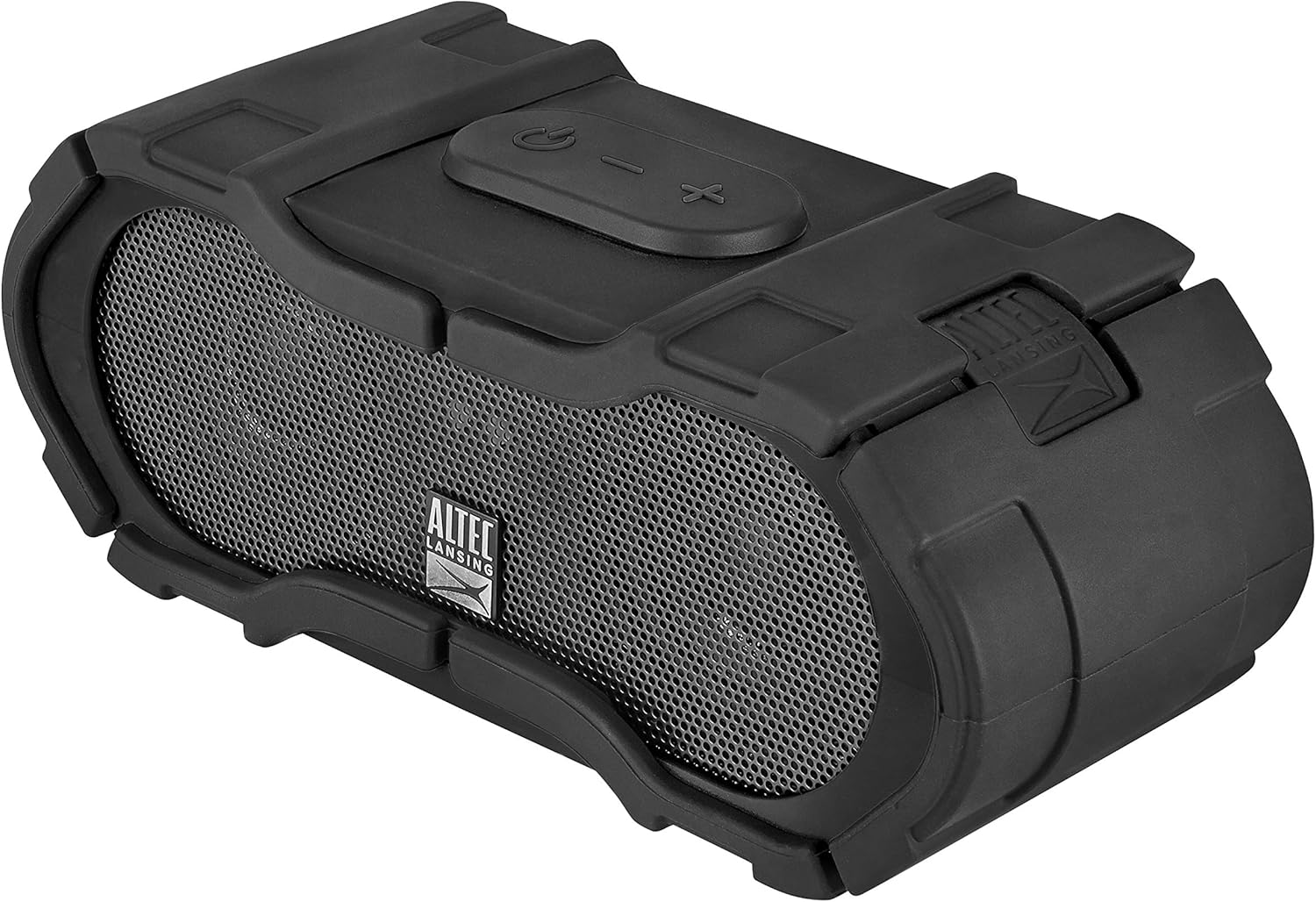
Figure 3.2: Top Controls. This image shows the top panel of the speaker, featuring the power button, volume up/next track button, volume down/previous track button, and the multi-function button for play/pause/call management.
- Butang Kuasa: Tekan dan tahan untuk menghidupkan/mematikan kuasa.
- Butang Naikkan Kelantangan / Trek Seterusnya: Tekan untuk meningkatkan kelantangan. Tekan dan tahan untuk melangkau ke trek seterusnya.
- Butang Kelantangan Kurang / Trek Sebelumnya: Tekan untuk mengurangkan kelantangan. Tekan dan tahan untuk pergi ke trek sebelumnya.
- Butang pelbagai fungsi: Press to play/pause music or answer/end calls. Press and hold to activate voice assistant.
3.2 Pelabuhan Panel Belakang

Rajah 3.3: Port Belakang. This image illustrates the rear panel of the speaker, revealing the DC IN 5V charging port, AUX IN port, and USB 5V 500mA output port, all protected by a waterproof cover. A warning label emphasizes keeping the cover completely closed for water resistance.
- Port DC MASUK 5V: Untuk mengecas bateri dalaman pembesar suara.
- Port AUX IN: Untuk menyambungkan peranti melalui kabel audio 3.5mm.
- USB 5V 500mA Port: Berfungsi sebagai bank kuasa untuk mengecas peranti luaran.
- Penutup kalis air: Ensures water and dust resistance when securely closed.
Penting: Always ensure the waterproof cover for the ports is completely closed and sealed before exposing the speaker to water or moisture to maintain its IP67 rating.
4. Persediaan
4.1 Mengecas Speaker
- Open the waterproof cover on the rear panel.
- Sambungkan hujung kecil kabel pengecas USB ke DC DALAM 5V port pada pembesar suara.
- Sambungkan hujung besar kabel pengecas USB kepada penyesuai kuasa USB (tidak disertakan) atau port USB komputer.
- Lampu penunjuk pengecasan akan menyala. Biarkan kira-kira 4-5 jam untuk cas penuh.
- Once fully charged, disconnect the cable and securely close the waterproof cover.
A full charge provides up to 40 hours of audio playback, depending on usage and volume levels.
4.2 Menghidupkan/Mematikan
- Untuk Menghidupkan: Tekan dan tahan butang Butang Kuasa on the top panel for approximately 3 seconds. You will hear a power-on tone and a voice confirmation.
- Untuk Mematikan: Tekan dan tahan butang Butang Kuasa for approximately 3 seconds. You will hear a power-off tone and a voice confirmation.
4.3 Berpasangan Bluetooth
- Pastikan pembesar suara dihidupkan dan dalam jarak 10 meter (33 kaki) dari peranti Bluetooth anda.
- The speaker will automatically enter pairing mode upon powering on if no device is connected. The Bluetooth indicator light will flash.
- On your Bluetooth-enabled device (smartphone, tablet, computer), navigate to the Bluetooth settings.
- Cari untuk available devices and select "IMW576" from the list.
- Once paired, you will hear a voice confirmation, and the Bluetooth indicator light will turn solid.
- Jika digesa untuk kata laluan, masukkan "0000".
Pembesar suara secara automatik akan cuba menyambung semula ke peranti pasangan terakhir apabila dihidupkan.
4.4 Sambungan Auxiliary (AUX).
- Open the waterproof cover on the rear panel.
- Connect a 3.5mm audio cable (not included) from your audio device's headphone jack to the AUX IN port pada pembesar suara.
- Pembesar suara secara automatik akan bertukar kepada mod AUX.
- Adjust volume on both your audio device and the speaker.
- After use, disconnect the cable and securely close the waterproof cover.
5. Arahan Operasi
5.1 Main Semula Muzik (Mod Bluetooth)
- Main/Jeda: Tekan ke Butang pelbagai fungsi.
- Kelantangan: Tekan ke Butang Kelantangan.
- Perlahankan suara: Tekan ke Butang Kelantangan.
- Lagu Seterusnya: Tekan dan tahan butang Butang Kelantangan.
- Trek Sebelumnya: Tekan dan tahan butang Butang Kelantangan.
5.2 Pengurusan Panggilan
- Jawab Panggilan: Tekan ke Butang pelbagai fungsi semasa panggilan masuk.
- Tamatkan Panggilan: Tekan ke Butang pelbagai fungsi semasa panggilan.
- Tolak Panggilan: Tekan dan tahan butang Butang pelbagai fungsi semasa panggilan masuk.
- Aktifkan Pembantu Suara: Tekan dan tahan butang Butang pelbagai fungsi (e.g., Siri, Google Assistant).
The integrated microphone allows for hands-free communication.
5.3 Kefungsian Power Bank
The Boomjacket speaker can be used to charge other devices:
- Open the waterproof cover on the rear panel.
- Connect your device's charging cable to the USB 5V 500mA output port on the speaker.
- Bateri dalaman pembesar suara akan mula mengecas peranti anda yang disambungkan.
- Monitor your device's charging status.
- After charging, disconnect the cable and securely close the waterproof cover.
Using the power bank feature will reduce the speaker's playback time.
6. Penyelenggaraan dan Penjagaan
6.1 Pembersihan
- Lap pembesar suara dengan lembut, damp kain.
- Jangan gunakan pembersih yang melelas, pelarut atau bahan kimia yang keras.
- Ensure all ports are closed before cleaning with water.
6.2 Rintangan Air dan Habuk (IP67)
The IMW576 Boomjacket is rated IP67, meaning it is protected from dust ingress and can withstand immersion in water up to 1 meter for 30 minutes. To maintain this rating:
- Always ensure the waterproof cover for the charging, AUX, and USB ports is completely closed and securely sealed.
- Do not expose the speaker to saltwater or other chemicals, as this may degrade the seals over time.
- If the speaker gets wet, dry it thoroughly before opening any port covers or charging.
6.3 Penyimpanan
- Simpan pembesar suara di tempat yang sejuk dan kering jauh dari cahaya matahari langsung dan suhu yang melampau.
- Jika menyimpan untuk tempoh yang lama, cas bateri sehingga kira-kira 50% setiap beberapa bulan untuk memanjangkan hayat bateri.
7. Penyelesaian masalah
| Masalah | Kemungkinan Punca | Penyelesaian |
|---|---|---|
| Speaker tidak dihidupkan. | Bateri lemah. | Cas pembesar suara selama sekurang-kurangnya 30 minit. |
| Tidak boleh berpasangan melalui Bluetooth. | Pembesar suara tidak dalam mod berpasangan; peranti Bluetooth dimatikan; terlalu jauh dari pembesar suara. | Ensure speaker is on and Bluetooth indicator is flashing. Turn Bluetooth on your device. Move device closer to speaker. Forget "IMW576" on your device and re-pair. |
| Tiada bunyi dari pembesar suara. | Volume too low; incorrect input source; device not playing. | Increase volume on speaker and connected device. Ensure correct mode (Bluetooth/AUX). Check if audio is playing on the source device. |
| Kualiti audio yang lemah. | Bluetooth interference; low battery; source audio quality. | Move speaker closer to device. Charge speaker. Try a different audio source. |
| Power bank not charging device. | Speaker battery low; cable issue; device not compatible. | Ensure speaker is sufficiently charged. Try a different USB cable. Verify device compatibility with 5V 500mA output. |
8. Spesifikasi
| Ciri | Perincian |
|---|---|
| Nama Model | BOOM JACKET (IMW576) |
| Teknologi Ketersambungan | Bluetooth |
| Komunikasi Tanpa Wayar | Bluetooth |
| Mod Keluaran Audio | Stereo |
| Kuasa Output Pembesar Suara Maks | 40 Watt |
| Sumber Kuasa | Battery Powered (1 Lithium-ion battery) |
| Hayat Bateri | Sehingga 40 jam |
| Penilaian Kalis Air | IP67 (Waterproof, Sand-resistant, Shock-resistant, Snow-resistant) |
| Mikrofon Bersepadu | ya |
| Kaedah Kawalan | Suara, Butang |
| USB Output (Power Bank) | 5V 500mA |
| Dimensi (L x W x H) | 7.6 x 7.6 x 17.8 cm |
| Berat badan | 911 gram |
| Peranti Serasi | All Bluetooth-enabled devices, devices with 3.5mm audio output |
| Komponen yang Disertakan | Universal Mount, Power Bank (integrated) |
9. Waranti dan Sokongan
For warranty information or technical support, please refer to the documentation included with your purchase or visit the official Altec Lansing webtapak. Simpan bukti pembelian anda untuk tuntutan waranti.
Pengeluar: Altec Lansing Technologies


