1. Pengenalan
This manual provides comprehensive instructions for the installation, operation, and maintenance of the HP Aruba 2930F 24G 4SFP+ Switch (Model JL253A). Please read this manual thoroughly before using the device to ensure proper setup and optimal performance. Retain this manual for future reference.
2. Produk Lebihview
The HP Aruba 2930F 24G 4SFP+ Switch is a high-performance network switch designed for enterprise edge deployments. It features 24 Gigabit Ethernet ports and 4 SFP+ ports for high-speed uplinks, providing reliable and secure connectivity.

Rajah 2.1: Depan view of the HP Aruba 2930F 24G 4SFP+ Switch, showing 24 RJ45 Gigabit Ethernet ports, 4 SFP+ uplink ports, and LED indicators.

Rajah 2.2: Bersudut view of the HP Aruba 2930F 24G 4SFP+ Switch, highlighting its compact design suitable for rack mounting.
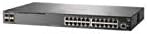
Rajah 2.3: Sisi view of the HP Aruba 2930F 24G 4SFP+ Switch, showing ventilation slots for heat dissipation.
3. Persediaan
3.1 Membongkar dan Pengesahan Kandungan
Carefully unpack the switch and verify that all components are present. The package should include:
- HP Aruba 2930F 24G 4SFP+ Switch (Model JL253A)
- Kabel kuasa
- Kit pemasangan rak
- Kabel konsol
Jika terdapat barang yang hilang atau rosak, hubungi penjual anda dengan segera.
3.2 Pemasangan Fizikal
- Pemasangan Rak: Use the provided rack-mount kit to secure the switch in a standard 19-inch equipment rack. Ensure adequate ventilation around the switch.
- Sambungan Kuasa: Connect the power cable to the switch's power input and then to a grounded AC power outlet.
- Sambungan Rangkaian Awal: Connect a computer to the switch's console port using the console cable for initial configuration, or connect to any RJ45 port for network access if DHCP is available.
Ensure all cables are securely connected and routed to prevent accidental disconnections.
4. Arahan Operasi
4.1 Menghidupkan dan But Awal
Once the power cable is connected, the switch will automatically power on. Observe the LED indicators on the front panel. The Power LED should illuminate, indicating the device is receiving power. Other LEDs will indicate port status and activity.
4.2 Kesambungan Port
- RJ45 Ports (10/100/1000BASE-T): Connect standard Ethernet cables (Cat5e or higher) to these ports for connecting network devices such as computers, servers, and other switches. These ports support auto-negotiation for speed and duplex settings.
- SFP+ Ports (10 Gigabit Ethernet): Use compatible SFP+ transceivers and fiber optic cables for high-speed uplinks to core switches or servers.
- PoE+ (Kuasa melalui Ethernet Plus): If your model supports PoE+, these ports can provide power to compatible devices like IP phones, wireless access points, and security cameras, eliminating the need for separate power supplies.
4.3 Penunjuk LED
The front panel LEDs provide visual status of the switch and its ports:
- LED kuasa: Menunjukkan status kuasa (Hidup/Mati).
- LED kerosakan: Indicates system errors or malfunctions.
- LED Pautan/Aktiviti Port: Indicate link status (solid green for link) and network activity (flashing green). Different colors or patterns may indicate different speeds (e.g., amber for 100Mbps, green for 1Gbps). Refer to the device's specific LED guide for detailed interpretation.
5. Penyelenggaraan
5.1 Pembersihan
Regularly clean the exterior of the switch with a soft, dry cloth. Do not use liquid or aerosol cleaners. Ensure ventilation openings are free from dust and obstructions to maintain proper airflow.
5.2 Kemas Kini Perisian Tegar
Periodically check the Hewlett Packard (Aruba) support weblaman web untuk kemas kini perisian tegar. Mengemas kini perisian tegar memastikan prestasi, keselamatan dan akses kepada ciri baharu yang optimum. Ikut arahan yang disediakan dengan pakej kemas kini perisian tegar dengan teliti.
6. Penyelesaian masalah
This section addresses common issues you might encounter with your HP Aruba 2930F switch.
- Tiada Kuasa:
- Verify the power cable is securely connected to both the switch and a working power outlet.
- Periksa soket kuasa dengan peranti lain untuk memastikan ia berfungsi.
- Tiada Pautan pada Port:
- Pastikan kabel Ethernet disambungkan dengan betul di kedua-dua hujungnya.
- Cuba kabel Ethernet yang berbeza.
- Test the connected device with another port or switch to isolate the issue.
- Sahkan peranti yang disambungkan dihidupkan dan berfungsi dengan betul.
- Sambungan Rangkaian Perlahan:
- Check for excessive network traffic or bottlenecks.
- Ensure cables are Cat5e or higher for Gigabit speeds.
- Verify duplex settings on connected devices match the switch's auto-negotiated settings.
- Consider updating the switch firmware.
For more advanced troubleshooting or persistent issues, consult the official Hewlett Packard (Aruba) support documentation or contact technical support.
7. Spesifikasi
| Ciri | Nilai |
|---|---|
| Jenama | HEWLETT PACKARD |
| Nombor Model | JL253A |
| Berat Barang | 2.4 Kilogram (5.28 paun) |
| Dimensi Produk (LxWxH) | 17.42 x 7.88 x 1.73 inci |
| Voltage | 200 Volt |
| Jenis Antaramuka | RJ45, SFP+, PoE+ |
| Kadar Pemindahan Data | 100 Megabits Per Second (per port, supports Gigabit on RJ45 and 10 Gigabit on SFP+) |
| RAM | 1024 MB |
| Bilangan Pelabuhan | 24 Gigabit Ethernet, 4 SFP+ (Total 28 logical ports) |
| Komponen yang Disertakan | Kabel kuasa, kit pelekap rak, kabel konsol |
| warna | Hitam |
| Peranti Serasi | Desktop (peranti rangkaian umum) |
Note: Data Transfer Rate of "100 Megabits Per Second" may refer to a baseline or specific port type; the switch supports Gigabit Ethernet on RJ45 ports and 10 Gigabit Ethernet on SFP+ ports.
8. Waranti dan Sokongan
This HP Aruba 2930F 24G 4SFP+ Switch is manufactured by HEWLETT PACKARD. For warranty information, please refer to the warranty card included with your product or visit the official Hewlett Packard Enterprise (Aruba) website. Technical support and additional resources can be found on their support portal.
Untuk bantuan, sila layari: Sokongan Rangkaian Aruba


