pengenalan
This manual provides instructions for the installation and operation of your Satechi Aluminum USB-C 2.5-inch HDD/SSD Enclosure. This enclosure allows you to convert any 2.5-inch SATA hard drive (HDD) or solid-state drive (SSD) into a portable external storage device, utilizing a USB-C connection for data transfer speeds up to 10 Gbps.
Kandungan Pakej
- Satechi Aluminum USB-C 2.5-inch HDD/SSD Enclosure
- Kabel USB-C ke USB-C
- Pemutar Skru Mini
- Skru Pemasangan
Persediaan dan Pemasangan
Follow these steps to install your 2.5-inch HDD or SSD into the enclosure:
- Buka Kandang: Use the provided mini screwdriver to remove the two small screws located on the side of the enclosure. Carefully slide the internal tray out from the aluminum casing.
- Masukkan Pemacu: Align your 2.5-inch SATA HDD or SSD with the SATA connector on the internal tray. Gently push the drive into the connector until it is firmly seated.
- Secure the Drive: Use the provided mounting screws to secure the HDD/SSD to the internal tray. Ensure the drive is stable and does not move.
- Tutup Kandang: Carefully slide the internal tray, with the installed drive, back into the aluminum casing. Re-insert and tighten the two small screws to secure the enclosure.

Image: Enclosure disassembled, revealing the internal tray and screws.
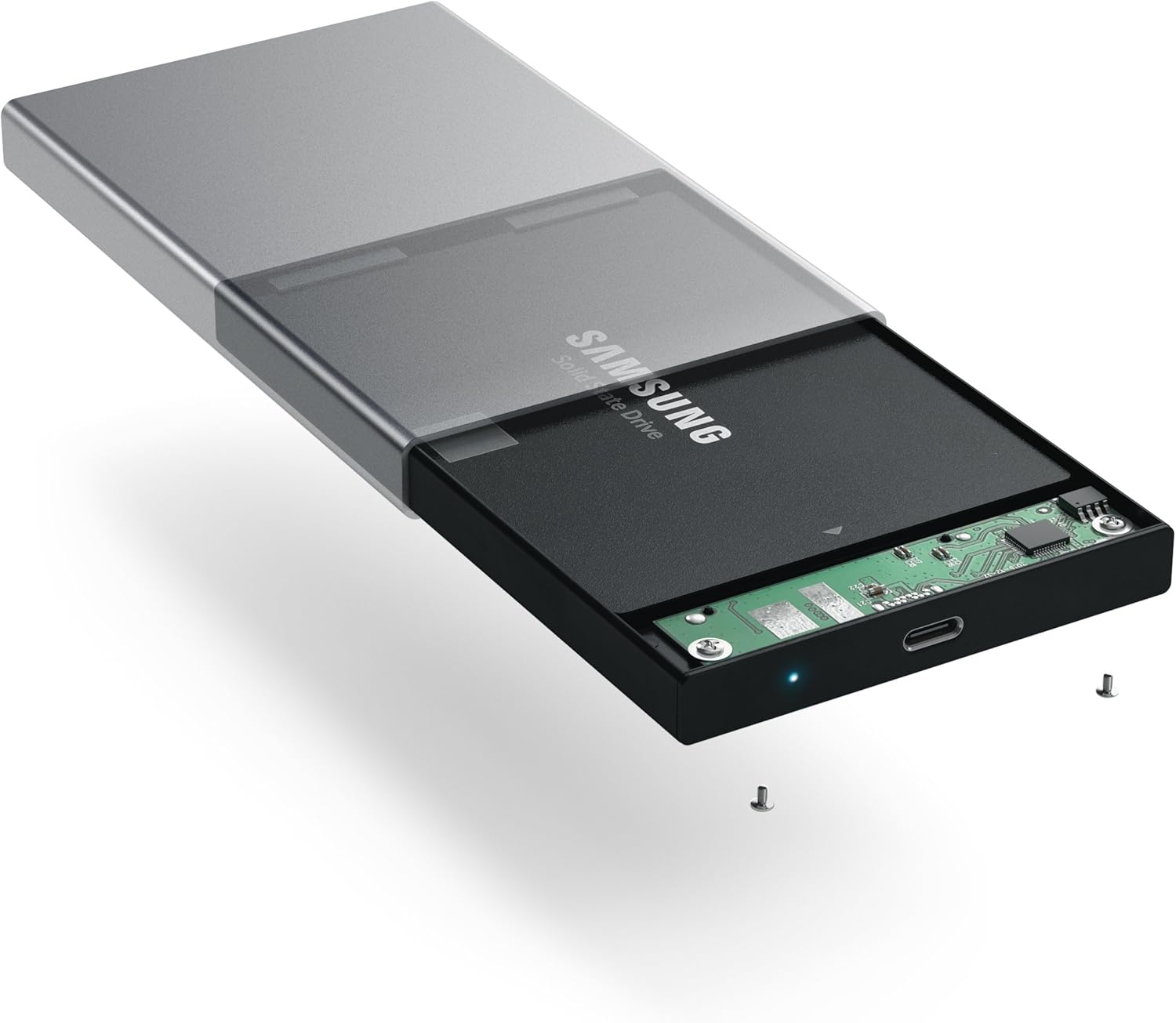
Image: Inserting a 2.5-inch SSD into the internal tray.

Image: SSD fully inserted and secured in the tray.
Arahan Operasi
- Sambung ke Komputer: Use the included USB-C to USB-C cable to connect the enclosure to an available USB-C port on your computer.
- Penunjuk Kuasa: A blue LED indicator light on the enclosure will illuminate when connected and powered, indicating readiness for use. The LED will blink during data transfer activity.
- Mengakses Pemacu: Your computer should automatically detect the external drive. If it is a new drive, you may need to format it before use. Refer to your operating system's documentation for drive formatting procedures.
- Pemindahan Data: Seret dan lepas files to and from the external drive as you would with any other storage device. The enclosure supports data transfer speeds up to 10 Gbps, depending on your drive and computer's USB-C port capabilities.
- Penyingkiran Selamat: Always safely eject the external drive from your operating system before disconnecting the cable to prevent data corruption.

Image: Enclosure connected to a laptop.

Image: Enclosure with cable connected, showing the blue LED.
Penyelenggaraan
- Pastikan kandang bersih dan bebas daripada habuk. Gunakan kain lembut dan kering untuk pembersihan.
- Elakkan daripada mendedahkan peranti kepada suhu yang melampau, kelembapan atau cahaya matahari langsung.
- Do not attempt to disassemble the enclosure beyond the initial drive installation, as this may void the warranty.
Menyelesaikan masalah
- Pemanduan Tidak Dikesan:
- Ensure the USB-C cable is securely connected to both the enclosure and your computer.
- Cuba sambungkan ke port USB-C yang berbeza pada komputer anda.
- Verify that the HDD/SSD is correctly seated within the enclosure's SATA connector.
- If it is a new drive, ensure it has been formatted for your operating system.
- Kelajuan Pemindahan Lambat:
- Ensure your computer's USB-C port supports USB 3.1 Gen 2 (10 Gbps) for optimal performance.
- The performance of the drive itself (HDD vs. SSD) will impact transfer speeds.
- Consider using a high-quality, certified USB-C cable, especially if experiencing intermittent disconnections or slower-than-expected speeds.
- Enclosure Disconnects Randomly:
- This can sometimes be caused by an incompatible or low-quality USB-C cable. Try using a different, certified USB-C cable.
- Pastikan tetapan kuasa komputer anda tidak dikonfigurasikan untuk mematikan port USB bagi menjimatkan kuasa.
Spesifikasi
| Nombor Model | ST-TCDEM |
| UPC | 879961006242 |
| bahan | aluminium |
| Jenis Pemacu yang serasi | HDD/SSD SATA 2.5 inci |
| Bilangan Maks Peranti yang Disokong | 1 |
| Kadar Pemindahan Data | Up to 10 Gigabits Per Second (USB 3.1 Gen 2) |
| Teknologi Ketersambungan | USB-C |
| Berat Barang | 6.4 auns (181 Gram) |
| warna | Kelabu Angkasa |
Waranti dan Sokongan
For warranty information and technical support, please refer to the official Satechi webtapak atau hubungi perkhidmatan pelanggan mereka secara langsung. Simpan resit pembelian anda untuk tuntutan waranti.