1. Pengenalan
This manual provides detailed instructions for the safe and efficient operation of your Optoma EH416 Full HD 3D DLP Projector. Please read this manual thoroughly before using the projector and retain it for future reference. Proper use and maintenance will ensure optimal performance and longevity of your device.
Maklumat Keselamatan
- Jangan lihat terus ke dalam kanta projektor apabila lamp sedang aktif. Cahaya yang terang boleh menyebabkan kerosakan mata.
- Pastikan pengudaraan yang mencukupi di sekitar projektor. Jangan halang bukaan pengudaraan.
- Use only the power cord supplied with the projector. Connect to a properly grounded outlet.
- Do not expose the projector to rain, moisture, or excessive humidity.
- Rujuk semua servis kepada kakitangan servis yang berkelayakan. Jangan cuba membuka atau membaiki projektor sendiri.
2. Apa yang ada di dalam Kotak
Please verify that all items listed below are present in your package. If any items are missing or damaged, contact your dealer immediately.
- Optoma EH416 Projector
- Kord Kuasa
- Kabel VGA ke VGA
- Alat Kawalan Jauh
- Membawa Beg
- Bateri untuk Alat Kawalan Jauh
- Multilingual CD-ROM User’s Manual
- Kad Mula Pantas
- Kad Waranti
3. Produk Lebihview
Ciri-ciri Utama
- Kecerahan yang tinggi: 4200 lumens for clear images in various lighting conditions.
- Kontras Tinggi: 20,000:1 contrast ratio for sharp, luminous images with deep blacks.
- Resolusi HD Penuh: Native 1080p (1920x1080) resolution, supporting up to WUXGA (1920x1200).
- Advanced Optical Lens: Features a 1.6x zoom and vertical lens shift for flexible installation.
- Ketersambungan yang meluas: Dual HDMI (one with MHL support), dual audio-in, VGA, and more.
- sRGB Color Profile: Enables vibrant and highly accurate colors based on Rec. 709 HDTV specification.
- Pelarasan Warna Dinding: Compensates for brightness loss when projecting on non-white surfaces.
- Edge Mask: Eliminates soft edges and jaggedness on the projection border for a smooth image.
- Audio Bersepadu: Pembesar suara 10W terbina dalam.
Komponen Projektor
The image below illustrates the main components of the Optoma EH416 projector, including the lens, control panel, and various ports.
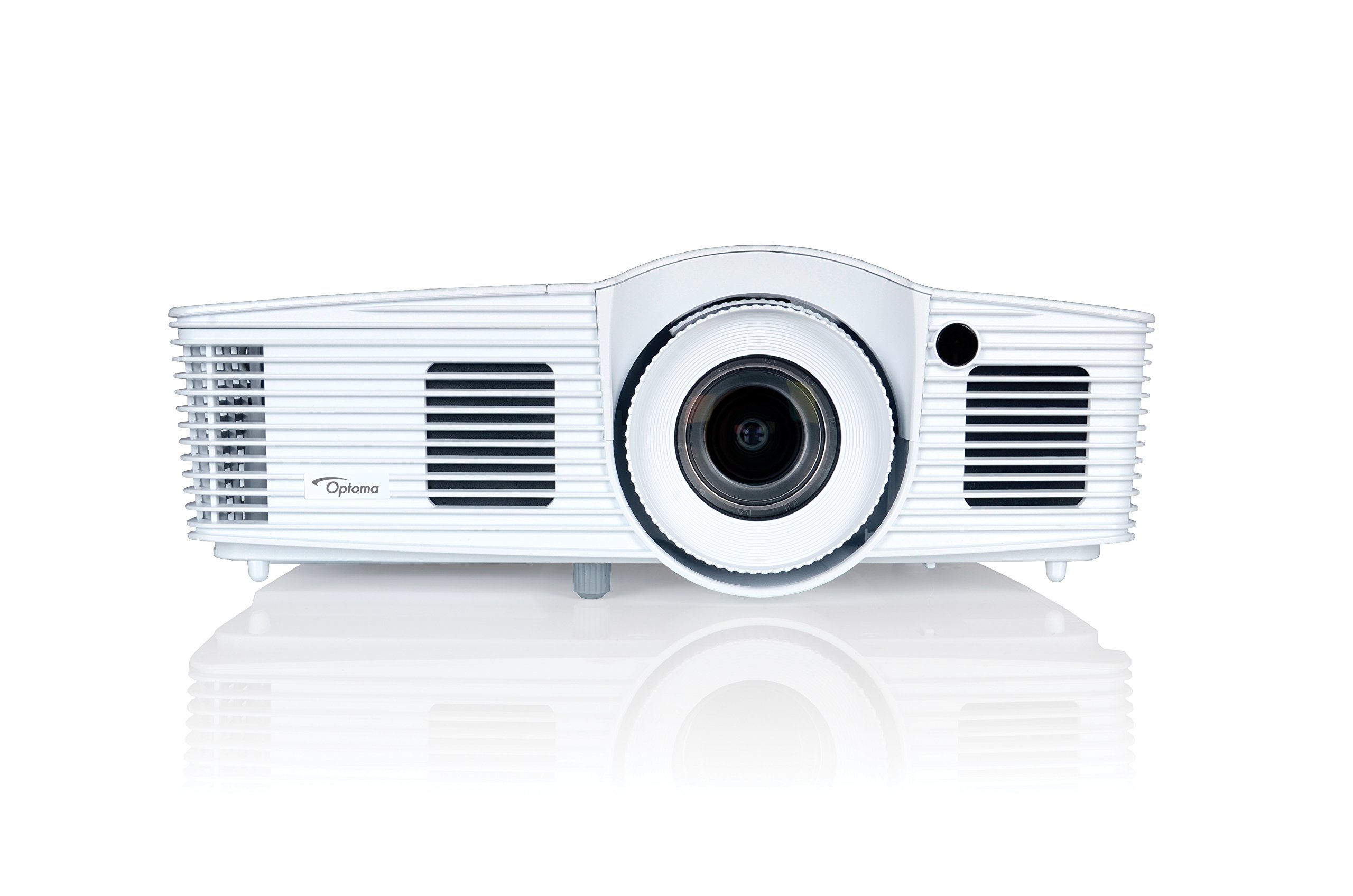
Rajah 1: Depan view of the Optoma EH416 Projector, showing the lens and primary controls.
Pelabuhan Kesambungan
The Optoma EH416 projector offers a wide range of connectivity options located on the rear panel for versatile integration with various devices.
- HDMI (x2): Digital input for high-definition video and audio. One port supports MHL for mobile devices.
- VGA (x2): Analog input for computer connections.
- Audio In (x2): 3.5mm stereo jack for analog audio input.
- Keluar Audio: 3.5mm stereo jack for connecting external speakers.
- USB-A: For power output or service.
- RS232: Untuk kawalan projektor melalui komputer atau sistem kawalan.
- RJ45 (Ethernet): Untuk kawalan dan pengurusan rangkaian.
4. Persediaan
Penempatan Projektor
The Optoma EH416 offers flexibility in placement due to its 1.6x zoom and vertical lens shift capabilities. Position the projector on a stable surface or mount it securely. Adjust the distance from the screen to achieve the desired image size. The 1.6x zoom allows for a larger image from a shorter distance or a smaller image from a longer distance without moving the projector.
Menyambung Peranti
- Sambungan Kuasa: Sambungkan kord kuasa ke salur masuk kuasa projektor dan kemudian ke soket elektrik yang dibumikan.
- Sumber Video:
- For HDMI devices (e.g., Blu-ray player, laptop): Connect an HDMI cable from your device to one of the HDMI ports on the projector.
- For VGA devices (e.g., older laptops): Connect a VGA cable from your device to a VGA port on the projector. If audio is also required, connect a separate 3.5mm audio cable from your device to an Audio In port on the projector.
- For MHL compatible mobile devices: Connect an MHL cable to the designated HDMI/MHL port.
- Output Audio (Pilihan): If using external speakers, connect an audio cable from the projector's Audio Out port to your sound system.
Menghidupkan/Mematikan
- Untuk Menghidupkan: Press the power button on the projector's control panel or the remote control. The power indicator light will turn blue.
- Untuk Mematikan: Press the power button twice. The projector will enter a cooling down cycle before completely shutting off. Do not unplug the projector during the cooling cycle.
5. Mengendalikan Projektor
Operasi Asas
- Pemilihan Sumber: Use the 'Source' button on the remote or control panel to cycle through available input sources (HDMI1, HDMI2/MHL, VGA1, VGA2).
- Navigasi Menu: Press the 'Menu' button to access the On-Screen Display (OSD). Use the arrow keys to navigate and 'Enter' to select options.
- Kawalan Kelantangan: Use the volume buttons on the remote control to adjust the audio output from the built-in speaker or Audio Out port.
Penyesuaian Gambar
- Fokus dan Zum: Rotate the focus and zoom rings on the projector lens to achieve a sharp and appropriately sized image.
- Pembetulan Keystone: If the image appears trapezoidal, use the 'Keystone' function in the OSD menu or the dedicated button on the remote to correct the image shape. The EH416 supports ±40° vertical keystone correction.
- Anjakan Kanta Menegak: This feature allows you to physically move the image up or down without tilting the projector, minimizing keystone distortion. Adjust the lens shift dial located near the lens.
- Pelarasan Warna Dinding: Access this feature in the OSD menu to compensate for the color of your projection surface (e.g., blackboard, light yellow wall). This helps maintain accurate color reproduction even on non-white walls.
- sRGB Color Profile: For the most accurate and vibrant colors, especially when connecting to a PC, Mac, or sRGB compatible source, select the sRGB picture mode in the OSD. This profile adheres to the Rec. 709 HDTV specification.
- Edge Mask: This function, found in the OSD, helps to refine the edges of the projected image, eliminating any soft or jagged appearance on the border.
6. Penyelenggaraan
Membersihkan Projektor
- Kanta: Gunakan kain lembut dan bebas lin yang direka khusus untuk kanta optik. Jangan gunakan pembersih yang kasar.
- Casing: Lap projektor casindengan kain lembut dan kering. Untuk kotoran degil, gunakan sedikitamp kain dengan detergen lembut, kemudian lap kering.
- Bolong Udara: Regularly check and clean the air vents to prevent dust buildup, which can lead to overheating. Use a soft brush or compressed air.
Lamp Peduli
Projektor lamp mempunyai jangka hayat yang terhad. Apabila lamp life is nearing its end, a warning message may appear on the screen. Refer to the full user manual on the included CD-ROM for detailed instructions on lamp replacement. Always use genuine Optoma replacement lamps to ensure optimal performance and safety.
7. Penyelesaian masalah
This section addresses common issues you might encounter. For more detailed troubleshooting, refer to the comprehensive user manual on the included CD-ROM.
- Tiada Imej pada Skrin:
- Check if the projector is powered on and the lamp dinyalakan.
- Verify that the video source device is powered on and functioning correctly.
- Ensure the video cable (HDMI, VGA) is securely connected to both the projector and the source device.
- Select the correct input source using the 'Source' button on the remote or projector.
- Imej Kabur atau Herot:
- Laraskan gelang fokus pada lensa projektor.
- If the image is trapezoidal, use the keystone correction function.
- Ensure the projector is perpendicular to the screen or use vertical lens shift.
- Tiada Bunyi:
- Periksa tahap kelantangan pada projektor dan peranti sumber.
- If using an analog VGA connection, ensure a separate audio cable is connected.
- Verify that the audio output is not muted.
- Alat Kawalan Jauh Tidak Berfungsi:
- Periksa dan gantikan bateri.
- Pastikan tiada halangan antara alat kawalan jauh dan penerima IR projektor.
8. Spesifikasi
| Ciri | Perincian |
|---|---|
| Nombor Model | EH416 |
| Resolusi Paparan | 1920 x 1080 (HD Penuh) |
| Kecerahan | 4200 Lumen |
| Nisbah Kontras | 20,000:1 |
| Teknologi Ketersambungan | Wireless, HDMI, MHL, VGA |
| Dimensi Produk | 8.81 x 12.36 x 4.48 inci |
| Berat Barang | 6.6 paun |
| Penggunaan yang Disyorkan | Business, Education |
| Pengeluar | OPTOMA TECHNOLOGY |
| Tarikh Mula-mula Tersedia | 5 April 2016 |
9. Waranti dan Sokongan
Your Optoma EH416 projector comes with a manufacturer's warranty. Please refer to the included warranty card for specific terms, conditions, and registration information. For technical support, product registration, or to download the latest drivers and firmware, please visit the official Optoma website or contact Optoma customer service.


