SENCOR SCO 509-015 USB Connection Cable User Manual
Model: SCO 509-015
pengenalan
This manual provides essential information for the proper use and care of your SENCOR SCO 509-015 USB Connection Cable. This cable is designed for reliable data transfer and connection between devices utilizing USB 2.0 Type A and USB 2.0 Type B ports.
Produk Selesaiview
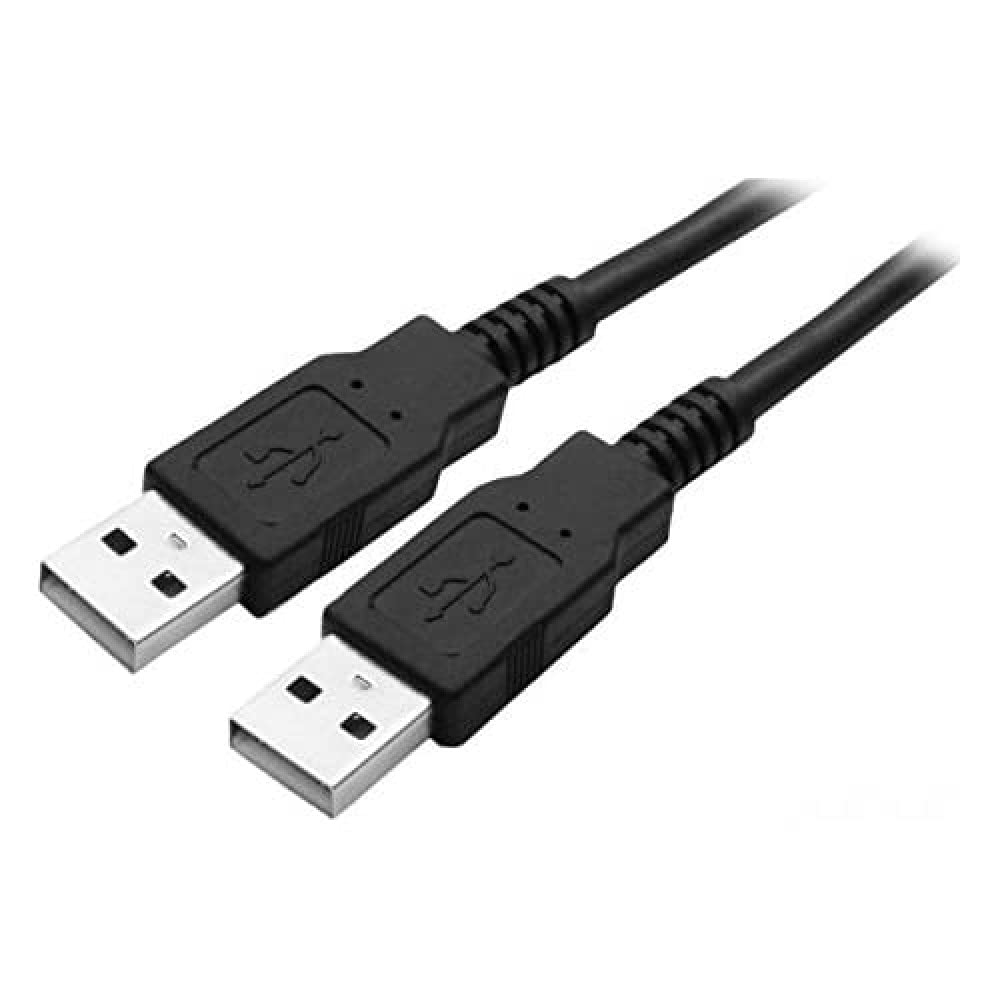
Figure 1: SENCOR SCO 509-015 USB Connection Cable. This image shows the black 1.5-meter cable with two USB 2.0 Type A male connectors, one at each end, typically used for connecting two host devices or for specific data transfer scenarios.
The SENCOR SCO 509-015 is a 1.5-meter USB 2.0 connection cable featuring a Type A Male connector on one end and a Type B Male connector on the other. It is suitable for connecting various peripherals such as printers, scanners, external hard drives, and other devices to a computer or host device.
Persediaan
The SENCOR SCO 509-015 USB cable is designed for plug-and-play functionality. No special software or drivers are typically required for basic operation.
- Kenal pasti Pelabuhan: Locate the appropriate USB 2.0 Type A port on your host device (e.g., computer, laptop) and the USB 2.0 Type B port on your peripheral device (e.g., printer, scanner).
- Sambungkan Kabel: Gently insert the USB 2.0 Type A Male connector of the cable into the Type A port on your host device.
- Connect Peripheral: Gently insert the USB 2.0 Type B Male connector of the cable into the Type B port on your peripheral device. Ensure both connections are firm and secure.
- Sahkan Sambungan: Your operating system should automatically detect the connected device. Refer to your device's manual for specific setup instructions if needed.
Beroperasi
Once connected, the SENCOR SCO 509-015 USB cable facilitates data transfer between your host and peripheral devices. The cable supports USB 2.0 specifications, offering data transfer rates up to 480 Mbps.
- Pemindahan Data: Use the cable to transfer files, print documents, or perform other functions supported by your connected devices.
- Penghantaran Kuasa: The cable may also provide power to compatible low-power devices, eliminating the need for a separate power adapter for some peripherals.
- Pertukaran Panas: USB cables are designed for hot-swapping, meaning you can connect or disconnect them while devices are powered on, though it is always recommended to safely eject devices from your operating system before disconnecting to prevent data corruption.
Penyelenggaraan
Proper care will extend the life of your SENCOR USB cable.
- Storan: Store the cable in a cool, dry place away from direct sunlight and extreme temperatures. Avoid tightly coiling or bending the cable sharply, which can damage internal wires.
- Pembersihan: If the cable or connectors become dirty, gently wipe them with a soft, dry, lint-free cloth. Do not use liquid cleaners or abrasive materials.
- Pengendalian: Always grasp the connector housing when plugging or unplugging the cable, not the cable itself, to prevent strain on the connections.
Menyelesaikan masalah
If you experience issues with your SENCOR USB cable, consider the following:
- No Device Detection:
- Pastikan kedua-dua hujung kabel disambungkan dengan selamat.
- Try connecting the cable to a different USB port on your host device.
- Test the cable with another compatible device to rule out a cable fault.
- Ensure the peripheral device is powered on and functioning correctly.
- Pemindahan Data Lambat:
- Verify that both the host and peripheral devices support USB 2.0 for optimal speeds. Connecting to a USB 1.1 port will result in slower transfer rates.
- Avoid using excessively long USB extension cables, which can degrade signal quality.
- Kerosakan Fizikal: Inspect the cable and connectors for any visible signs of damage, such as frayed wires, bent pins, or cracked housings. Discontinue use if damage is found.
Spesifikasi
| Ciri | Perincian |
|---|---|
| Model | SCO 509-015 |
| Jenama | SENCOR |
| Jenis Kabel | Kabel Sambungan USB 2.0 |
| Penyambung | USB 2.0 Type A Male to USB 2.0 Type B Male |
| Panjang | 1.5 meter |
| Kadar Pemindahan Data | Up to 480 Mbps (USB 2.0 Standard) |
| warna | Hitam |
| Pengeluar | FAST ČR a.s. |
| ASIN | B01DFP1CQ2 |
Waranti dan Sokongan
For information regarding warranty coverage and customer support for your SENCOR SCO 509-015 USB Connection Cable, please refer to the documentation provided at the time of purchase or visit the official SENCOR webtapak. Simpan bukti pembelian anda untuk tuntutan waranti.


