1. Pengenalan
Terima kasih kerana membeliasing the iTOMA CKS3501BT Radio Alarm Clock. This manual provides detailed instructions for setting up and operating your device. Please read it thoroughly before use to ensure proper functionality and to maximize your user experience.
Kandungan Pakej:
- iTOMA CKS3501BT Radio Alarm Clock
- Penyesuai Kuasa
- Antena Wayar FM
- Manual Pengguna (dokumen ini)
2. Produk Lebihview
Familiarize yourself with the controls and display of your iTOMA CKS3501BT Radio Alarm Clock.
Kawalan Panel Atas:
- VOL- / VOL+: Adjust volume.
- SET: Enter setup mode for time, date, and alarms.
- ZON MASA: Adjust time zone.
- AL 1 / AL 2: Set Alarm 1 / Alarm 2.
- TUNDA / DIMMER: Snooze active alarm; adjust display brightness.
- TUNE - / TUNE +: Tune FM radio frequency; navigate menu options.
- MEMORI: Save and recall FM radio presets.
- SUMBER: Select audio source (FM, Bluetooth, AUX).
- KUASA: Turn unit on/off.
Paparan Hadapan:
- 1.4-inch blue LED display for time, date, and status indicators.
- Indicators for Alarm 1, Alarm 2, FM frequency, Bluetooth status.

Rajah 2.1: Depan view of the iTOMA CKS3501BT Radio Alarm Clock, showing the large blue LED display and top panel controls.
3. Persediaan
3.1 Kuasa Permulaan
- Sambungkan penyesuai kuasa ke bicu DC IN di bahagian belakang unit.
- Plug the power adapter into a standard wall outlet. The display will light up.
- The unit includes a pre-installed backup battery to maintain time and alarm settings during power outages.
3.2 Menetapkan Masa dan Tarikh
- Ensure the unit is powered DIMATIKAN (tekan KUASA button if display is on).
- Tekan dan tahan butang SET butang sehingga tahun berkelip pada paparan.
- Gunakan TUNE - / TUNE + buttons to adjust the year. Press SET untuk mengesahkan.
- Repeat the process for Month, Day, Hour, and Minute.
- Selepas menetapkan minit, tekan SET to confirm and exit time setting mode.
3.3 Waktu Penjimatan Siang Automatik (DST)
The unit is equipped with an Auto DST feature. To enable or disable:
- Ensure the unit is powered DIMATIKAN.
- Tekan dan tahan butang ZON MASA button. The display will show "DST ON" or "DST OFF".
- Gunakan TUNE - / TUNE + buttons to toggle between "DST ON" and "DST OFF".
- Lepaskan ZON MASA butang untuk mengesahkan pilihan anda.
4. Arahan Operasi
4.1 Alarm Settings (Dual Alarm)
The CKS3501BT features two independent alarms (AL1 and AL2) that can be set to wake you with a buzzer or FM radio.
- Ensure the unit is powered DIMATIKAN.
- Tekan dan tahan sama ada AL 1 or AL 2 butang sehingga waktu penggera berkelip.
- guna TUNE - / TUNE + to adjust the hour. Press the respective AL butang untuk mengesahkan.
- Ulang selama beberapa minit.
- Next, select the alarm source: Use TUNE - / TUNE + to choose between "Buzzer" or "FM Radio". Press the AL butang untuk mengesahkan.
- If FM Radio is selected, use TUNE - / TUNE + to set the desired wake-up volume. Press the AL butang untuk mengesahkan.
- Finally, select the alarm schedule: Use TUNE - / TUNE + to choose "Every Day", "Weekdays", or "Weekends". Press the AL butang untuk mengesahkan dan keluar dari mod tetapan penggera.
To activate/deactivate an alarm, press the corresponding AL 1 or AL 2 button briefly when the unit is powered DIMATIKAN. The alarm indicator (1 or 2) will appear/disappear on the display.
4.2 Fungsi Tunda
Apabila penggera berbunyi, tekan butang TUNDA / DIMMER button to temporarily silence it for 9 minutes. The alarm will sound again after the snooze period.
4.3 Pemasa Tidur
The sleep timer allows you to fall asleep to FM radio or Bluetooth audio, which will automatically turn off after a set duration (10 to 90 minutes).
- While the unit is playing FM radio or Bluetooth audio, press the TIDUR button (often integrated with SNOOZE or another button, refer to device markings if different).
- Tekan berulang kali TIDUR button to cycle through sleep timer options (e.g., 90, 80, 70... 10 minutes, OFF).
- Unit akan dimatikan secara automatik selepas masa yang dipilih.
4.4 Operasi Radio FM

Figure 4.1: The iTOMA CKS3501BT can receive FM radio signals, indicated by the radio icon and waves.
- Ensure the FM wire antenna is properly connected to the antenna jack on the back of the unit for optimal reception.
- Tekan ke KUASA butang untuk menghidupkan unit.
- Tekan ke SUMBER butang berulang kali sehingga "FM" muncul pada paparan.
- Penalaan Manual: Tekan TUNE - / TUNE + briefly to adjust the frequency step by step.
- Imbasan Auto: Tekan dan tahan TUNE - / TUNE + for a few seconds to automatically scan for the next available station.
4.5 Saving and Recalling FM Presets
The unit can store up to 10 FM radio stations as presets.
- Tune ke stesen FM yang dikehendaki.
- Tekan dan tahan butang MEMORI button until "P01" (or the next available preset number) flashes on the display.
- guna TUNE - / TUNE + to select the desired preset number (P01-P10).
- Tekan MEMORI sekali lagi untuk mengesahkan dan menyimpan stesen.
- Untuk memanggil semula stesen pratetap, tekan sebentar MEMORI button repeatedly to cycle through the saved stations.
4.6 Operasi Bluetooth
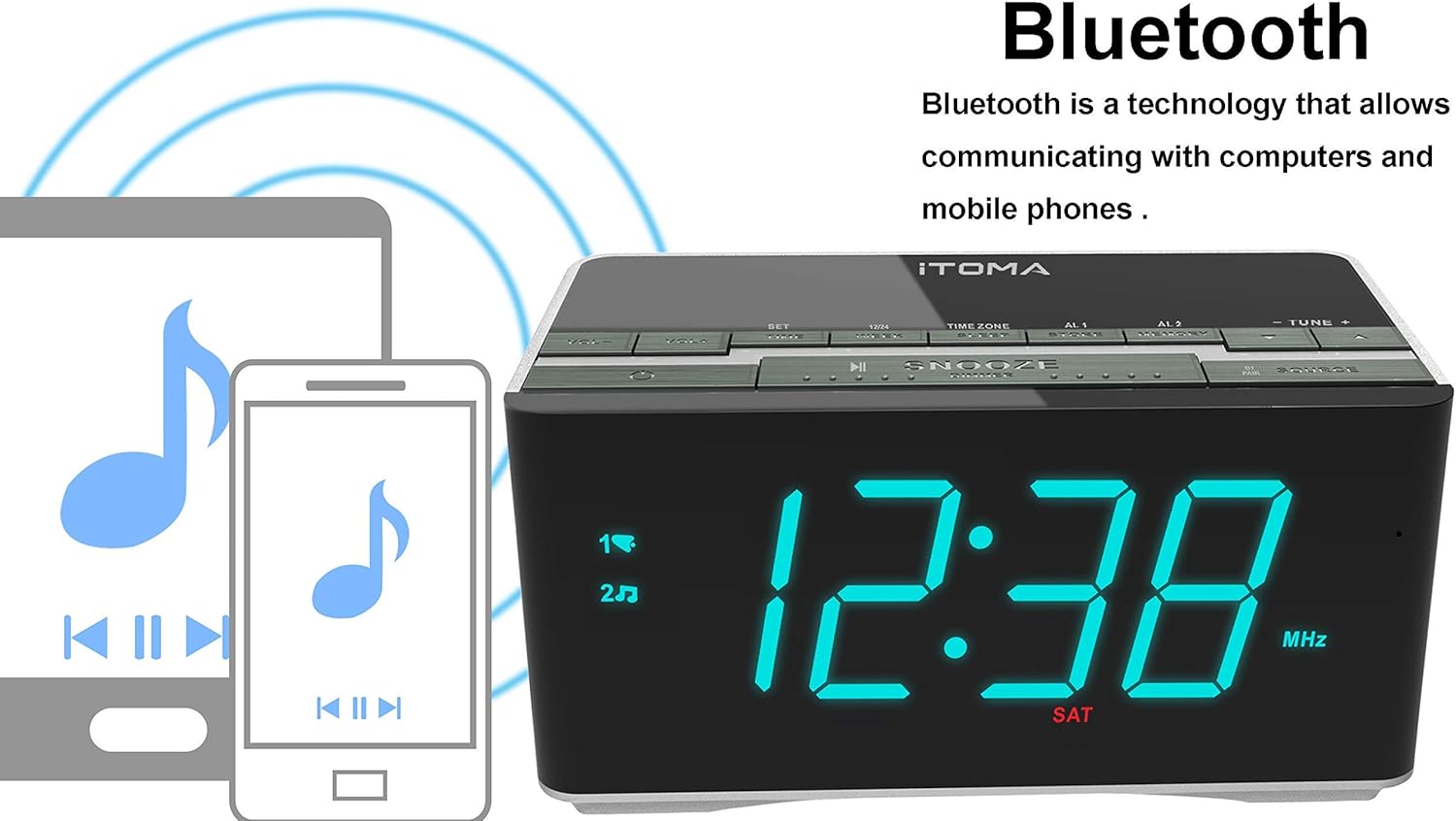
Figure 4.2: The iTOMA CKS3501BT supports Bluetooth connectivity for wireless audio streaming from compatible devices.
- Tekan ke KUASA butang untuk menghidupkan unit.
- Tekan ke SUMBER button repeatedly until "BT" appears on the display and the Bluetooth indicator flashes, indicating pairing mode.
- Pada peranti anda yang didayakan Bluetooth (cth., telefon pintar, tablet), dayakan Bluetooth dan cari peranti yang tersedia.
- Select "iTOMA CKS3501BT" from the list. Once paired, the Bluetooth indicator on the alarm clock will stop flashing and remain solid.
- You can now play audio from your device through the alarm clock's speakers. Use the VOL - / VOL + buttons on the alarm clock or your device to adjust the volume.
4.7 Input Tambahan (AUX)
Connect external audio devices (e.g., MP3 players) using a 3.5mm audio cable (not included).
- Connect one end of a 3.5mm audio cable to the AUX IN jack on the back of the unit.
- Sambungkan hujung satu lagi ke bicu fon kepala atau output audio peranti luaran anda.
- Tekan ke KUASA butang untuk menghidupkan unit.
- Tekan ke SUMBER butang berulang kali sehingga "AUX" muncul pada paparan.
- Mainkan audio daripada peranti luaran anda. Laraskan kelantangan menggunakan VOL - / VOL + buttons on the alarm clock or your external device.
4.8 Port Pengecasan USB

Figure 4.3: The iTOMA CKS3501BT features a USB port for charging mobile devices.
The USB port on the back of the unit is for charging mobile devices only. It does not support data transfer or playing music from USB drives.
- Connect your mobile device's USB charging cable to the USB port on the alarm clock.
- Sambungkan hujung kabel yang lain ke peranti mudah alih anda.
- Peranti anda akan mula mengecas.
4.9 Kecerahan Paparan (Dimmer)

Figure 4.4: The iTOMA CKS3501BT offers an auto-dimmer function and manual brightness control for its display.
The display has an auto-dimmer feature that adjusts brightness based on ambient light. You can also manually adjust it.
- Tekan ke TUNDA / DIMMER button repeatedly to cycle through different brightness levels (e.g., High, Medium, Low, Auto).
- Select "Auto" for automatic brightness adjustment.
5. Penyelenggaraan
5.1 Pembersihan
- Putuskan sambungan penyesuai kuasa sebelum membersihkan.
- Gunakan kain lembut dan kering untuk mengelap bahagian luar unit.
- Do not use liquid cleaners, abrasive cleaners, or sprays, as they may damage the finish.
5.2 Bateri Sandaran
The unit contains a pre-installed lithium-metal backup battery. This battery is designed to retain time and alarm settings during brief power interruptions. It is not user-replaceable and does not power the unit for normal operation.
6. Penyelesaian masalah
| Masalah | Kemungkinan Punca | Penyelesaian |
|---|---|---|
| Unit tidak dihidupkan. | Penyesuai kuasa tidak disambungkan atau rosak. | Pastikan penyesuai kuasa dipasang dengan kukuh pada unit dan soket dinding yang berfungsi. |
| No sound from FM radio. | Weak signal; volume too low; incorrect source. | Adjust FM antenna position. Increase volume. Ensure "FM" source is selected. |
| Peranti Bluetooth tidak boleh berpasangan. | Unit not in pairing mode; device too far; Bluetooth already connected. | Ensure "BT" is flashing on the display. Move device closer. Disconnect from other Bluetooth devices. |
| Penggera tidak berbunyi. | Alarm not activated; volume too low; incorrect time. | Verify alarm indicator (1 or 2) is on. Check alarm volume setting. Confirm alarm time is correct. |
| Pengecasan USB tidak berfungsi. | Cable faulty; device not compatible; unit not powered. | Try a different USB cable. Ensure the alarm clock is powered on. |
7. Spesifikasi
- model: CKS3501BT
- paparan: 1.4-inch Blue LED
- Sumber Kuasa: AC 100-240V, 50/60Hz (via power adapter)
- Bateri Sandaran: 1 x Lithium-metal (pre-installed)
- Pancaragam Radio: FM
- Versi Bluetooth: (Not specified, assuming standard)
- Output Pengecasan USB: (Not specified, typically 5V/1A)
- Input Bantu: Bicu stereo 3.5mm
- Dimensi: 14.5 x 8 x 7.52 cm (5.71 x 3.15 x 2.93 inci)
- Berat: 390.09 g (0.86 paun)
- Bahan: plastik

Figure 7.1: Dimensions of the iTOMA CKS3501BT Radio Alarm Clock.
8. Waranti dan Sokongan
For warranty information or technical support, please refer to the warranty card included with your product or visit the official iTOMA webtapak. Simpan resit pembelian anda sebagai bukti pembelian.
iTOMA Official Webtapak: www.itoma.com


