1. Pengenalan
This document provides essential instructions for the KeylessOption remote key fob, model KPT3420. This product is designed as a replacement for your vehicle's original keyless entry remote. It comes with a new battery and internal electronics pre-installed, ready for professional programming.
2. Keserasian Kenderaan
This remote key fob is compatible with specific vehicle models and requires matching original part numbers and FCC ID. Please verify that your vehicle's original remote or owner's manual lists one of the following part numbers or FCC ID:
- Original Part Numbers: 15114376, KOBGT04A, K0BGT04A
- ID FCC: KOBGT04A
Known compatible vehicle models include:
- 2005 - 2007 Buick Terraza
- 2008 - 2011 Chevrolet HHR
- 2005 - 2008 Chevrolet Uplander
- 2005 - 2008 Pontiac Montana
- 2005 - 2007 Saturn Relay

Image: Back of the remote showing FCC ID KOBGT04A and Part Numbers 15114376. This helps confirm compatibility with your vehicle.
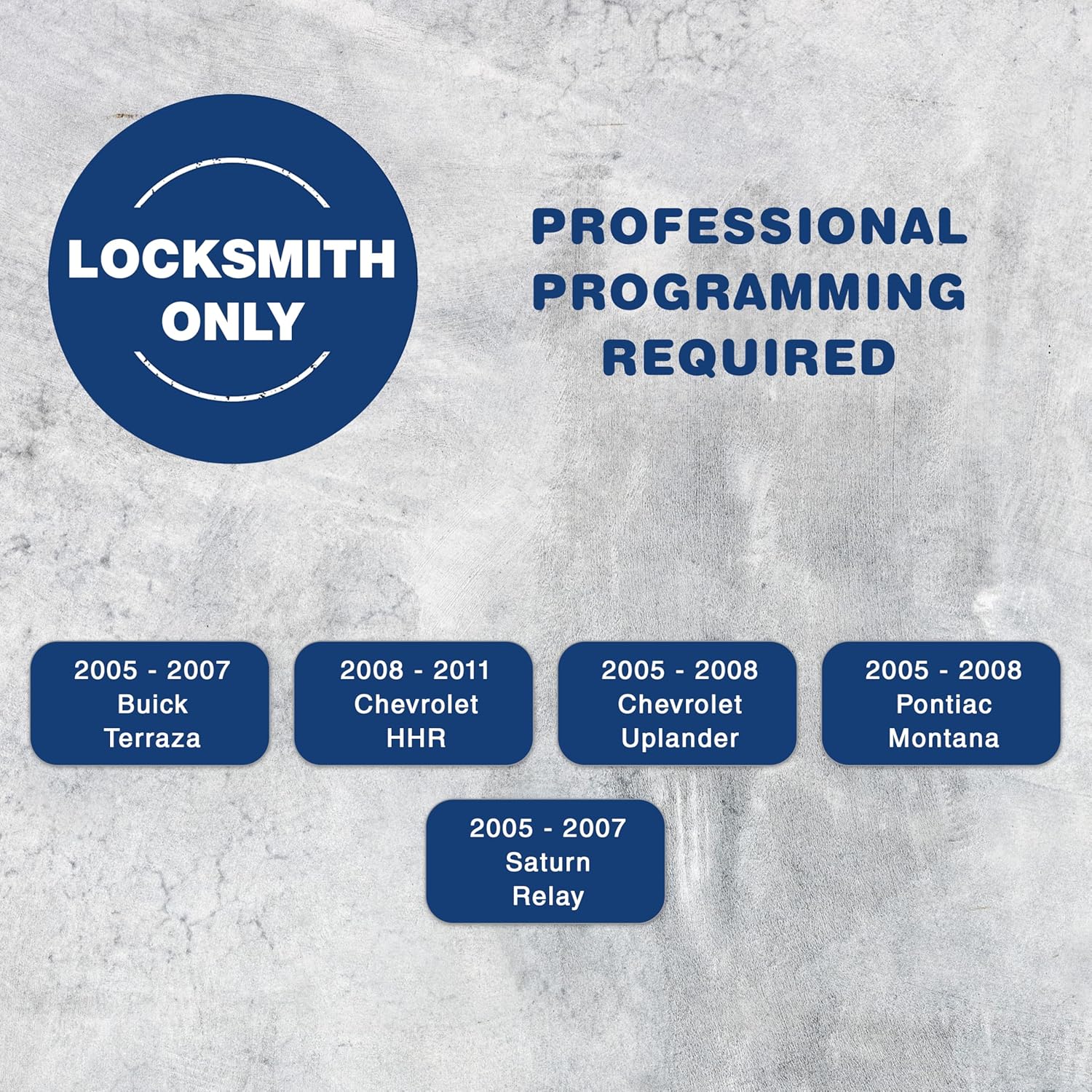
Image: Visual confirmation of compatible vehicle models and the requirement for professional programming.
3. Apa yang Termasuk
Your KeylessOption remote key fob package typically includes the following items:
- One (1) KeylessOption Remote Key Fob with pre-installed battery and electronics.
- One (1) Metal Ring Loop for attachment to a keychain.
- A Program Guide (for professional use).

Image: Contents of the KeylessOption remote key fob package, including the remote, ring loop, and installed CR2032 battery.
4. Persediaan dan Pengaturcaraan
Important: This remote key fob requires professional programming by a certified automotive locksmith or a dealership. Self-programming is not supported for this device.
To set up your new remote key fob:
- Sahkan Keserasian: Ensure the remote is compatible with your vehicle by checking the part numbers and FCC ID as described in Section 2.
- Locate a Professional: Contact a local automotive locksmith or your vehicle's dealership. It is recommended to inquire about programming costs beforehand, as prices can vary significantly. Locksmiths often offer more competitive rates than dealerships.
- Pengaturcaraan Jadual: Arrange an appointment to have your new remote programmed to your vehicle's security system. Bring your vehicle and the new remote to the professional.
- Kefungsian Ujian: After programming, ensure all buttons on the remote function correctly with your vehicle.
5. Arahan Operasi
Once programmed, your KeylessOption remote key fob provides convenient access and control over your vehicle's functions. The remote features six buttons:
- Butang Kunci (🔒): Press once to lock all vehicle doors.
- Butang Buka Kunci (🔓): Press once to unlock the driver's door, press twice to unlock all doors.
- Butang Mula Jauh (⌛): Press twice within a few seconds to remotely start your vehicle (if equipped).
- Left Slide Door Button (←): Activates or deactivates the left power sliding door (if equipped).
- Right Slide Door Button (→): Activates or deactivates the right power sliding door (if equipped).
- Panic Button (🔔): Press and hold to activate the vehicle's alarm system. Press again to deactivate.

Image: Front of the remote key fob illustrating the function of each button.
6. Penyelenggaraan
The primary maintenance for your remote key fob involves battery replacement.
Penggantian Bateri
The remote uses a CR2032 lithium coin cell battery. When the remote's range decreases or it stops responding, it's likely time to replace the battery.
- Open the Fob: Cungkil alat kawalan jauh dengan berhati-hatiasing. There is usually a small notch on the side where you can insert a flat-head screwdriver or a coin to gently separate the two halves.
- Keluarkan Bateri Lama: Note the orientation of the old battery (positive (+) side up or down). Remove the old CR2032 battery.
- Masukkan Bateri Baharu: Insert a new CR2032 battery, ensuring it is placed in the correct orientation. It is recommended to use a high-quality battery from a reputable brand (e.g., Duracell, Energizer) for optimal performance and longevity.
- Close the Fob: Carefully snap the two halves of the remote casing kembali bersama sehingga ia ditutup dengan selamat.
- Kefungsian Ujian: Test the remote to ensure it is working correctly after battery replacement.

Imej: Belakang view of the remote key fob, often where the battery compartment is accessed.
7. Penyelesaian masalah
| Masalah | Kemungkinan Punca | Penyelesaian |
|---|---|---|
| Alat kawalan jauh tidak berfungsi selepas pengaturcaraan. | Incorrect programming; faulty remote; vehicle issue. | Contact the professional who programmed the remote to re-verify programming. Ensure the remote is compatible with your vehicle. |
| Buttons are unresponsive or range is poor. | Low or dead battery; interference; remote damage. | Replace the CR2032 battery (see Section 6). Move away from sources of strong radio interference. Inspect the remote for physical damage. |
| Vehicle does not respond to remote commands. | Remote not programmed; vehicle's receiver issue. | Confirm the remote has been professionally programmed. If issues persist, consult a vehicle service center. |
8. Spesifikasi
- Jenama: Pilihan Tanpa Kunci
- Nombor Model: KPT3420
- Dimensi Produk (L x W x H): 5.08 x 1.91 x 10.16 cm (2 x 0.75 x 4 inci)
- Berat Barang: 56.7 g (2 auns)
- Original Part Numbers (Replacement For): 15114376, KOBGT04A, K0BGT04A
- ID FCC: KOBGT04A
- Jenis Bateri: CR2032 Lithium Cell (pre-installed)
- Bilangan Butang: 6 (Lock, Unlock, Remote Start, Left Slide Door, Right Slide Door, Panic)
9. Waranti dan Sokongan
For warranty information, technical support, or any questions regarding your KeylessOption remote key fob, please contact KeylessOption customer service directly. Refer to the product packaging or the seller's information for contact details.
Adalah disyorkan untuk mengekalkan resit pembelian anda untuk tuntutan waranti.