pengenalan
Thank you for choosing the Perixx PERIMICE-608II Wireless Vertical Mouse. This manual provides essential information for setting up, operating, and maintaining your new ergonomic mouse. Designed for right-handed users, this mouse promotes a natural hand position to enhance comfort during extended use. Please read this manual thoroughly before using the product.
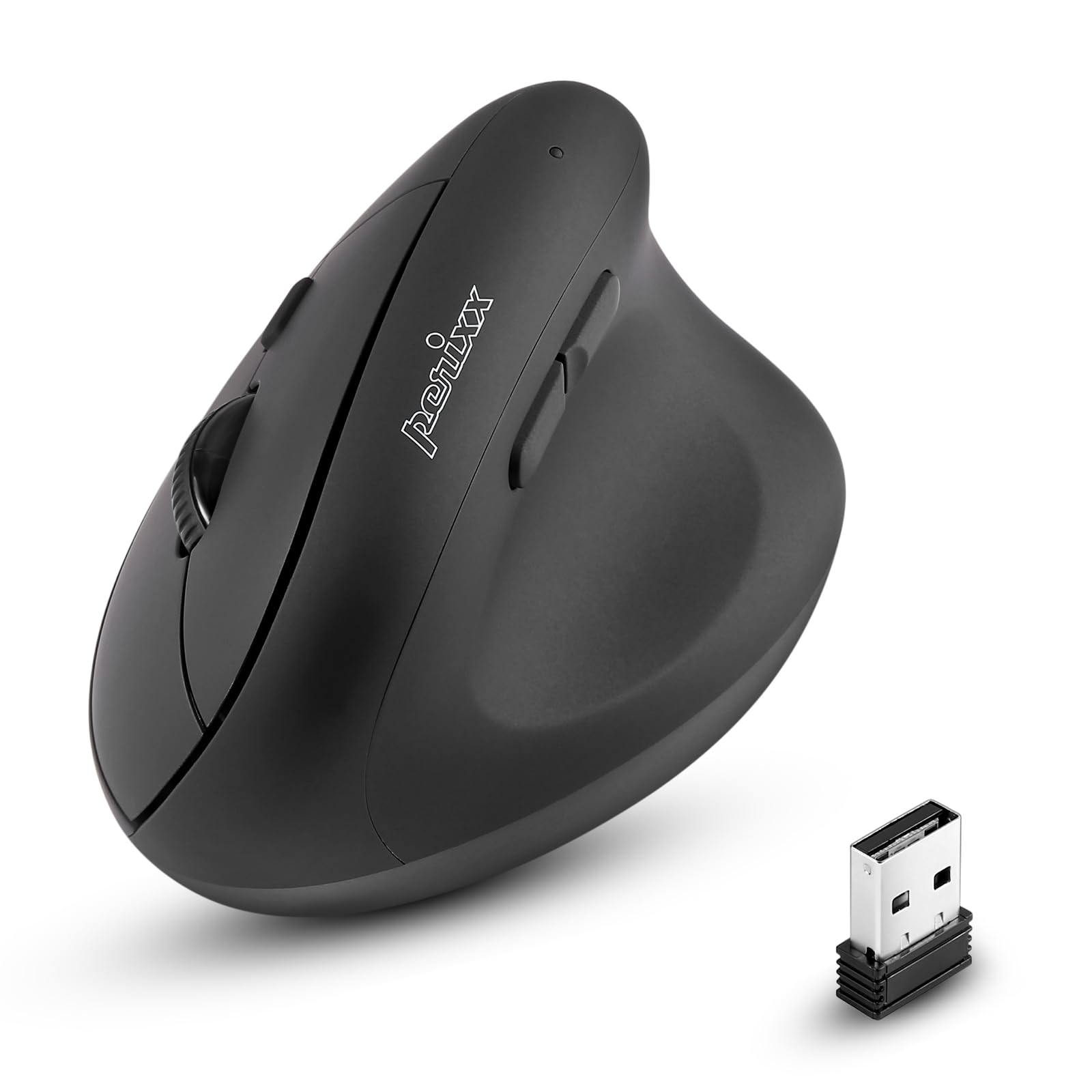
Depan view of the Perixx PERIMICE-608II Wireless Vertical Mouse.
Apa yang ada dalam Kotak
Sahkan bahawa semua item terdapat dalam pakej anda:
- 1 x Perixx PERIMICE-608II Wireless Vertical Mouse
- 1 x Penerima USB
- 1 x Manual Pengguna (dokumen ini)
Arahan Persediaan
- Pasang Bateri: Locate the battery compartment on the underside of the mouse. Insert one AA battery (not included) according to the polarity indicators.
- Masukkan Penerima USB: Remove the USB receiver from its storage slot on the mouse's underside. Plug the USB receiver into an available USB port on your computer.
- Hidupkan kuasa: Slide the ON/OFF switch on the bottom of the mouse to the "ON" position. The mouse should now be recognized by your computer and ready for use.

Underside of the mouse, illustrating the battery compartment and ON/OFF switch.

The mouse positioned next to a laptop, demonstrating the USB receiver plugged into a port.
Arahan Operasi
Reka Bentuk Ergonomik
The PERIMICE-608II features a vertical design that positions your hand in a natural handshake posture, reducing wrist strain and promoting comfort.

Demonstration of a relaxed, neutral grip on the vertical mouse.
Fungsi Butang
- Klik Kiri: Pemilihan dan pengaktifan standard.
- Klik kanan: Accesses context menus.
- Roda Tatal: Skrol dokumen dan web pages vertically. Can also be pressed for middle-click functionality.
- Butang Maju/Mundur: Located on the side for convenient web melayari dan navigasi.
Pelarasan DPI
The mouse features a DPI (Dots Per Inch) button to adjust cursor sensitivity. Press the DPI button located on the top of the mouse to cycle through the available settings: 800, 1200, 1600, and 2400 DPI. An LED indicator will briefly light up to confirm the change.

The DPI switch on the mouse, allowing for quick sensitivity adjustments.
Penyelenggaraan
Pembersihan
Untuk membersihkan tetikus anda, lap permukaan dengan lembut, damp kain. Elakkan menggunakan bahan kimia yang keras atau bahan kasar, kerana ini boleh merosakkan kemasan. Pastikan tiada cecair memasuki komponen dalaman tetikus.
Penggantian Bateri
When the mouse performance degrades or it stops responding, it may be time to replace the AA battery. Follow the battery installation steps in the Setup section.
Menyelesaikan masalah
- Tetikus tidak bertindak balas:
- Ensure the mouse is switched to the "ON" position on its underside.
- Check if the USB receiver is securely plugged into a working USB port on your computer.
- Gantikan bateri AA dengan yang baru.
- Cuba palamkan penerima USB ke port USB lain.
- Pergerakan kursor tidak menentu:
- Pastikan tetikus digunakan pada permukaan yang bersih dan tidak mencerminkan.
- Laraskan tetapan DPI menggunakan butang DPI untuk mencari kepekaan yang sesuai.
- Isu ketersambungan:
- Move the mouse closer to the USB receiver to ensure a strong 2.4GHz wireless connection.
- Avoid using the mouse near other wireless devices that might cause interference.
Spesifikasi
| Jenama | Perixx |
| Nombor Model | 12383 |
| Siri | PERIMICE-608 II |
| Teknologi Ketersambungan | Wayarles 2.4GHz (Penerima USB) |
| Tahap DPI | 800 / 1200 / 1600 / 2400 |
| Bilangan Butang | 6 |
| Orientasi Tangan | Tangan Kanan |
| Sumber Kuasa | Dikuasakan Bateri (1 x bateri AA diperlukan) |
| Purata Hayat Bateri | 100 Jam |
| Berat Barang | 4.4 auns (lebih kurang 125 gram) |
| Dimensi Produk (LxWxH) | 4.87 x 2.67 x 2.43 inci (lebih kurang 123.7 x 67.8 x 61.7 mm) |
| Keserasian Sistem Pengendalian | Linux, Windows 7, Windows XP (and newer versions) |

Detailed dimensions and weight of the Perixx PERIMICE-608II mouse.
Waranti dan Sokongan
For detailed warranty information, technical support, and frequently asked questions, please visit the official Perixx website or contact Perixx customer service. You can find more information at the Perixx Store on Amazon.


