pengenalan
This manual provides essential information for the proper setup, operation, and maintenance of your Lenovo 4XD0K25030 Stereo Analog Headset. Please read these instructions carefully before using the product to ensure optimal performance and longevity.
Produk Selesaiview
Ciri-ciri Utama
- Kesambungan Dwi: Supports both Bluetooth wireless and 3.5mm wired connections for versatile use.
- Output Audio Stereo: Delivers immersive stereo sound for various audio experiences.
- Reka bentuk ringan: Constructed for comfortable wear over extended periods.
- Mikrofon Bersepadu: Features a boom microphone for clear voice communication.
- Kawalan Dalam Talian: Equipped with media control buttons for easy audio management.
Apa yang ada dalam Kotak
- Lenovo 4XD0K25030 Stereo Analog Headset
- Kabel Audio (3.5mm)

Rajah 1: Depan view of the Lenovo 4XD0K25030 Stereo Analog Headset.

Rajah 2: Sisi view of the headset, showing the adjustable headband and microphone arm.
Video Produk
Video 1: Tamatview of the Lenovo Stereo Analog Headset, highlighting its features and design.
Persediaan
Wired Connection (3.5mm Jack)
- Locate the 3.5mm audio jack on your computer, music player, or telephone.
- Insert the 3.5mm connector of the headset cable firmly into the audio jack.
- Laraskan set kepala untuk muat yang selesa.
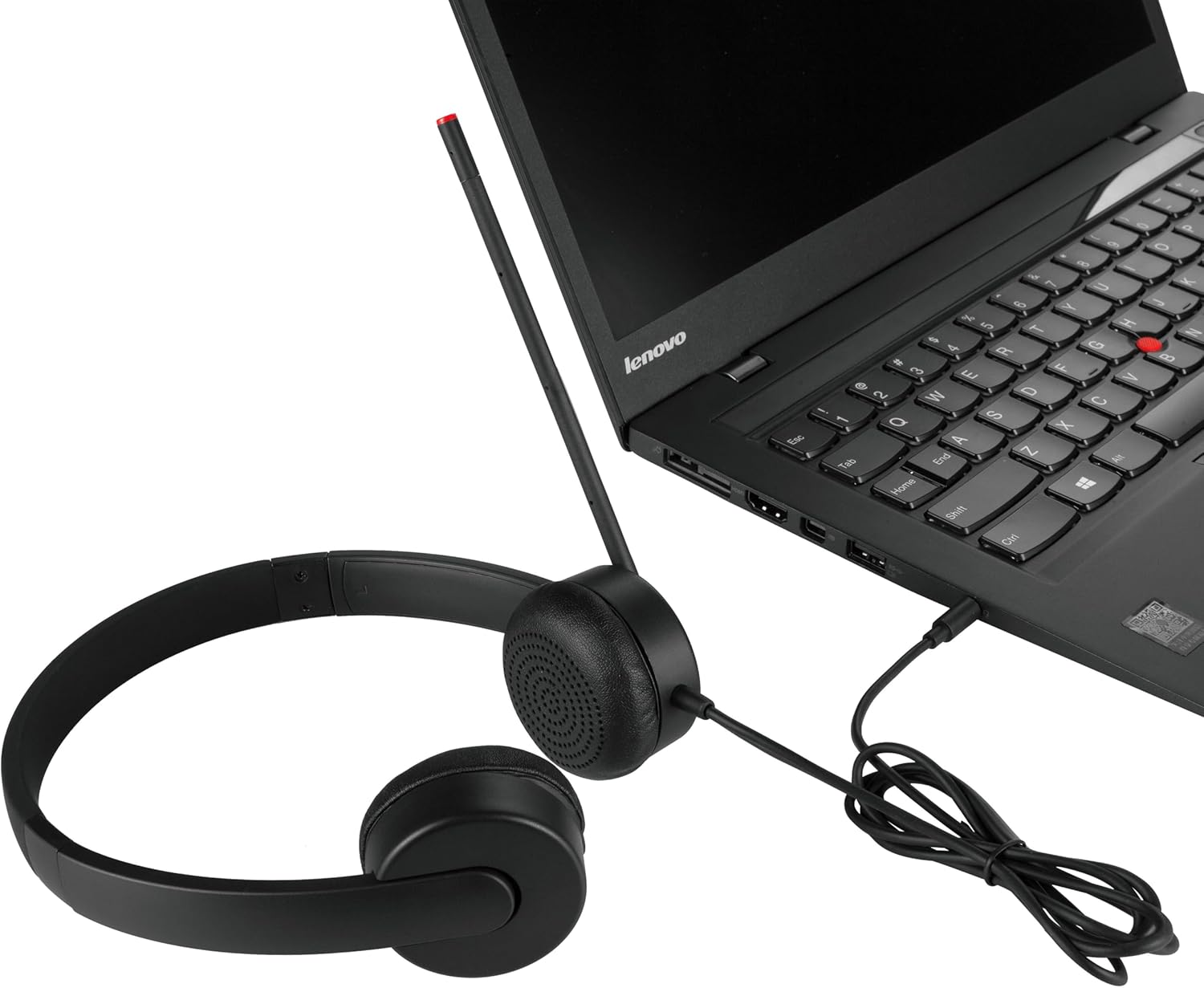
Figure 3: Headset connected to a laptop via the 3.5mm audio jack.
Sambungan Tanpa Wayar Bluetooth
- Ensure the headset is charged (if applicable, though this model is primarily wired with Bluetooth support).
- Turn on the headset's Bluetooth function (refer to the headset's specific power/pairing button if available, as detailed instructions are not provided in product data).
- On your device (computer, smartphone), navigate to Bluetooth settings.
- Dayakan Bluetooth dan cari peranti yang tersedia.
- Select "Lenovo 4XD0K25030" or a similar name from the list of found devices to pair.
- Once paired, the headset will connect automatically when in range and Bluetooth is enabled on both devices.
Arahan Operasi
Main Balik Audio
- Connect the headset to your audio source using either the 3.5mm cable or Bluetooth.
- Start playing audio from your device.
- Adjust the volume using the in-line media controls on the headset or your connected device.
Penggunaan Mikrofon
- Position the microphone boom appropriately near your mouth for clear voice capture.
- Ensure the microphone is not muted (if an in-line mute function is present).
- For optimal performance, ensure your device's audio settings recognize the headset's microphone as the input source.
Kawalan Dalam Talian
The headset features in-line media controls. Specific functions may vary slightly depending on the connected device and operating system, but typically include:
- Kelantangan Naik/Turun: Melaraskan tahap output audio.
- Main/Jeda: Mengawal main balik media.
- Track Skip: Skips to the next or previous track.
- Jawapan/Tamat Panggilan: Manages phone calls.
Penyelenggaraan
- Pembersihan: Gunakan kain lembut dan kering untuk membersihkan set kepala. Elakkan menggunakan bahan kimia yang keras atau bahan yang melelas.
- Storan: Simpan alat dengar di tempat yang sejuk dan kering jauh dari cahaya matahari langsung dan suhu yang melampau.
- Penjagaan Kabel: Elakkan selekoh tajam atau tarikan berlebihan pada kabel untuk mengelakkan kerosakan.
- Kusyen Telinga: Periodically check ear cushions for wear and tear.
Menyelesaikan masalah
Tiada Bunyi
- Semak Sambungan: Ensure the 3.5mm cable is fully inserted or Bluetooth is properly paired.
- Tahap Kelantangan: Verify that the volume on both the headset and the connected device is turned up and not muted.
- Tetapan Output Audio: Confirm that the headset is selected as the default audio output device in your computer or device settings.
- Uji dengan Peranti Lain: Try connecting the headset to a different device to rule out an issue with the original audio source.
Mikrofon Tidak Berfungsi
- Kedudukan Mikrofon: Pastikan boom mikrofon diletakkan dengan betul.
- Fungsi Redam: Check if the microphone is muted via an in-line control or software setting on your device.
- Tetapan Input Audio: Confirm that the headset's microphone is selected as the default audio input device in your computer or device settings.
- Tetapan Aplikasi: Some applications (e.g., video conferencing software) have their own microphone settings; check these as well.
Isu Berpasangan Bluetooth
- Headset in Pairing Mode: Ensure the headset is in discoverable pairing mode.
- Device Bluetooth On: Sahkan bahawa Bluetooth didayakan pada peranti anda.
- Jarak: Make sure the headset is within the effective range of your Bluetooth device.
- Gangguan: Beralih dari peranti wayarles lain yang mungkin menyebabkan gangguan.
- Lupakan Peranti: On your device, try forgetting the headset from the Bluetooth list and then re-pairing.
Spesifikasi
| Jenama | Lenovo |
| Nombor Model | 4XD0K25030 |
| Teknologi Ketersambungan | Berwayar, Bluetooth |
| Jack Fon Kepala | Jack 3.5 mm |
| Penempatan Telinga | Atas Telinga |
| Berat Barang | 8 auns (kira-kira 227 gram) |
| Dimensi Produk | 7.09 x 7.28 x 2.17 inci |
| bahan | Kulit (kusyen telinga) |
| Jenis Kawalan | Kawalan Media, Alat Kawalan Jauh |
| Peranti Serasi | Computers, Music Players, Telephones |
| Ciri Khas | Ringan |
Waranti dan Sokongan
For warranty information and technical support, please refer to the documentation included with your purchase or visit the official Lenovo support weblaman web. Anda biasanya boleh menemui sumber sokongan, Soalan Lazim dan maklumat hubungan untuk khidmat pelanggan di sana.
Sokongan Lenovo Webtapak: sokongan.lenovo.com


