1. Pengenalan
This manual provides essential information for the installation, operation, maintenance, and troubleshooting of your Western Digital RE WD2000FYYZ 2TB Enterprise Hard Drive. Please read this manual thoroughly before using the product to ensure proper functionality and longevity.
2. Produk Lebihview
2.1 Ciri-ciri Utama
- Kapasiti Tinggi: 2TB storage suitable for demanding enterprise applications.
- Prestasi Tinggi: Delivers 6 Gb/s transfer rates, sustained sequential data rates of 171 MB/s, and high random I/O rates.
- Kebolehpercayaan: Field-tested 1.2 million hour MTBF for 24x7 operation in up to 100% duty cycle applications.
- Dual Processor: Enhanced processing power for maximized performance.
- Antara muka: SATA 6 Gb/s.
- Faktor Bentuk: 3.5 inci.
2.2 Apa yang ada di dalam Kotak
- Western Digital RE WD2000FYYZ 2TB Enterprise Hard Drive

Figure 1: The Western Digital RE WD2000FYYZ 2TB Enterprise Hard Drive securely packaged within a cardboard box, cushioned by protective inserts. This illustrates the typical packaging for safe transport.
3. Persediaan dan Pemasangan
This section outlines the general steps for installing your Western Digital RE WD2000FYYZ hard drive into a compatible system. Ensure your system is powered off and disconnected from the power source before proceeding.
3.1 Pemasangan Fizikal
- Sediakan Sistem Anda: Power down your computer and unplug all cables. Open the computer case to access the drive bays.
- Lekapkan Pemacu: Slide the hard drive into an available 3.5-inch drive bay. Secure it using screws or the system's tool-less mounting mechanism.
- Sambungkan Kabel:
- Connect a SATA data cable from the drive to an available SATA port on your motherboard.
- Connect a SATA power cable from your power supply unit (PSU) to the drive's power connector.
- Tutup Kes: Once secured and connected, close your computer case and reconnect all external cables.

Rajah 2: Bawah view of the Western Digital RE WD2000FYYZ 2TB Enterprise Hard Drive, highlighting the SATA data and power connectors. The drive's label is clearly visible, displaying model information and a serial number WMC1P0219357.
3.2 Persediaan Sistem Permulaan
- Konfigurasi BIOS/UEFI: Power on your computer and enter the BIOS/UEFI setup. Verify that the newly installed hard drive is detected. Ensure the SATA port mode is set appropriately (e.g., AHCI for optimal performance).
- Pengecaman Sistem Operasi: Boot into your operating system. For a new drive, it will likely appear as unallocated space.
- Mulakan dan Format: Use your operating system's disk management utility (e.g., Disk Management in Windows, Disk Utility in macOS,
fdisk/gpartedin Linux) to initialize the drive, create partitions, and format them. This makes the drive ready for data storage.
Rajah 3: Bersudut view of the Western Digital RE WD2000FYYZ 2TB Enterprise Hard Drive, showcasing its metallic casing and product label. The label clearly displays the 'WD Enterprise-class' branding, 2.0TB capacity, and model number WD2000FYYZ.
4. Arahan Operasi
Once installed and formatted, your Western Digital RE WD2000FYYZ hard drive functions like any other storage device. You can use it for:
- Storing operating system files dan aplikasi.
- Saving documents, media, and other personal or business data.
- Acting as a primary or secondary storage drive in a desktop or server environment.
- Integration into RAID arrays for enhanced performance or data redundancy.
Always ensure proper shutdown procedures for your computer to prevent data corruption or drive damage.
5. Penyelenggaraan
Penyelenggaraan berkala membantu memastikan jangka hayat dan prestasi optimum cakera keras anda.
- Sandaran Data: Regularly back up critical data to another storage device or cloud service. Hard drives can fail, and backups are essential for data recovery.
- Pemantauan Kesihatan Drive: Utilize S.M.A.R.T. (Self-Monitoring, Analysis and Reporting Technology) tools to monitor the drive's health status. Many operating systems and third-party utilities offer this functionality.
- Pastikan Sistem Bersih: Ensure your computer's internal environment is clean and free of dust to maintain proper airflow and prevent overheating, which can impact drive performance and lifespan.
- Kemas kini Firmware: Periodically check the Western Digital support website for any available firmware updates for your specific model. Firmware updates can improve performance, stability, and compatibility.
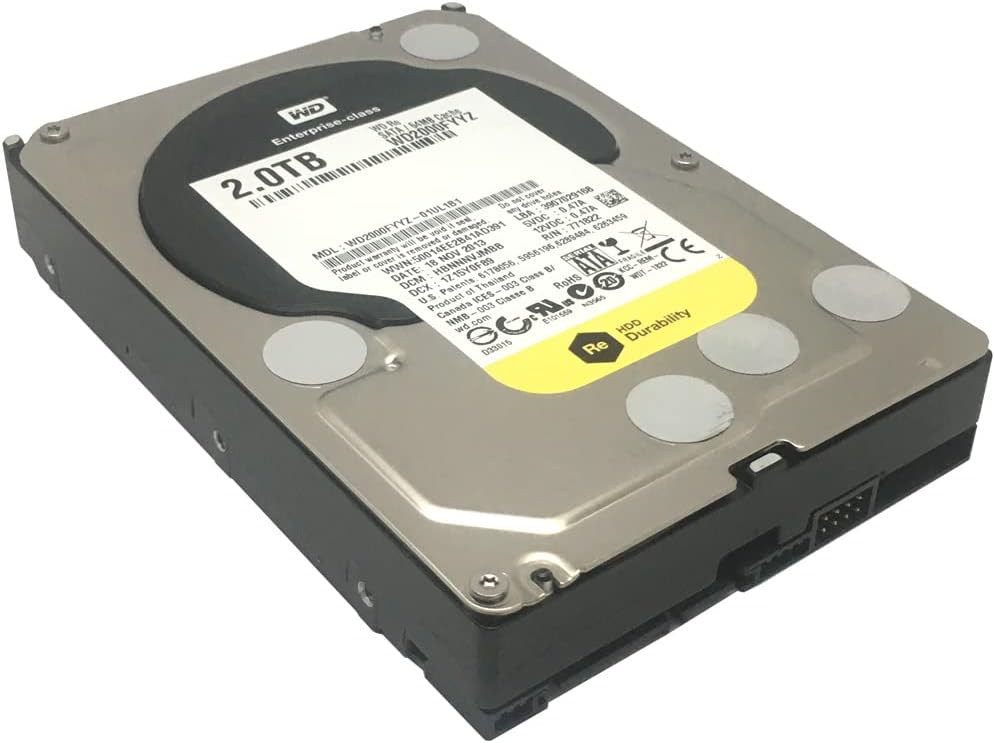
Figure 4: Western Digital RE WD2000FYYZ 2TB Enterprise Hard Drive sealed in an anti-static bag, ready for installation or storage. The product label is visible through the bag, confirming the model and capacity. A serial number WMC1P0219357 is visible on the label.
6. Penyelesaian masalah
If you encounter issues with your hard drive, consider the following basic troubleshooting steps:
- Pemanduan Tidak Dikesan:
- Check all SATA data and power cable connections. Ensure they are securely seated.
- Sahkan pemacu didayakan dalam tetapan BIOS/UEFI sistem anda.
- Try connecting the drive to a different SATA port or using different cables.
- Pastikan unit bekalan kuasa (PSU) anda mempunyai wat yang mencukupitage and available power connectors.
- Prestasi Perlahan:
- Check for background processes consuming disk resources.
- Ensure the drive is not excessively fragmented (for HDDs, defragmentation can help).
- Run a S.M.A.R.T. diagnostic to check for potential drive health issues.
- Verify that the SATA controller drivers are up to date.
- Bunyi Luar Biasa:
- Clicking, grinding, or repetitive beeping sounds can indicate a failing drive. Immediately back up any critical data and consider replacing the drive.
- Kerosakan/Ralat Data:
- Jalankan utiliti semakan cakera (cth.,
chkdskin Windows) to scan for and repair file ralat sistem. - Ensure your operating system and drivers are stable and up to date.
- Jalankan utiliti semakan cakera (cth.,

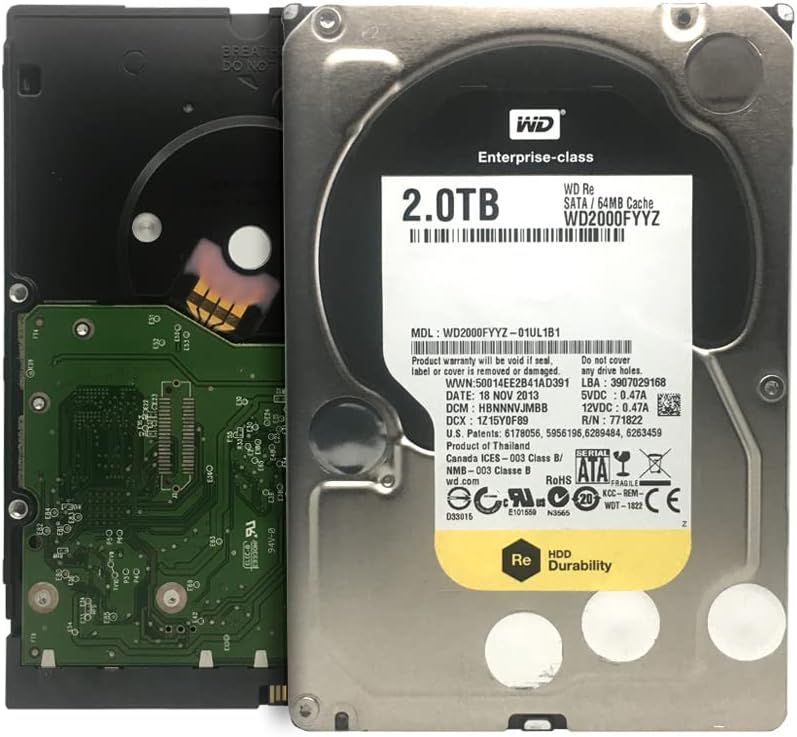
Figure 5: Western Digital RE WD2000FYYZ Hard Drive with PCB exposed. The PCB is green and contains various electronic components. The drive's label is visible on the metal casing, showing model number WD2000FYYZ and other specifications. A serial number WMC1P0219357 is visible on the label.
7. Spesifikasi
| Ciri | Spesifikasi |
|---|---|
| Nombor Model | WD2000FYYZ |
| Kapasiti | 2 TB (2000 GB) |
| Antara muka | SATA 6 Gb/s |
| Faktor Bentuk | 3.5 Inci |
| Kelajuan Putaran | 7200 RPM |
| Cache | 64 MB |
| MTBF (Masa Purata Antara Kegagalan) | 1.2 Juta Jam |
| Peranti Serasi | Desktop systems |
| Jenis Pemasangan | Pemacu Keras Dalaman |
| Berat Barang | Approximately 0.01 ounces (Note: This value seems unusually low and may be a data entry error. Actual weight for a 3.5" HDD is typically around 1.5 lbs / 680g) |
| Dimensi Pakej | 8.86 x 6.06 x 2.95 inci |
8. Waranti dan Sokongan
Western Digital products are backed by a limited warranty. For specific warranty terms and conditions applicable to your region and product, please refer to the warranty information included with your purchase or visit the official Western Digital webtapak.
For technical support, driver downloads, firmware updates, and additional resources, please visit the Western Digital Support webtapak:
When contacting support, please have your drive's model number (WD2000FYYZ) and serial number (if available, e.g., WMC1P0219357) ready.


