1. Pengenalan
This manual provides comprehensive instructions for the safe and efficient operation of your DBPOWER RD-805 Portable Multimedia Mini LED Projector. Please read this manual thoroughly before using the projector and retain it for future reference. This projector is designed for versatile multimedia applications, offering a compact solution for home entertainment, presentations, and more.
2. Maklumat Keselamatan
- Jangan lihat terus ke dalam kanta projektor apabila lamp sedang aktif. Cahaya yang terang boleh menyebabkan kerosakan mata.
- Pastikan pengudaraan yang betul. Jangan sekat bukaan pengudaraan. Terlalu panas boleh merosakkan projektor.
- Use only the power adapter supplied with the projector. Using an incorrect adapter may cause malfunction or fire.
- Jauhkan projektor daripada air atau cecair lain. Jangan kendalikan dalam persekitaran lembap.
- Elakkan meletakkan projektor pada permukaan yang tidak stabil.
- Putuskan sambungan kord kuasa semasa ribut petir atau apabila tidak digunakan untuk tempoh yang lama.
- Jangan cuba membaiki projektor sendiri. Rujuk semua servis kepada kakitangan yang berkelayakan.
3. Kandungan Pakej
Sahkan bahawa semua item yang disenaraikan di bawah disertakan dalam pakej anda. Jika ada barang yang hilang atau rosak, sila hubungi peruncit anda.
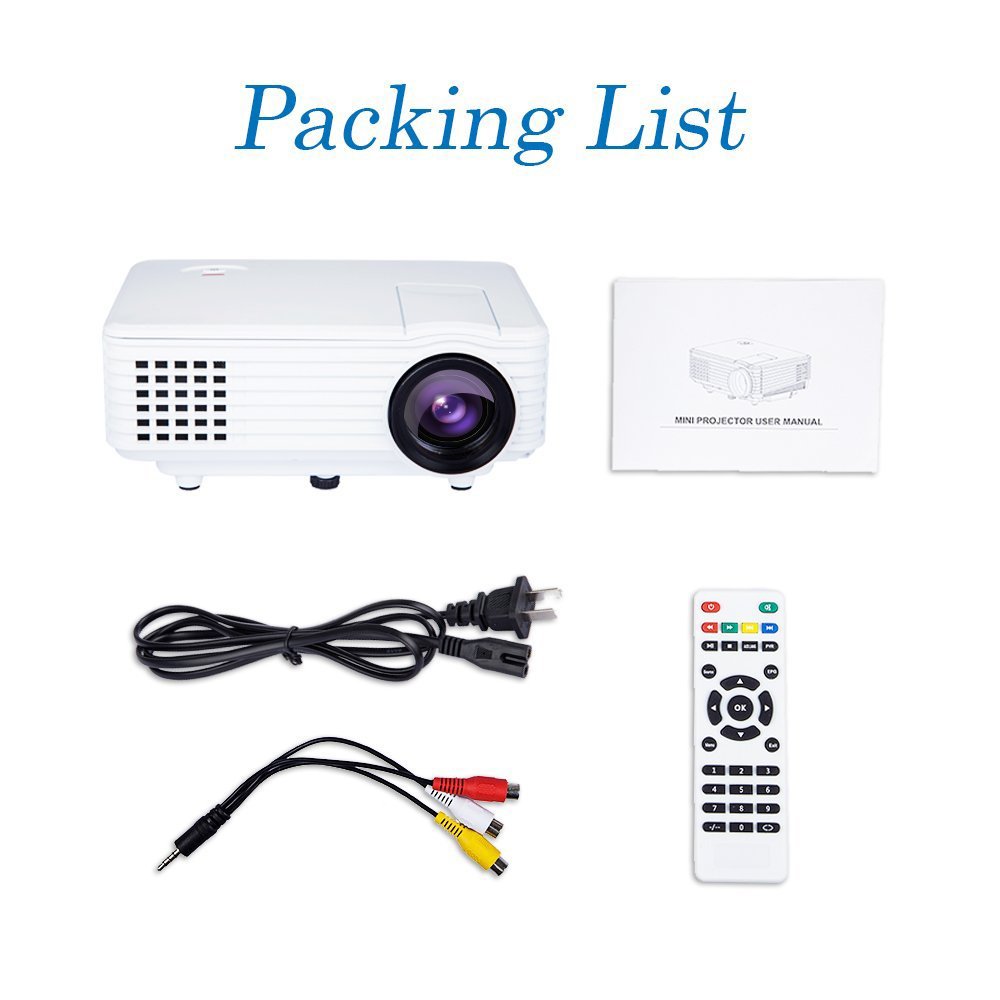
Image: Contents of the DBPOWER RD-805 projector package, showing the projector unit, power cable, AV cable, remote control, and user manual.
- DBPOWER RD-805 Mini LED Projector
- Kabel Kuasa
- Alat Kawalan Jauh
- AV kabel
- Manual Pengguna
4. Produk Lebihview
Familiarize yourself with the various parts of your projector.

Image: The DBPOWER RD-805 projector held in a hand, illustrating its portable and compact design.
4.1 Depan dan Atas View
- Kanta Tayangan: Memancarkan imej.
- Cincin Fokus: Melaraskan kejelasan imej.
- Dail Pembetulan Keystone: Membetulkan herotan imej trapezoid.
- Panel Kawalan: Buttons for menu navigation and basic functions.
4.2 Panel Belakang dan Sambungan

Imej: Terperinci view of the rear panel of the DBPOWER RD-805 projector, highlighting the power button, on/off switch, USB port, HDMI port, AV input, VGA input, and audio output jack.
- Butang Kuasa: Menghidupkan/mematikan projektor.
- On/Off Button (Main Switch): Master power switch.
- Port USB: Sambungkan pemacu USB untuk main balik media.
- Port HDMI: Connect devices via HDMI cable (e.g., laptops, gaming consoles).
- AV IN Port: Connect devices using the AV cable (e.g., DVD players).
- Port VGA: Connect computers via VGA cable.
- Audio Output (Earphone) Jack: Sambungkan pembesar suara atau fon kepala luaran.
- USB mikro: (Not explicitly labeled in image, but mentioned in features) For specific connectivity.
5. Persediaan
5.1 Penempatan
Place the projector on a stable, flat surface. Ensure there is adequate space around the projector for ventilation. The projection distance will determine the image size (20-80 inches recommended).

Image: The DBPOWER RD-805 projector set up on a tripod next to a laptop, demonstrating a typical usage scenario for presentations or media viewing.
5.2 Sambungan Kuasa
- Sambungkan kabel kuasa ke input kuasa projektor.
- Palamkan hujung kabel kuasa yang lain ke salur keluar dinding.
- Flip the main On/Off switch on the rear panel to the 'On' position.
5.3 Menyambung Peranti
Projektor ini menyokong pelbagai sumber input:

Image: A circular diagram illustrating the wide range of devices compatible with the DBPOWER RD-805 projector, including laptops, desktops, gaming consoles (PS4, Xbox 360, Wii), mobile phones, tablets, DVD players, and MP4/MP5 players.
- HDMI: Connect laptops, gaming consoles (PS4, Xbox 360), Blu-ray players.
- VGA: Connect desktop computers or older laptops.
- DARI: Connect DVD players, set-top boxes using the included AV cable.
- USB: Insert USB flash drives for direct playback of photos, videos, and music.
- USB mikro: For specific device connections (refer to device manual for compatibility).
- Keluar Audio: Sambungkan pembesar suara luaran atau fon kepala untuk audio yang dipertingkatkan.
6. Mengendalikan Projektor
6.1 Menghidupkan/Mematikan
- Ensure the main On/Off switch on the rear is in the 'On' position.
- Press the Power button on the projector or remote control to turn on the unit.
- To power off, press the Power button again. The indicator light will change.
6.2 Adjusting Image
- Fokus: Putar gelang fokus berhampiran kanta sehingga imej yang diunjurkan jelas dan tajam.
- Pembetulan Keystone: Use the keystone correction dial to adjust the image if it appears trapezoidal (wider at the top or bottom). The projector supports up to 15 degrees of keystone correction.
6.3 Pemilihan Sumber Input
Use the 'Source' button on the remote or projector control panel to cycle through available input sources (HDMI, VGA, AV, USB).
6.4 Main Semula Multimedia
When a USB drive is connected, navigate the on-screen menu to select the desired media type (Photo, Music, Movie, Text) and browse files. The projector supports MP3/WMA/OGG/AAC/FLAC/APE/WAV audio and JPEG/BMP/PNG image formats.
6.5 Aplikasi
The DBPOWER RD-805 is suitable for a variety of uses:

Image: A collage depicting various applications of the DBPOWER RD-805 projector, including outdoor movie nights, classroom teaching, business meetings, and gaming sessions.

Imej: Empat bekasamples of home theater environments utilizing the DBPOWER RD-805 projector for immersive viewdalam pengalaman.
- Hiburan di rumah: Enjoy movies, TV shows, and sports on a large screen.
- Permainan: Sambungkan konsol permainan anda untuk pengalaman permainan yang mengasyikkan.
- Persembahan: Ideal for small business meetings or educational purposes.
- Foto Viewing: Share your photos with friends and family on a big display.
7. Penyelenggaraan
7.1 Membersihkan Lensa
Gunakan kain lembut dan bebas lin yang direka khusus untuk kanta optik. Jangan gunakan pembersih yang melelas atau kain yang boleh mencalarkan kanta.
7.2 Membersihkan Badan Projektor
Lap bahagian luar projektor dengan kain lembut dan kering. Untuk tanda degil, sedikit damp Kain boleh digunakan, diikuti dengan kain kering.
7.3 Pengudaraan
Regularly check and clean the ventilation grilles to prevent dust buildup, which can impede airflow and cause overheating.
7.4 Lamp kehidupan
LED lamp in your projector has a long lifespan, rated for approximately 50,000 hours, significantly reducing the need for lamp penggantian.
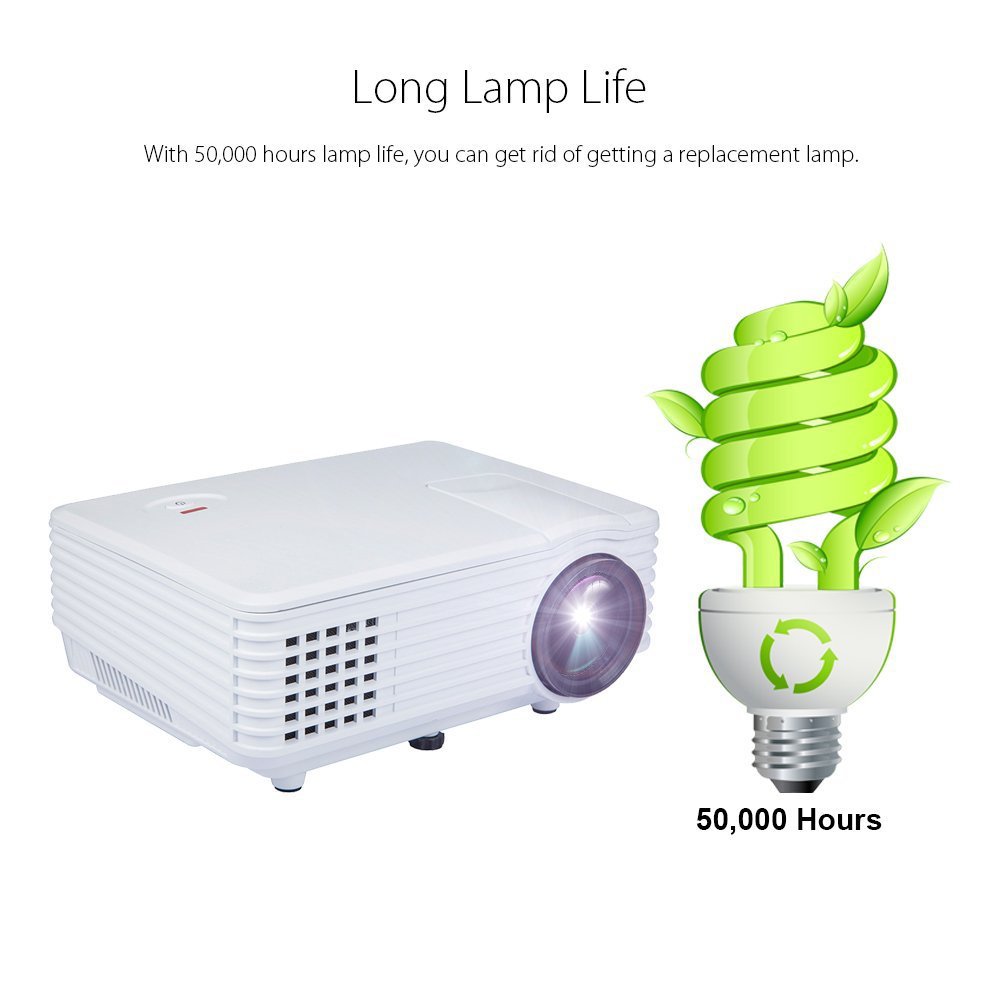
Image: An illustration highlighting the long lamp life of the DBPOWER RD-805 projector, indicating an estimated lifespan of 50,000 hours for its LED light source.
8. Penyelesaian masalah
| Masalah | Kemungkinan Punca | Penyelesaian |
|---|---|---|
| Tiada imej ditayangkan | Power not connected; Input source incorrect; Lens cap on. | Check power connection; Select correct input source; Remove lens cap. |
| Imej kabur | Fokus tidak dilaraskan; Projektor terlalu dekat/jauh dari skrin. | Adjust focus ring; Adjust projection distance (20-80 inches). |
| Imej adalah trapezoid | Keystone tidak dilaraskan. | Adjust keystone correction dial. |
| Tiada bunyi | Volume too low; External speakers not connected; Audio format not supported. | Increase volume; Connect external speakers to audio out; Check audio format compatibility. |
| Alat kawalan jauh tidak berfungsi | Bateri mati; Halangan antara alat kawalan jauh dan projektor. | Gantikan bateri; Pastikan garis penglihatan yang jelas kepada penerima IR. |
9. Spesifikasi

Image: The DBPOWER RD-805 projector with its physical dimensions (21cm length, 14.5cm width, 8cm height) and weight (1250g) indicated, alongside a "1 Year Warranty" badge.
| Jenama | DBPOWER |
| Nama Model | RD-805 |
| Nombor Model Item | FP8048H1W-IV6 |
| Teknologi Paparan | LCD |
| Jenis Paparan | LED |
| Saiz Unjuran | 20-80 inches (recommended) |
| Max Screen Display Size | 120 inci / 305 cm |
| Pembetulan Batu Kunci | Manual, 15 degrees |
| Lamp kehidupan | Sehingga 50,000 jam |
| Antara Muka Input | USB, VGA, HDMI, AV, Micro USB |
| Antaramuka Output | Earphone (3.5mm Audio Jack) |
| Format Audio yang Disokong | MP3 / WMA / OGG / AAC / FLAC / APE / WAV |
| Format Gambar yang Disokong | JPEG/BMP/PNG (with zoom, 360 degree rotate) |
| Penggunaan Kuasa | 20 Watt |
| Sumber Kuasa | AC |
| Dimensi Produk (LxWxH) | 21.08 x 14.48 x 7.87 cm |
| Berat Barang | 907.18 g |
10. Waranti dan Sokongan
Your DBPOWER RD-805 Projector comes with a Waranti 1 Tahun dari tarikh pembelian. Waranti ini meliputi kecacatan pembuatan dan mutu kerja di bawah penggunaan biasa.
For technical support, warranty claims, or any inquiries, please contact DBPOWER customer service through the contact information provided on their official website or your purchase platform. Please have your model number (RD-805) and purchase details ready when contacting support.


