Produk Selesaiview
The SDC CB401-AU is a communicating bath push switch designed for secure access control in shared bathroom environments. This stainless steel switch is compatible with Emlock, Selectric, Electra, and Hi-Tower locking systems. It ensures that both doors of a communicating bathroom must be closed for the lock to engage, enhancing privacy and security. A visual indicator light confirms the locked status.
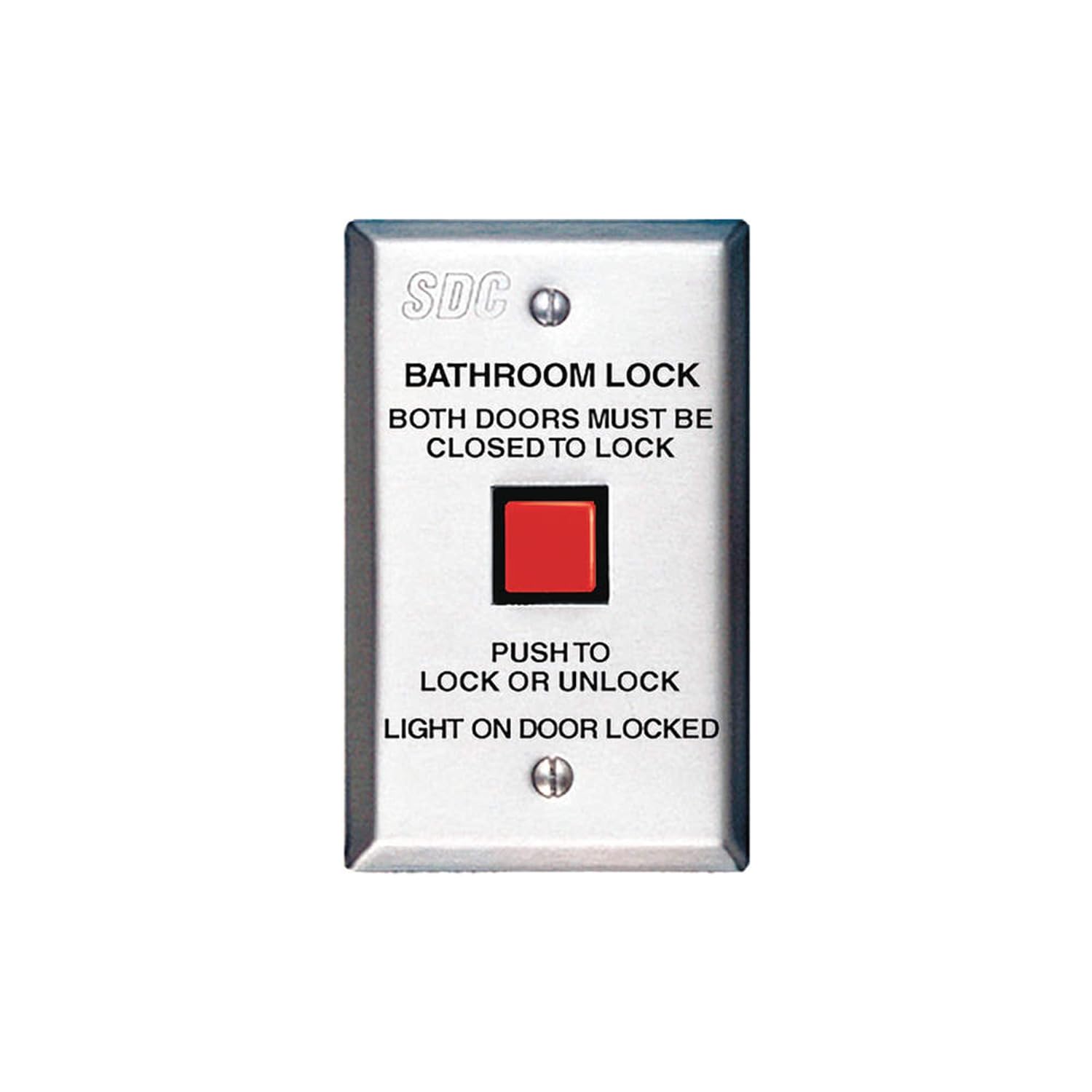
Figure 1: SDC CB401-AU Communicating Bath Push Switch. This image displays the front of the stainless steel switch, featuring a prominent red square push button. Above the button, text reads "BATHROOM LOCK" and "BOTH DOORS MUST BE CLOSED TO LOCK". Below the button, it states "PUSH TO LOCK OR UNLOCK" and "LIGHT ON DOOR LOCKED". The SDC logo is visible at the top.
Persediaan dan Pemasangan
This section provides general guidelines for the installation of the CB401-AU switch. Professional installation is recommended to ensure proper functionality and compliance with local electrical codes.
Senarai Semak Prapemasangan:
- Verify compatibility with your existing Emlock, Selectric, Electra, or Hi-Tower locking system.
- Ensure all necessary wiring and power sources are available and meet specifications.
- Confirm the mounting location inside the shared bathroom is suitable and accessible.
- Gather required tools (e.g., screwdriver, wire strippers, drill).
Arahan Pemasangan:
- Matikan kuasa ke kawasan pemasangan di pemutus litar.
- Carefully remove the existing switch plate, if applicable.
- Connect the wiring from the locking system to the appropriate terminals on the CB401-AU switch. Refer to the wiring diagram provided with your specific locking system for correct connections.
- Mount the switch securely to the wall box using the provided screws.
- Pasangkan plat muka.
- Pulihkan kuasa dan uji fungsinya.
Penting: This switch requires both communicating bathroom doors to be closed for the lock to engage. Ensure the associated door sensors and wiring are correctly installed and functioning.
Arahan Operasi
The SDC CB401-AU switch provides simple operation for securing a shared bathroom.
Locking the Bathroom:
- Ensure both communicating bathroom doors are fully closed.
- Press the red push button on the CB401-AU switch.
- The integrated light on the CB401-AU switch will illuminate, indicating that the doors are locked.
- Verify that both doors are securely locked from the outside.
Unlocking the Bathroom:
- Press the red push button on the CB401-AU switch again.
- The integrated light will turn off, indicating that the doors are unlocked.
- Verify that both doors can be opened.
Nota: If the light does not illuminate when attempting to lock, ensure both doors are completely closed and the system is receiving power.
Penyelenggaraan
The SDC CB401-AU switch is designed for durability and requires minimal maintenance.
- Pembersihan: Lap permukaan keluli tahan karat dengan kain lembut,amp cloth. Avoid abrasive cleaners or solvents that could damage the finish or internal components.
- Pemeriksaan: Periodically check the switch for any signs of physical damage, loose connections, or unusual operation.
- Ujian Kefungsian: Regularly test the locking and unlocking function to ensure proper operation.
Do not attempt to disassemble the switch. Refer all internal repairs to qualified service personnel.
Menyelesaikan masalah
| Masalah | Kemungkinan Punca | Penyelesaian |
|---|---|---|
| Switch does not lock doors. |
|
|
| Light does not illuminate when locked. |
|
|
| Suis terasa longgar atau goyah. |
|
|
If you encounter problems not listed here or if the suggested solutions do not resolve the issue, please contact SDC customer support.
Spesifikasi
| Ciri | Perincian |
|---|---|
| Nombor Model | CB401-AU |
| Dimensi Produk | 2 x 3 x 5 inci |
| Berat Barang | 4.8 auns |
| bahan | Keluli Tahan Karat |
| Mod Operasi | ON-NONE-OFF |
| Jenis Pemasangan | Lekap di dinding |
| Jenis Penggerak | Butang Tekan |
| Penilaian Perlindungan Antarabangsa | IP00 |
| Kaedah Kawalan | Apl (Note: This specification from source data may refer to the overall system, not the switch itself. The switch is a physical push button.) |
| Protokol Ketersambungan | Wi-Fi (Note: This specification from source data may refer to the overall system, not the switch itself. The switch is a physical push button.) |
| Sistem yang Serasi | Emlock, Selectric, Electra, Hi-Tower |
Catatan: Spesifikasi boleh berubah tanpa notis.
Waranti dan Sokongan
Maklumat Waranti:
Specific warranty details for the SDC CB401-AU switch are typically provided with the product packaging or can be obtained directly from SDC. Generally, SDC products come with a limited warranty covering defects in materials and workmanship under normal use.
Sila simpan bukti pembelian anda untuk tuntutan waranti.
Sokongan Pelanggan:
For technical assistance, troubleshooting, or warranty inquiries, please contact SDC customer support. Contact information can usually be found on the SDC official webtapak atau dalam dokumentasi produk.
When contacting support, please have your product model number (CB401-AU) and purchase date available.


