1. Pengenalan
This manual provides essential information for the safe and efficient use of your SKYRC 15V 4A 60W Power Supply Adapter. This power supply is designed to provide stable DC power for compatible devices, such as the SKYRC IMAX B6 and Mini B6 Balance Chargers. Please read this manual thoroughly before use and retain it for future reference.
2. Arahan Keselamatan
- This power supply is intended for indoor use only. Do not expose it to rain, moisture, or extreme temperatures.
- Pastikan input voltage matches the specifications on the adapter label before connecting to a power outlet.
- Do not operate the power supply if the cables are damaged or if the unit shows any signs of malfunction.
- Keep the power supply away from flammable materials and ensure adequate ventilation during operation.
- Disconnect the power supply from the wall outlet when not in use or during electrical storms.
- Jangan cuba membuka atau mengubah suai bekalan kuasa. Rujuk semua servis kepada kakitangan yang berkelayakan.
3. Produk Lebihview
Familiarize yourself with the components of your SKYRC Power Supply Adapter.

Rajah 1: Depan view of the SKYRC 15V 4A 60W Power Supply Adapter, showing the AC input port and the attached DC output cable.

Rajah 2: Terperinci view of the product label, indicating input (100-240V~50/60Hz 1.5A) and output (15V===4A) specifications, along with safety warnings and certifications (FC, CE).
4. Persediaan dan Sambungan
Follow these steps to properly set up your power supply:
- Bongkar: Tanggalkan bekalan kuasa dan semua aksesori daripada pembungkusan dengan berhati-hati.
- Sambungkan Kord Kuasa AC: Insert the AC power cord into the input port of the power supply. Ensure it is firmly seated.
- Connect DC Output: Connect the DC output plug of the power supply to the DC input port of your compatible device, such as a SKYRC IMAX B6 or Mini B6 Balance Charger.
- Palamkan ke Wall Outlet: Plug the AC power cord into a suitable wall outlet. The power supply is now ready for use.
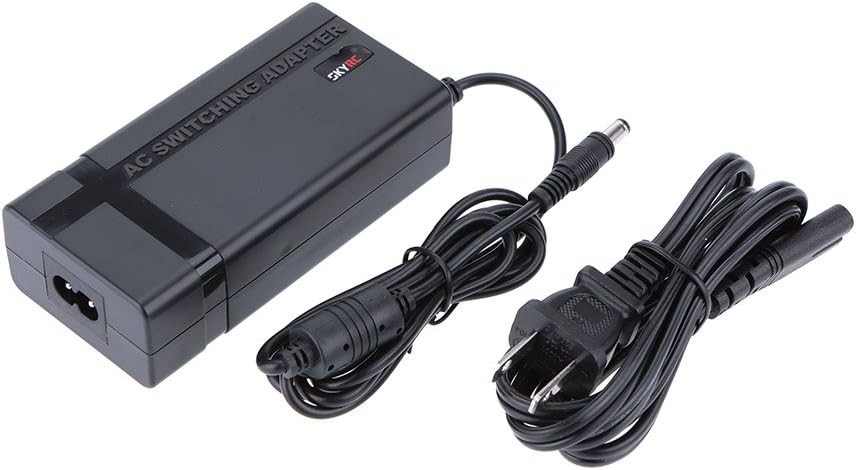
Figure 3: The SKYRC Power Supply Adapter shown with its detachable AC power cord, ready for connection.
5. Arahan Operasi
Once connected, the power supply is ready to deliver power. Ensure your connected device (e.g., balance charger) is compatible with the output specifications of this power supply.
- Sahkan Keserasian: Always confirm that your device's power requirements (voltage dan amperage) match the output of this power supply (15V, 4A).
- Hidupkan Peranti: Turn on your connected device (e.g., balance charger) according to its own instruction manual. The power supply will provide the necessary power.
- Operasi Pantau: Observe your device during operation to ensure stable power delivery.
- Disconnect When Not In Use: For safety and energy conservation, disconnect the power supply from the wall outlet when not in use for extended periods.
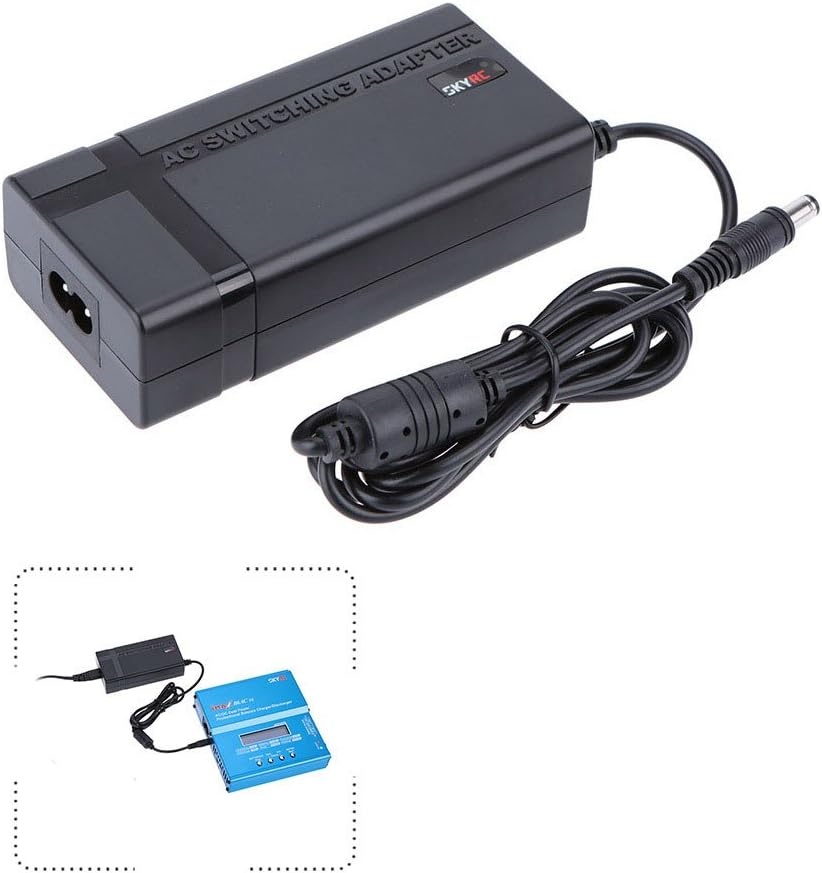
Figure 4: Illustration showing the SKYRC Power Supply Adapter connected to a compatible SKYRC IMAX B6 Mini Balance Charger, demonstrating typical usage.
6. Penyelenggaraan
Proper maintenance ensures the longevity and reliable performance of your power supply:
- Pembersihan: Use a soft, dry cloth to clean the exterior of the power supply. Do not use liquid cleaners or solvents.
- Persekitaran: Keep the power supply in a clean, dry environment, free from dust and moisture. Avoid extreme temperatures.
- Pemeriksaan Kabel: Regularly inspect the AC and DC cables for any signs of damage, fraying, or exposed wires. Replace immediately if damage is found.
- Storan: When not in use, store the power supply in a cool, dry place.
7. Penyelesaian masalah
If you encounter issues with your power supply, refer to the following table for common problems and solutions:
| Isu | Kemungkinan Punca | Penyelesaian |
|---|---|---|
| Tiada output kuasa | Loose connections, faulty outlet, damaged cable. | Check all cable connections. Test the wall outlet with another device. Inspect cables for damage. |
| Power supply feels hot | Normal operation, insufficient ventilation, excessive load. | Ensure adequate airflow around the unit. Verify the connected device's power draw does not exceed 60W. If excessively hot, disconnect immediately. |
| Connected device not functioning | Incompatible device, device malfunction, power supply issue. | Confirm device compatibility with 15V 4A output. Test the device with another known-good power source if available. If the power supply is suspected, contact support. |
8. Spesifikasi Teknikal
| Spesifikasi | Nilai |
|---|---|
| Jenama | SKYRC |
| Nombor Model | FBA_JGH0773798512963OL |
| Input Voltage | 100-240V~50/60Hz 1.5A |
| Keluaran Voltage | 15 Volt |
| Arus Keluaran | 4 Amps |
| Kuasa Keluaran | 60 Watt |
| Berat Barang | 11.2 auns (0.32 Kilogram) |
| Dimensi Pakej | 6 x 3.5 x 3.2 inci |
9. Waranti dan Sokongan
For warranty information or technical support regarding your SKYRC 15V 4A 60W Power Supply Adapter, please refer to the official SKYRC website or contact your authorized dealer. It is recommended to keep your purchase receipt as proof of purchase for any warranty claims.