1. Produk Lebihview
The Miller Edge AW14 Air Wave Switch is designed as a reliable and cost-effective alternative to standard electric sensing edges. It operates by detecting a wave of air, converting pressure changes into an electrical contact. This switch is enclosed in a durable molded ABS housing, making it suitable for various industrial applications.
Ciri-ciri utama termasuk:
- Reliable operation with straightforward installation.
- Suitable for commercial sectional and rolling steel doors.
- Adjustable sensitivity to meet specific design requirements.
- Capable of use on doors up to 60 feet in length.
- Supports both Normally Open (NO) and Normally Closed (NC) operation.
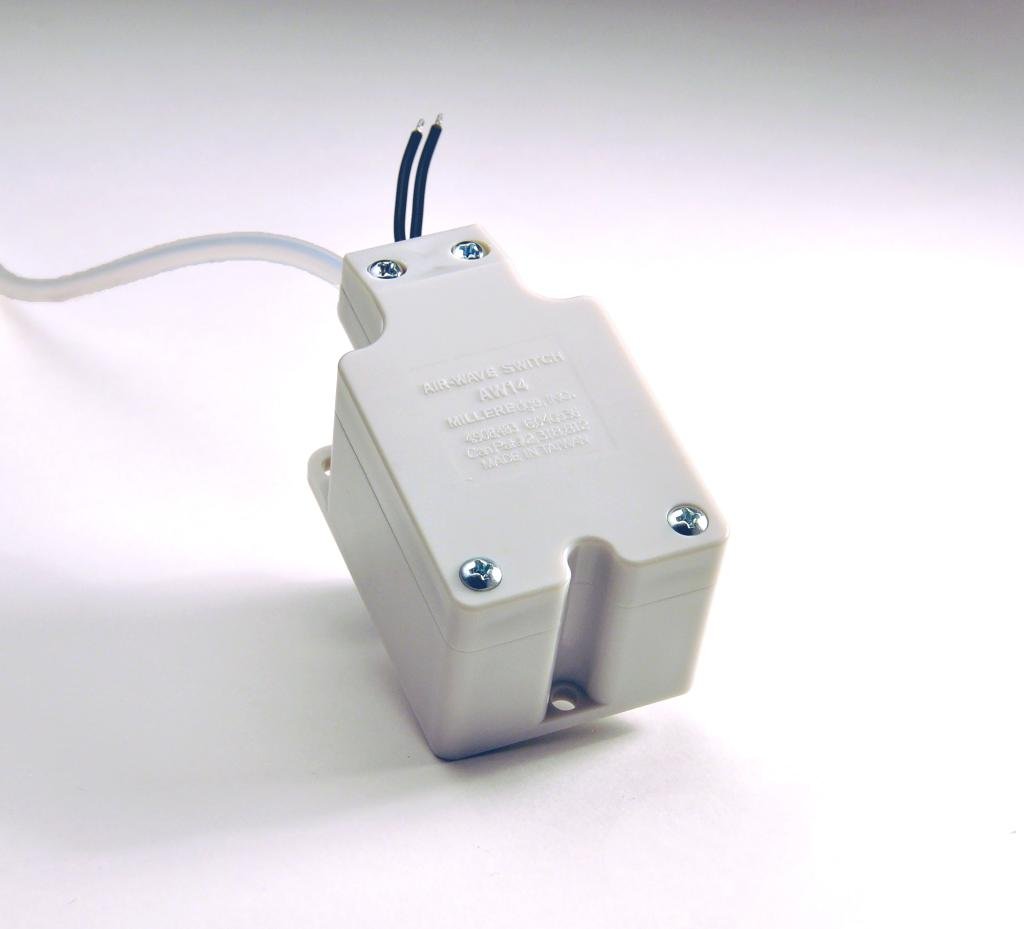
Rajah 1: The Miller Edge AW14 Air Wave Switch. This image displays the Miller Edge AW14 Air Wave Switch. It is housed in a light-colored, molded ABS enclosure. Two electrical wires extend from one end, and a translucent air tube is connected to the other. The enclosure features visible screw fasteners and a label indicating 'AIR-WAVE SWITCH AW14 MILLER EDGE' and manufacturing details.
2. Pemasangan dan Persediaan
Proper installation is crucial for the optimal performance of the AW14 Air Wave Switch. Follow these general guidelines:
- Pemasangan: Securely mount the molded ABS enclosure in a suitable location, typically near the sensing edge or door mechanism. Ensure it is protected from excessive moisture or physical damage.
- Sambungan Tiub Udara: Connect the air tube from the sensing edge (e.g., a hose inserted into weather stripping) to the designated port on the AW14 switch. Ensure a tight, leak-free connection to allow for accurate pressure wave transmission.
- Pendawaian elektrik: Connect the electrical wires from the switch to your control panel or system. The AW14 supports both Normally Open (NO) and Normally Closed (NC) configurations. Refer to your system's wiring diagram for specific connections. Ensure all electrical connections comply with local codes and safety standards.
- Pelarasan Sensitiviti: The switch features adjustable sensitivity. After initial installation, test the system and adjust the sensitivity as needed to ensure reliable activation upon compression of the sensing edge, without false triggers.
For detailed wiring diagrams and specific application instructions, consult the complete product documentation or a qualified electrician.
3. Prinsip Operasi
The AW14 Air Wave Switch operates on the principle of pneumatic pressure changes. When the connected sensing edge (e.g., a hose or extrusion) is compressed, it creates a wave of air pressure. This air wave travels through the tube and acts upon a diaphragm within the switch.
The diaphragm's movement triggers an internal contact, converting the pneumatic signal into an electrical signal. This electrical contact is typically of short duration, as any overpressure is designed to escape through a valve opening, resetting the switch for the next activation cycle. The switch can be configured for either positive or negative pressure wave detection, depending on the application requirements.
4. Penyelenggaraan
The Miller Edge AW14 Air Wave Switch is designed for low maintenance. Regular inspection can help ensure continued reliable operation:
- Pemeriksaan Visual: Periodically inspect the switch enclosure, air tube, and electrical wiring for any signs of damage, wear, or corrosion.
- Kebersihan: Keep the enclosure free from excessive dust, dirt, and debris, which could potentially interfere with its operation or lead to overheating.
- Sambungan: Verify that all air tube and electrical connections remain secure and free of leaks or loose wiring.
- Ujian Kefungsian: Regularly test the sensing edge and switch operation to confirm it activates correctly and consistently.
No user-serviceable parts are inside the sealed enclosure. Do not attempt to open or repair the unit yourself. Contact qualified personnel for any repairs or advanced servicing.
5. Penyelesaian masalah
If the AW14 Air Wave Switch is not functioning as expected, consider the following troubleshooting steps:
- Tiada Pengaktifan:
- Check the air tube for kinks, blockages, or leaks. A compromised air tube will prevent pressure waves from reaching the switch.
- Verify the sensing edge is properly compressing and generating an air wave.
- Periksa sambungan elektrik untuk kelonggaran atau kakisan.
- Adjust the sensitivity setting. If it's too low, the switch may not detect the air wave.
- Intermittent Activation / False Triggers:
- Check for air leaks in the system, especially at connections, which could cause erratic pressure changes.
- Adjust the sensitivity setting. If it's too high, the switch might be overly sensitive to minor pressure fluctuations.
- Ensure the sensing edge is not being inadvertently compressed or affected by external factors.
- No Electrical Output:
- Confirm power is supplied to the control system the switch is connected to.
- Test the continuity of the electrical wires from the switch to the control panel.
- Verify the switch's configuration (NO/NC) matches the control system's requirements.
- If these steps do not resolve the issue, contact Miller Edge customer support or a qualified technician.
6. Spesifikasi
| Atribut | Perincian |
|---|---|
| Model | AW14 |
| Jenama | Miller Edge |
| Bahan Kepungan | ABS acuan |
| Jenis Operasi | Air Wave (Pneumatic) |
| Output Elektrik | Normally Open (NO) or Normally Closed (NC) |
| Max Door Length Compatibility | Sehingga 60 kaki |
| Dimensi (Anggaran) | 4 x 2 x 2 inci |
| Berat (Anggaran) | 3.21 auns |
| Tarikh Mula-mula Tersedia | 4 Mei 2015 |
7. Waranti dan Sokongan
For information regarding the product warranty, please refer to the documentation provided with your purchase or contact Miller Edge directly. Warranty terms and conditions may vary.
If you require technical assistance, support, or have questions not covered in this manual, please contact Miller Edge customer service or your authorized distributor. Provide your product model number (AW14) and any relevant purchase details when seeking support.
Pengeluar: Miller Edge


