pengenalan
The Celestron ExploraScope 80AZ is a refractor telescope designed for both celestial and terrestrial observations. Its manual alt-azimuth mount provides intuitive navigation of the night sky, making it suitable for beginners. This manual provides essential information for setting up, operating, and maintaining your telescope to ensure optimal performance and longevity.
Apa yang ada dalam Kotak
Setelah membongkar, sahkan bahawa semua komponen ada:
- Tiub Teleskop
- Adjustable Height Tripod
- Dulang Aksesori
- Cap Lens
- 90° Erect Image Diagonal
- StarPointer Finderscope
- Cermin mata 20 mm
- Cermin mata 4 mm
- Lensa Barlow 3x
- TheSkyX - First Light Edition DVD-Rom (Software)
Persediaan
Follow these steps to assemble your Celestron ExploraScope 80AZ telescope:
- Pemasangan Tripod: Extend the tripod legs to the desired height and secure them. Attach the accessory tray to the center brace of the tripod.
- Mounting the Telescope Tube: Place the telescope tube onto the alt-azimuth mount, aligning the mounting screws with the holes on the tube. Secure the tube firmly.
- Melampirkan Finderscope: Slide the StarPointer finderscope into its bracket on the telescope tube and tighten the retaining screw.
- Inserting the Diagonal: Insert the 90° erect image diagonal into the focuser. Tighten the thumbscrew on the focuser to hold it in place.
- Inserting an Eyepiece: Insert the desired eyepiece (e.g., 20mm for lower magnification) into the diagonal. Tighten the thumbscrew on the diagonal to secure it.
- Barlow Lens (Optional): For increased magnification, insert the 3x Barlow lens into the diagonal before inserting an eyepiece.

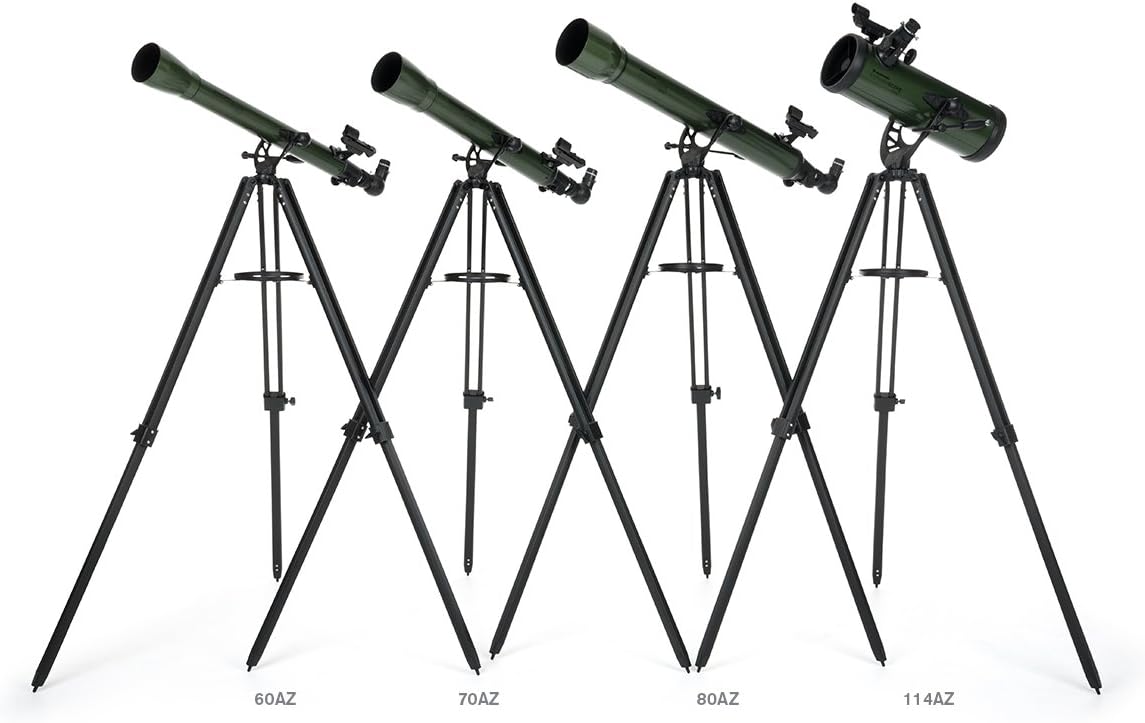
The Celestron ExploraScope 80AZ Refractor Telescope fully assembled on its adjustable tripod, ready for observation.

Satu jarak dekat view of the focuser, where the eyepiece and diagonal are inserted, along with the StarPointer finderscope.
Panduan Persediaan Visual
This video provides a visual guide to setting up and using a Celestron ExploraScope telescope, demonstrating key features and accessories for observing celestial objects.
Mengendalikan Teleskop
The ExploraScope 80AZ features a manual alt-azimuth mount with a panning handle and clutch for smooth and accurate pointing. This allows you to move the telescope up/down and left/right to track objects.
Using the StarPointer Finderscope
The StarPointer red dot finderscope helps you quickly locate objects in the sky. Look through the finderscope and align the red dot with your target. Once aligned, the object should be visible in your telescope's eyepiece.
A close-up of the StarPointer red dot finderscope, used for aiming the telescope at celestial objects.
Menukar Pembesaran
Your telescope comes with two eyepieces (20mm and 4mm) and a 3x Barlow lens. The 20mm eyepiece provides lower magnification and a wider field of view, ideal for locating objects. The 4mm eyepiece offers higher magnification for detailed views. The 3x Barlow lens triples the magnification of any eyepiece it's used with.

The 4mm and 20mm eyepieces, along with the 3x Barlow lens, which are included with the telescope.
Daytime Observations
Thanks to the 90° erect image diagonal, your ExploraScope 80AZ can also be used for daytime observations of birds, wildlife, and distant landscapes. The erect image diagonal ensures that images are correctly oriented (not inverted or reversed).

The Celestron ExploraScope 80AZ Refractor Telescope, suitable for both astronomical and terrestrial viewing.
Penyelenggaraan
Penjagaan yang betul akan memanjangkan hayat dan prestasi teleskop anda:
- Pembersihan Optik: Use a soft, lint-free cloth and specialized optical cleaning fluid. Avoid touching optical surfaces with bare hands.
- Storan: Store the telescope in a dry, dust-free environment. Keep lens caps on when not in use to protect the optics.
- Bahagian Mekanikal: Periodically check all screws and knobs for tightness. Do not overtighten.
Menyelesaikan masalah
Jika anda menghadapi masalah, pertimbangkan perkara berikut:
- Imej Kabur: Ensure the focuser is properly adjusted. Check if the eyepiece is securely seated. Atmospheric conditions can also affect image clarity.
- Cannot Find Objects: Verify that the finderscope is aligned with the main telescope. Start with the lowest magnification eyepiece (20mm) to locate objects.
- Imej Terbalik/Terbalik: Untuk astronomi viewing, this is normal. For terrestrial viewing, ensure the erect image diagonal is correctly installed.
Spesifikasi
| Ciri | Perincian |
|---|---|
| Nama Model | ExploraScope 80AZ |
| Nombor Model Item | 22102 |
| Jenis Teleskop | Pembiasan |
| Diameter Kanta Objektif | 80 Milimeter |
| Penerangan Pemasangan Teleskop | Gunung Altazimuth |
| Jenis Fokus | Fokus Manual |
| Finderscope | StarPointer™ red dot finderscope |
| Berat Barang | 7 paun |
| Dimensi Produk | 36 x 52 x 32 inci |
Maklumat Waranti
For detailed warranty information, please refer to the documentation included with your product or visit the official Celestron webtapak. Syarat jaminan biasanya meliputi kecacatan pembuatan untuk tempoh tertentu dari tarikh pembelian.
Sokongan
For additional assistance, technical support, or to explore more Celestron products, please visit the official Celestron website or contact their customer service department. You can also find resources and community forums for astronomy enthusiasts.
Lawati Kedai Celestron di Amazon untuk lebih banyak produk dan maklumat.


