1. Pengenalan
This manual provides detailed instructions for the proper installation, operation, and maintenance of your Sony MEX-N4200BT Single-Din Car Stereo Receiver. Please read this manual thoroughly before using the unit to ensure correct usage and to prevent damage. Keep this manual for future reference.
2. Maklumat Keselamatan
- Keselamatan Memandu: Always operate the unit safely. Distracted driving can lead to accidents.
- Tahap Kelantangan: Pastikan kelantangan pada tahap yang anda masih boleh mendengar bunyi luar, seperti kenderaan kecemasan.
- Sumber Kuasa: Sambungkan unit hanya kepada bateri kereta 12V DC dengan pembumian negatif.
- Pendawaian: Ensure all wiring is correctly connected to prevent short circuits or damage. Refer to the wiring diagram carefully.
- Pemasangan Profesional: If you are unsure about installation, consult a qualified professional.
- Elakkan Kelembapan: Jangan dedahkan unit kepada hujan atau lembapan untuk mengelakkan kebakaran atau kejutan elektrik.
3. Kandungan Pakej
Sahkan bahawa semua item terdapat dalam pakej:
- Sony MEX-N4200BT Car Stereo Receiver
- Pendawaian abah-abah
- Mikrofon Luaran
- Alat Kawalan Jauh
- Installation Hardware (Screws, Mounting Sleeve)
- Manual Pengguna (dokumen ini)
4. Persediaan dan Pemasangan
Proper installation is crucial for optimal performance. Disconnect the vehicle's negative battery terminal before starting installation.
4.1 Gambarajah Pendawaian
Refer to the diagram below for correct wiring connections. Ensure all connections are secure and insulated.

Rajah 4.1: belakang view of the Sony MEX-N4200BT receiver, illustrating the wiring harness connection points, RCA pre-outputs for front, rear, and subwoofer, the external microphone input, and the 10A fuse. The multi-colored wires of the harness are visible, indicating connections for power, ground, speakers, and accessories.
- Kuasa (Kuning): Sambungkan kepada kuasa 12V yang berterusan.
- Aksesori (Merah): Connect to switched 12V power (ignition).
- Tanah (Hitam): Sambungkan ke titik pembumian casis yang bersih.
- Wayar Pembesar suara: Connect to vehicle's speaker wires, observing polarity.
- Hidupkan Jauh (Biru/Putih): Sambung ke amplifier remote input (if applicable).
- mikrofon: Plug the external microphone into the designated input on the rear panel. Position the microphone in a clear area for optimal voice pickup.
- Pra-Keluar: Use RCA cables to connect to external amppengalir untuk saluran hadapan, belakang dan subwoofer.
4.2 Pemasangan
Insert the mounting sleeve into the dashboard opening. Bend the tabs to secure it. Slide the receiver into the mounting sleeve until it locks into place.
4.3 Kuasa Awal Hidup
After all connections are made and the unit is mounted, reconnect the vehicle's negative battery terminal. Turn on the vehicle's ignition. The unit should power on. Follow any on-screen prompts for initial setup, such as language selection or clock setting.
5. Operasi
5.1 Kawalan Asas
Biasakan diri anda dengan kawalan panel hadapan untuk pengendalian yang mudah.

Rajah 5.1: Front panel of the Sony MEX-N4200BT receiver, displaying the main rotary knob (volume/enter), source button, call buttons, seek buttons, display button, and numbered preset buttons. The unit features blue illumination around the main controls.
- Rotary Knob (Volume/Enter): Turn to adjust volume. Press to select menu items or confirm actions.
- Butang SRC (Sumber): Press to cycle through available audio sources (Tuner, CD, USB, Bluetooth Audio, AUX).
- CALL Buttons: Use for hands-free calling (answer/end calls).
- SEEK +/- Buttons: Use to change radio stations, tracks, or navigate menus.
- Butang MENU: Access the main menu for settings and adjustments.
- Numbered Buttons (1-6): Used for radio station presets, direct track selection, or menu navigation.
- DSPL (Display) Button: Changes display information or illumination settings.
5.2 Kesambungan Bluetooth
The MEX-N4200BT features built-in Bluetooth for hands-free calling and audio streaming.
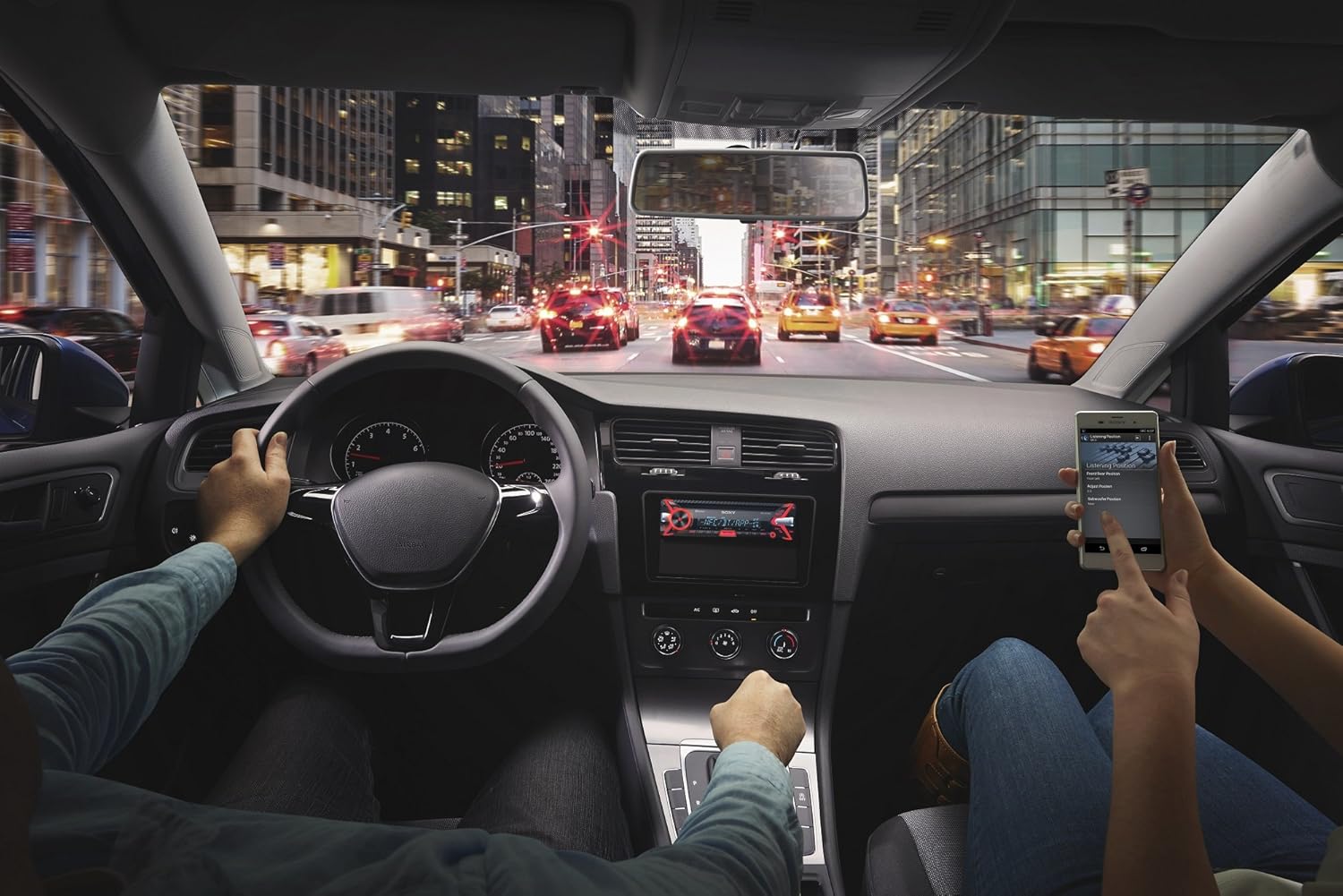
Rajah 5.2: An in-car scene demonstrating smartphone integration with the car stereo. The driver is focused on the road, while a passenger interacts with a smartphone, likely controlling music or navigation through the Sony MEX-N4200BT receiver.
- Berpasangan:
- Hidupkan Bluetooth pada telefon pintar anda.
- Pada penerima, pilih sumber Bluetooth.
- Cari untuk available devices on your smartphone and select "MEX-N4200BT".
- Sahkan kod pasangan jika digesa.
- Hands-Free Calling (HFP, PBAP):
- Once paired, you can make and receive calls through the receiver.
- Use the CALL buttons on the front panel.
- Mikrofon luaran memastikan penghantaran suara yang jelas.
- The unit supports Phone Book Access Profile (PBAP) to display caller names.
- Audio Streaming (A2DP, AVRCP):
- Stream music wirelessly from your smartphone to the receiver.
- Use the receiver's controls (SEEK buttons) or your smartphone to play, pause, and skip tracks.
- Menyokong Pengedaran Audio Lanjutan Profile (A2DP) for high-quality audio and Audio/Video Remote Control Profile (AVRCP) for basic remote functions.
- Kesambungan Bluetooth Dwi: The unit allows connecting two Bluetooth devices simultaneously. One for full functionality (hands-free, audio streaming) and a second for hands-free calling only.
5.3 Main Semula USB
Connect a USB device (flash drive, smartphone) to the front USB port for audio playback.
- Supported audio formats include MP3, WMA, and FLAC.
- Use the SEEK buttons to navigate folders and tracks.
- The USB port also provides charging for connected devices.
5.4 Main Semula CD/MP3
Insert a CD into the disc slot. The unit will automatically switch to the CD source and begin playback.
- Supports CD, CD-R, and CD-RW discs.
- Plays MP3/WMA files burned onto CDs.
- Press the EJECT button to remove a disc.
5.5 Radio (AM/FM)
Select the Tuner source to listen to AM/FM radio.
- Penalaan Manual: Press and hold SEEK buttons to manually tune.
- Cari Penalaan: Press SEEK buttons briefly to automatically search for the next strong station.
- Pratetap: Store your favorite stations using the numbered buttons (1-6). Press and hold a numbered button to save the current station.
5.6 Input Bantu
Connect external audio devices (e.g., portable music players) to the front 3.5mm auxiliary input jack using a stereo mini-plug cable.
5.7 Tetapan Bunyi
Customize your audio experience using the built-in sound adjustment features.

Rajah 5.3: A smartphone screen showing a graphic equalizer interface, allowing precise adjustment of audio frequencies across 10 bands, from 32 Hz to 16 kHz. This illustrates the detailed sound customization available through the unit or its companion app.
- Penyama Grafik 10 Jalur: Access through the MENU button to fine-tune audio frequencies for optimal sound quality. Adjust bass, mid-range, and treble levels.
- Mega Bass: This feature enhances low-frequency sounds for a more powerful bass response.
- Praamp Keluaran: The unit provides 2 sets of preamp outputs (front, rear, and subwoofer) for connecting external amplifiers, allowing for a more powerful and customizable sound system.

Rajah 5.4: A close-up of the Sony MEX-N4200BT front panel, with a finger pressing the prominent 'MEGA BASS' button, indicating activation of the bass enhancement feature.
5.8 Integrasi Telefon Pintar
The receiver is compatible with Apple iPhone (iOS) and Android devices, offering control over various applications.
- Kawalan Apl: Use compatible apps like Pandora, Spotify, and iHeartRadio directly through the receiver's controls or via the Sony SongPal app (if installed on your smartphone).
- Kawalan Suara: Utilize your smartphone's voice assistant (e.g., Siri, Google Assistant) through the receiver for hands-free commands, navigation, and communication.
6. Penyelenggaraan
- Membersihkan Unit: Gunakan kain lembut dan kering untuk mengelap panel hadapan. Untuk kotoran degil, dampen kain dengan air. Elakkan pembersih atau pelarut yang melelas.
- Detaching the Faceplate: The faceplate is detachable for theft deterrence. Press the release button (usually near the top left of the faceplate) and gently pull the faceplate off. Store it in the provided case.
- Slot CD: Keep the CD slot free of dust and debris. Do not insert anything other than standard CDs.
7. Penyelesaian masalah
If you encounter issues, refer to the table below for common problems and solutions before contacting support.
| Masalah | Kemungkinan Punca | Penyelesaian |
|---|---|---|
| Tiada kuasa | Blown fuse; incorrect wiring; vehicle battery discharged. | Check and replace fuse (10A); verify wiring connections; charge vehicle battery. |
| Tiada bunyi | Volume too low; mute activated; speaker wires disconnected; incorrect source selected. | Increase volume; deactivate mute; check speaker connections; select correct audio source. |
| Bluetooth tidak bersambung/berpasangan | Bluetooth off on phone/receiver; device out of range; pairing mode not active. | Ensure Bluetooth is on; bring devices closer; activate pairing mode on receiver. |
| CD error | Dirty or scratched disc; disc inserted incorrectly. | Clean disc; ensure disc is inserted correctly with label side up. |
| Peranti USB tidak dikenali | Tidak disokong file format; damaged USB device; improper connection. | pastikan files are MP3/WMA/FLAC; try a different USB device; re-insert USB device. |
8. Spesifikasi
| Ciri | Perincian |
|---|---|
| Nombor Model | MEX-N4200BT |
| Saiz Casis | DIN tunggal |
| Output Kuasa (Puncak) | 55 watt x 4 saluran |
| Output Kuasa (RMS) | 20 watt x 4 saluran |
| Praamp Voltage | 2 Volt |
| Praamp Keluaran | 2 Sets (Front, Rear, Subwoofer) |
| Jenis Paparan | LCD |
| Teknologi Ketersambungan | Tambahan, Bluetooth, USB |
| Versi Bluetooth | 3.0 + EDR certified |
| Bluetooth Profiles Disokong | HFP, PBAP, A2DP, AVRCP, SPP |
| Main Semula Media Disokong | CD, CD-R/RW, MP3, WMA, WAV, AAC, FLAC (via USB) |
| Penyamaan | Penyama grafik 10-jalur |
| Input USB | USB depan |
| Input Bantu | Depan 3.5mm |
| Peranti Serasi | Telefon pintar (Android, iOS) |
| Berat Barang | 2.64 paun (lebih kurang 1.2 kg) |
| Dimensi Produk | 9.82 x 9.5 x 9.07 inci (lebih kurang 24.9 x 24.1 x 23.0 cm) |
9. Waranti dan Sokongan
9.1 Waranti Pengilang
This Sony MEX-N4200BT receiver comes with a Waranti pengilang selama 1 tahun. Please retain your proof of purchase for warranty claims. The warranty covers defects in materials and workmanship under normal use. It does not cover damage caused by misuse, accident, unauthorized modification, or improper installation.
9.2 Sokongan Pelanggan
For technical assistance, troubleshooting beyond this manual, or warranty service, please contact Sony customer support. Refer to the official Sony website for the most current contact information, including phone numbers and online support resources.