1. Pengenalan dan Lebihview
This manual provides essential information for the safe and efficient operation of your Intermatic Timer LV371T Low Voltage Transformer. Designed for use with LV100 Series lighting systems, this transformer is capable of handling up to 121 watts maximum, providing reliable power for your outdoor low-voltage lighting needs. Please read this manual thoroughly before installation and use.
2. Maklumat Keselamatan
Sentiasa patuhi langkah berjaga-jaga keselamatan berikut untuk mengelakkan kecederaan atau kerosakan pada unit:
- CAUTION: FOR OUTDOOR USE ONLY. This transformer is designed for outdoor applications and should not be used indoors.
- DO NOT SUBMERGE LIGHTING UNITS. Ensure that all connected lighting units are not submerged in water.
- DO NOT OPERATE ON OR OFF OVER A SHORT DURATION. Rapid cycling of the power can cause damage to the unit or connected lighting.
- Refer to wiring circuits for proper installation and connection.
- Sentiasa putuskan bekalan elektrik sebelum melakukan sebarang pemasangan, penyelenggaraan atau penyelesaian masalah.
- Ensure the transformer is installed on a stable, level surface, or mounted securely as per instructions.
3. Persediaan dan Pemasangan
The Intermatic LV371T transformer is designed for floor mount installation. Follow these steps for proper setup:
- Membongkar: Carefully remove the transformer from its packaging. Inspect for any signs of damage.
- penempatan: Choose a suitable outdoor location for the transformer. Ensure it is on a stable surface or securely mounted. The unit is designed for floor mounting.
- Sambungan Kuasa: Connect the transformer's power cord to a grounded 120V AC outdoor electrical outlet.
- Vol. Rendahtage Keluaran: Connect your LV100 Series low-voltage lighting system wires to the transformer's low-voltage output terminals. Ensure all connections are secure and properly insulated.
- Semakan Awal: Once all connections are made, you may plug in the transformer. Do not operate the timer until it is set.

Rajah 3.1: Depan view of the Intermatic LV371T Low Voltage Transformer, showing its compact black casing dan kord kuasa.

Rajah 3.2: Belakang view of the transformer, highlighting its design for secure mounting and heat dissipation.
4. Arahan Operasi
The LV371T features an integrated mechanical timer for automated control of your lighting system.
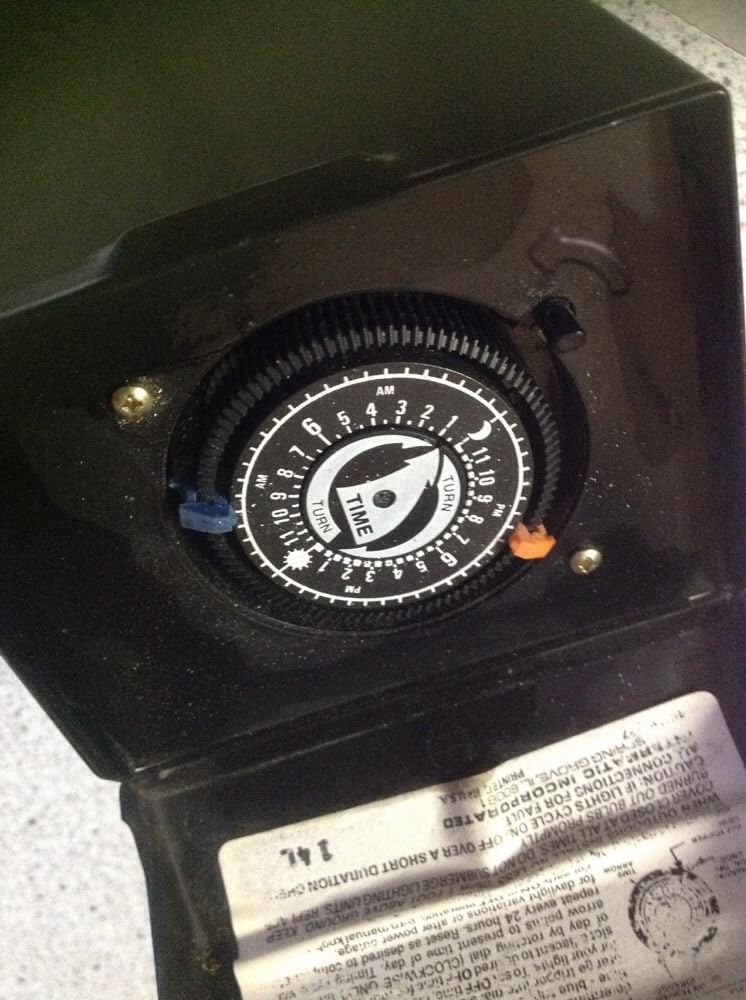
Gambar 4.1: Dalaman view of the timer dial, showing the mechanism for setting ON/OFF times.
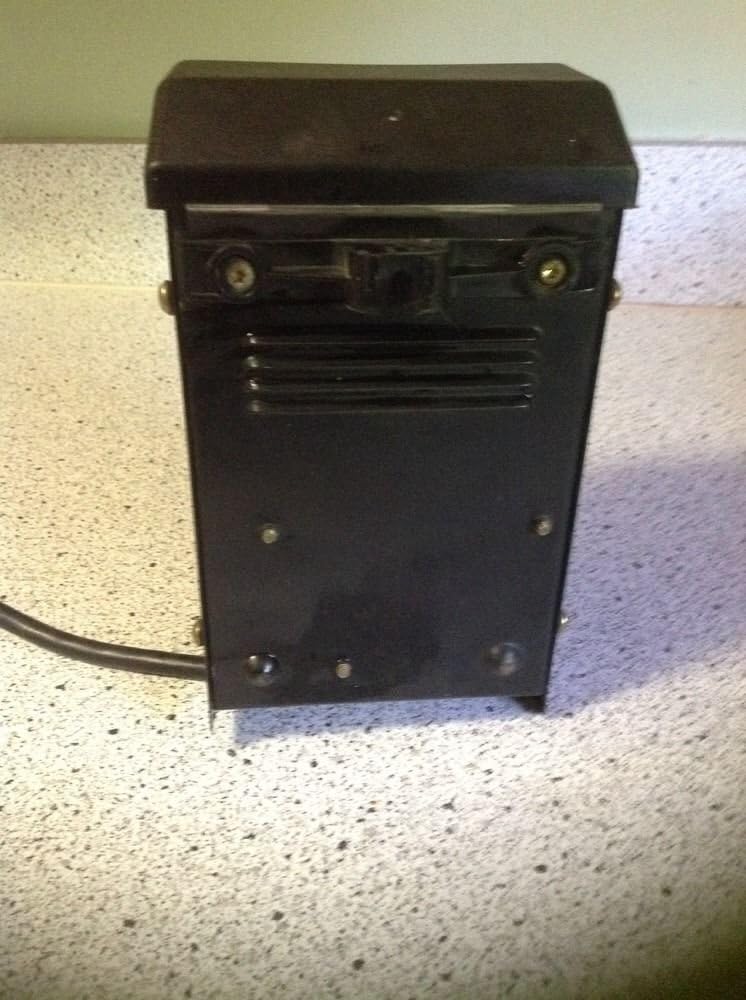
Figure 4.2: The timer dial with visible instruction label, detailing how to set the timer.
Menetapkan Pemasa:
The timer uses ON (blue) and OFF (red) trippers to control the lighting schedule. These trippers are inserted into the slots around the dial.
- Tetapkan Masa HIDUP: Insert a blue tripper into the dial at the desired time you want your lights to turn ON.
- Masa Tetapkan: Insert a red tripper into the dial at the desired time you want your lights to turn OFF.
- Tetapkan Masa Semasa: The dial rotates counter-clockwise. To advance the clock, turn the dial clockwise until the present time is aligned with the arrow indicator.
- Adjust for Daylight/Power Outage: Periodically check the time and adjust as needed to account for daylight saving changes or after any power outages.
5. Penyelenggaraan
The Intermatic LV371T transformer requires minimal maintenance to ensure long-lasting performance:
- Pembersihan: Periodically wipe the exterior of the transformer with a damp cloth to remove dirt and debris. Ensure the unit is unplugged before cleaning.
- Semakan Sambungan: Periksa semua sambungan elektrik setiap tahun untuk memastikan ia ketat dan terdapat tanda-tanda kakisan.
- Pengudaraan: Ensure that the ventilation slots (if present) are clear of obstructions to allow for proper heat dissipation.
6. Penyelesaian masalah
If your lighting system is not operating as expected, consider the following troubleshooting steps:
- Lights Not Operating:
- Check All Connections for Fault: Ensure the transformer is securely plugged into the outlet and all low-voltage lighting connections are tight and correct.
- Verify that the circuit breaker or GFCI outlet supplying power to the transformer has not tripped.
- Confirm that the ON tripper is correctly placed on the timer dial and the current time is accurately set.
- Lights Staying On/Off Continuously:
- Check the placement of both ON and OFF trippers on the timer dial. Ensure they are firmly seated in their respective slots.
- Verify that the current time on the dial is correctly aligned with the arrow indicator.
- Pemasa Tidak Bergerak Maju:
- Ensure the transformer is receiving continuous power.
- Inspect the timer mechanism for any obstructions or debris.
If issues persist after performing these checks, contact Intermatic customer support for further assistance.
7. Spesifikasi
| Ciri | Spesifikasi |
|---|---|
| Nombor Model | 8422-3103-08 |
| Nombor Bahagian | LV371T |
| Jenama | Intermatik |
| Pengeluar | Malibu |
| Sumber Kuasa | Elektrik Bertali |
| Input Voltage | 120V AC |
| Output Wattage | Up to 121 watts MAX |
| Penilaian Semasa | 1.5 Amps |
| Kekerapan | 60 Hz (Minimum and Maximum) |
| Jenis Pemasangan | Lantai Lantai |
| Berat Barang | 5.12 paun |
| Dimensi Pakej | 10.08 x 8.35 x 5.35 inci |
| Pensijilan Keselamatan | UL Tersenarai |
| UPC | 072945705432 |
8. Waranti dan Sokongan
Specific warranty details are not provided in the product information. For warranty claims, technical support, or further inquiries regarding your Intermatic Timer LV371T Low Voltage Transformer, please contact Intermatic customer service directly. Refer to the official Intermatic webtapak atau pembungkusan produk untuk maklumat hubungan terkini.
You can visit the Intermatic Store on Amazon for more information: Kedai Intermatic


