pengenalan
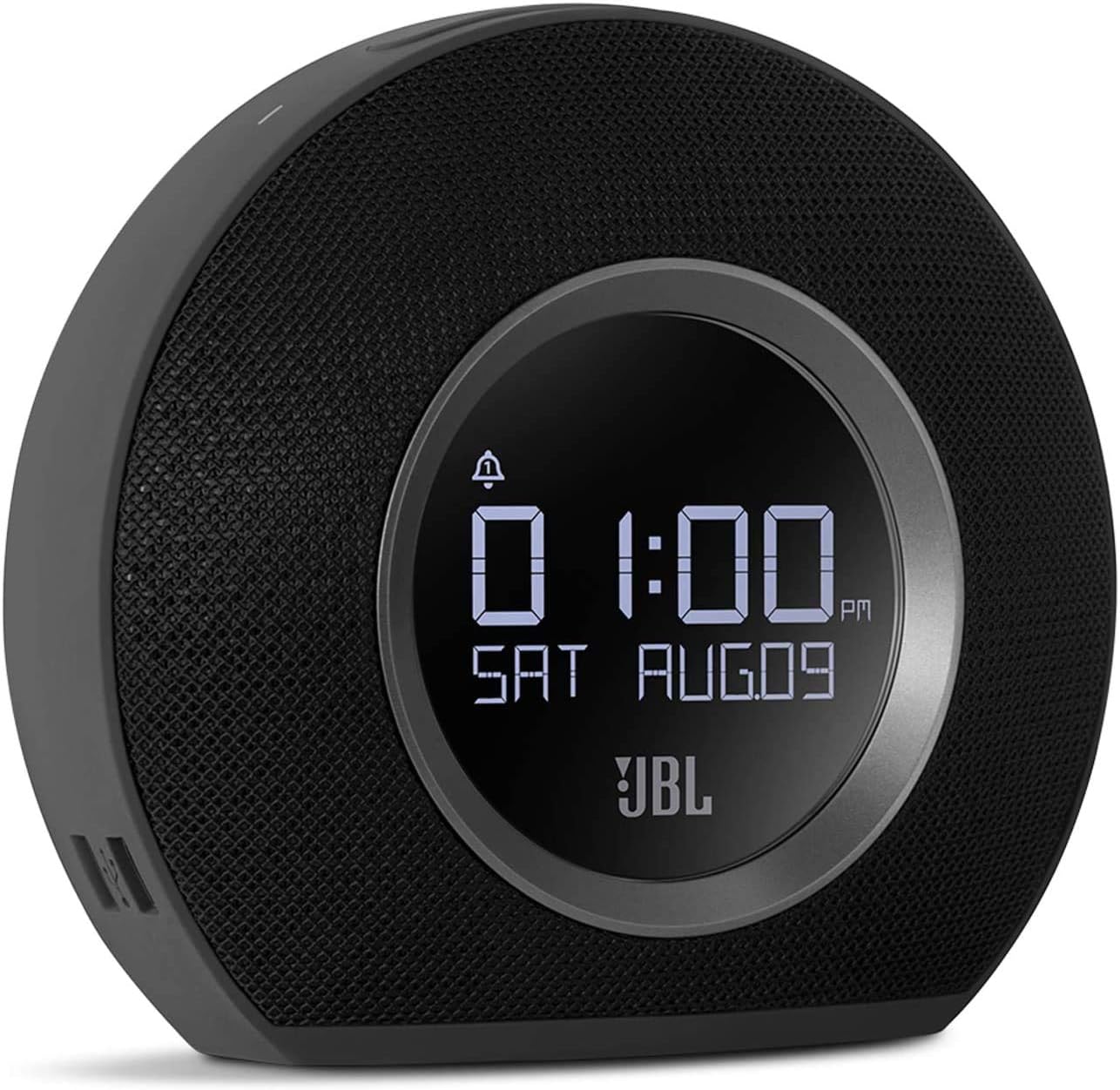
The JBL Horizon is a versatile alarm clock radio designed to enhance your morning routine. It combines a high-quality Bluetooth speaker with an FM radio, dual alarm system, ambient LED light, and convenient USB charging ports. This manual provides detailed instructions for setting up, operating, and maintaining your JBL Horizon.
Kandungan Pakej
- 1 x JBL Horizon Device
- 1 x Penyesuai Kuasa
- 1 x Manual Pengguna
- 1 x Helaian Keselamatan
- 1 x Panduan Mula Pantas
- 1 x Antena Radio
Persediaan
- Sambungan Kuasa: Connect the power adapter to the JBL Horizon and then to a wall outlet. The device will power on automatically.
- Sambungan Antena: For optimal FM radio reception, connect the included radio antenna to the FM antenna port on the back of the unit. Extend the antenna fully.
- Tetapan Masa Awal: Upon first power-up, the device may prompt you to set the time. Use the control buttons (typically volume up/down or dedicated time set buttons) to adjust the hour and minute. Confirm your selection. The device also features a DST (Daylight Saving Time) button on the bottom for easy adjustment.
Arahan Operasi
Menetapkan Penggera
The JBL Horizon features two independent alarms. To set an alarm:
- Tekan ke Penggera 1 or Penggera 2 button on the top of the unit.
- Use the volume buttons (+ / -) to adjust the alarm time. Press the alarm button again to switch between hour and minute settings.
- Select your desired alarm source: FM radio, Bluetooth audio, or one of the built-in digital alarm tones.
- Laraskan kelantangan penggera.
- The ambient light can be set to gradually illuminate before the alarm sounds, providing a gentle wake-up experience.
- To temporarily silence an alarm (snooze), press the large SNOOZE / CAHAYA button. To turn off an alarm, press the corresponding Alarm button.
Radio FM
Untuk mendengar radio FM:
- Tekan ke FM butang untuk bertukar kepada mod radio FM.
- Use the tuning buttons (often integrated with volume or separate arrow buttons) to scan for stations.
- To save a favorite station, press and hold one of the preset buttons (if available, typically 1-5).
Kesambungan Bluetooth
To stream audio via Bluetooth:
- Tekan ke Bluetooth button to enter pairing mode. The Bluetooth indicator will flash.
- Pada peranti mudah alih anda (telefon pintar, tablet, komputer riba), dayakan Bluetooth dan cari peranti yang tersedia.
- Select "JBL Horizon" from the list to pair. Once paired, the indicator will glow solid.
- You can now stream audio from your device to the JBL Horizon.
Cahaya Ambien
The JBL Horizon features an ambient LED light ring on its rear. This light can be used as a gentle wake-up aid or as a soft night light. Its brightness automatically adjusts to the room's lighting conditions for optimal visibility without being disruptive.

Pengecasan USB
Two USB charging ports are located on the side of the JBL Horizon. Connect your mobile devices using their respective USB cables to charge them overnight or during use.
Kecerahan Paparan
The display brightness automatically adjusts based on the ambient light in the room, ensuring readability during the day and preventing excessive brightness at night.
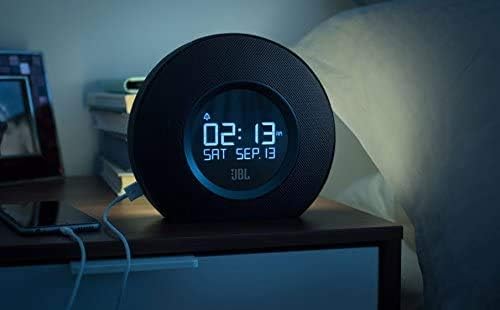

Video 1: Video ini menyediakan visual overview and demonstration of the JBL Horizon alarm clock radio. It showcases key features such as the dual alarm system, ambient light function for gentle wake-up, FM radio capabilities, Bluetooth connectivity for audio streaming, and the convenient USB charging ports for mobile devices. The video highlights the product's design and user interaction.
Penyelenggaraan
To ensure the longevity and optimal performance of your JBL Horizon:
- Bersihkan peranti dengan kain lembut dan kering. Elakkan menggunakan pembersih atau pelarut yang kasar.
- Jauhkan peranti daripada cahaya matahari langsung, haba berlebihan dan kelembapan.
- Pastikan pengudaraan yang betul di sekeliling unit.
Menyelesaikan masalah
- Tiada Kuasa: Pastikan penyesuai kuasa disambungkan dengan selamat pada kedua-dua peranti dan soket dinding yang berfungsi.
- Penerimaan FM yang lemah: Extend the FM antenna fully and try repositioning it for better signal.
- Isu Berpasangan Bluetooth: Ensure the JBL Horizon is in pairing mode (flashing Bluetooth indicator) and your mobile device's Bluetooth is enabled and searching. Try unpairing and re-pairing if issues persist.
- Alarm Not Sounding/Too Quiet: Verify that the alarm is enabled, the volume is set appropriately, and the correct alarm source is selected. Check the backup battery status if a power outage berlaku.
- Hanyut Masa: If the time consistently drifts, ensure the device is connected to a stable power source. The backup battery helps maintain time during power interruptions.
Spesifikasi
| Nombor Model | K951170 |
| Jenama | JBL |
| warna | Hitam |
| bahan | Akrilonitril Butadiena Stirena (ABS) |
| Dimensi Produk (D x W x H) | 8.6 cm x 18.3 cm x 16 cm |
| Berat Barang | 890 Gram |
| Jenis Pembesar Suara | Pembesar suara mudah alih Bluetooth |
| Saiz Pembesar Suara | 1 inci |
| Kuasa Output Pembesar Suara Maks | 5 Watt |
| Mod Keluaran Audio | Mono |
| Respons Frekuensi (Had Atas) | 20 KHz |
| Teknologi Tanpa Wayar | Bluetooth |
| Peranti Serasi | Komputer riba, Telefon Pintar, Tablet |
| Sumber Kuasa | AC Power (with battery backup for time/alarm) |
| Input Voltage | 13 Volt (DC) |
| Kalis air | Tidak |
| Perhimpunan Diperlukan | Tidak |
| Bateri Diperlukan | Yes (1 A type for backup) |

Waranti dan Sokongan
The JBL Horizon comes with a 1-year manufacturer's limited warranty. Spare parts are available for a period of 2 years from the date of purchase.
For technical support, warranty claims, or further assistance, please visit the official JBL support website or contact their customer service department. Refer to the quick start guide or safety sheet for specific contact information in your region.
Maklumat Keselamatan Penting
Always follow basic safety precautions when using this product to reduce the risk of fire, electric shock, and injury. Do not expose the device to rain or moisture. Do not disassemble the product. Refer to the included safety sheet for comprehensive safety guidelines.