pengenalan
This manual provides essential information for the safe and effective use of your Disney FROZEN 2.1MP Digital Camera. Please read these instructions carefully before operating the device and retain them for future reference.
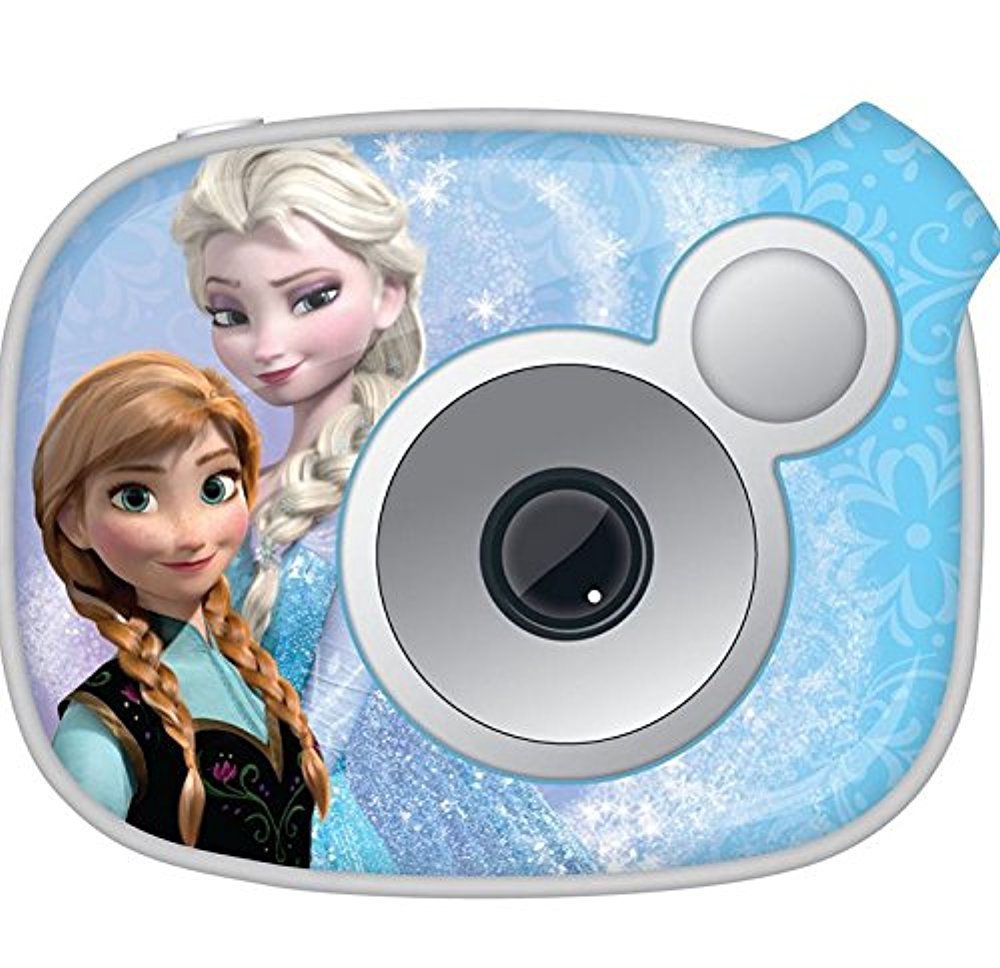
Imej: Depan view of the Disney FROZEN 2.1MP Digital Camera, featuring characters from Frozen.
Maklumat Keselamatan
- Jangan dedahkan kamera kepada air atau kelembapan berlebihan.
- Elakkan daripada menjatuhkan kamera atau mendedahkannya kepada hentaman yang kuat.
- Jauhkan bateri daripada kanak-kanak kecil. Jika tertelan, dapatkan rawatan perubatan segera.
- Gunakan hanya jenis bateri yang dinyatakan (2 bateri AA).
- Jangan cuba membuka atau membaiki kamera sendiri. Hubungi khidmat pelanggan untuk mendapatkan bantuan.
- Buang bateri dan komponen elektronik secara bertanggungjawab mengikut peraturan tempatan.
Kandungan Pakej
Sahkan bahawa semua item terdapat dalam pakej:
- Disney FROZEN 2.1MP Digital Camera
- Kabel USB
- Manual Arahan (dokumen ini)
- Snapshots Software CD (or download link)
Persediaan
1. Pemasangan Bateri
- Locate the battery compartment cover on the bottom or side of the camera.
- Use a small Phillips head screwdriver to loosen the screw securing the battery compartment cover.
- Open the cover and insert two (2) AA batteries, ensuring correct polarity (+/-) as indicated inside the compartment.
- Close the battery compartment cover and tighten the screw to secure it.

Image: Illustration of battery compartment with correct battery orientation.
2. Memory Card Installation (SD Card)
The camera supports SD flash memory cards for storing photos and videos. A memory card is required to save more than the internal memory capacity.
- Locate the SD card slot, usually near the battery compartment.
- Insert the SD card with the metal contacts facing down (or as indicated by a diagram near the slot) until it clicks into place.
- To remove, gently push the card in until it clicks, then release, and it will eject slightly.
3. Menghidupkan/Mematikan Kamera
- To turn on: Press and hold the Power button (usually marked with ● or HIDUP/MATI) sehingga skrin menyala.
- To turn off: Press and hold the Power button again until the screen turns off.
Arahan Operasi
1. Mengambil Foto
- Turn on the camera. The camera will typically start in photo capture mode.
- Frame your shot using the 1-inch preview skrin.
- Press the Shutter button (usually a larger button on top) to take a picture. The image will briefly appear on the screen.
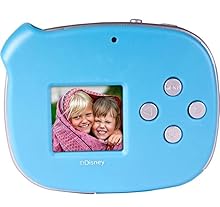
Image: A close-up of the camera's 1-inch LCD screen, showing a captured photo.
2. Merakam Video
- From photo mode, use the Mode button (if available) or navigation buttons to switch to video recording mode. An icon (e.g., a film camera) will usually indicate this mode.
- Press the Shutter button to start recording. A recording indicator (e.g., a red dot or flashing timer) will appear on the screen.
- Tekan butang Shutter sekali lagi untuk menghentikan rakaman.
3. ViewFoto dan Video
- Switch to Playback mode using the Mode button.
- Use the navigation buttons (left/right arrows) to scroll through your captured images and videos.
- To play a video, select it and press the OK/Enter button.
4. Deleting Photos and Videos
- In Playback mode, navigate to the item you wish to delete.
- Press the Delete button (often marked with a trash can icon).
- Sahkan pilihan anda apabila digesa.
5. Connecting to a Computer and Using Snapshots Software
The camera can connect to a computer to transfer files and use the included Snapshots Software for editing and creating movies.
- Install the Snapshots Software on your computer from the provided CD or download link.
- Hidupkan kamera.
- Sambungkan kamera ke komputer anda menggunakan kabel USB yang dibekalkan.
- The camera should appear as a removable drive on your computer, allowing you to transfer files.
- Launch the Snapshots Software to access advanced editing features and create movies from your photos and videos.

Image: The digital camera connected to a laptop via a USB cable, illustrating data transfer.
Penyelenggaraan
- Pembersihan: Use a soft, dry cloth to clean the camera body. For the lens and screen, use a specialized lens cleaning cloth. Do not use liquid cleaners or abrasive materials.
- Storan: When not in use for extended periods, remove the batteries to prevent leakage. Store the camera in a cool, dry place away from direct sunlight and extreme temperatures.
Menyelesaikan masalah
| Masalah | Kemungkinan Punca | Penyelesaian |
|---|---|---|
| Kamera tidak dihidupkan. | Bateri mati atau salah dimasukkan. | Replace batteries with fresh ones, ensuring correct polarity. Check if the battery compartment cover is securely closed. |
| Poor picture quality (grainy, blurry). | Low light conditions, camera movement, or inherent camera resolution. | Ensure adequate lighting. Hold the camera steady when taking pictures. This camera has a 2.1MP resolution, which may result in lower quality compared to higher-resolution devices. |
| Tidak boleh menyimpan foto/video. | Memory card full, not inserted, or faulty. | Insert an SD card. Delete unwanted files to free up space. Try a different SD card. |
| Camera disconnects from computer. | Loose USB connection or driver issue. | Ensure the USB cable is securely connected to both the camera and the computer. Try a different USB port. Reinstall Snapshots Software drivers if necessary. |
Spesifikasi
| Ciri | Perincian |
|---|---|
| Nama Model | BEKU |
| Nombor Model | 98627-AMZ |
| Resolusi Pegun Berkesan | 2.1 MP |
| Saiz Skrin | 1 Inch (LCD Display) |
| Penstabilan Imej | digital |
| Zum Optik | 0.5x |
| Apertur Maksimum | 2.8 Milimeter |
| Kelajuan Pengatup Minimum | 1 Saat |
| Jenis Kawalan Pendedahan | Automatik |
| Disokong File Format | JPEG (Images), AVI (Video) |
| Resolusi Video | 720p |
| Penggambaran Berterusan | 30 FPS |
| Jenis Memori Denyar | SD |
| Sumber Kuasa | 2 Bateri AA (tidak termasuk) |
| Berat Barang | 0.35 paun |
| warna | Biru |
Waranti dan Sokongan
For warranty information and technical support, please refer to the documentation included with your purchase or contact the manufacturer, Sakar International, Inc., directly. Contact details can typically be found on the product packaging or their official webtapak.
Sila simpan bukti pembelian anda untuk tuntutan waranti.