pengenalan
The AT&T TL86103 is an advanced 2-line corded/cordless telephone system designed for both home and small business environments. It offers versatile connectivity, allowing you to manage calls from up to two landlines and two cellular phones simultaneously. Key features include a digital answering system with two mailboxes, Connect-to-Cell Bluetooth technology, caller ID announcement, and a line-power mode for continued operation during power outages. This manual provides detailed instructions for setting up, operating, and maintaining your phone system.

Figure 1: The AT&T TL86103 base unit and cordless handset.
Persediaan
1. Kandungan Pakej
- Corded Base Unit
- Telefon bimbit tanpa wayar
- Penyesuai Kuasa
- Tali Talian Telefon
- AAA Batteries (for handset)
2. Menyambung Unit Pangkalan
- Connect the power adapter to the base unit and a wall outlet.
- Connect up to two telephone line cords to the LINE 1 and LINE 2 jacks on the base unit and to your wall telephone jacks.

Figure 2: The phone system is suitable for business or home use.
3. Installing and Charging Handset Batteries
- Open the battery compartment on the back of the cordless handset.
- Insert the provided AAA batteries, observing polarity.
- Place the cordless handset in its charging cradle. Allow at least 16 hours for the initial charge.
4. Connect-to-Cell Setup (Bluetooth)
The Connect-to-Cell feature allows you to make and receive cellular calls using your AT&T phone system. You can pair up to four Bluetooth-enabled cell phones, with two active connections at any time.
- On the base unit, press the MENU butang.
- Navigasi ke Bluetooth dan pilih Tambah Telefon.
- Follow the on-screen prompts to put your cell phone in Bluetooth pairing mode.
- Select the AT&T phone system from your cell phone's Bluetooth device list.
- Sahkan kod gandingan pada kedua-dua peranti.

Figure 3: Bluetooth Connect-to-Cell feature allows seamless integration with mobile devices.
5. Port Pengecasan USB
The base unit includes two built-in USB ports for charging your mobile phones while they are connected via Bluetooth. Simply plug your phone's USB charging cable into one of the ports.

Figure 4: Convenient USB ports for charging mobile devices.
Mengendalikan Sistem Telefon Anda
1. Membuat dan Menerima Panggilan
- Landline Calls: Tekan BARIS 1 or BARIS 2, kemudian dail nombor itu.
- Cellular Calls: Tekan CELL A or CELL B, kemudian dail nombor itu.
- To answer a call, lift the handset or press PENCERAMAH.

Figure 5: The system supports 2 landlines and 2 cell lines for virtual multi-line advantage.
2. Sistem Penjawab Digital
The system features a digital answering system with two separate mailboxes, ideal for separating business and personal messages. Each mailbox offers up to 22 minutes of recording time.
- To turn the answering system ON/OFF, press ANS ON/OFF.
- To access messages for Line 1, press MAIL BOX 1. For Line 2, press MAIL BOX 2.

Figure 6: Digital answering system with two distinct mailboxes.
3. Caller ID Announce
When an incoming call is received, the phone system announces the name of the caller (if available in your phonebook or Caller ID service) or the number.

Figure 7: Caller ID Announce feature for convenient call screening.
4. Phonebook Directory
The system can store up to 200 names and numbers in its internal phonebook. Additionally, you can download up to 6,000 cellular phonebook entries from your connected mobile devices.
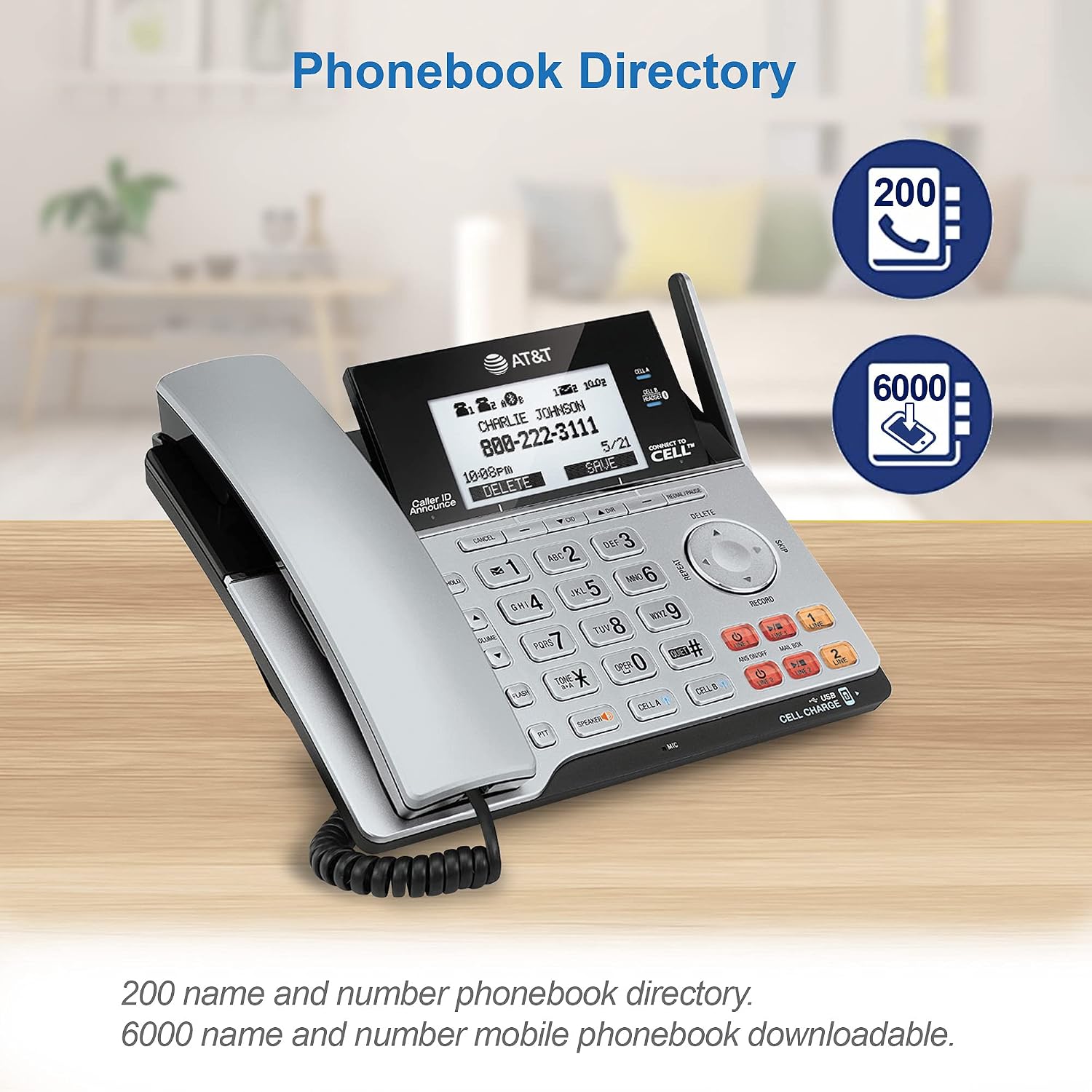
Figure 8: Manage contacts with the integrated phonebook and mobile phonebook download.
5. Cordless Handset Features
- Telefon pembesar suara: Tekan ke PENCERAMAH button on the handset during a call.
- Klip tali pinggang: Attach the included belt clip for hands-free mobility.
- Bicu Alat dengar 2.5mm: Connect a compatible 2.5mm headset (not included) for private conversations.
- Tekan untuk Bercakap (PTT): Use the PTT button for instant, two-way communication between handsets (if multiple handsets are registered).

Figure 9: Thoughtful design details for enhanced usability and mobility.
6. Line Power Mode
Sekiranya berlaku kuasa outage, the corded base unit can operate using line power, allowing you to make and receive calls on the corded handset (Line 1 only) without external power.
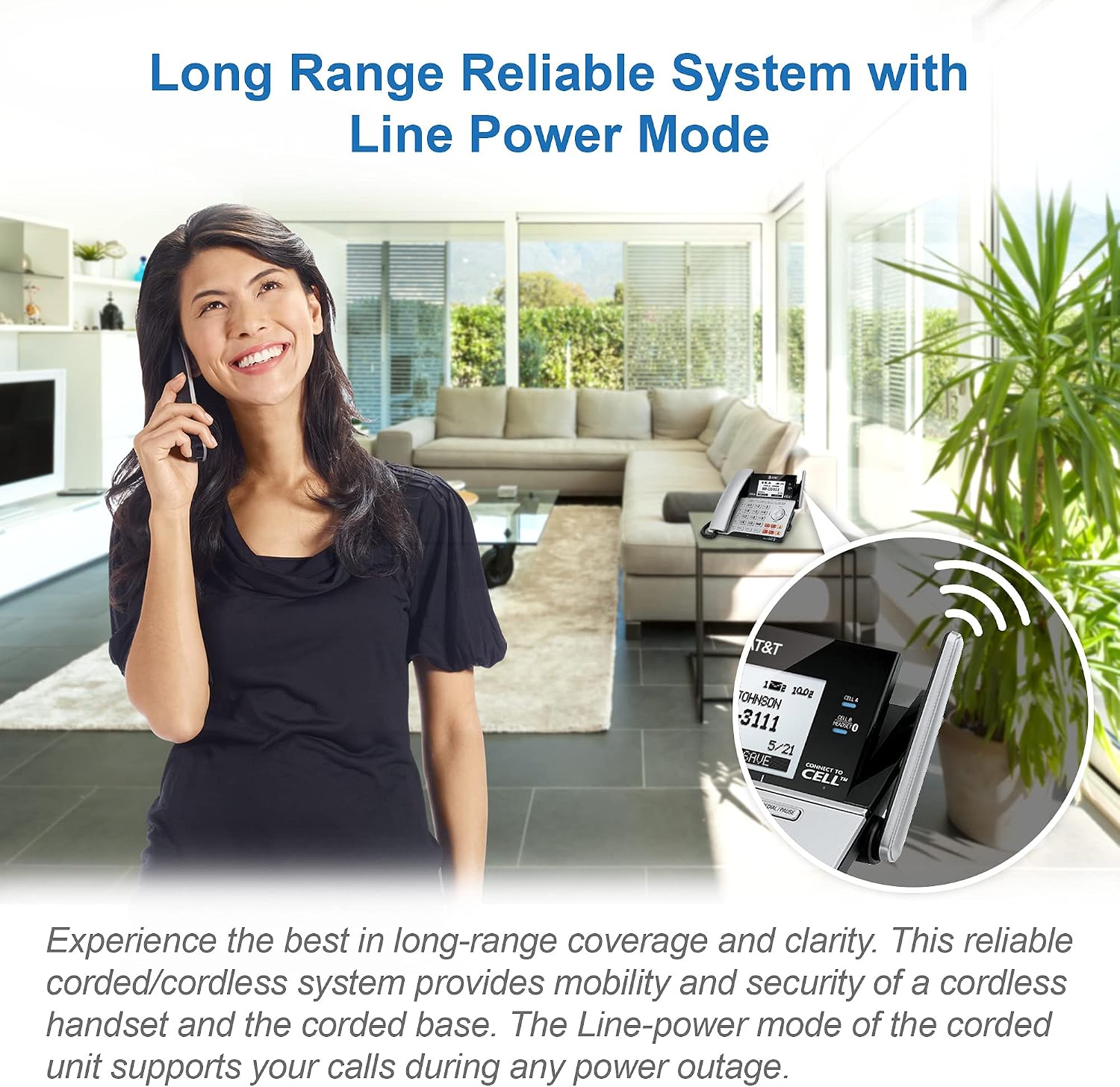
Figure 10: Reliable communication even during power outages with Line Power Mode.
Penyelenggaraan
- Pembersihan: Wipe the phone surfaces with a soft, damp kain. Jangan gunakan semburan pembersih atau bahan kimia yang keras.
- Penjagaan Bateri: Replace handset batteries when the low battery indicator appears. Use only the specified battery type.
- lokasi: Place the base unit in a central location away from other electronic devices to maximize range and minimize interference.
Menyelesaikan masalah
| Masalah | Penyelesaian |
|---|---|
| Tiada nada dail | Ensure all telephone line cords are securely connected to the base unit and wall jacks. Check if the power adapter is properly connected. |
| Cannot make/receive cell calls | Verify your cell phone is paired and within range of the base unit. Ensure Bluetooth is enabled on your cell phone. |
| Sistem menjawab tidak merakam | Check if the answering system is turned ON. Ensure there is sufficient recording time available in the mailbox. |
| Kualiti panggilan yang teruk/statik | Relocate the base unit away from other electronic devices (Wi-Fi routers, microwaves). Check for loose connections. |
Spesifikasi
- Nombor Model: TL86103
- Dimensi Produk: 8.6 x 7.9 x 6 inci
- Berat Barang: 1 paun
- Jenis Telefon: Bertali / Tanpa wayar
- Number of Lines: 2 (Landline) + 2 (Cellular via Bluetooth)
- Jenis Sistem Menjawab: Digital, 2 Mailboxes
- Masa Rakaman: Up to 22 minutes per mailbox
- Kapasiti Buku Telefon: 200 (internal), 6000 (downloadable from cell)
- Kebolehbagaian: Sehingga 12 telefon bimbit
- Bateri: 2 AAA batteries (included for handset)
- Sumber Kuasa: Corded Electric (with Line Power Mode)
- warna: Perak/Hitam
Waranti dan Sokongan
For detailed warranty information and technical support, please refer to the official user guide or contact VTech customer service.
Versi digital panduan pengguna tersedia di sini: AT&T TL86103 User Guide (PDF)


