pengenalan
This manual provides essential instructions for the safe and efficient operation of your Muse M-28 VF Portable CD/MP3 Radio with USB Player. Please read this manual thoroughly before using the device and retain it for future reference.
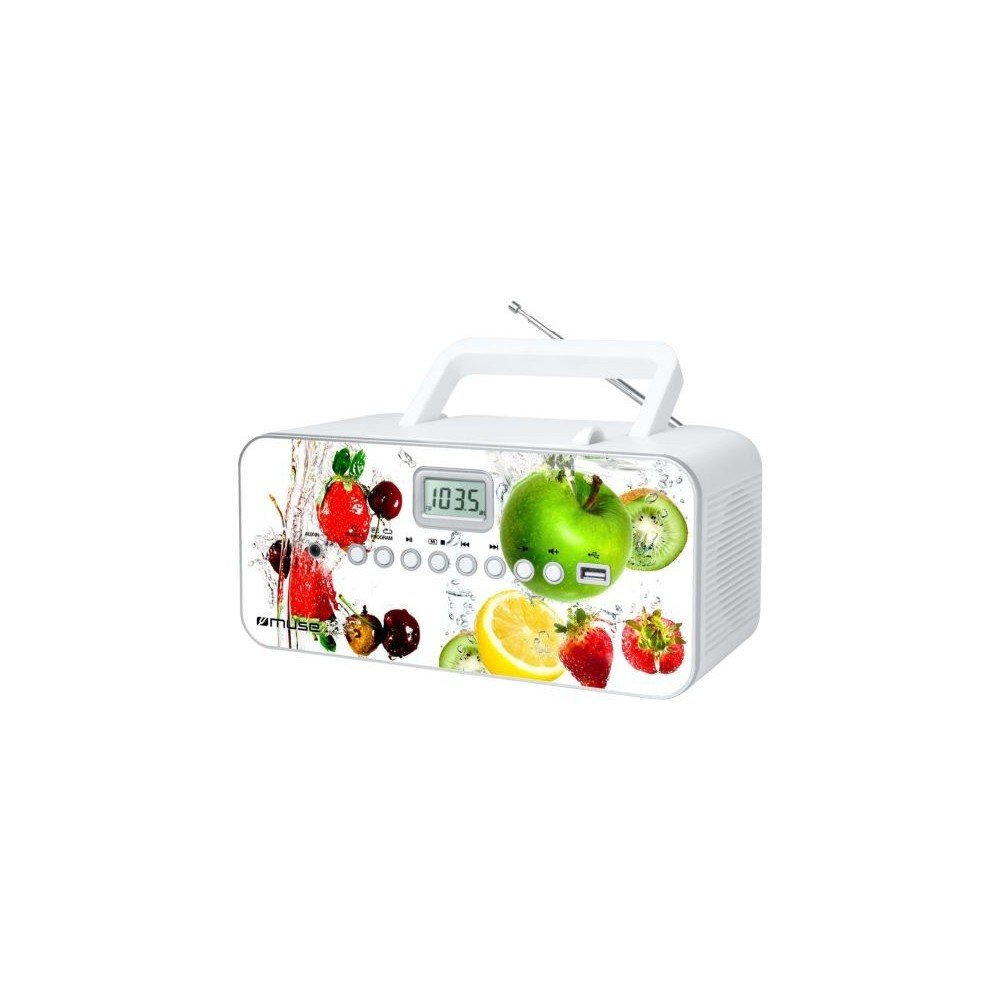
Depan view of the Muse M-28 VF portable CD/MP3 radio, showing the CD compartment, display, and control buttons.
Maklumat Keselamatan
- Jangan dedahkan unit kepada hujan atau lembapan.
- Jangan sekat sebarang bukaan pengudaraan.
- Pastikan pengudaraan yang betul di sekeliling unit.
- Gunakan hanya lampiran/aksesori yang ditentukan oleh pengilang.
- Cabut palam unit semasa ribut petir atau apabila tidak digunakan untuk tempoh yang lama.
- Rujuk semua servis kepada kakitangan perkhidmatan yang berkelayakan.
Persediaan
1. Sambungan Kuasa
- Locate the AC power cord.
- Insert the small end of the power cord into the AC IN jack on the back of the unit.
- Palamkan hujung kord kuasa yang lain ke salur keluar dinding standard.
2. Pelarasan Antena
For optimal FM radio reception, fully extend the telescopic antenna. For MW (AM) reception, the unit has a built-in antenna; rotate the unit for best reception.
Arahan Operasi
1. Hidupkan/Mati Kuasa
Tekan ke KUASA butang untuk menghidupkan atau mematikan unit.
2. Pemilihan Mod
Tekan ke MODE button repeatedly to switch between CD, USB, FM Radio, MW Radio, and AUX modes.
3. Main semula CD
- Buka pintu petak CD.
- Place a CD (CD/CD-R/CD-RW/MP3 compatible) with the label side facing up.
- Tutup pintu petak CD.
- Pilih mod CD menggunakan MODE butang.
- Tekan ke MAIN/JEDA butang untuk memulakan main balik.
- Gunakan SKIP butang (<< / >>) untuk menavigasi trek.
- Tekan ke BERHENTI butang untuk menamatkan main balik.
- The unit features a full or partial repeat function. Refer to the display for repeat mode indicators.
4. Main semula USB
- Masukkan pemacu kilat USB ke dalam port USB.
- Pilih mod USB menggunakan MODE butang.
- Playback will start automatically or by pressing the MAIN/JEDA butang.
- Gunakan SKIP butang (<< / >>) untuk menavigasi trek.
5. FM/MW Radio Operation
- Select FM or MW mode using the MODE butang.
- Tekan dan tahan butang TULA +/- butang untuk mengimbas secara automatik stesen yang tersedia seterusnya.
- Tekan ke TULA +/- butang sebentar untuk melaraskan frekuensi dengan lebih baik.
- To store a station: Tune to the desired station, then press and hold the PROGRAM butang. guna SKIP butang untuk memilih nombor pratetap, kemudian tekan PROGRAM again to confirm. The unit supports 20 FM and 10 MW storable stations.
- To recall a stored station: Press the MEMORI or PRESET butang, kemudian gunakan SKIP buttons to select the desired preset.
6. Input Bantu (AUX IN)
- Sambungkan peranti audio luaran (cth., telefon pintar, pemain MP3) ke bicu AUX IN menggunakan kabel audio 3.5mm (tidak dibekalkan).
- Pilih mod AUX menggunakan MODE butang.
- Control playback from the connected external device.
7. Kawalan Kelantangan
Putar JILID tombol untuk melaraskan tahap bunyi.
Penyelenggaraan
1. Membersihkan Unit
- Sebelum membersihkan, pastikan unit telah dimatikan dan dicabut daripada soket dinding.
- Gunakan kain lembut dan kering untuk mengelap permukaan luar.
- Untuk kotoran degil, sedikit dampen kain dengan air. Jangan gunakan pembersih yang melelas, lilin atau pelarut.
- Clean the CD lens periodically with a specialized CD lens cleaner disc (not supplied).
2. Penyimpanan
Apabila tidak digunakan untuk tempoh yang lama, simpan unit di tempat yang sejuk dan kering, jauh dari cahaya matahari langsung dan suhu yang melampau.
Menyelesaikan masalah
| Masalah | Kemungkinan Punca | Penyelesaian |
|---|---|---|
| Tiada kuasa | Kord kuasa tidak disambungkan dengan betul. | Check if the power cord is securely plugged into the unit and the wall outlet. |
| Tiada bunyi | Kelantangan terlalu rendah atau diredam. Mod yang dipilih salah. | Increase the volume. Ensure the correct playback mode (CD, USB, Radio, AUX) is selected. |
| CD tidak dimainkan | CD inserted incorrectly. CD is dirty or scratched. Incorrect mode. | Insert CD with label side up. Clean or replace the CD. Select CD mode. |
| USB tidak dimainkan | USB drive not inserted correctly. Incompatible file format. | Ensure USB drive is fully inserted. Check if files ialah format MP3. |
| Penerimaan radio yang lemah | Antenna not extended/positioned correctly. Interference. | Fully extend and adjust the FM telescopic antenna. Rotate the unit for MW reception. Move away from other electronic devices. |
Spesifikasi
- model: M-28 VF
- Jenama: MUSE
- Jenis Cakera Serasi: CD, CD-R, CD-RW, MP3
- Penala Radio: PLL FM/MW
- Stesen Pratetap: 20 FM, 10 MW
- Ketersambungan: USB Port (1), Auxiliary Input (3.5mm)
- Jenis pembesar suara: Stereo
- Sumber Kuasa: Kabel AC
- Kuasa Output: 14 Watt
- Dimensi (L x W x H): 17 x 26 x 13 cm (kira-kira 6.7 x 10.2 x 5.1 inci)
- Berat: 1.4 Kilogram (kira-kira 3.1 lbs)
- Serasi Bluetooth: Tidak
Maklumat Waranti
Produk ini disertakan dengan waranti pengeluar bagi 1 tahun from the date of purchase. Please retain your proof of purchase for warranty claims. The warranty covers defects in materials and workmanship under normal use. It does not cover damage caused by misuse, accident, unauthorized modification, or external causes.
Sokongan Pelanggan
For further assistance, technical support, or warranty inquiries, please refer to the contact information provided with your product packaging or visit the official MUSE webtapak. Jangan cuba membaiki unit sendiri.


