pengenalan
The 3M PELTOR WS LiteCom Pro III Headset is a professional-grade hearing protector designed for clear communication in noisy environments. It features a built-in analog and digital programmable two-way communication radio, level-dependent hearing protection, Bluetooth functionality, and a jack for connecting to external devices. This manual provides essential information for the proper setup, operation, and maintenance of your headset.

Gambar 1: Lebihview of the 3M PELTOR WS LiteCom PRO III Headset, showcasing its robust design and integrated microphone.
Kandungan Pakej
Upon opening your 3M PELTOR WS LiteCom PRO III Headset package, please ensure all components are present:
- 3M PELTOR WS LiteCom PRO III Headset (Headband configuration)
- Bateri Litium-Ion Boleh Dicas Semula (prapasang atau berasingan)
- Kabel Pengecasan
- Manual Pengguna (dokumen ini)
Persediaan
1. Pengecasan Awal
Before first use, fully charge the headset battery. Connect the provided charging cable to the headset's charging port and plug the other end into a compatible power source. The charging indicator light will confirm charging status. A full charge typically takes approximately 4 hours and provides up to 11 hours of continued use.

Figure 2: The headset features a rechargeable battery, offering extended operational time.
2. Melaraskan Alat dengar
Adjust the headband for a comfortable and secure fit. The ear cups should fully enclose your ears to ensure optimal hearing protection and sound quality. The softly padded stainless steel construction is designed for lasting comfort during prolonged use.

Figure 3: The headset's padded headband and adjustable earcups ensure a comfortable and secure fit for various head sizes.
Arahan Operasi
1. Hidupkan/Mati Kuasa
Press and hold the power button (typically located on one of the ear cups) until you hear an audible confirmation or see the indicator light illuminate. Repeat to power off.

Figure 4: The headset features user-friendly controls and a voice-guided menu for easy navigation of functions.
2. Two-Way Communication Radio
The headset includes a built-in programmable analog and digital two-way communication radio. It supports headset-to-headset communication and can be integrated with similar professional radio communication systems. Up to 70 programmable radio channels are available. Refer to the voice-guided menu for channel selection and programming.
3. Penghantaran Dikendalikan Suara (VOX)
For hands-free operation in high-noise environments, activate the Voice Operated Transmission (VOX) feature. This allows the microphone to transmit when it detects your voice, eliminating the need to press a button.

Figure 5: The Voice-Operated Transmission (VOX) feature enables hands-free communication, ideal for active work environments.
4. Noise-Canceling Microphone
The boom microphone is noise-canceling, water, and dust-proof (IP67 rated), ensuring clear communication even in demanding and noisy conditions.

Figure 6: Close-up of the noise-canceling, waterproof microphone (IP68 rated), designed for clear speech in challenging conditions.
5. Kesambungan Bluetooth
The integrated Bluetooth functionality allows connection to external devices such as mobile phones for calls or streaming audio. Pair your device according to its instructions and the headset's voice-guided menu.

Figure 7: Key features of the headset, including Bluetooth technology for wireless connectivity.
6. Perlindungan Pendengaran
The noise-attenuating ear cups provide hearing protection in environments with potentially hazardous noise. The Noise Reduction Rating (NRR) is 28 dB. It is recommended that the NRR be reduced by 50% to better estimate typical protection.
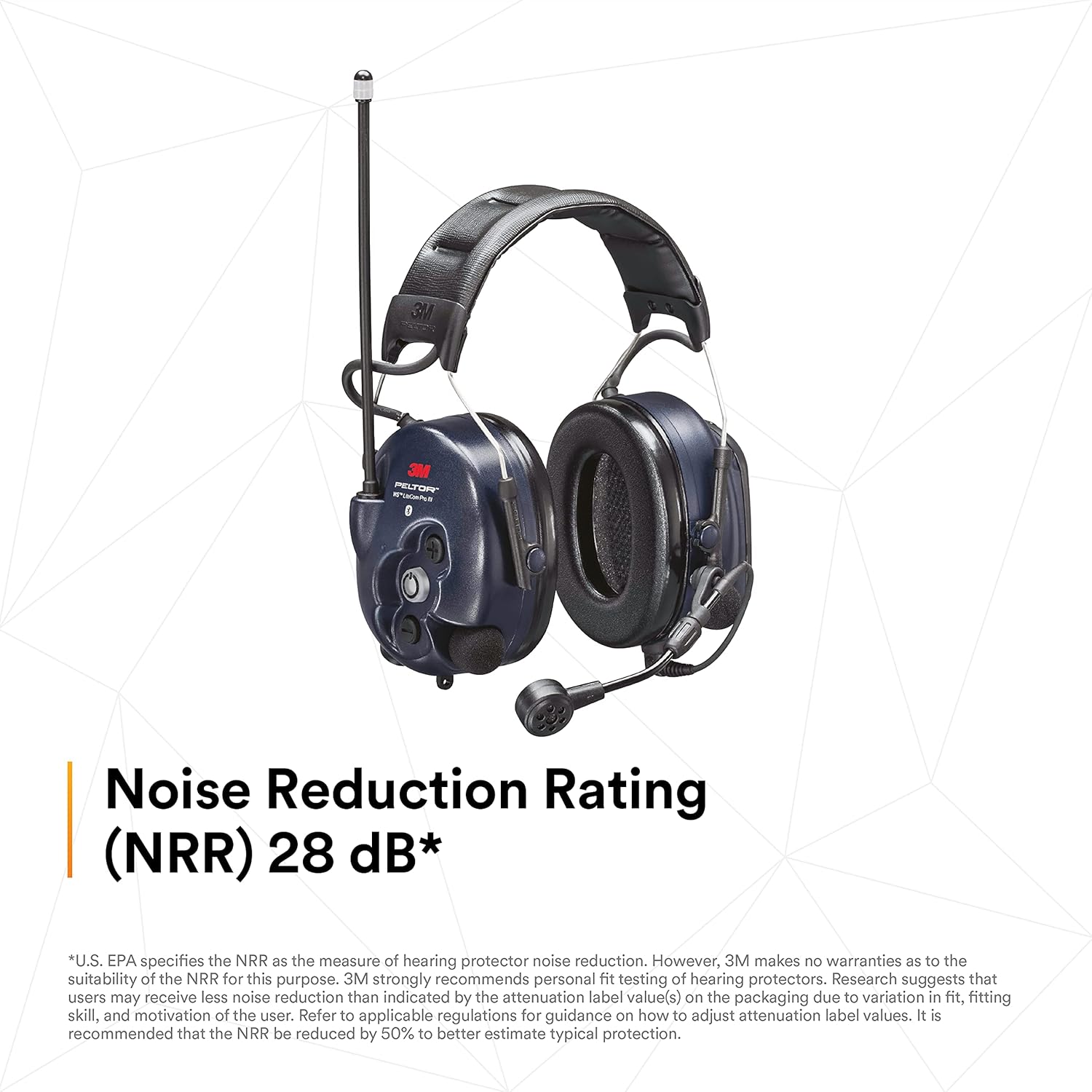
Figure 8: The headset provides a Noise Reduction Rating (NRR) of 28 dB, offering significant hearing protection.
Penyelenggaraan
1. Pembersihan
Clean the headset regularly with a soft, damp cloth. Do not use harsh chemicals or abrasive cleaners. Ensure the charging port and microphone area are free from debris.
2. Penjagaan Bateri
To maximize battery life, avoid fully discharging the battery frequently. Store the headset in a cool, dry place when not in use for extended periods. The headset uses 1 Lithium Ion battery.
3. Earcup and Microphone Inspection
Periodically inspect the ear cushions and microphone foam for wear and tear. Replace them if they show signs of damage to maintain optimal performance and hygiene.
Menyelesaikan masalah
| Masalah | Kemungkinan Punca | Penyelesaian |
|---|---|---|
| No power/Headset not turning on | Battery discharged or not properly seated. | Charge the headset fully. Ensure the battery is correctly inserted. |
| Poor communication clarity | Microphone obstruction, incorrect VOX sensitivity, or out of radio range. | Check microphone for debris. Adjust VOX sensitivity via voice-guided menu. Move closer to other radio users. |
| Peranti Bluetooth tidak bersambung | Headset not in pairing mode, device out of range, or interference. | Ensure headset is in Bluetooth pairing mode. Move device closer. Restart both devices. |
| Headset beeps intermittently | Low battery warning or other system alerts. | Check battery level and recharge if necessary. Consult the full user guide for specific alert codes. |
Spesifikasi
- Jenama: 3M
- Nombor Model: 06710
- Dimensi Produk: 0.22 x 0.16 x 0.23 inci; 1.37 paun
- warna: Biru Tua
- Peletakan Telinga: Di Telinga
- Faktor Bentuk: Atas Telinga
- Impedans: 2 Ohm
- Bateri: 1 bateri Lithium Ion diperlukan (termasuk)
- Penilaian Pengurangan Bunyi (NRR): 28 dB
- mikrofon: Noise-canceling, water and dust proof (IP67)
- Komunikasi: Built-in analog and digital programmable two-way radio (up to 70 channels)
- Ketersambungan: Bluetooth
- penggunaan: Untuk kegunaan perindustrian/pekerjaan sahaja. Bukan untuk jualan atau penggunaan pengguna.
Waranti dan Sokongan
For detailed warranty information and technical support, please refer to the official 3M documentation included with your product or visit the 3M website. 3M industrial and occupational products are intended for trained industrial and occupational customers for workplace use. They are not intended for consumer sale or use and must be selected and used in compliance with applicable health and safety regulations and standards (e.g., U.S. OSHA, ANSI), as well as all product literature, user instructions, warnings, and other limitations.
Misuse of 3M industrial and occupational products may result in injury, sickness, death, or property damage. For help with product selection and use, consult your on-site safety professional, industrial hygienist, or other subject matter expert. For additional product information, visit www.3M.com.
Extended protection plans may be available from authorized retailers. Please inquire at the point of purchase for details on 2-Year or 3-Year protection plans.