1. Pengenalan
The Divoom Voombox Outdoor Speaker is a rugged, water-resistant portable audio device designed for outdoor use. It offers advanced audio performance and a long-lasting rechargeable battery, providing a full-range listening experience. This manual provides detailed instructions for setting up, operating, maintaining, and troubleshooting your Voombox Outdoor Speaker.

Figure 1: Divoom Voombox Outdoor Speaker, showcasing reka bentuknya yang mantap.
2. Apa yang ada di dalam Kotak
Sila semak kandungan pakej untuk memastikan semua item ada:
- (1) Divoom Voombox Outdoor Speaker
- (1) Tali Pergelangan Tangan
- (1) Auxiliary Connection Cable
- (1) Micro-USB Charging Cable
3. Ciri-ciri Produk
The Divoom Voombox Outdoor Speaker is equipped with several features for an enhanced audio experience:
- Booming Dual Speakers: Memberikan output audio yang berkuasa dan jelas.
- Main Balik Tanpa Wayar: Connects wirelessly via Bluetooth 4.0 from up to 10 meters away.
- Mikrofon terbina dalam: Enables hands-free calls and conference calls.
- Bateri tahan lama: Features a 3200 mAh rechargeable battery providing up to 12 hours of playback.
- Sturdy and Weather-Resistant Design: Built to withstand outdoor conditions with an IP44 rating.

Rajah 2: Atas view of the Voombox Outdoor Speaker, highlighting its control panel.

Figure 3: The Voombox Outdoor Speaker demonstrating its IP44 weather resistance against splashes.
4. Persediaan
4.1 Mengecas Speaker
- Locate the Micro-USB charging port on the speaker.
- Connect the Micro-USB charging cable to the speaker and the other end to a USB power source (e.g., computer USB port, USB wall adapter).
- The charging indicator light will illuminate. A full charge typically takes 3 to 4 hours.
- Setelah dicas sepenuhnya, lampu penunjuk akan bertukar atau dimatikan, bergantung pada model.

Figure 4: Visual representation of the Voombox Outdoor Speaker's 12-hour battery life.
5. Arahan Operasi
5.1 Menghidupkan/Mematikan
- To power on, press and hold the Power button until you hear an audible cue or see the indicator light.
- To power off, press and hold the Power button again until the device shuts down.
5.2 Berpasangan Bluetooth
- Ensure the speaker is powered on and within 10 meters of your Bluetooth device.
- The speaker will automatically enter pairing mode (indicated by a flashing LED).
- Pada telefon pintar, tablet atau peranti Bluetooth anda yang lain, dayakan Bluetooth dan cari peranti yang tersedia.
- Select "Voombox Outdoor" from the list of devices.
- Once paired, the speaker will provide an audible confirmation, and the LED indicator will become solid.
- Pembesar suara akan menyambung semula secara automatik ke peranti terakhir yang dipasangkan apabila dihidupkan, jika peranti berada dalam julat.
5.3 Main Balik Audio
- Main/Jeda: Tekan butang Main/Jeda.
- Kelantangan: Tekan butang "+".
- Perlahankan suara: Tekan butang "-".
- Lagu Seterusnya: Tekan dan tahan butang "+".
- Trek Sebelumnya: Tekan dan tahan butang "-".
5.4 Panggilan Bebas Tangan
- Jawab Panggilan: Press the Call button (often the Play/Pause button) when a call comes in.
- Tamatkan Panggilan: Tekan butang Panggil sekali lagi untuk menamatkan panggilan.
- Tolak Panggilan: Press and hold the Call button to reject an incoming call.
- Dail Semula Nombor Terakhir: Tekan dua kali butang Panggil.
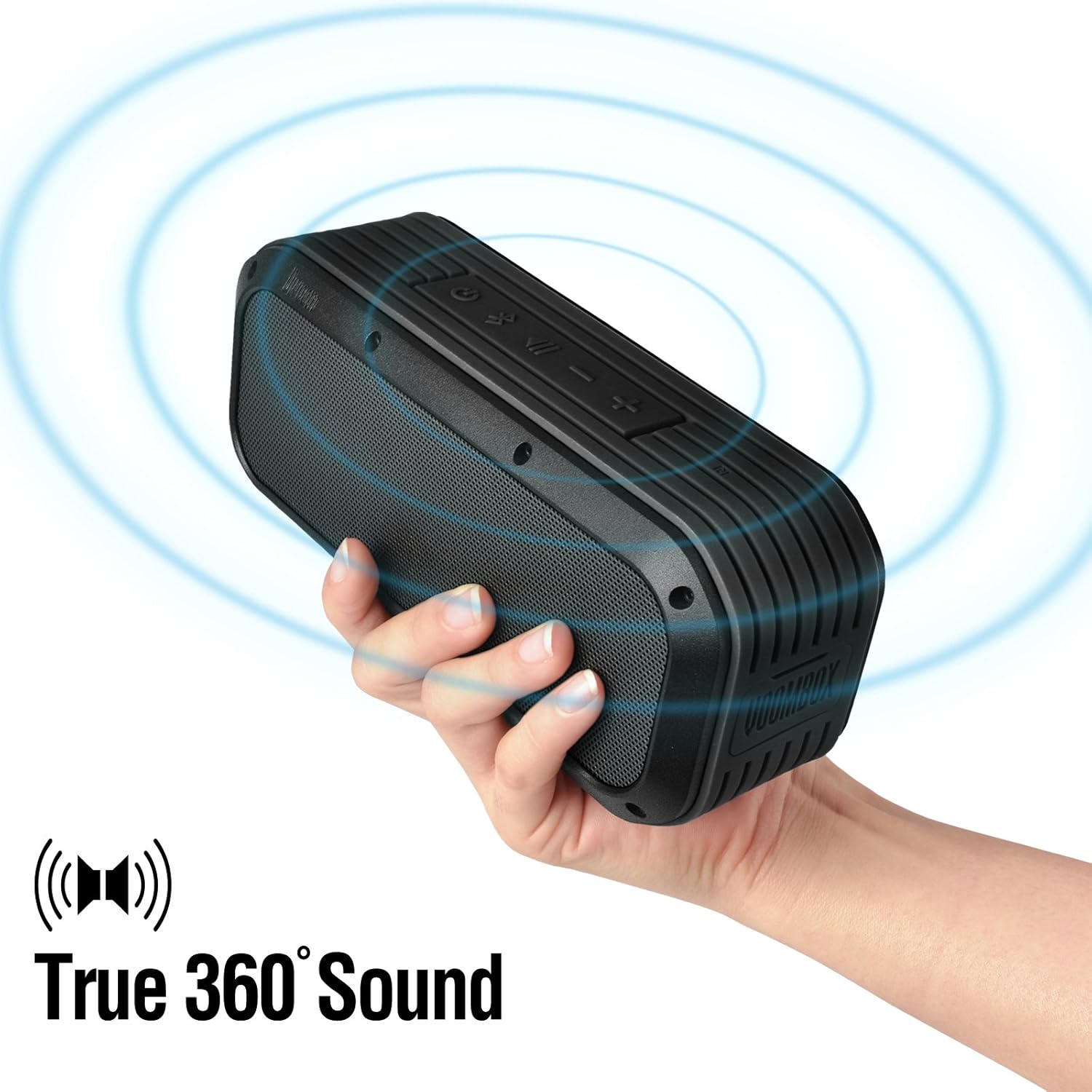
Figure 5: The Voombox Outdoor Speaker's ability to project 360-degree sound.
6. Penyelenggaraan
Proper care will extend the life of your Divoom Voombox Outdoor Speaker:
- Pembersihan: Gunakan yang lembut, damp cloth to wipe the speaker's surface. Do not use harsh chemicals or abrasive cleaners.
- Tahan Air: While the speaker is weather-resistant (IP44), it is not designed for submersion. Ensure all port covers are securely closed before exposure to water splashes.
- Storan: Simpan pembesar suara di tempat yang sejuk dan kering jauh dari cahaya matahari langsung dan suhu yang melampau.
- Penjagaan Bateri: Untuk mengekalkan kesihatan bateri, elakkan daripada kerap mencas bateri sepenuhnya. Cas pembesar suara secara berkala, walaupun tidak digunakan untuk tempoh yang lama.
7. Penyelesaian masalah
| Masalah | Kemungkinan Punca | Penyelesaian |
|---|---|---|
| Speaker tidak dihidupkan. | Bateri habis. | Charge the speaker for 3-4 hours. |
| Tidak boleh berpasangan dengan peranti Bluetooth. | Pembesar suara tidak berada dalam mod berpasangan atau terlalu jauh. | Ensure speaker is on and within 10m. Turn Bluetooth off/on on your device. Forget previous pairings. |
| Tiada bunyi atau kelantangan rendah. | Volume too low on speaker or source device. | Tingkatkan kelantangan pada kedua-dua pembesar suara dan peranti anda yang disambungkan. |
| Penyelewengan bunyi. | Volume too high or weak Bluetooth signal. | Reduce volume. Move speaker closer to the source device. |
8. Spesifikasi
| Ciri | Perincian |
|---|---|
| Saiz Pemandu | 2-inches x 2-inches |
| Kuasa Keluaran | 7.5 W x 2 (Total 15 Watts) |
| Dimensi Pembesar Suara | 165L x 52D x 70 H (mm) |
| Nisbah Isyarat kepada Bunyi | ≥75dB |
| Kapasiti Bateri | 3200 mAh |
| Bateri Voltage | 3.7 V |
| Masa Pengecasan Bateri | 3 hingga 4 jam |
| Julat Tanpa Wayar | Sehingga 10 meter |
| Pematuhan Bluetooth | Bluetooth 4.0 |
| Bluetooth Profile Sokongan | A2DP stereo |
| Masa Berbual | Sehingga 12 jam |
| Kepekaan Mikrofon | -40db |
| Dimensi Produk | 18.49 x 5.99 x 7.8 cm |
| Berat Barang | 698.53 g |
| Nombor Model | 17620 |

Figure 6: Internal components of the Voombox Outdoor Speaker, illustrating its robust construction.
9. Waranti dan Sokongan
Divoom products are designed for durability and performance. For warranty information and technical support, please refer to the official Divoom webtapak atau hubungi perkhidmatan pelanggan mereka secara langsung. Simpan resit pembelian anda sebagai bukti pembelian untuk tuntutan waranti.
Untuk sokongan atau pertanyaan tambahan, sila layari Divoom Official Webtapak.


