pengenalan
This user manual provides comprehensive instructions for the RCA RTS7010BR6 37-inch Home Theater Sound Bar with Bluetooth. Please read this manual thoroughly before operating the device to ensure proper use, optimal performance, and safety. Keep this manual for future reference.
Maklumat Keselamatan
Sentiasa ikuti langkah berjaga-jaga keselamatan asas apabila menggunakan produk ini untuk mengurangkan risiko kebakaran, kejutan elektrik dan kecederaan.
- Jangan dedahkan perkakas ini kepada hujan atau lembapan.
- Jangan sekat sebarang bukaan pengudaraan.
- Pastikan kord kuasa tidak tersepit atau berjalan.
- Hanya gunakan lampiran/aksesori yang ditentukan oleh pengilang.
- Cabut plag perkakas ini semasa ribut petir atau apabila tidak digunakan untuk tempoh yang lama.
- Rujuk semua servis kepada kakitangan perkhidmatan yang berkelayakan.
Kandungan Pakej
Sahkan bahawa semua item yang disenaraikan di bawah disertakan dalam pakej anda. Jika ada item yang hilang atau rosak, sila hubungi sokongan pelanggan.
- RCA RTS7010BR6 37-inch Home Theater Sound Bar
- Alat Kawalan Jauh
- Penyesuai Kuasa
- Manual Pengguna

Image: The RCA RTS7010BR6 sound bar, its remote control, and power adapter, representing the complete system components.
Produk Selesaiview
The RCA RTS7010BR6 is a 37-inch home theater sound bar designed to enhance your audio experience. It features 30 watts of total power output through four built-in speakers, providing stereo sound. The sound bar supports various connectivity options, including Bluetooth for wireless streaming, and physical inputs such as Aux, Coaxial Digital, and Optical.

Imej: Depan view of the RCA RTS7010BR6 sound bar, showcasing its sleek, low-profile reka bentuk.

Imej: Belakang view of the RCA RTS7010BR6 sound bar, highlighting the DC IN, AUX IN, LINE IN, OPTICAL IN, and COAXIAL IN ports.
Persediaan
1. penempatan
Place the sound bar on a stable, flat surface in front of your television or mounted on a wall below it. Ensure there are no obstructions in front of the sound bar for optimal audio projection.
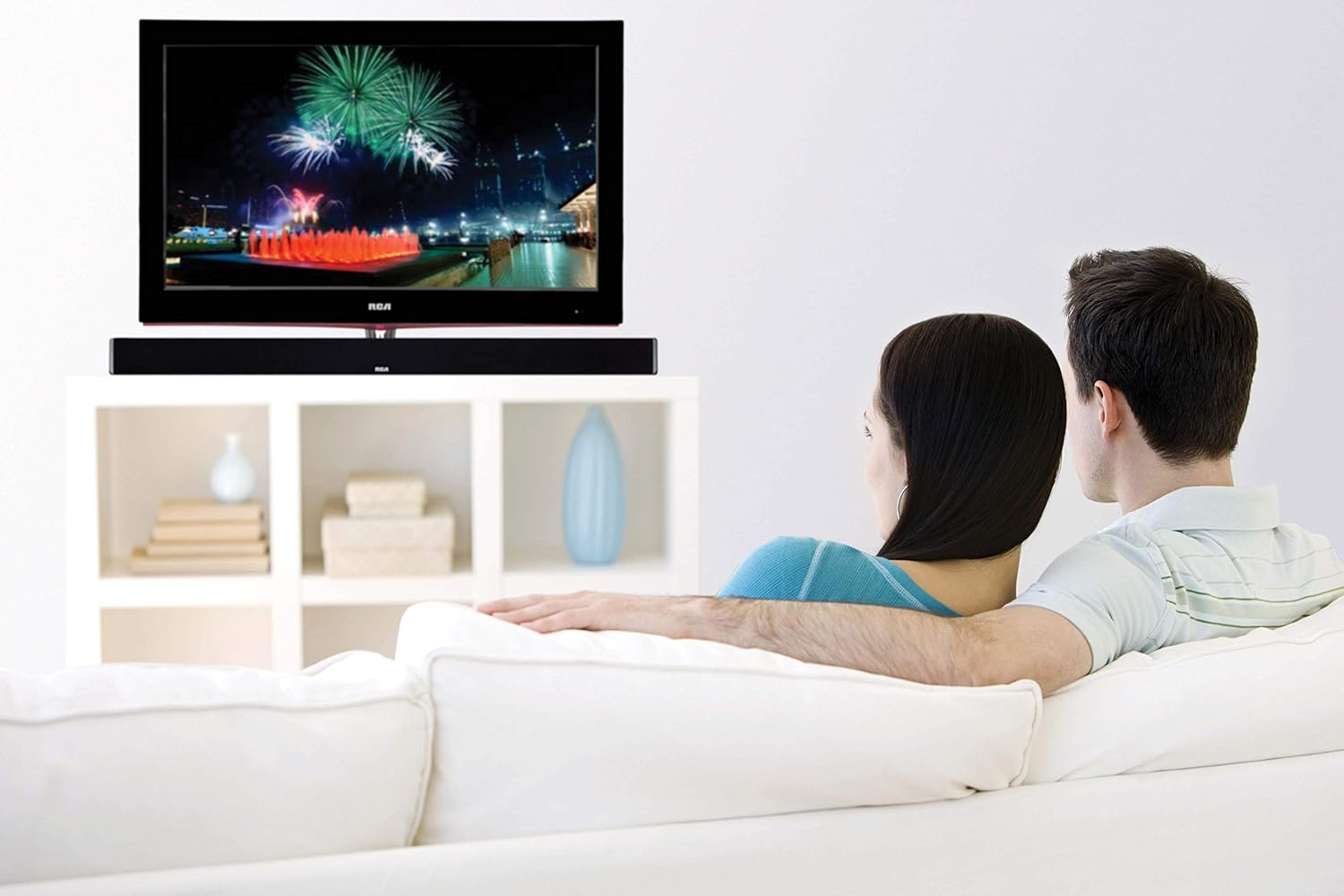
Image: The RCA sound bar positioned beneath a television, demonstrating a typical home theater setup.
2. Menyambung kepada Kuasa
- Sambungkan penyesuai kuasa ke port DC IN di belakang bar bunyi.
- Palamkan hujung satu lagi penyesuai kuasa ke dalam salur keluar dinding.
3. Sambungan Audio
Choose one of the following methods to connect your audio source to the sound bar:
- Audio Digital Optik: Connect an optical cable (not included) from your TV's Optical Out port to the OPTICAL IN port on the sound bar. This provides high-quality digital audio.
- Coaxial Digital Audio: Connect a coaxial cable (not included) from your TV's Coaxial Out port to the COAXIAL IN port on the sound bar. This also provides digital audio.
- Auxiliary (AUX) Input: Use an RCA stereo audio cable (not included) to connect your audio source (e.g., TV, DVD player) to the AUX IN ports (red for right, white for left) on the sound bar.
- Line-in Input: Use a 3.5mm audio cable (not included) to connect devices like MP3 players or smartphones to the LINE IN port on the sound bar.
- Bluetooth: For wireless connection, refer to the "Bluetooth Pairing" section under Operating Instructions.
Arahan Operasi
Hidupkan/Mati Kuasa
- Tekan ke KUASA button on the remote control or on the sound bar to turn the unit on or off.
Pemilihan Input
- Tekan ke INPUT button on the remote control or on the sound bar repeatedly to cycle through available input sources (Optical, Coaxial, AUX, Line-in, Bluetooth).
- The indicator light on the sound bar will change to reflect the selected input.
Kawalan Kelantangan
- Tekan VOL+ untuk meningkatkan jumlah dan vol- to decrease volume on the remote control or sound bar.
- Tekan ke HILANGKAN button on the remote control to mute or unmute the sound.
Berpasangan Bluetooth
- Turn on the sound bar and select the Bluetooth input. The Bluetooth indicator light will flash, indicating it is in pairing mode.
- Dayakan Bluetooth pada peranti mudah alih anda (telefon pintar, tablet, dll.).
- Cari untuk "RCA Sound Bar" in your device's Bluetooth settings and select it to pair.
- Once successfully paired, the Bluetooth indicator light on the sound bar will stop flashing and remain solid.
- You can now stream audio wirelessly from your device to the sound bar.
Adjusting Treble and Bass
- Gunakan TREBLE+ / TREBLE- buttons on the remote control to adjust the high-frequency sound levels.
- Gunakan BASS+ / BASS- buttons on the remote control to adjust the low-frequency sound levels.
Penyelenggaraan
- Pembersihan: Use a soft, dry cloth to clean the exterior of the sound bar. Do not use liquid cleaners or aerosol sprays.
- Storan: Jika menyimpan bar bunyi untuk tempoh yang lama, cabut plagnya dari soket kuasa dan simpan di tempat yang sejuk dan kering.
Menyelesaikan masalah
| Masalah | Kemungkinan Punca | Penyelesaian |
|---|---|---|
| Tiada kuasa | Kord kuasa tidak disambungkan; Salur keluar kuasa tidak aktif. | Pastikan kord kuasa disambungkan dengan selamat. Uji saluran keluar dengan peranti lain. |
| Tiada bunyi | Incorrect input selected; Volume too low; Mute function active; Incorrect audio cable connection. | Select the correct input source. Increase volume. Deactivate mute. Check audio cable connections. |
| Penggandingan Bluetooth gagal | Bar bunyi tidak dalam mod berpasangan; Peranti terlalu jauh; Gangguan. | Ensure sound bar is in Bluetooth input and indicator is flashing. Move device closer. Avoid other wireless devices. |
| Alat kawalan jauh tidak berfungsi | Bateri habis; Halangan antara bar jauh dan bunyi. | Replace remote control batteries. Remove any obstructions. Ensure remote is pointed at the sound bar's sensor. |
Spesifikasi
| Ciri | Perincian |
|---|---|
| Nama Model | RTS7010BR6 |
| Jenama | RCA |
| Jenis Pembesar Suara | Bar bunyi |
| Saiz Pembesar Suara | 37 Inci |
| Kuasa Output Maksimum Pembesar Suara | 30 Watt |
| Konfigurasi Saluran Bunyi Sekeliling | 2.0 |
| Teknologi Ketersambungan | Auxiliary, Bluetooth, Coaxial, Optical |
| Teknologi Komunikasi Tanpa Wayar | Bluetooth |
| Peranti Serasi | Telefon Pintar, Tablet, Pemain MP3 |
| Kaedah Kawalan | Jauh |
| Sumber Kuasa | Adaptor-Powered |
| Dimensi Produk | 7"D x 41.5"W x 6"H |
| Berat Barang | 4.74 paun |
| bahan | Logam, Plastik, Kayu |
| warna | Hitam |
| UPC | 062118470106 |
Waranti dan Sokongan
This RCA RTS7010BR6 Sound Bar includes a 1-Year limited manufacturer warranty. For warranty claims or technical support, please refer to the contact information provided with your product packaging or visit the official RCA support webtapak.


