pengenalan
This manual provides detailed instructions for the setup, operation, and maintenance of your MARATHON Travel and Desktop Alarm Clock, Model CL030023. Please read this manual thoroughly before using the device to ensure proper function and longevity.

The MARATHON Travel Alarm Clock features an easy-to-read display with a backlight, designed for convenience during travel.
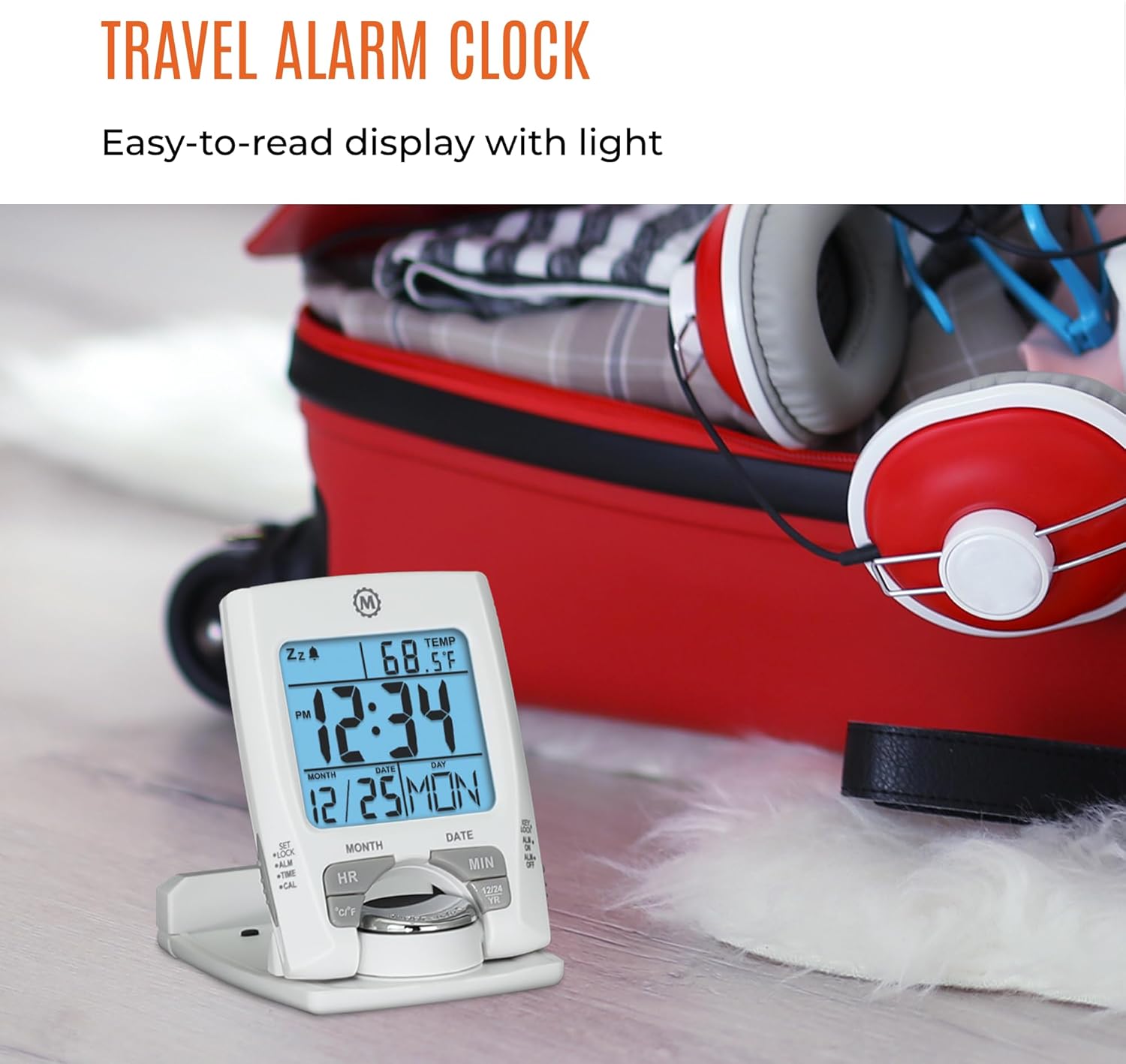
Depan view of the MARATHON Travel and Desktop Alarm Clock, displaying current time, date, and indoor temperature.
Kawalan dan Paparan Atasview
Familiarize yourself with the clock's buttons and display elements:
- SET/LOCK/ALM/TIME/CAL Button: Used to enter setting modes for time, alarm, and calendar, and to lock settings.
- HR (Hour) Button: Adjusts the hour in setting modes.
- MIN (Minute) Button: Adjusts the minute in setting modes.
- Butang °C/°F: Togol antara paparan suhu Celsius dan Fahrenheit.
- 12/24 YR Button: Toggles between 12-hour and 24-hour time format, and adjusts the year in calendar setting.
- Light/Snooze Button: Activates the backlight and the snooze function when the alarm sounds.
- ALM ON/OFF Switch: Mengaktifkan atau menyahaktifkan penggera.

Close-up of the control buttons located on the front and side of the alarm clock.
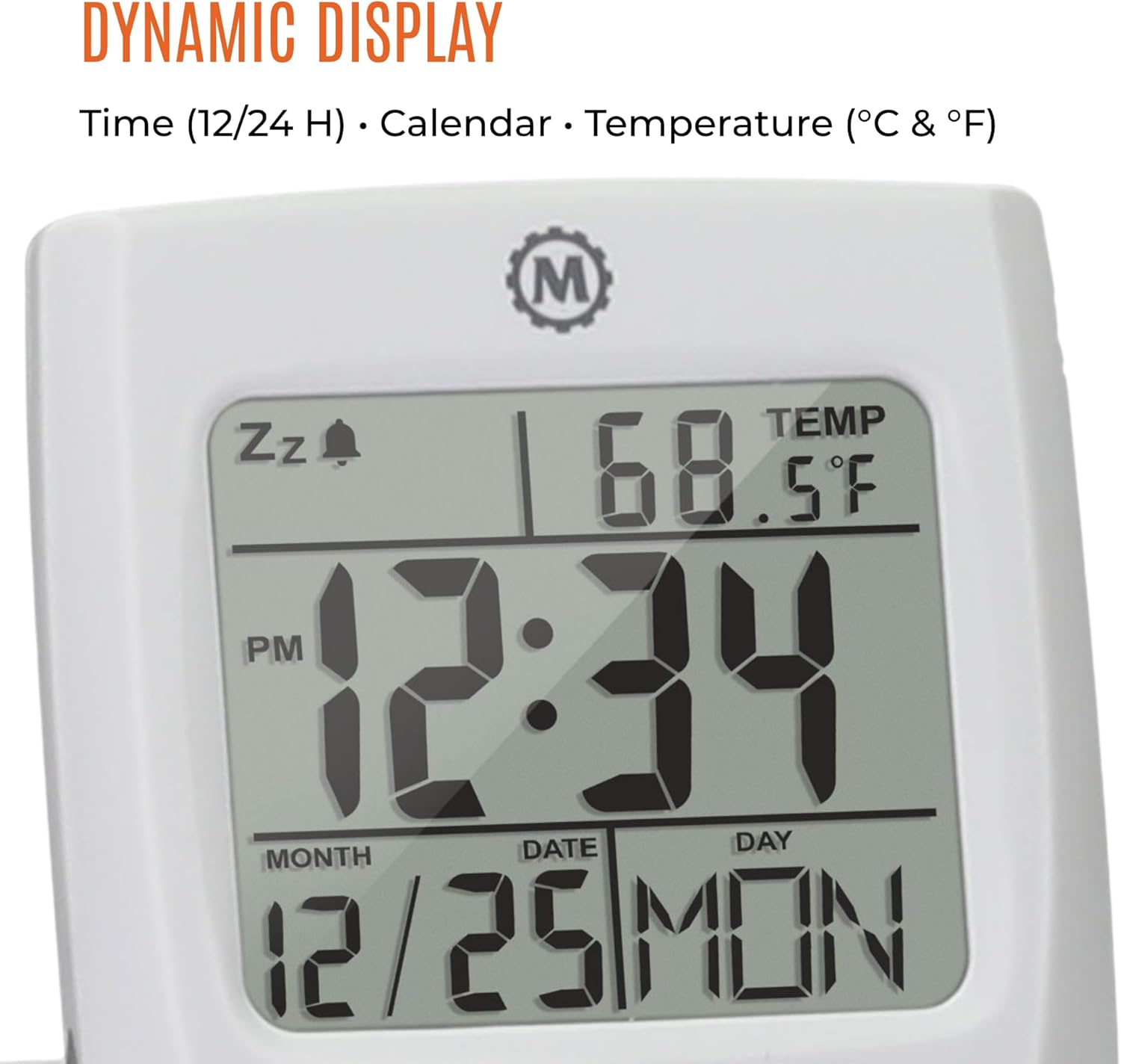
The dynamic display shows time, calendar information (month, date, day), and indoor temperature.
Persediaan
1. Pemasangan Bateri
- Cari petak bateri di belakang jam.
- Buka penutup petak bateri.
- Masukkan satu bateri AAA, pastikan kekutuban yang betul (+/-).
- Tutup penutup petak bateri dengan selamat.
2. Tetapan Masa dan Tarikh Permulaan
- Tekan dan tahan butang SET butang sehingga paparan masa mula berkelip.
- Gunakan HR dan MIN buttons to set the current hour and minute.
- Tekan SET again to move to the date setting. Use HR dan MIN to set the month, date, and year. The 12/24 YR button can be used to adjust the year.
- Tekan SET once more to confirm and exit the setting mode.
3. Setting 12/24-Hour Format and Temperature Unit
- To switch between 12-hour and 24-hour time display, press the 12/24 YR button when not in setting mode.
- To switch between Celsius (°C) and Fahrenheit (°F) temperature display, press the ° C / ° F butang.
Arahan Operasi
1. Menetapkan Penggera
- Luncurkan ALM ON/OFF switch to the 'ON' position. An alarm icon will appear on the display.
- Tekan dan tahan butang ALM button until the alarm time begins to flash.
- Gunakan HR dan MIN butang untuk menetapkan masa penggera yang anda inginkan.
- Tekan ALM again to confirm and exit the alarm setting mode.
2. Using the Snooze Function
Apabila penggera berbunyi, tekan besar Light/Snooze button to activate the snooze function. The alarm will temporarily stop and sound again after a few minutes.
3. Mengaktifkan Lampu Latar
Tekan yang besar Light/Snooze button to illuminate the display for approximately five seconds. This provides maximum illumination while being gentle on the eyes.
4. Folding and Positioning
The clock features a built-in stand. To position the clock, flip out the stand and rotate the clock face 180 degrees. This allows for stable placement on a desk or bedside table, and makes it compact for travel.

The compact design of the alarm clock makes it easy to hold and transport.
Penyelenggaraan
Penggantian Bateri
When the display dims or the clock stops functioning, it is time to replace the AAA battery. Follow the battery installation steps in the Setup section. The clock's low power consumption ensures a maximum lifespan for the included AAA battery.
Pembersihan
Wipe the clock with a soft, dry cloth. Avoid using abrasive cleaners or solvents, as these may damage the display or casing.
Menyelesaikan masalah
- Paparan kosong atau malap: Replace the AAA battery. Ensure the battery is inserted with correct polarity.
- Penggera tidak berbunyi: Semak sama ada ALM ON/OFF switch is in the 'ON' position. Verify the alarm time is set correctly.
- Masa atau tarikh salah: Masukkan semula tetapan masa dan tarikh seperti yang diterangkan dalam bahagian Persediaan.
- Bacaan suhu tidak tepat: Ensure the clock is placed in an area with stable ambient temperature, away from direct heat sources or drafts.
Spesifikasi
| Ciri | Perincian |
|---|---|
| Jenama | MARATHON |
| Nombor Model | CL030023 |
| warna | putih |
| Jenis Paparan | digital |
| Ciri Khas | Boleh dilipat |
| Dimensi Produk | 2.5"W x 4"H |
| Sumber Kuasa | Dikuasakan Bateri (termasuk 1 bateri AAA) |
| Jenis Bilik | Bilik tidur |
| Jenis Pemasangan | Atas meja |
| Berat Barang | 4 auns |
| Jam Penggera | ya |
| bahan | plastik |
Waranti dan Sokongan
This MARATHON product comes with a Waranti Terhad. For specific details regarding warranty coverage, terms, and conditions, please refer to the warranty card included with your purchase or visit the official MARATHON webtapak.
For technical support, troubleshooting assistance, or inquiries about your product, please contact MARATHON customer service through their official channels.
About MARATHON
MARATHON has been manufacturing precision timing instruments since 1941. The company continues its legacy by combining modern design with Swiss engineering and craftsmanship to produce high-quality products. MARATHON is a family-owned and operated business, committed to providing reliable tools.
Official video detailing the 80-year history of Marathon Watch Company, highlighting its Canadian roots, military supply, and Swiss craftsmanship in watchmaking.


