pengenalan
Terima kasih kerana membeliasing the Ibiza QMS15A Active Speaker. This powerful 2-way speaker system is designed for versatile audio applications, featuring 300W output, USB, SD card, Bluetooth, and AUX connectivity. To ensure optimal performance and longevity of your device, please read this instruction manual thoroughly before use and retain it for future reference.
Arahan Keselamatan Penting
- Bekalan Kuasa: Connect the unit only to a grounded mains socket with the correct voltage (220-240V AC, 50/60Hz).
- Air dan Kelembapan: Do not expose the unit to rain or moisture to prevent fire or electric shock. Keep away from liquids.
- Pengudaraan: Pastikan pengudaraan yang mencukupi. Jangan sekat bukaan pengudaraan.
- Sumber Haba: Jangan letakkan unit berhampiran sumber haba seperti radiator, daftar haba, dapur, atau radas lain (termasuk amppenghidup) yang menghasilkan haba.
- Pembersihan: Bersihkan hanya dengan kain kering. Jangan gunakan pembersih cecair atau aerosol.
- Servis: Jangan cuba servis produk ini sendiri. Rujuk semua perkhidmatan kepada pegawai perkhidmatan yang berkelayakan.
- penempatan: Place the speaker on a stable, flat surface. Avoid placing it in direct sunlight or in environments with extreme temperatures.
- Kabel: Lindungi kord kuasa daripada berjalan atau tersepit, terutamanya pada palam, bekas kemudahan dan tempat keluar dari radas.
Kandungan Pakej
Please check that all items listed below are present in the packaging:
- 1 x Ibiza QMS15A Active Speaker Unit
- 1 x Kabel Kuasa
- 1 x Manual Arahan (dokumen ini)
Jika terdapat sebarang barang yang hilang atau rosak, sila hubungi peruncit anda dengan segera.
Produk Selesaiview
The Ibiza QMS15A is a robust active speaker designed for various audio needs. It features a durable ABS cabinet, integrated handles for portability, and multiple input options for flexible connectivity.
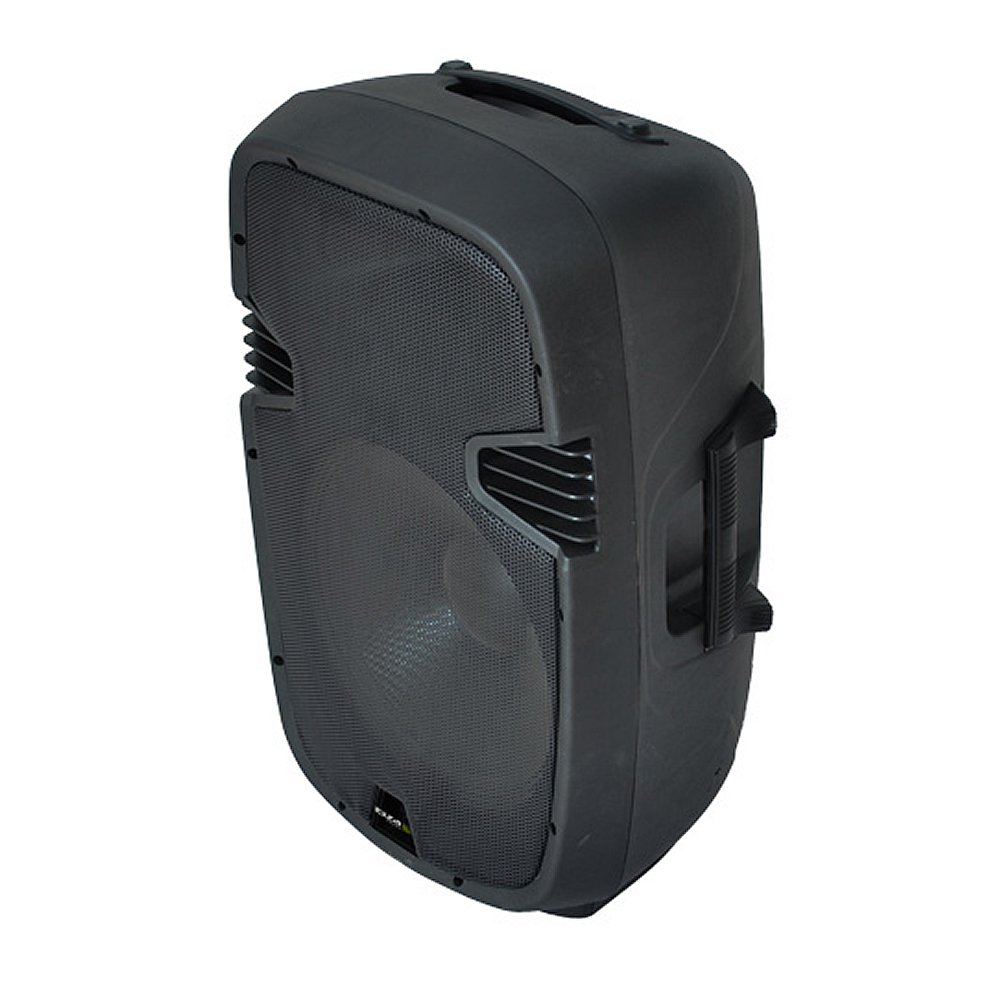
Rajah 1: Depan view of the Ibiza QMS15A Active Speaker, showcasing reka bentuk teguh dan gril pembesar suaranya.
Panel Belakang dan Kawalan
The rear panel houses all input/output connections and control knobs. Familiarize yourself with these components before operation.

Figure 2: Rear panel of the Ibiza QMS15A Active Speaker, showing various inputs, outputs, and control knobs.
Ciri-ciri Utama:
- Ketersambungan: Bluetooth, USB, SD Card, AUX (RCA, XLR, 6.3mm Jack).
- Output Kuasa: 300 Watt.
- Kawalan Audio: Master Volume, Treble, Bass, and a 5-band graphic equalizer.
- Input Mikrofon: XLR and 6.3mm Jack inputs with independent volume control.
- Input Garis: RCA and XLR line inputs.
- Output: XLR line output for connecting to another active speaker.
- Pemain Media: Integrated MP3 player with USB and SD card slots.
- Pembinaan: Durable ABS cabinet with integrated handles.
Persediaan
1. penempatan
Place the Ibiza QMS15A speaker on a stable, flat surface or a compatible speaker stand. Ensure there is adequate space around the speaker for ventilation.
2. Sambungan Kuasa
- Pastikan suis kuasa pembesar suara berada dalam kedudukan "MATI".
- Connect the supplied power cable to the AC IN socket on the rear panel of the speaker.
- Plug the other end of the power cable into a suitable grounded mains outlet (220-240V AC, 50/60Hz).
3. Sambungan Sumber Audio
The QMS15A offers multiple ways to connect your audio sources:
- Bluetooth: Untuk sambungan tanpa wayar daripada telefon pintar, tablet atau peranti lain yang didayakan Bluetooth.
- Kad USB/SD: Insert a USB drive or SD card into the respective slots on the control panel for MP3 playback.
- AUX Input (Line In): Connect external audio devices (e.g., mixer, CD player, laptop) using RCA or XLR cables to the LINE IN sockets.
- Input Mikrofon: Connect microphones using XLR or 6.3mm Jack cables to the MIC IN sockets.
Note: Ensure all volume controls are set to minimum before powering on the speaker to prevent sudden loud noises.
Arahan Operasi
1. Menghidupkan/Mematikan
Flip the power switch on the rear panel to the "ON" position. The power indicator light will illuminate. To power off, flip the switch to "OFF".
2. Memilih Mod Input
Use the "MODE" button on the media player section to cycle through input sources: USB, SD, Bluetooth, and Line In.
3. Operasi Bluetooth
- Select "Bluetooth" mode using the MODE button. The display will show "BLUE" or a similar indicator.
- On your Bluetooth-enabled device, search for available devices. You should find "IBIZA SOUND" or "QMS15A".
- Select the speaker to pair. Once paired, a confirmation sound may play, and the display will indicate a successful connection.
- Start playing audio from your device. Adjust the master volume on the speaker and the volume on your source device.
4. Main semula USB/Kad SD
- Insert a USB drive or SD card containing MP3 audio files ke dalam slot yang sepadan.
- The speaker should automatically switch to USB/SD mode and begin playback. If not, use the MODE button to select it.
- Use the media player controls (Play/Pause, Next, Previous) to manage playback.
5. Melaraskan Tahap Audio
- Jumlah Induk: Mengawal kelantangan output keseluruhan pembesar suara.
- Kelantangan mikrofon: Adjusts the volume of connected microphones independently.
- Treble / Bass: Use these knobs to fine-tune the high and low frequencies of the audio.
- Penyama Grafik 5 Jalur: Provides more precise control over specific frequency ranges. Adjust the sliders to boost or cut frequencies as desired for your audio preference.
Penyelenggaraan
Pembersihan
- Always disconnect the speaker from the power outlet before cleaning.
- Gunakan kain lembut dan kering untuk mengelap permukaan luar pembesar suara.
- Jangan gunakan pembersih, lilin atau pelarut yang melelas kerana ia boleh merosakkan kemasan.
- Keep the ventilation openings free of dust and debris.
Penyimpanan
When not in use for extended periods, store the speaker in a cool, dry place, away from direct sunlight and extreme temperatures. It is recommended to cover the speaker to protect it from dust.
Menyelesaikan masalah
| Masalah | Kemungkinan Punca | Penyelesaian |
|---|---|---|
| Tiada kuasa | Power cable not connected; Power outlet faulty; Speaker power switch off. | Periksa sambungan kabel kuasa; Cuba soket lain; Pastikan suis kuasa HIDUP. |
| Tiada keluaran bunyi | Volume too low; Incorrect input mode selected; Audio source not playing; Cables faulty. | Increase master volume and source volume; Select correct input mode; Check audio source playback; Inspect and replace cables if necessary. |
| Bluetooth tidak bersambung | Speaker not in Bluetooth mode; Device too far; Interference; Already paired with another device. | Ensure speaker is in Bluetooth mode; Move device closer; Reduce interference; Disconnect from other devices and try pairing again. |
| Isu main balik USB/SD | Tidak disokong file format; rosak files; USB/SD card faulty; Incorrect mode. | pastikan files are MP3 format; Try different files/card; Check card for errors; Select USB/SD mode. |
| Bunyi herot | Volume too high (clipping); EQ settings incorrect; Faulty audio source. | Reduce master volume and source volume; Adjust EQ settings; Test with a different audio source. |
Jika masalah berterusan selepas mencuba penyelesaian ini, sila hubungi sokongan pelanggan.
Spesifikasi
| Model | QMS15A |
| Jenama | Ibiza |
| taip | Active 2-way Speaker |
| Maks. Output Kuasa | 300 Watt |
| Teknologi Ketersambungan | Auxiliary, Bluetooth, USB, SD Card |
| Jenis Pembesar Suara | Full-range, Outdoor |
| Jenis Pemasangan | Lantai Lantai |
| Bahan Kabinet | ABS |
| Dimensi (L x W x H) | 41 x 35 x 68 cm |
| Berat badan | 12.5 kg |
| Sumber Kuasa | Elektrik Bertali |
| warna | Hitam |
Waranti dan Sokongan
The Ibiza QMS15A Active Speaker comes with a standard manufacturer's warranty. For specific warranty terms and conditions, please refer to the warranty card included with your product or visit the official Ibiza Sound webtapak.
For technical support, troubleshooting assistance, or service inquiries, please contact your retailer or the Ibiza Sound customer service department. Contact information can typically be found on the manufacturer's webtapak atau dalam dokumentasi pembelian anda.
Sumber Dalam Talian: Anda mungkin menemui sokongan tambahan dan maklumat produk di Ibiza Sound Brand Store.


