pengenalan
Thank you for choosing the Baseus Encok True Wireless Earbuds W06. This manual provides detailed instructions on how to set up, operate, and maintain your earbuds to ensure optimal performance and longevity. Please read this manual thoroughly before using the product.
Kandungan Pakej
Sila semak kandungan pakej semasa membuka kotak. Jika ada barang yang hilang atau rosak, hubungi peruncit anda.
- Baseus Encok True Wireless Earbuds (L/R)
- Kes Pengecasan
- Kabel Pengecas USB-C
- Penjepit Telinga Silikon (pelbagai saiz)
- Manual Pengguna
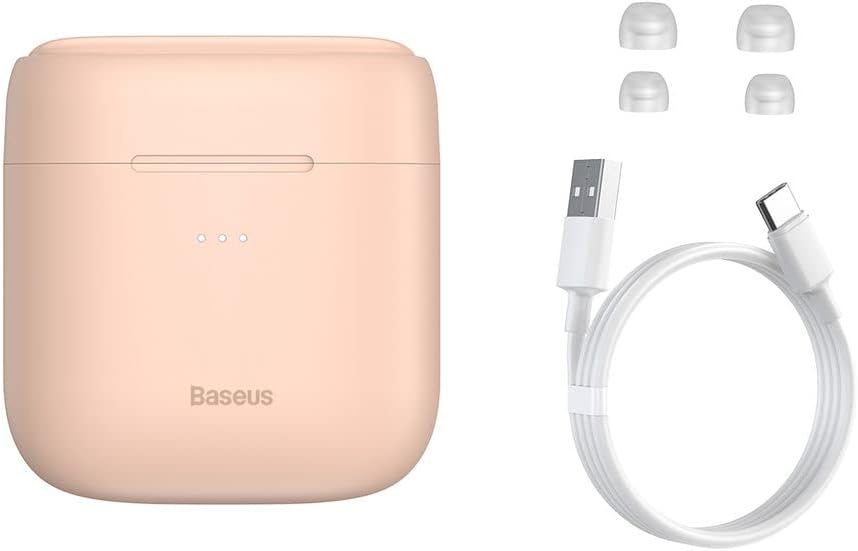
Image: The package contents, showing the charging case, two earbuds, a USB-C charging cable, and several pairs of silicone eartips.
Persediaan
1. Mengecas Fon Telinga dan Sarung
Before first use, fully charge the earbuds and the charging case. Place the earbuds into the charging case. Connect the USB-C cable to the charging case and a power source, or place the charging case on a compatible wireless charging pad.
- Lampu penunjuk pada kes akan menunjukkan status pengecasan.
- Pengecasan penuh biasanya mengambil masa lebih kurang 1.5 jam.
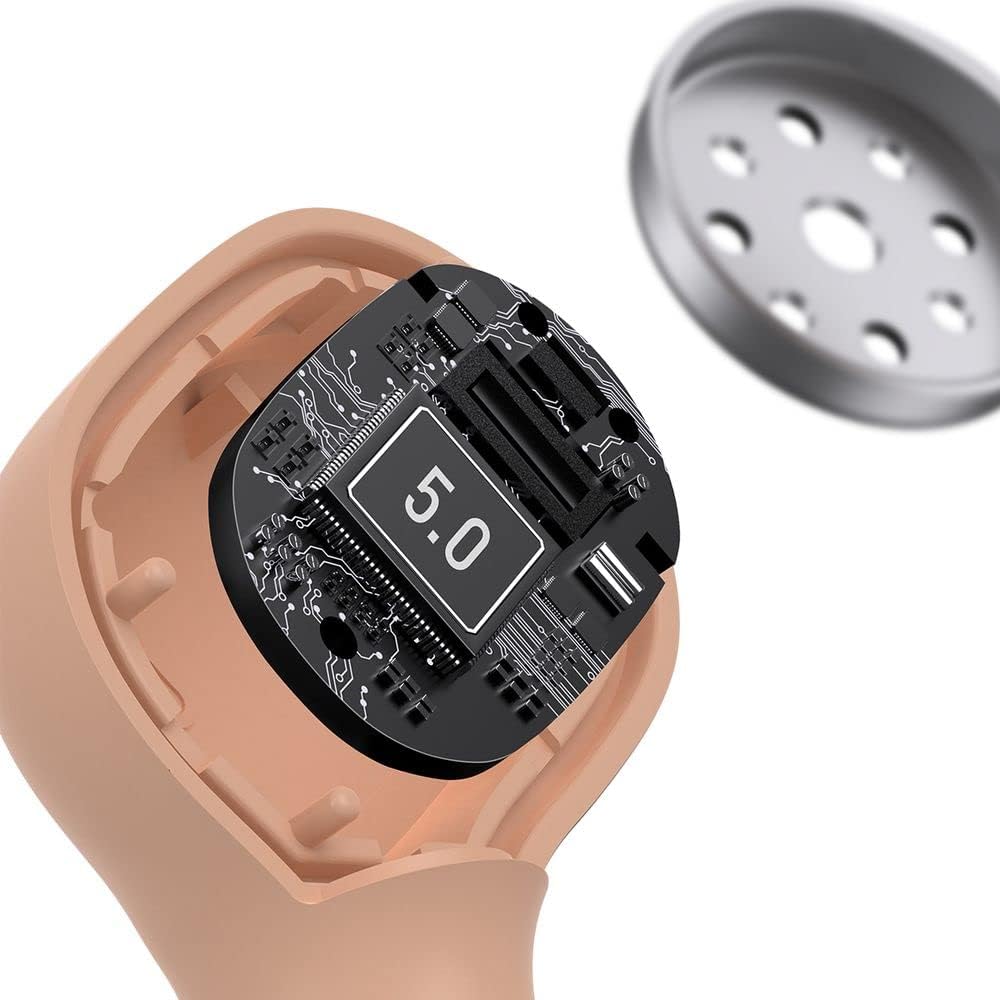
Image: The Baseus Encok W06 earbuds resting inside their open charging case, indicating they are ready for charging or use.

Image: Two Baseus Encok W06 charging cases, one connected via a USB-C cable and another placed on a wireless charging pad, demonstrating charging methods.
2. Berpasangan Bluetooth
- Pastikan fon telinga dicas.
- Buka bekas pengecas. Fon telinga akan memasuki mod berpasangan secara automatik, ditunjukkan oleh lampu berkelip pada fon telinga.
- Pada peranti anda (telefon pintar, tablet, dll.), dayakan Bluetooth.
- Cari untuk "Baseus Encok W06" in the list of available Bluetooth devices.
- Select it to connect. Once connected, the indicator light on the earbuds will stop flashing.
Fon telinga akan menyambung semula secara automatik ke peranti gandingan terakhir apabila dikeluarkan daripada sarung, jika Bluetooth didayakan pada peranti.
3. Memakai Earbud
Choose the silicone eartips that provide the best fit and seal for your ears. Insert the earbuds gently into your ear canal and rotate them slightly until they feel secure and comfortable.

Image: A person wearing a Baseus Encok W06 earbud, illustrating how the earbud sits comfortably and securely in the ear.
Arahan Operasi
The Baseus Encok W06 earbuds feature touch controls for various functions.
- Hidupkan kuasa: Open the charging case, or press and hold the touch panel for 3 seconds if earbuds are out of case.
- Matikan: Place earbuds back into the charging case and close the lid, or press and hold the touch panel for 5 seconds.
- Main/Jeda: Ketik dua kali panel sentuh pada mana-mana fon telinga.
- Lagu Seterusnya: Ketik tiga kali pada fon telinga kanan.
- Trek Sebelumnya: Ketik tiga kali pada fon telinga kiri.
- Jawab/Tamatkan Panggilan: Double-tap the touch panel on either earbud during an incoming call.
- Tolak Panggilan: Press and hold the touch panel on either earbud for 2 seconds during an incoming call.
- Aktifkan Pembantu Suara: Press and hold the touch panel on either earbud for 3 seconds.
Ciri-ciri Utama
- Double-sided Wireless Charging: The charging case supports wireless charging from both sides, allowing flexible placement on a wireless charging pad.
- APT-X Audio Decoding: Provides high-quality audio transmission for a superior listening experience.
- CVC Noise Canceling: Clear Voice Capture technology reduces background noise during calls for clearer communication.
- Jangka Hayat Bateri: Offers up to 300 hours of standby time.
- Bluetooth 5.0: Memastikan sambungan wayarles yang stabil dan cekap.

Image: A visual representation of the Baseus Encok W06 earbuds and charging case, accompanied by text detailing key features such as two-sided wireless charging, APT-X audio decoding, CVC noise canceling, and 300 hours of battery life.

Imej: A terperinci view of the internal circuitry of a Baseus Encok W06 earbud, prominently displaying '5.0', signifying its Bluetooth 5.0 connectivity.
Penyelenggaraan
Pembersihan
- Bersihkan fon telinga dan bekas pengecas dengan kerap menggunakan kain yang lembut, kering dan tidak berbulu.
- Keluarkan telinga dan bersihkannya dengan sabun dan air lembut, kemudian keringkan dengan teliti sebelum disambungkan semula.
- Jangan gunakan pembersih yang melelas, alkohol atau pelarut kimia.
- Pastikan kanta pengecas pada kedua-dua fon telinga dan sarung bersih dan bebas daripada serpihan.
Penyimpanan
- Simpan fon telinga dalam bekas pengecasnya apabila tidak digunakan untuk melindunginya dan memastikan ia dicas.
- Avoid storing in extreme temperatures (hot or cold) or high humidity.
Penjagaan Bateri
- Untuk menjimatkan hayat bateri, cas fon telinga dan sarungnya secara berkala, walaupun tidak digunakan dengan kerap.
- Elakkan bateri habis sepenuhnya untuk tempoh yang lama.
Menyelesaikan masalah
| Masalah | Penyelesaian |
|---|---|
| Fon telinga tidak berpasangan dengan peranti. |
|
| Tiada bunyi daripada satu atau kedua-dua fon telinga. |
|
| Kes pengecas tidak dicas. |
|
Spesifikasi
| Ciri | Perincian |
|---|---|
| Jenama | Baseus |
| Nama Model | NGJW06-04 (W06) |
| Nombor Model Item | B00F2ZIDTS |
| Teknologi Ketersambungan | Wayarles (Bluetooth 5.0) |
| Faktor Bentuk Fon Kepala | Dalam Telinga |
| Ciri Kabel | Tanpa wayar |
| Berat Barang | 50 gram |
| Dimensi Produk | 10 x 3 x 2 cm |
| Pengeluar | Baseus |
| Pengecasan Tanpa Wayar | Supported (Double-sided) |
| Penyahkodan Audio | APT-X |
| Pembatalan Bunyi | CVC (for calls) |
| Hayat Bateri (Bersedia) | Sehingga 300 jam |
Maklumat Keselamatan
- Jangan buka, baiki atau ubah suai produk.
- Jauhkan produk daripada air, kelembapan dan suhu yang melampau.
- Elakkan pendedahan berpanjangan kepada paras volum tinggi untuk mengelakkan kerosakan pendengaran.
- Buang produk dan baterinya secara bertanggungjawab mengikut peraturan tempatan.
- Jauhkan daripada kanak-kanak dan haiwan peliharaan.
Waranti dan Sokongan
Baseus products typically come with a limited warranty. For specific warranty terms and conditions, please refer to the warranty card included in your package or visit the official Baseus website. For technical support, product inquiries, or warranty claims, please contact Baseus customer service or your local retailer.
Anda boleh layari kedai rasmi Baseus untuk maklumat lanjut: Baseus Store