1. Pengenalan
This manual provides detailed instructions for the setup, operation, and maintenance of your Memorex MD6451 Portable CD Player. Please read this manual thoroughly before using the device to ensure proper function and to maximize your listening experience. Keep this manual for future reference.
2. Kandungan Pakej
Sahkan bahawa semua item yang disenaraikan di bawah terdapat dalam pakej anda:
- Memorex MD6451 Portable CD Player
- Earbud Stereo
- Alat Kawalan Jauh Dalam Talian
- Power Cord (for DC jack)
3. Produk Lebihview
The Memorex MD6451 is a portable CD player designed for personal audio playback. It supports standard audio CDs, CD-R, and CD-RW discs. Key features include 60-second skip protection, programmable CD memory, and a bass boost system for enhanced audio.
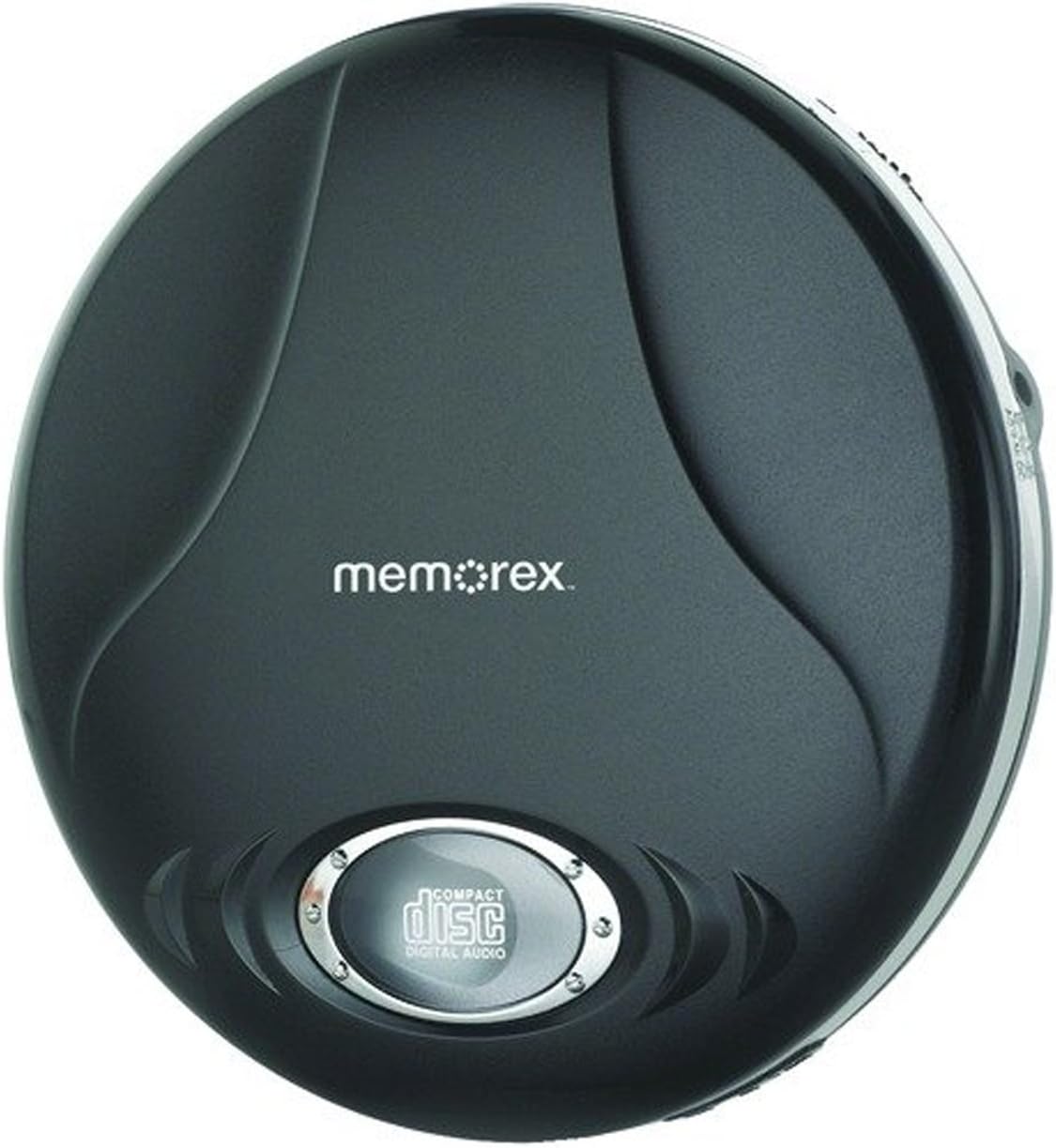
Figure 3.1: Memorex MD6451 Portable CD Player. This image displays the Memorex MD6451 Portable CD Player in its closed, black casing. The 'memorex' logo is centered on the top surface, and a circular window at the bottom shows the 'compact disc digital audio' emblem, indicating the disc tray area.
3.1. Kawalan dan Sambungan
Familiarize yourself with the various controls and connection points on your CD player:
- Ruang CD: Untuk memasukkan CD audio.
- Butang Main/Jeda: Initiates or pauses disc playback.
- Butang Berhenti: Halts disc playback.
- Skip/Search Buttons: Navigates between tracks or fast-forwards/rewinds within a track.
- Kawalan Kelantangan: Melaraskan tahap output audio.
- Bass Boost Switch: Mengaktifkan atau menyahaktifkan peningkatan bes.
- Butang Program: Used for programming track order.
- Butang Mod: Selects playback modes (e.g., repeat, random).
- Bicu Fon Kepala 3.5mm: Connects stereo earbuds or headphones.
- Pelabuhan Garis Keluar: Connects to external audio systems (e.g., home stereo, car audio).
- Bicu DC: For connecting the external power cord.
4. Persediaan
4.1. Powering the CD Player
The Memorex MD6451 can be powered by batteries or an external power adapter.
- Pemasangan Bateri: Open the battery compartment on the underside of the player. Insert two (2) AA-size batteries (not included), ensuring correct polarity (+/-). Close the compartment securely.
- Kuasa AC: Connect the provided power cord to the DC jack on the player and plug the other end into a standard electrical outlet.
4.2. Connecting Earbuds/Headphones
Insert the stereo earbuds or your preferred headphones into the 3.5mm headphone jack on the side of the player.
4.3. Memasukkan CD
- Gently press the OPEN button or slide the latch to open the CD compartment lid.
- Place an audio CD (CD, CD-R, or CD-RW) onto the center spindle with the label side facing up.
- Tekan perlahan-lahan pada bahagian tengah cakera sehingga ia klik pada tempatnya.
- Tutup penutup petak CD dengan kuat sehingga ia terselak.
5. Operasi
5.1. Main Semula Asas
- Ensure the player is powered and a CD is inserted.
- Tekan ke MAIN/JEDA button to begin playback. The track number and elapsed time will display.
- Laraskan kelantangan menggunakan kawalan kelantangan.
- Untuk menjeda main balik, tekan butang MAIN/JEDA butang lagi. Tekan sekali lagi untuk menyambung semula.
- Untuk menghentikan main balik, tekan BERHENTI butang.
5.2. Navigating Tracks
- Tekan ke Langkau ke Hadapan butang (>> |) to advance to the next track.
- Tekan ke SKIP KE BELAKANG butang (|<) once to restart the current track, or twice to go to the previous track.
- Tekan dan tahan >> | to fast-forward within a track.
- Tekan dan tahan |< to rewind within a track.
5.3. Programmable CD Memory
You can program the player to play tracks in a specific order.
- While the player is stopped, press the PROGRAM butang. Paparan akan menunjukkan "P01".
- Gunakan Langkau ke Hadapan or SKIP KE BELAKANG buttons to select the desired first track.
- Tekan PROGRAM again to confirm the selection. The display will show "P02".
- Repeat steps 2 and 3 to add more tracks to your program list.
- Selepas memprogram semua trek yang dikehendaki, tekan butang MAIN/JEDA butang untuk memulakan main balik urutan yang diprogramkan.
5.4. Bass Boost System
To enhance the bass frequencies, locate the BASS BOOST switch on the player and slide it to the ON position. Slide it to OFF to disable the feature.
5.5. 60-Second Skip Protection
The player features a 60-second electronic skip protection system. This buffer stores audio data to prevent interruptions during minor shocks or vibrations. While effective, severe or prolonged movement may still cause playback to skip.
5.6. Using the Line Out Port
The Line Out port allows you to connect your MD6451 to an external audio system, such as a home stereo receiver or car audio input, using a standard 3.5mm audio cable (not included). This bypasses the player's internal amplifier and volume control, relying on the external system's controls for volume adjustment.
5.7. Using the In-line Remote Control
The included in-line remote control provides convenient access to basic playback functions without needing to access the player directly. Connect the remote to the headphone jack, then plug your earbuds into the remote's jack. The remote typically includes buttons for Play/Pause, Stop, and Skip/Search.
6. Penyelenggaraan
6.1. Membersihkan Unit
Wipe the exterior of the player with a soft, dry cloth. Do not use abrasive cleaners or solvents. For the optical lens inside the CD compartment, use a specialized CD lens cleaning kit if necessary, following its instructions carefully.
6.2. Penjagaan Bateri
- Remove batteries if the player will not be used for an extended period to prevent leakage.
- Jangan campurkan bateri lama dan baharu, atau jenis bateri yang berlainan.
- Buang bateri terpakai secara bertanggungjawab mengikut peraturan tempatan.
6.3. Penjagaan Cakera
Handle CDs by their edges. Clean discs with a soft, lint-free cloth, wiping from the center outwards. Avoid scratching the disc surface.
7. Penyelesaian masalah
If you encounter issues with your Memorex MD6451, refer to the following common problems and solutions:
| Masalah | Kemungkinan Punca | Penyelesaian |
|---|---|---|
| Pemain tidak boleh menghidupkan kuasa. | No batteries or dead batteries. Power cord not connected or faulty. | Insert fresh AA batteries with correct polarity. Ensure power cord is securely connected to both player and outlet. |
| Tiada bunyi. | Volume too low. Headphones not connected properly. Faulty headphones. | Increase volume. Ensure headphones are fully plugged into the 3.5mm jack. Test with different headphones. |
| Disc skips frequently. | Disc is dirty or scratched. Player is subjected to excessive movement. Batteries are low. | Clean the disc with a soft cloth. Ensure the player is on a stable surface. Replace with fresh batteries or use AC power. |
| CD tidak dimainkan. | Disc inserted incorrectly. Disc is not an audio CD (e.g., data CD). Disc is severely damaged. | Ensure disc is inserted label-side up and compartment is closed. Verify the disc is a standard audio CD, CD-R, or CD-RW. Try a different, known-good audio CD. |
8. Spesifikasi
| Ciri | Perincian |
|---|---|
| Nombor Model | MD6451 |
| Format Cakera yang Disokong | CD, CD-R, CD-RW |
| Langkau Perlindungan | 60 saat |
| Ketersambungan | 3.5mm Headphone Jack, Line Out Port, DC Jack |
| Sumber Kuasa | 2 x AA Batteries (not included), External DC Power (via power cord) |
| Dimensi (L x W x H) | 5 x 5 x 2 inci (anggaran) |
| Berat Barang | 8.8 auns (anggaran) |
| Ciri Khas | Portable, Bass Boost System, Programmable CD Memory |
| Komponen yang Disertakan | Stereo Earbuds, In-line Remote, Power Cord |
9. Waranti dan Sokongan
For warranty information or technical support, please refer to the documentation included with your purchase or contact Memorex customer service directly. Keep your proof of purchase for warranty claims.
Nota: Terma dan syarat waranti tertentu mungkin berbeza mengikut wilayah dan peruncit.


