1. Pengenalan
This manual provides essential information for the safe and efficient operation of your TCL L32E3005/G 32-inch LED HD-Ready Television. Please read this manual thoroughly before using the television and retain it for future reference. It covers setup, operation, maintenance, and troubleshooting to ensure you get the best experience from your device.
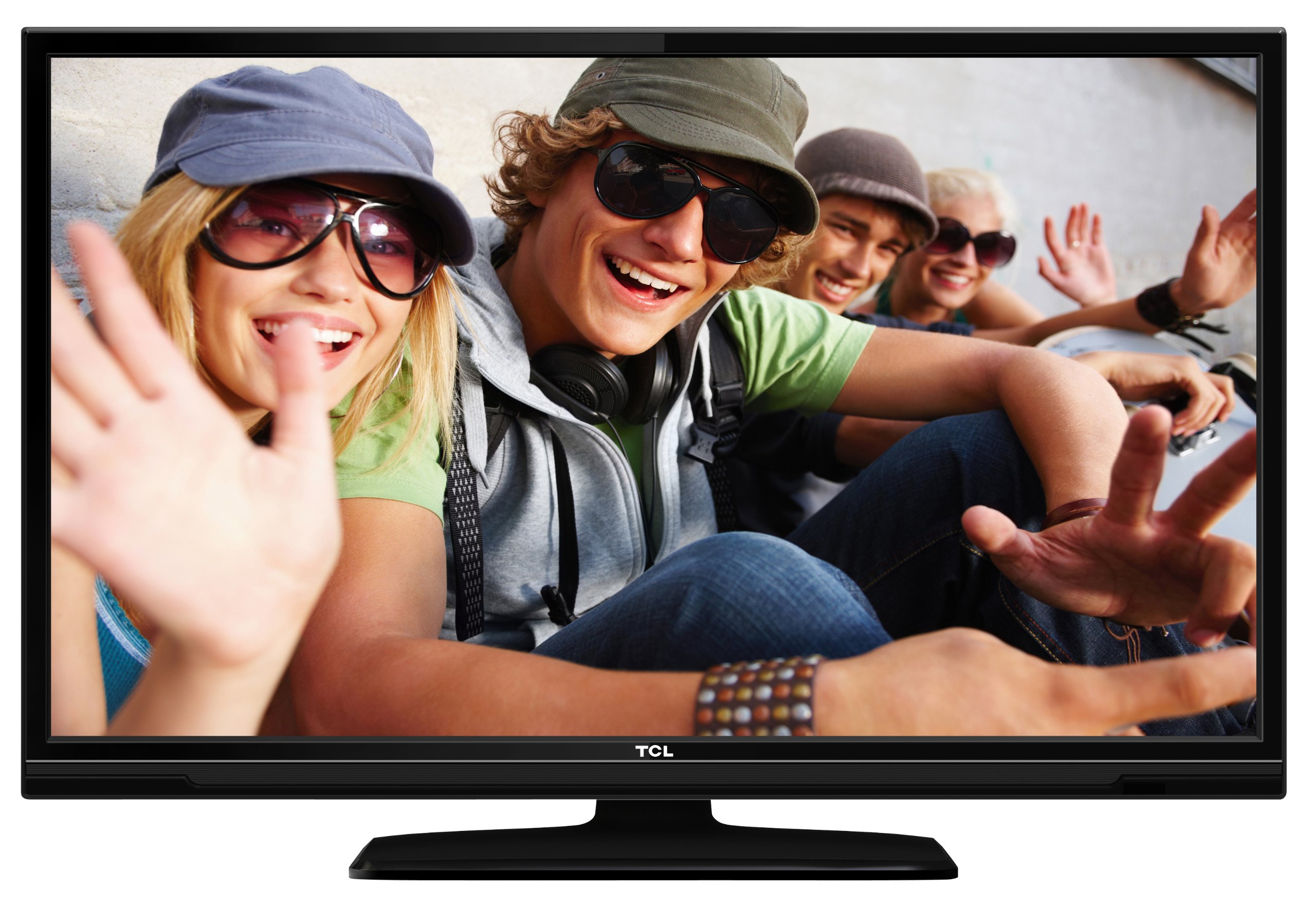
This image shows the TCL L32E3005/G television from a slight angle, highlighting its slim black bezel and the stand. The screen displays a colorful image of people, demonstrating its visual capabilities.
2. Maklumat Keselamatan
Sentiasa patuhi langkah keselamatan berikut untuk mengelakkan kejutan elektrik, kebakaran atau kerosakan pada televisyen:
- Jangan dedahkan televisyen kepada hujan atau lembapan.
- Jangan buka kabinet; merujuk semua perkhidmatan kepada kakitangan yang berkelayakan.
- Pastikan pengudaraan yang betul di sekitar televisyen.
- Elakkan meletakkan televisyen berhampiran sumber haba atau di bawah cahaya matahari langsung.
- Use only the power adapter supplied with the television.
- Jauhkan bateri daripada kanak-kanak.
3. Kandungan Pakej
Sahkan bahawa semua item terdapat dalam pakej:
- TCL L32E3005/G LED-backlight Television
- Penyesuai Kuasa
- Pangkalan Berdiri
- Alat Kawalan Jauh (memerlukan 2 bateri AAA, disertakan)
- Manual Pengguna (dokumen ini)
4. Persediaan
4.1 Membongkar
Carefully remove the television and all accessories from the packaging. Retain the packaging materials for future transport or storage.
4.2 Stand Installation (Table Mounting)
Untuk memasang tapak pendirian:
- Place the television face down on a soft, flat surface to prevent screen damage.
- Align the stand base with the mounting holes on the bottom of the television.
- Secure the stand base using the provided screws. Ensure it is firmly attached.
- Carefully lift the television and place it on a stable, level surface suitable for table mounting.
4.3 Menyambung Peranti
Connect your external devices to the television using the appropriate ports:
- HDMI: For high-definition video and audio from devices like Blu-ray players, game consoles, or set-top boxes. Your TV has 2 HDMI ports.
- USB: Untuk menyambungkan peranti storan USB untuk memainkan media files. Your TV has 1 USB 2.0 port.
- Antenna/Cable (DVB-C/-S2/-T): Connect an antenna or cable for digital terrestrial (DVB-T), cable (DVB-C), or satellite (DVB-S2) broadcasts.
- VGA: Untuk menyambungkan komputer.
- CI+: Untuk modul akses bersyarat (CAM) untuk menyahsulit saluran yang disulitkan.
4.4 Sambungan Kuasa
After all connections are made, plug the power adapter into the television's power input, then plug the power adapter into a wall outlet.
5. Beroperasi
5.1 Hidupkan/Mati Kuasa
Tekan ke KUASA button on the remote control or on the television to turn the TV on or off.
5.2 Persediaan Awal
The first time you turn on the television, an initial setup wizard will guide you through basic settings such as language, country, and channel scanning.
5.3 Penalaan Saluran
After connecting your antenna or cable, perform an automatic channel scan through the TV's menu to find available DVB-C, DVB-S2, or DVB-T channels.
5.4 Panduan Program Elektronik (EPG)
Akses Panduan Program Elektronik (EPG) untuk view program schedules and information for digital channels. This feature helps you plan your viewing.
5.5 Pemilihan Input
Gunakan SUMBER or INPUT button on your remote control to switch between connected devices (e.g., HDMI 1, HDMI 2, USB, DVB-T).
5.6 Main Semula Media USB
Insert a USB storage device into the USB port. The TV will typically prompt you to access the media browser, allowing you to play photos, music, or videos stored on the device.
5.7 Mod Hotel
This television includes a Hotel Mode feature, which allows for customization of settings suitable for hotel environments, such as limiting volume, setting a default channel, or disabling certain functions. Consult the advanced settings menu for Hotel Mode configuration.
6. Penyelenggaraan
6.1 Membersihkan Skrin
Lap skrin perlahan-lahan dengan kain lembut yang tidak berbulu. Untuk tanda degil, sedikit dampen kain dengan air atau pembersih skrin khusus. Jangan sembur cecair terus ke skrin.
6.2 Membersihkan Kabinet
Use a soft, dry cloth to wipe the television cabinet. Avoid using abrasive cleaners or solvents.
6.3 Bateri Kawalan Jauh
Replace the remote control batteries (2x AAA) when the remote's range decreases or it stops responding. Ensure correct polarity when inserting new batteries.
7. Penyelesaian masalah
Jika anda menghadapi masalah dengan televisyen anda, rujuk kepada masalah dan penyelesaian biasa berikut:
- Tiada Kuasa: Check if the power adapter is securely connected to both the TV and the wall outlet. Ensure the outlet is functional.
- Tiada Gambar, Tetapi Bunyi: Verify the input source is correctly selected. Check cable connections to external devices.
- Tiada Bunyi, Tetapi Gambar: Check the volume level and mute status. Ensure audio cables are correctly connected for external devices.
- Kualiti Gambar Lemah: Periksa sambungan antena/kabel. Jika menggunakan peranti luaran, cuba kabel atau port HDMI yang berbeza. Laraskan tetapan gambar dalam menu TV.
- Alat Kawalan Jauh Tidak Berfungsi: Ensure there are no obstructions between the remote and the TV. Replace batteries if necessary.
Jika masalah berterusan, hubungi sokongan pelanggan.
8. Spesifikasi
| Model | L32E3005/G |
| Saiz Skrin | 80 cm (32 inci) |
| Teknologi Paparan | LED |
| Resolusi | 720p (1366 x 768 Pixels) |
| Kadar Segar Semula | 50 Hz |
| Teknologi Penala | DVB-C, DVB-S2, DVB-T |
| Ketersambungan | 2x HDMI, 1x USB 2.0, VGA, CI+ |
| Output Audio | 8 Watt (2.0 Channel) |
| Ciri Khas | Electronic Program Guide (EPG), Hotel Mode |
| Dimensi (W x H x D) | 74 x 49.4 x 18.9 cm (dengan dirian) |
| Berat badan | 7.22 kg |
| Sumber Kuasa | Penyesuai |
| Bateri Jauh | 2x AAA (included) |
9. Waranti dan Sokongan
For warranty information and technical support, please refer to the warranty card included with your product or visit the official TCL webtapak. Simpan resit pembelian anda sebagai bukti pembelian untuk tuntutan waranti.


