1. Produk Lebihview
The Schneider Electric EVlink EV230WS is a 30-Amp Generation 2.5 Enhanced Model Indoor Electric Vehicle Charging Station designed for efficient and convenient home charging. This Level 2 charging station provides a faster charging solution compared to standard 110-volt outlets, compatible with various electric vehicles.
Key features include a powerful 30 Amp charging capability with flexible input voltage (208 or 240 Volt AC), a user-friendly segmented LED display for charging status, and an auto-restart function to resume charging after power interruptions. The unit also incorporates a delay feature to optimize charging times.
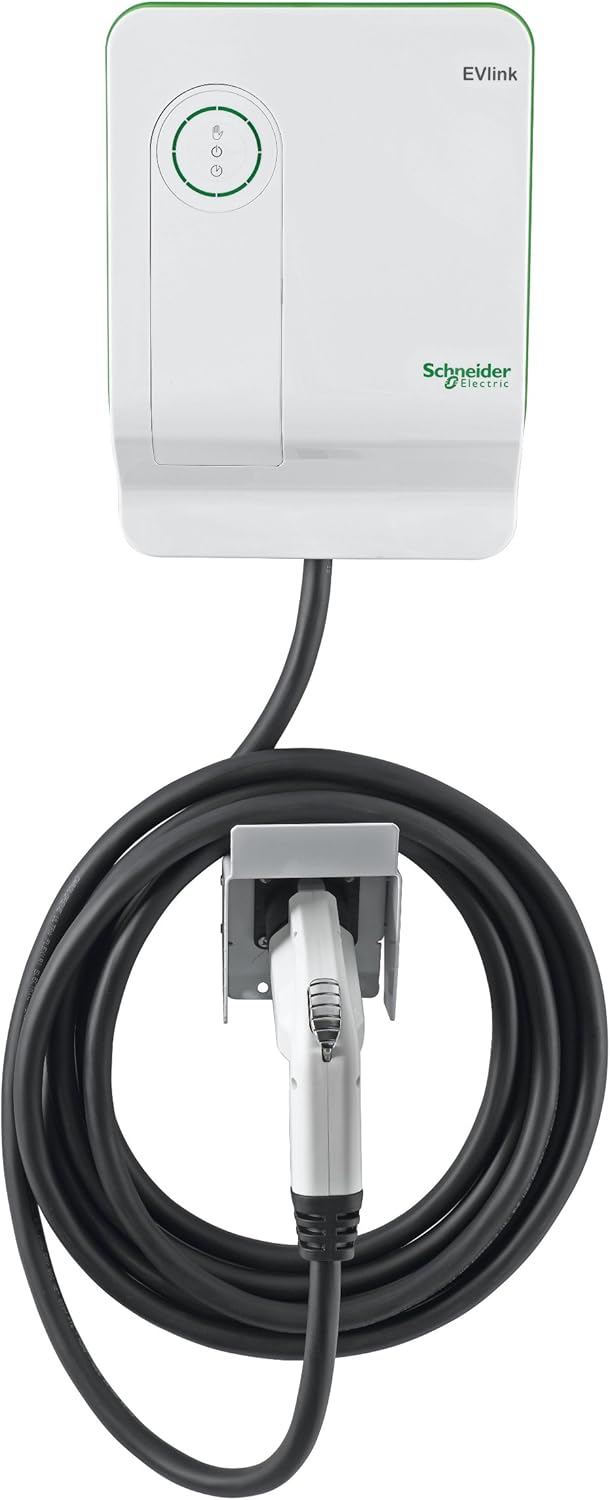
Rajah 1.1: Depan view of the EVlink EV230WS charging station.
2. Maklumat Keselamatan Penting
Read all instructions before installing, operating, or maintaining this product. Failure to follow these instructions may result in electric shock, fire, or serious injury.
- Pemasangan Profesional Diperlukan: Installation of this electric vehicle charging station must be performed by a qualified, licensed electrician in accordance with all national and local electrical codes and regulations.
- Penggunaan Dalaman Sahaja: This unit is designed for indoor use only and is not weatherproofed for outdoor installation. Do not expose to rain, snow, or other wet conditions.
- Litar Khusus: 30-Amp charging station requires a dedicated 40-amp circuit breaker for safe and proper operation.
- Pembumian: Ensure the charging station is properly grounded to reduce the risk of electric shock.
- Elakkan Kerosakan: Do not use the charging station if the enclosure, cable, or connector is damaged. Contact customer support for assistance.
- Kanak-kanak dan Haiwan Kesayangan: Keep children and pets away from the charging station during operation.
This product complies with the following standards: SAEJ1772, NEC625, UL 2594, UL 2231-1, UL 2231-2, UL 991, UL 1998, and UL 2251.
3. Persediaan dan Pemasangan
Installation of the EVlink EV230WS charging station should only be performed by a qualified electrician. The following provides a general overview daripada proses pemasangan.
3.1 Pemilihan Tapak
- Choose an indoor location that is dry, well-ventilated, and protected from direct sunlight and extreme temperatures.
- Ensure the mounting surface is structurally sound to support the weight of the unit (approximately 18.65 pounds).
- Consider the proximity to your electric vehicle's charging port and the length of the charging cable for convenient use.
3.2 Keperluan Elektrik
- The unit requires a 208V or 240V AC dedicated circuit.
- A 40-amp circuit breaker is required for the 30-amp stesen pengecasan.
- Wiring should be appropriate for the circuit amperage and local codes.
3.3 Memasang Unit
The EVlink EV230WS is designed for wall mounting. Use appropriate hardware for your wall type. The unit includes a convenient cable holder for organized storage of the charging cable.
- Tandakan lokasi pemasangan yang dikehendaki pada dinding.
- Securely attach the mounting bracket (if separate) or the unit directly to the wall using suitable fasteners.
- Connect the electrical wiring according to the wiring diagram provided in the full installation guide (not included here).
- Install the cable holder in a convenient location near the charging station.
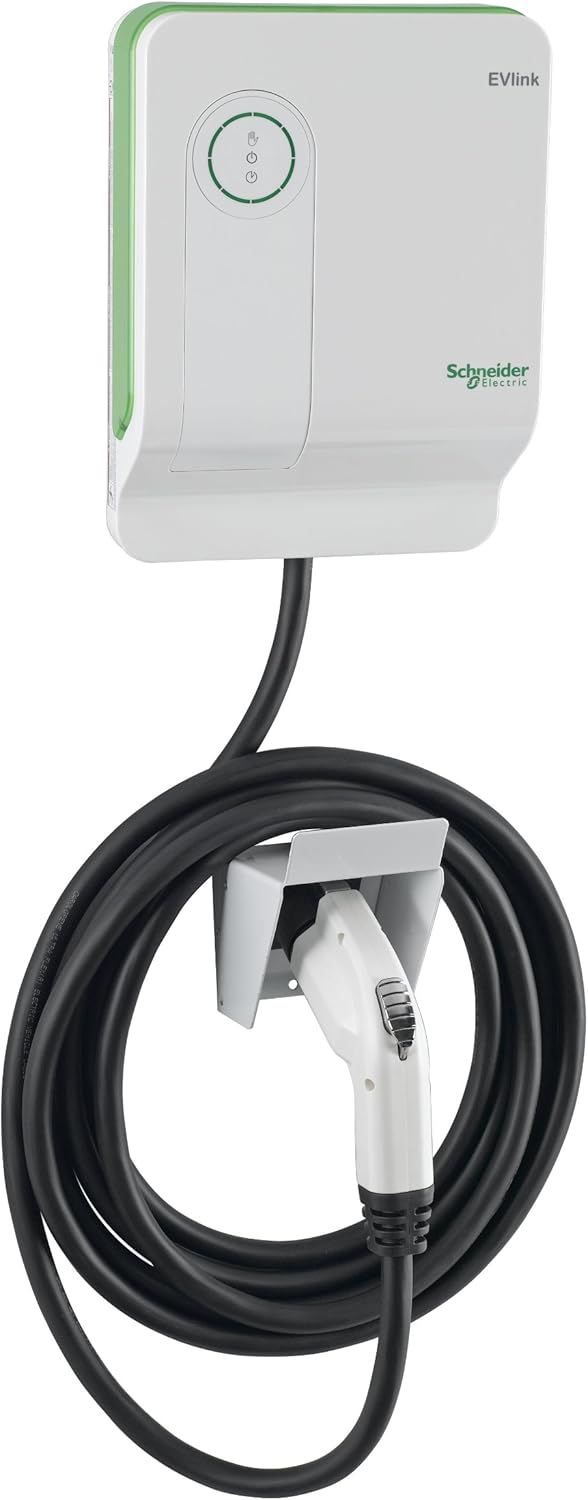
Figure 3.1: EVlink EV230WS charging station mounted with cable holder.
4. Arahan Operasi
Operating the EVlink EV230WS is straightforward. Follow these steps to charge your electric vehicle:
4.1 Memulakan Caj
- Ensure the charging station is powered on and the vehicle is ready to receive a charge.
- Take the J1772 connector from its holder.
- Insert the J1772 connector firmly into your electric vehicle's charging port. You may hear a click as the vehicle communicates with the unit and the internal relay engages.
- The segmented LED display on the charging station will illuminate, indicating that charging has begun.
4.2 Memahami Paparan LED
The intuitive LED display provides visual feedback on the charging process:
- Lampu Berkelip: Indicate that the vehicle is actively charging. The lights move around a circle, approximating the charging duration.
- Lampu pepejal: Once the vehicle is fully charged, the blinking will stop, and a segment of the circle will remain solid, indicating the approximate hours of charge required.
- Lampu Penunjuk: Additional lights identify if the charger is ready to use or requires attention (e.g., fault condition).
4.3 Delay Feature
The EVlink EV230WS includes a delay feature. Consult your vehicle's manual or the full EVlink product documentation for specific instructions on how to utilize this feature to manage charging times, potentially saving energy costs.
4.4 Menghentikan Cas
To stop charging, press the stop button on the charging station or disconnect the J1772 connector from your vehicle's charging port. Ensure the vehicle has completed its charging cycle or is safely disconnected before removing the connector.
4.5 Auto Restart Feature
Sekiranya berlaku kuasa outage or fault, the auto-restart feature ensures that your car will continue to charge once power is restored or the fault is cleared. The unit also features automatic shut-off at 100 percent charge.
5. Penyelenggaraan
The EVlink EV230WS charging station is designed for minimal maintenance. Regular inspection and cleaning will help ensure optimal performance and longevity.
- Pembersihan: Periodically wipe the exterior of the charging station with a soft, damp kain. Jangan gunakan pembersih atau pelarut yang kasar. Pastikan unit dimatikan sebelum membersihkan.
- Pemeriksaan Kabel dan Penyambung: Regularly inspect the charging cable and J1772 connector for any signs of wear, damage, or fraying. Do not use if damaged.
- Pengudaraan: Ensure the area around the charging station remains clear to allow for proper ventilation.
For any internal maintenance or repairs, contact qualified service personnel. Do not attempt to open or service the unit yourself.
6. Penyelesaian masalah
If you encounter issues with your EVlink EV230WS charging station, refer to the following basic troubleshooting steps. For more complex problems, contact customer support.
6.1 Charging Not Initiating
- Semak Kuasa: Ensure the circuit breaker for the charging station is in the ON position.
- Sambungan Penyambung: Verify that the J1772 connector is fully and securely inserted into the vehicle's charging port.
- Status Kenderaan: Confirm your vehicle is ready to accept a charge (e.g., not set to a delayed charge schedule).
- Lampu Penunjuk: Observe the charging station's indicator lights for any fault codes or warnings.
6.2 Pengecasan Lambat
- Tetapan Kenderaan: Check your vehicle's charging settings; some vehicles allow adjustment of charging current.
- Bekalan Kuasa: Ensure the charging station is receiving the correct 208V or 240V input.
6.3 Unit Not Responding
- Tetapkan semula: Turn off the circuit breaker for the charging station, wait 30 seconds, then turn it back on.
- Periksa Kerosakan: Visually inspect the unit, cable, and connector for any visible damage.
If troubleshooting steps do not resolve the issue, contact Schneider Electric customer support for further assistance.
7. Spesifikasi
| Ciri | Spesifikasi |
|---|---|
| Pengeluar | Schneider Electric |
| Nombor Bahagian | EV230WS |
| Nombor Model Item | EV230WS |
| Mengecas Amppemadam | 30 Amp |
| Input Voltage | 208V atau 240V AC |
| Wattage | 7.2 KW |
| Sumber Kuasa | AC (Grid Power) |
| Berat Barang | 18.65 paun |
| Dimensi Produk | 12.7 x 9.5 x 4.4 inci |
| Jenis Pemasangan | Lekap di dinding |
| Pensijilan | UL |
| Mengecas Akses | Tidak terhad |
| EV Connector Standard | SAEJ1772 |
8. Maklumat Waranti
For detailed warranty information regarding your Schneider Electric EVlink EV230WS charging station, please refer to the official documentation included with your product or visit the Schneider Electric webtapak. Terma dan syarat waranti mungkin berbeza mengikut wilayah dan tarikh pembelian.
9. Sokongan Pelanggan
Schneider Electric offers expanded customer support services to assist with any questions or issues you may have. For technical assistance, troubleshooting guidance, or warranty claims, please contact Schneider Electric customer support through their official webtapak atau maklumat hubungan yang diberikan dalam pembungkusan produk anda.
Online resources, including FAQs and additional documentation, may also be available on the Schneider Electric webtapak.