pengenalan
The Philips NC1 Noise Cancelling Headphones are designed to provide a high-fidelity audio experience with effective noise cancellation. Featuring optimized 40-mm neodymium drivers, these headphones deliver clear and balanced sound across a wide dynamic range. Their compact, multi-way folding design ensures portability, making them suitable for travel. The noise cancellation feature is specifically tuned to maintain optimal sound performance in various environments, allowing for an immersive listening experience.

Image: Philips NC1 Noise Cancelling Headphones shown with the detachable audio cable, USB charging cable, and airline adapter.
Apa yang ada dalam Kotak
Carefully unpack the contents of your Philips NC1 Noise Cancelling Headphones package. The box should contain the following items:
- Philips NC1 Noise Cancelling On-Ear Headphones
- Audio cable with microphone and in-line control for hands-free calling
- Kabel pengecas USB (untuk mengecas sahaja)
- Kes perjalanan
- Panduan permulaan cepat
- Penyesuai syarikat penerbangan

Image: A diagram illustrating the Philips NC1 headphones and their accompanying accessories, including cables, travel case, and adapter.

Image: The Philips NC1 headphones are shown compactly folded and stored within their elegant hard travel case, alongside the audio cable and airline adapter.
Produk Selesaiview
Familiarize yourself with the various components of your Philips NC1 headphones:
- Feedforward microphone: Used for active noise cancellation.
- 3.5mm audio input jack: For connecting the audio cable to your device.
- Active Noise Cancelling (ANC) on/off button: Activates or deactivates the noise cancellation feature.
- Microphone and in-line control: For hands-free calling and music control.
- Port pengecasan USB mikro: Untuk menyambungkan kabel pengecas USB.
- Penunjuk pengecasan: Memaparkan status pengecasan.
- ANC power indicator: Shows the status of the active noise cancellation.
- Feedback microphone: Used for active noise cancellation.
The headphones feature deluxe memory foam cushions for long-wearing comfort and optimal sound performance. The outer cushion is a combination of fabric and soft protein leather, designed for reduced ear surface pressure and heat build-up.
Persediaan
Mengecas Fon Kepala
Before initial use, ensure your headphones are fully charged. Connect the supplied USB charging cable to the Micro USB charging port (5) on the headphones and to a powered USB port (e.g., computer, USB wall adapter). The charging indicator (6) will illuminate during charging and turn off once fully charged.
Menyambung ke Sumber Audio
Connect the detachable audio cable to the 3.5mm audio input jack (2) on the headphones. Plug the other end of the audio cable into the 3.5mm headphone jack of your audio device (e.g., smartphone, tablet, MP3 player).
Arahan Operasi
Pembatalan Bising Aktif (ANC)
To activate the noise cancellation feature, slide the ANC on/off button (3) to the 'on' position. The ANC power indicator (7) will illuminate. To deactivate, slide the button to the 'off' position. Noise cancellation is effective in reducing ambient low-frequency sounds, enhancing your listening experience in noisy environments.
Main balik Muzik
Once connected to your audio source, begin playing music. Adjust the volume directly from your audio device. The 40-mm drivers are designed to deliver rich, detailed sound.
Panggilan Bebas Tangan
The in-line control and microphone (4) allow you to manage phone calls when connected to a smartphone. Press the button on the in-line control to answer or end a call. The integrated microphone ensures clear communication.
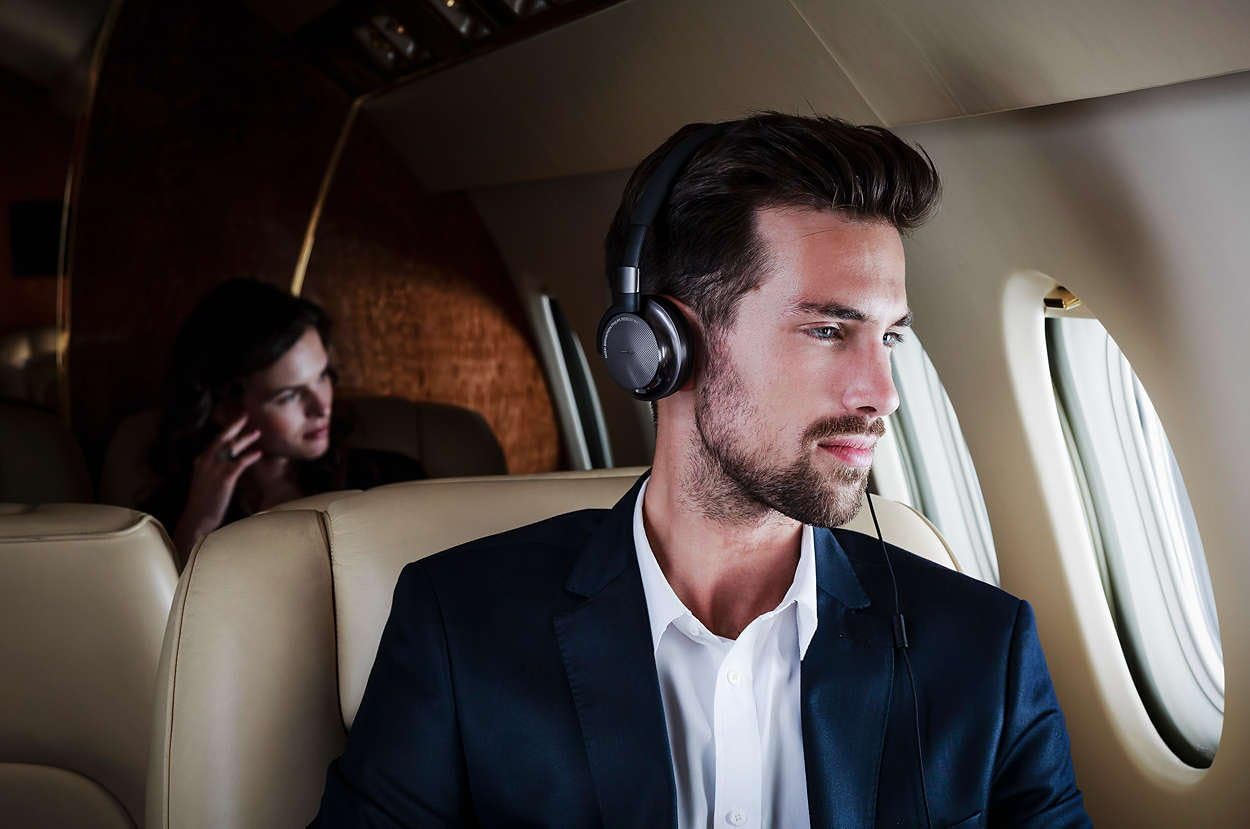
Image: A user wearing the Philips NC1 headphones while traveling on an airplane, demonstrating their use in a common noisy environment.
Penyelenggaraan
To ensure the longevity and optimal performance of your Philips NC1 headphones, follow these maintenance guidelines:
- Pembersihan: Use a soft, dry cloth to clean the headphones. Avoid using abrasive cleaners or solvents.
- Storan: When not in use, store the headphones in their provided travel case to protect them from dust, scratches, and impacts.
- Penjagaan Kabel: Handle the audio and charging cables gently. Avoid sharp bends or excessive pulling to prevent damage.
- Elakkan Kelembapan: Jauhkan fon kepala daripada air dan kelembapan berlebihan.
Menyelesaikan masalah
If you encounter issues with your Philips NC1 headphones, refer to the following common solutions:
- Tiada Bunyi:
- Ensure the audio cable is securely connected to both the headphones and the audio source.
- Periksa tahap kelantangan pada peranti audio anda.
- Uji dengan sumber audio atau kabel yang berbeza jika boleh.
- Pembatalan Bunyi Tidak Berfungsi:
- Verify that the ANC on/off button (3) is in the 'on' position and the ANC power indicator (7) is illuminated.
- Pastikan fon kepala dicas dengan secukupnya.
- Mikrofon Tidak Berfungsi:
- Ensure the audio cable with in-line microphone is fully inserted into both devices.
- Check your audio device's settings to ensure the external microphone is selected.
Spesifikasi
| Ciri | Perincian |
|---|---|
| Nama Model | FBA_NC1 |
| Teknologi Ketersambungan | Berwayar (Bicu 3.5 mm) |
| Julat Umur (Perihalan) | Dewasa |
| bahan | Neodymium |
| Jenis Kawalan | Kawalan dalam talian |
| Berat Barang | 191 Gram (6.7 auns) |
| Ciri Khas | Pembatalan Bunyi |
| Pengeluar | Philips |
| Dimensi Produk | 1.65 x 6.46 x 7.09 inci |
| warna | Hitam |
| Faktor Bentuk | Di Telinga |
| Kawalan Bunyi | Pembatalan Bunyi Aktif |
Waranti dan Sokongan
Untuk maklumat waranti dan sokongan pelanggan, sila rujuk kepada dokumentasi yang disertakan dengan produk anda atau lawati sokongan rasmi Philips webtapak. Simpan bukti pembelian anda untuk sebarang tuntutan waranti.


