1. Pengenalan
This manual provides comprehensive instructions for the safe and effective use, assembly, maintenance, and troubleshooting of your MAXXUS RunMaxx 4.2i Treadmill. Please read this manual thoroughly before operating the device and retain it for future reference.
The MAXXUS RunMaxx 4.2i is a compact and foldable electric treadmill designed for home fitness, offering a robust training experience with features like adjustable incline, a powerful motor, and Bluetooth connectivity for app integration.
2. Arahan Keselamatan Penting
To reduce the risk of serious injury, always follow basic precautions when using this treadmill, including the following:
- Read all instructions in this manual before using the treadmill.
- Jauhkan kanak-kanak dan haiwan peliharaan dari treadmill semasa operasi.
- Letakkan treadmill di atas permukaan yang rata dan stabil dengan ruang yang mencukupi di sekelilingnya.
- Pastikan kunci keselamatan dipasang dengan betul sebelum menghidupkan treadmill.
- Jangan melebihi berat pengguna maksimum 110 kg.
- Rujuk doktor sebelum memulakan sebarang program senaman.
- Cabut palam treadmill dari salur keluar kuasa apabila tidak digunakan atau sebelum pembersihan/penyelenggaraan.
- Jangan kendalikan treadmill jika ia mempunyai kord atau palam yang rosak, atau jika ia tidak berfungsi dengan betul.
3. Perhimpunan
The MAXXUS RunMaxx 4.2i treadmill is designed for easy assembly. It comes largely pre-assembled. Follow these steps for final setup:
- Membongkar: Keluarkan semua komponen dari pembungkusan dengan berhati-hati. Pastikan semua bahagian yang disenaraikan dalam senarai pembungkusan ada.
- Penstabilan asas: Place the main frame on a level surface.
- Pemasangan Tegak: Securely attach the uprights to the main frame using the provided hardware.
- Console Attachment: Mount the control console onto the uprights, ensuring all cables are connected correctly.
- Persediaan Hendal: Attach the handlebars to the console or uprights as per the diagram.
- Pemeriksaan Akhir: Verify all bolts and screws are tightened. Ensure the treadmill is stable before plugging it in.

Figure 3.1: Fully assembled MAXXUS RunMaxx 4.2i Treadmill.
4. Arahan Operasi
4.1. Panel Kawalan Selesaiview

Rajah 4.1: Terperinci view of the LCD control panel.
The LCD display provides real-time feedback on your workout, including: Heart Rate, Time, Distance, Speed, and Calories Burned. The console also features controls for speed, incline, program selection, and a safety key slot.
4.2. Memulakan Senaman
- Palamkan treadmill ke soket elektrik yang dibumikan.
- Attach the safety key to your clothing and insert the other end into the designated slot on the console. The treadmill will not operate without the safety key.
- Pijak pada rel sisi treadmill.
- Press the "START" button to begin. The belt will start moving at a low speed.
- Adjust the speed using the "+" and "-" buttons. The treadmill supports speeds from 1 hingga 16 km / j.
- Adjust the incline using the incline buttons.
4.3. Program Senaman
The MAXXUS RunMaxx 4.2i offers 36 pre-set workout programs to diversify your training. Select a program using the "PROGRAM" button and confirm your selection. Each program automatically adjusts speed and incline over time.
4.4. Bluetooth Connectivity (iC+ Training App)
The treadmill is equipped with a Bluetooth receiver for compatibility with the iC+ Training App. Download the app on your smartphone or tablet, enable Bluetooth, and connect to your treadmill to access additional workout options and track your progress.
4.5. Measuring Heart Rate
The treadmill features manual pulse sensors on the handlebars. Grip these sensors firmly during your workout to display your heart rate on the LCD screen. An integrated receiver for an optional radio pulse belt is also available for continuous heart rate monitoring.
5. Penyelenggaraan
Penyelenggaraan tetap memastikan umur panjang dan prestasi optimum treadmill anda.
- Pembersihan: Lap permukaan treadmill dengan iklanamp kain selepas setiap penggunaan. Elakkan pembersih yang kasar.
- Pelinciran tali pinggang: Periodically lubricate the running belt according to the manufacturer's recommendations (typically every 3-6 months depending on usage). This prevents friction and extends belt life.
- Ketegangan dan Penjajaran Tali Sawat: Check the running belt tension and alignment regularly. Adjust if the belt slips or drifts to one side. Refer to the detailed instructions in the full manual for adjustment procedures.
- Petak Motor: Keep the motor compartment clean and free of dust. Unplug the treadmill before opening the motor cover.
6. Penyimpanan dan Kebolehgunaan
The MAXXUS RunMaxx 4.2i is designed to be foldable for space-saving storage and features integrated transport wheels for easy relocation.
6.1. Folding the Treadmill
- Pastikan treadmill dimatikan dan dicabut.
- Lift the running deck until it locks into the upright position.
- The folded dimensions are approximately L 112 x W 74 x H 130 cm.

Figure 6.1: Treadmill in folded position, showing compact storage.
6.2. Transporting the Treadmill
Once folded, tilt the treadmill slightly and use the integrated transport wheels to move it to your desired storage location. Exercise caution when moving the unit due to its weight (approximately 65 kg).
7. Penyelesaian masalah
| Masalah | Kemungkinan Punca | Penyelesaian |
|---|---|---|
| Treadmill tidak bermula. | Power cord unplugged; Safety key not inserted; Circuit breaker tripped. | Ensure power cord is securely plugged in; Insert safety key fully; Reset circuit breaker. |
| Tali pinggang lari tergelincir. | Belt tension too loose; Belt worn out. | Adjust belt tension (refer to manual); Contact customer service for belt replacement. |
| Bunyi luar biasa semasa operasi. | Loose components; Lack of lubrication; Motor issue. | Check and tighten all visible bolts; Lubricate running belt; Contact customer service. |
| Paparan tidak berfungsi. | Loose cable connection; Power issue. | Check console cable connections; Verify power supply. |
For issues not listed here or if solutions do not resolve the problem, please contact MAXXUS customer support.
8. Spesifikasi Teknikal
- model: MAXXUS RunMaxx 4.2i
- Nombor Model: 600005-00019-0001
- Dimensi (Tidak dilipat): L 165 x W 74 x H 130 cm
- Dimensi (Dilipat): L 112 x W 74 x H 130 cm
- Permukaan Larian: 125 x 44 cm
- Berat produk: 63 kg
- Berat Pengguna Maksimum: 110 kg
- Motor: Motor DC 1.75 HP
- Julat Kelajuan: 1 - 16 km/j
- Pelarasan Kecondongan: Ya (Boleh Laras)
- Jenis Paparan: LCD
- Metrik yang Dipaparkan: Heart Rate, Time, Distance, Speed, Calories Burned
- Program Senaman: 36 Program pratetap
- Ketersambungan: Bluetooth (for iC+ Training App)
- Penyerapan Kejutan: Cushion-Flex System
- Bahan Bingkai: Keluli Aloi
- Sumber Kuasa: Penyesuai AC
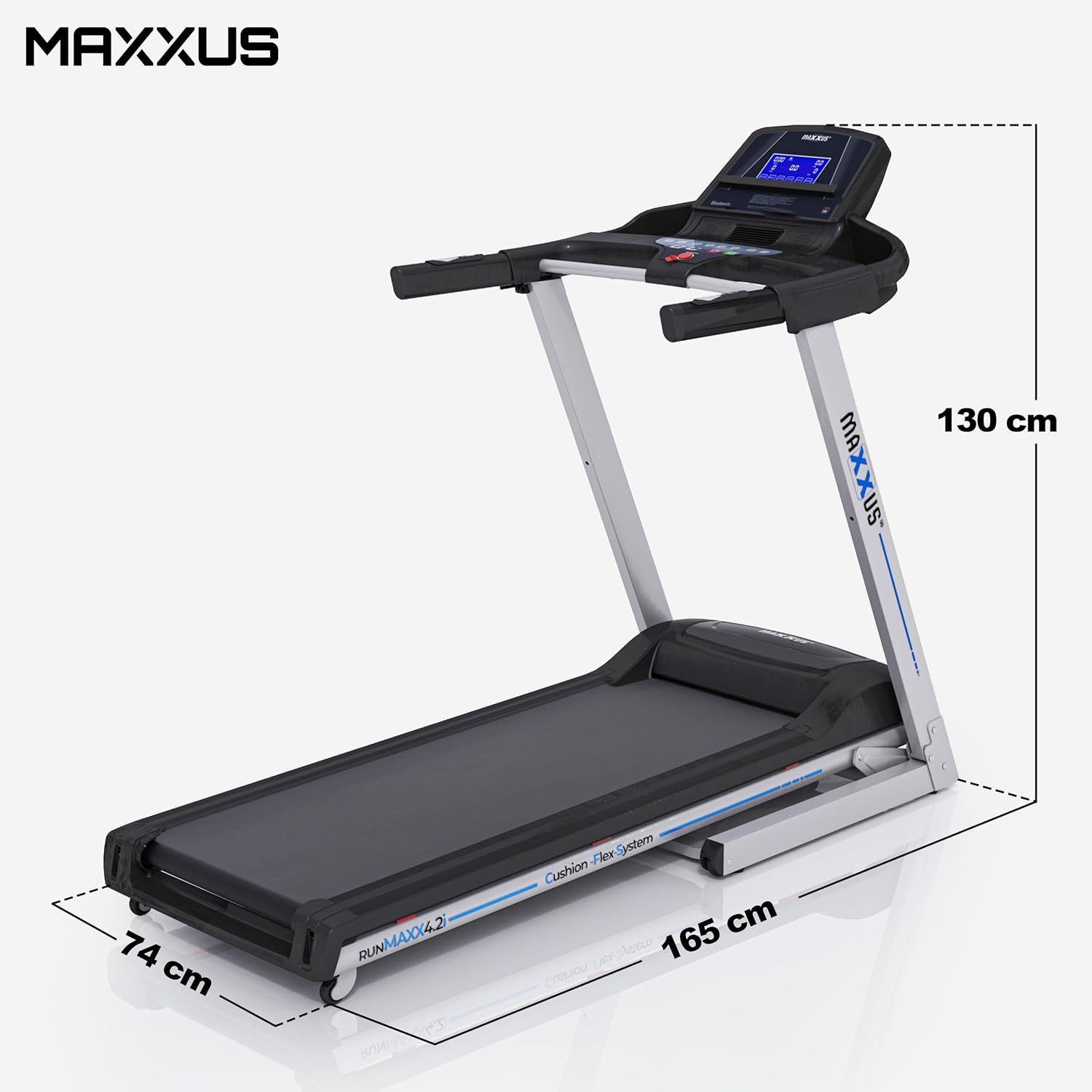
Figure 8.1: Treadmill dimensions (unfolded).

Figure 8.2: Running surface dimensions.
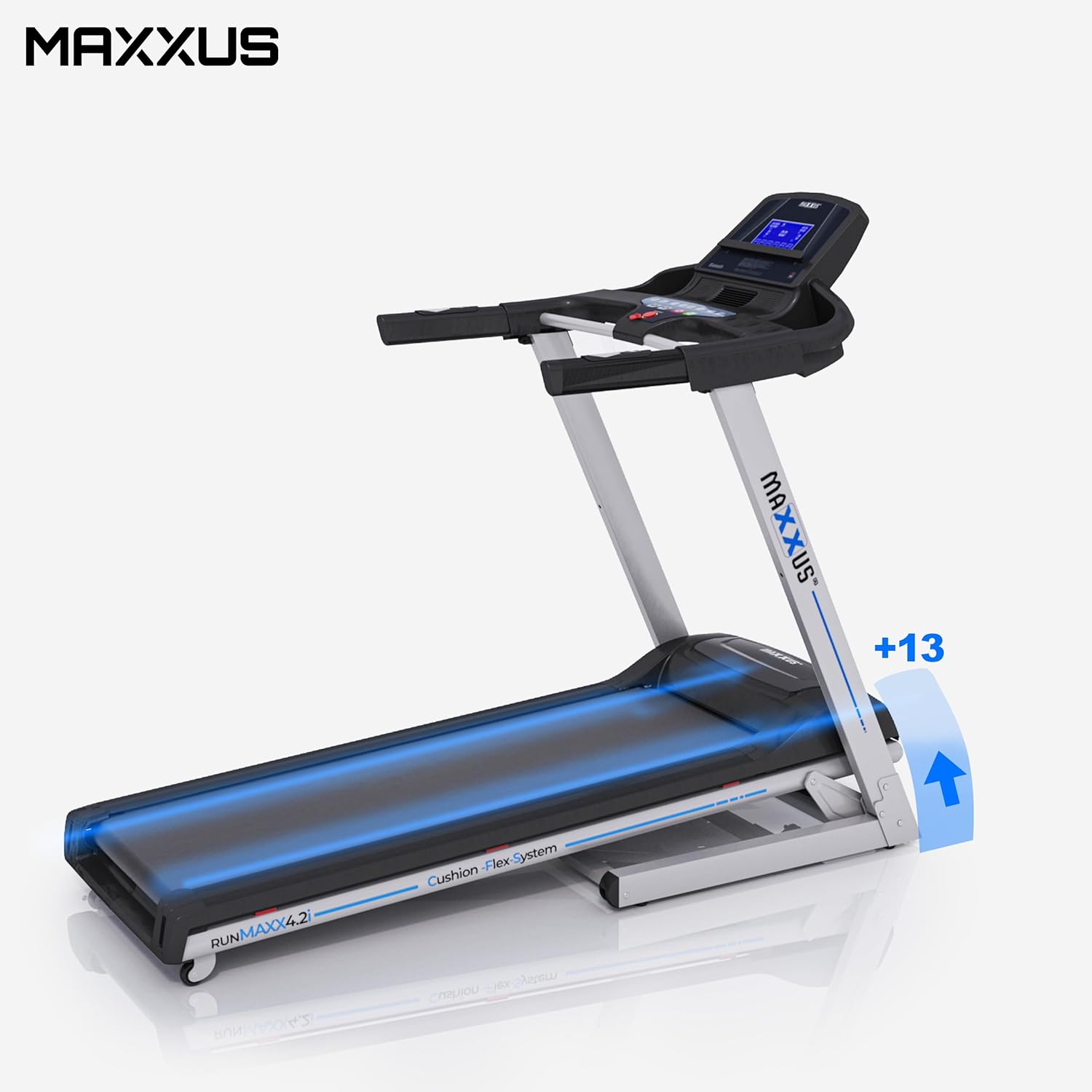
Figure 8.3: Treadmill showing incline capability.
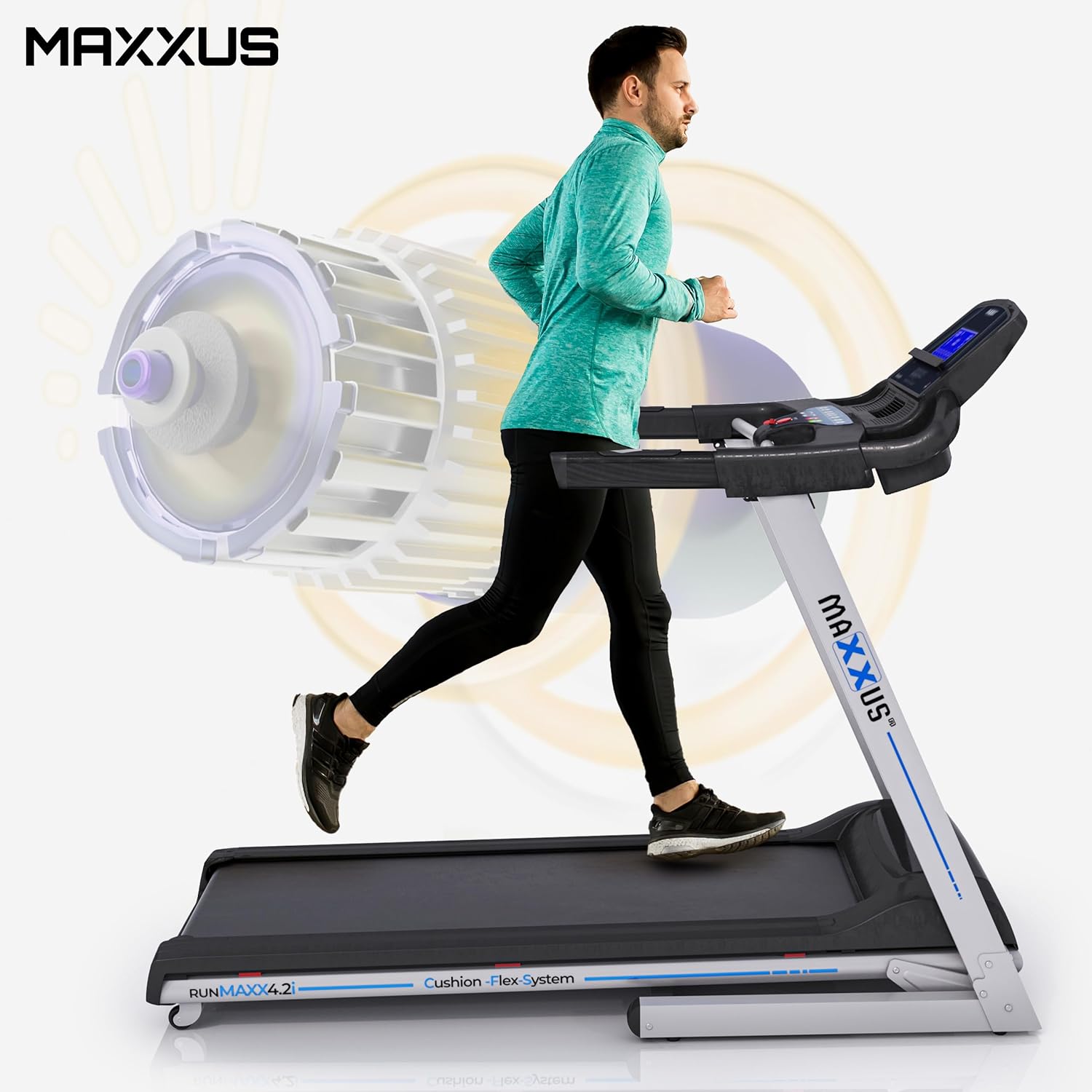
Figure 8.4: Illustration of the powerful motor and user in motion.
9. Waranti dan Sokongan
MAXXUS products are known for their quality and durability. For warranty information, service requests, or technical support, please refer to the warranty card included with your product or visit the official MAXXUS webtapak. Simpan resit pembelian anda sebagai bukti pembelian untuk tuntutan waranti.
Pengeluar: MAXXUS
Tarikh Pertama Tersedia: 23 Mac 2015


