Maklumat Keselamatan Penting
Please read and understand all instructions before using the laminator. Keep this manual for future reference.
- Jangan kendalikan laminator jika kord kuasa atau palamnya rosak.
- Jauhkan laminator daripada air atau cecair lain.
- Do not insert metal objects into the laminator.
- Pastikan pengudaraan yang betul di sekitar mesin semasa operasi.
- Cabut plag laminator apabila tidak digunakan atau sebelum dibersihkan.
- Perkakas ini tidak dimaksudkan untuk digunakan oleh orang (termasuk kanak-kanak) yang kurang keupayaan fizikal, deria atau mental, atau kurang pengalaman dan pengetahuan, melainkan mereka telah diberi pengawasan atau arahan mengenai penggunaan perkakas oleh orang yang bertanggungjawab untuk keselamatan mereka.
Produk Selesaiview
The Amazon Basics 9-Inch Thermal Laminator is designed for home, office, or classroom use, providing high-quality lamination for various document sizes.
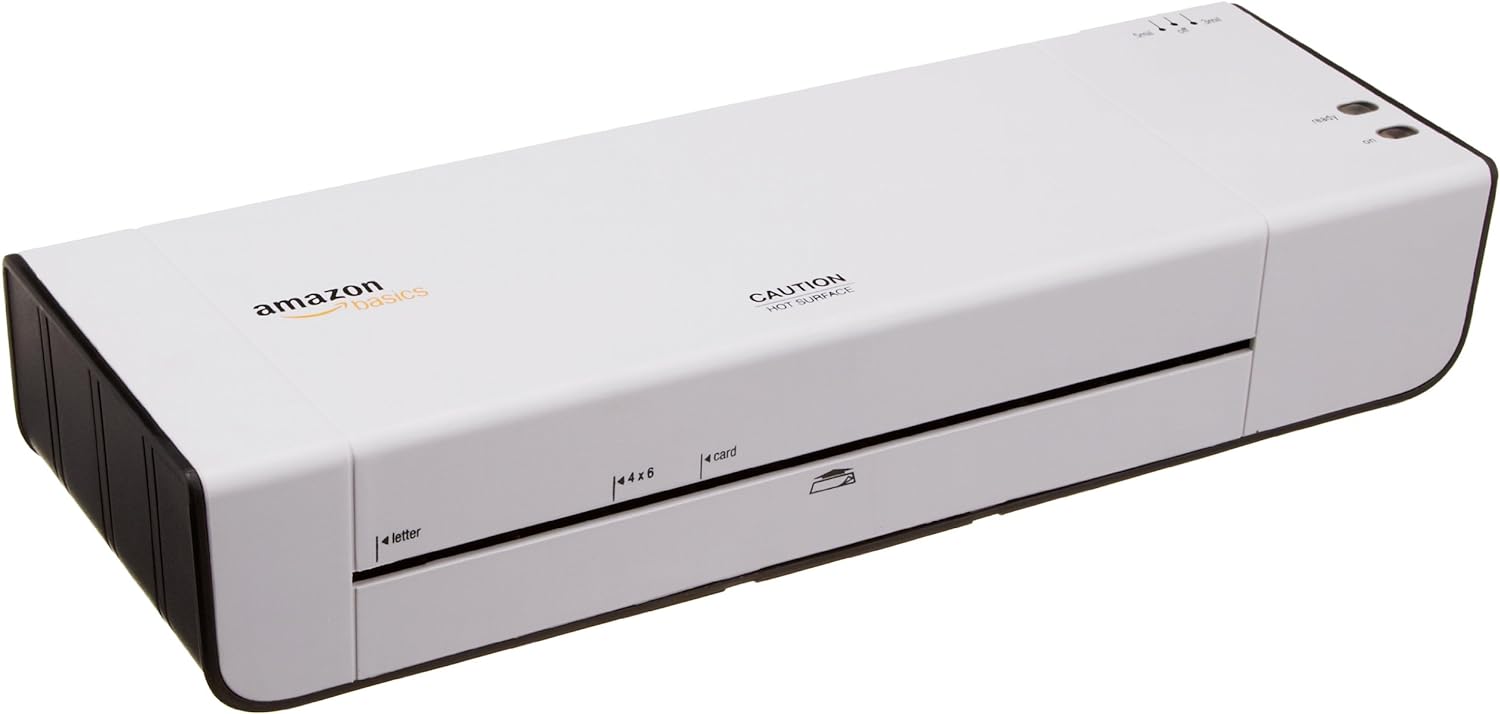
Rajah 1: Depan view of the Amazon Basics 9-Inch Thermal Laminator Machine, showing the feed slot and branding.
Ciri-ciri Utama:
- Laminates documents up to 9 inches wide.
- Two heat settings: 3 mil and 5 mil.
- Quick 4-minute warm-up time.
- Jam release lever for easy clearing.
- Reka bentuk padat.
Persediaan
Membongkar:
Carefully remove the laminator from its packaging. Retain the packaging for future storage or transport.
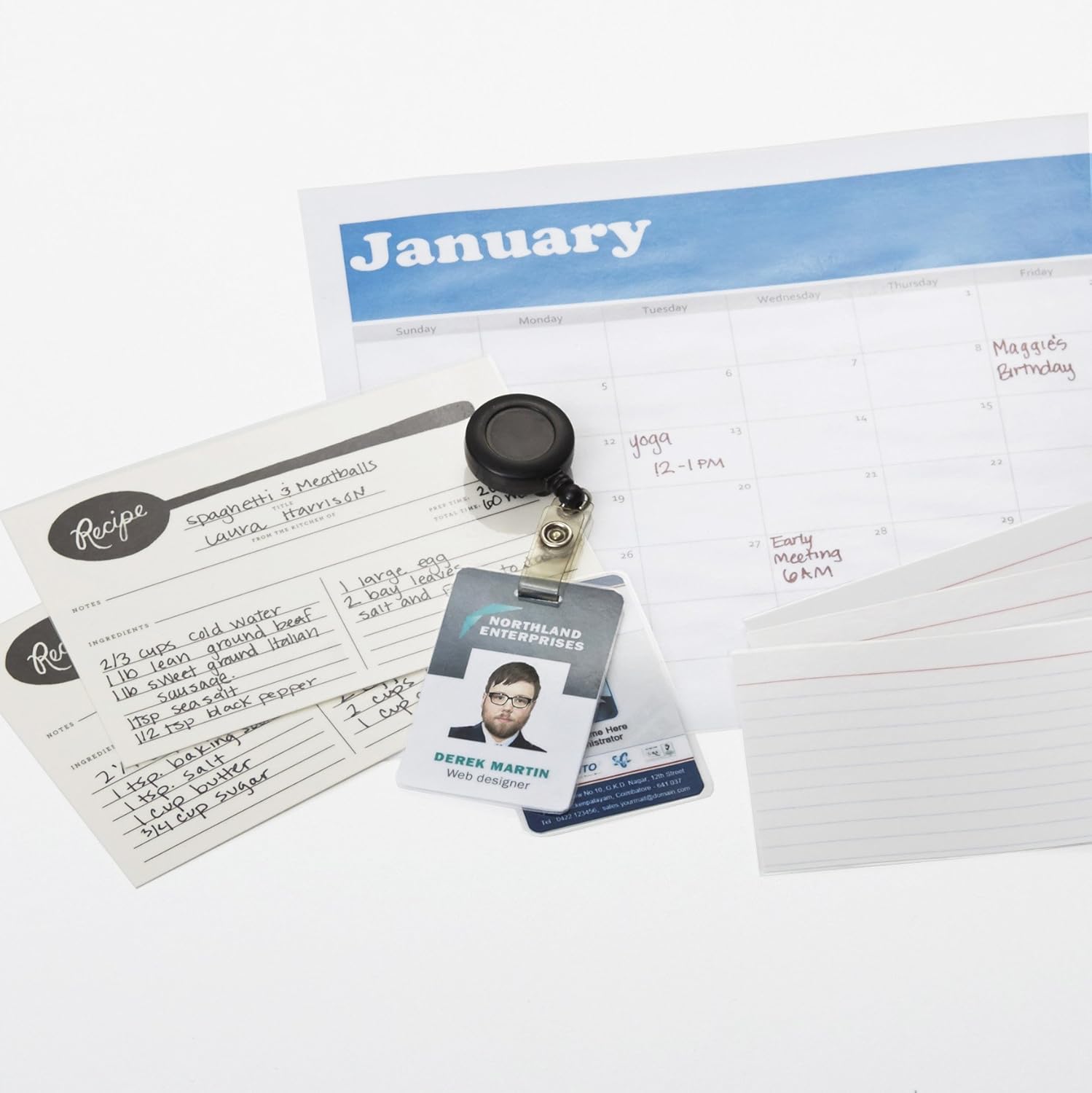
Figure 2: The laminator machine as it appears inside its frustration-free packaging.
penempatan:
Place the laminator on a flat, stable, and heat-resistant surface. Ensure there is adequate space around the machine for proper ventilation and for documents to exit the rear.
Sambungan Kuasa:
Plug the power cord into a standard electrical outlet. The power switch is located on the side of the unit.

Rajah 3: Jarak dekat view of the power switch, 3mil/5mil heat settings, and release lever on the side of the laminator.
Arahan Operasi
Laminating a Document:
Power On and Warm-up:
Turn the power switch to the "On" position. The "Ready" indicator light will illuminate once the machine has warmed up (approximately 4 minutes).
Pilih Tetapan Haba:
Choose the appropriate heat setting based on the laminating pouch thickness:
- 3 mil: For normal documents, photos, and card stock.
- 5 mil: For thinner papers.
Sediakan Dokumen:
Place the document inside a laminating pouch, ensuring it is centered and there is an even border around the edges. Use the included 3 mil thick, 8.9 by 11.4 inch laminating pouches or any compatible 3 mil or 5 mil pouch.

Gambar 4: Cthample of laminating recipe cards, showing the document being fed into the laminator.
Masukkan Pouch:
Carefully insert the sealed edge of the laminating pouch into the laminator's feed slot. The machine will automatically pull the pouch through.

Figure 5: A calendar page being laminated, demonstrating the machine's ability to handle various document types.
Retrieve Laminated Document:
Once the pouch exits the rear of the machine, allow it to cool on a flat surface before handling to ensure proper sealing.

Figure 6: A collection of laminated items, including recipe cards, ID badges, and a calendar, showcasing the versatility of the laminator.
Penyelenggaraan
Pembersihan:
Pastikan laminator dicabut daripada plag dan sejuk sepenuhnya sebelum membersihkan. Lap bahagian luar dengan kain lembut danamp kain. Jangan gunakan pembersih atau pelarut yang melelas.
Roller Cleaning (Optional):
Periodically, you may run a cleaning sheet (available separately) through the laminator to remove any adhesive residue from the rollers.
Storan:
Store the laminator in a cool, dry place when not in use. Ensure the power cord is neatly wrapped and not kinked.
Menyelesaikan masalah
| Masalah | Kemungkinan Punca | Penyelesaian |
|---|---|---|
| Laminator tidak menyala. | Tidak dipasang; suis kuasa dimatikan; tiada kuasa di soket. | Check power cord connection; ensure power switch is "On"; test outlet with another device. |
| Beg jem dalam mesin. | Pouch inserted incorrectly; pouch too thick; foreign object. | Tekan ke tuil pelepas to clear the jam. Ensure pouch is inserted sealed edge first and is within specified thickness (3 or 5 mil). |
| Laminasi berawan atau berbuih. | Incorrect heat setting; machine not fully warmed up; low-quality pouch. | Ensure correct heat setting (3 mil for normal, 5 mil for thinner); wait for "Ready" light; use high-quality laminating pouches. |
| Laminasi tidak ditutup dengan betul. | Incorrect heat setting; machine not fully warmed up; document too thick for pouch. | Verify heat setting; wait for "Ready" light; ensure document fits pouch with adequate border. |
Spesifikasi
| Ciri | Perincian |
|---|---|
| Nombor Model | PL9-US |
| Lebar Laminasi | Sehingga 9 inci |
| Tetapan Haba | 3 mil, 5 mil |
| Masa Memanaskan Badan | Lebih kurang 4 minit |
| Bilangan Penggelek | 2 |
| Berat badan | 1.2 kg |
| Bekalan Kuasa | AC standard |
Waranti dan Sokongan
For warranty information and customer support, please visit the official Amazon Basics webtapak atau hubungi perkhidmatan pelanggan Amazon secara terus.
Sokongan dalam talian: Kedai Asas Amazon
Note: Reading the full user manual is recommended prior to the first use of this product.