1. Pengenalan
This manual provides essential information for the safe and efficient operation of your Haier LE50F2280 50-Inch 1080p 60Hz LED HDTV. Please read these instructions thoroughly before using your television and retain them for future reference. This television is designed to provide a clear picture and reliable performance for your home entertainment needs.
2. Maklumat Keselamatan
AMARAN: Untuk mengurangkan risiko kejutan elektrik, jangan tanggalkan penutup (atau belakang). Tiada bahagian yang boleh diservis pengguna di dalam. Rujuk servis kepada kakitangan perkhidmatan yang berkelayakan.
- Sumber Kuasa: Ensure the television is connected to an AC 120V, 60Hz power supply.
- Pengudaraan: Jangan sekat bukaan pengudaraan. Benarkan ruang yang mencukupi di sekeliling televisyen untuk aliran udara yang betul.
- Air dan Kelembapan: Jangan dedahkan televisyen kepada hujan atau lembapan. Jangan letakkan objek yang diisi dengan cecair, seperti pasu, di televisyen.
- Pembersihan: Unplug the television from the wall outlet before cleaning. Use a soft, dry cloth. Do not use liquid cleaners or aerosol cleaners.
- Pemasangan: When mounting the television on a wall, follow the manufacturer's instructions for the wall mount.
- Kanak-kanak: Supervise children to ensure they do not play with the television.
3. Apa yang ada di dalam Kotak
Sahkan bahawa semua komponen hadir sebelum meneruskan persediaan:
- Haier LE50F2280 50-Inch LED HDTV
- Kaki TV (Tapak dan Skru)
- Alat Kawalan Jauh (dengan bateri)
- Kord Kuasa
- Manual Pengguna (dokumen ini)
4. Persediaan
4.1. Memasang Pendirian
If you are not wall-mounting your television, follow these steps to attach the stand:
- Letakkan televisyen dengan berhati-hati menghadap ke bawah di atas permukaan yang lembut dan bersih untuk mengelakkan kerosakan skrin.
- Align the stand base with the mounting holes on the bottom of the television.
- Selamatkan dirian menggunakan skru yang disediakan. Pastikan semua skru diketatkan dengan kuat.
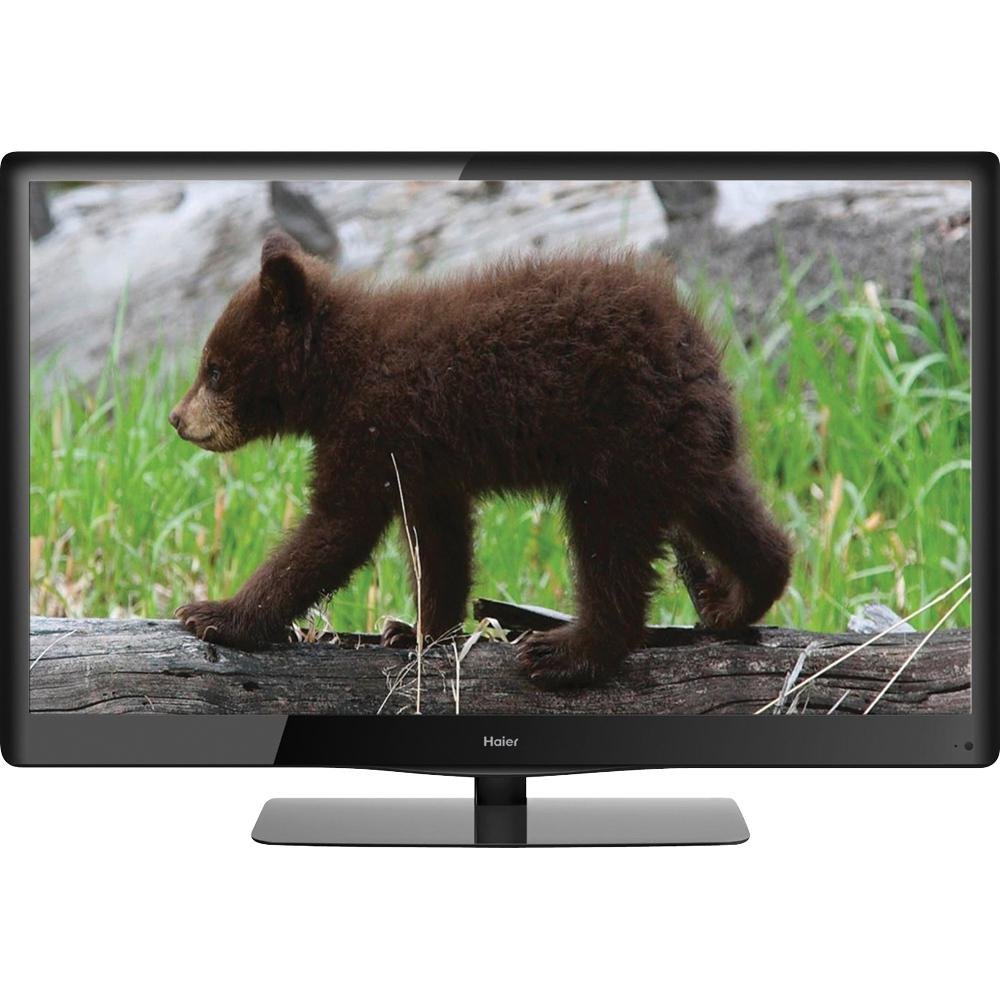
Image 4.1: The Haier LE50F2280 50-Inch LED HDTV with its stand attached, ready for placement. This image illustrates the television's overall design and how the stand supports it.
4.2. Menghubungkan Peranti
Your Haier LE50F2280 television features multiple A/V inputs for connecting various devices.
- Sambungan HDMI: Use HDMI cables to connect high-definition devices such as Blu-ray players, game consoles, or cable/satellite boxes to the HDMI ports (HDMI 1, HDMI 2, HDMI 3). HDMI provides both audio and video through a single cable.
- Sambungan Antena/Kabel: Connect an antenna or cable TV coaxial cable to the 'ANT/CABLE IN' port to receive over-the-air broadcasts or basic cable channels.
- Port USB: Insert a USB drive into the USB port for media playback (music and photos).
- Jack fon kepala: Sambungkan fon kepala untuk mendengar secara peribadi.
- Output sepaksi: Connect to an external audio system for digital audio output.
Note: For optimal picture quality from high-definition sources, use HDMI connections.
4.3. Initial Power-On and Channel Scan
- Plug the power cord into the television and then into a wall outlet.
- Tekan butang Kuasa pada alat kawalan jauh atau pada televisyen itu sendiri.
- Follow the on-screen prompts to select your language and perform an automatic channel scan. This will detect available over-the-air or cable channels.
5. Arahan Operasi
5.1. Fungsi Asas
- Hidupkan/Mati Kuasa: Tekan ke KUASA butang pada alat kawalan jauh.
- Kawalan Kelantangan: Gunakan VOL + / - butang untuk melaraskan kelantangan.
- Pemilihan Saluran: Gunakan CH + / - butang untuk menukar saluran atau memasukkan nombor saluran secara langsung menggunakan pad kekunci berangka.
- Redam: Tekan ke HILANGKAN button to temporarily turn off the sound. Press again to restore.
5.2. Pemilihan Sumber Input
To switch between connected devices (e.g., Blu-ray player, game console, antenna):
- Tekan ke INPUT or SUMBER butang pada alat kawalan jauh anda.
- Use the arrow buttons to navigate through the list of available inputs (HDMI 1, HDMI 2, HDMI 3, TV, AV, Component, USB).
- Tekan OK or MASUK to select the desired input.
5.3. Tetapan Gambar dan Bunyi
Access the menu to customize picture and sound settings:
- Tetapan Gambar: Adjust brightness, contrast, color, tint, and sharpness. The 1080p Full HD resolution provides a high-quality picture.
- D-LED Direct: This technology enhances contrast and color. No user adjustment is typically required for this feature.
- Tetapan Bunyi: Adjust bass, treble, and balance.
- Auto Volume Leveler (AVL): Enable AVL to prevent sudden volume changes between channels or during commercials. This feature helps maintain a consistent audio level.
5.4. Main Balik Media USB
Untuk bermain muzik atau view photos from a USB drive:
- Insert a USB drive containing MP3 music files or JPEG images into the USB port.
- Pilih sumber input USB menggunakan INPUT butang.
- Navigasi melalui folder dan files using the remote control's arrow buttons and select your desired media.
6. Penyelenggaraan
6.1. Membersihkan Televisyen
- Sentiasa cabut plag televisyen sebelum membersihkannya.
- Gunakan kain lembut, kering dan bebas serabut untuk mengelap skrin dan kabinet.
- Untuk tanda degil pada skrin, ringan dampen the cloth with water. Do not spray water or cleaning solutions directly onto the screen or cabinet.
- Elakkan menggunakan pembersih yang melelas, lilin atau pelarut kerana ia boleh merosakkan kemasan.
6.2. Penjimatan Tenaga
Your Haier LE50F2280 is Energy Star compliant, meeting strict energy efficiency guidelines. To further conserve energy:
- Turn off the television when not in use.
- Adjust picture settings (e.g., backlight) to lower levels if bright illumination is not required.
7. Penyelesaian masalah
Before contacting customer support, try these solutions for common issues:
| Masalah | Kemungkinan Punca | Penyelesaian |
|---|---|---|
| Tiada kuasa | Power cord not connected; Power outlet not working; Remote control batteries depleted. | Ensure power cord is securely plugged in. Test the outlet with another device. Replace remote control batteries. |
| Tiada gambar, tetapi bunyi hadir | Sumber input yang salah dipilih; Peranti luaran tidak dihidupkan atau disambungkan dengan betul. | Tekan ke INPUT butang untuk memilih sumber yang betul. Semak sambungan dan kuasa peranti luaran. |
| Tiada bunyi, tetapi ada gambar | Volume muted or too low; External audio system issues. | Tekan ke HILANGKAN button or increase volume. Check connections to external audio systems. |
| Kualiti gambar yang buruk | Weak antenna signal; Incorrect picture settings; Low-quality source material. | Adjust antenna position or check cable connection. Adjust picture settings in the menu. Ensure source material is high quality. |
| Alat kawalan jauh tidak berfungsi | Batteries depleted or inserted incorrectly; Obstruction between remote and TV sensor. | Gantikan bateri, pastikan kekutuban yang betul. Tanggalkan sebarang halangan. Pastikan alat kawalan jauh dihalakan ke sensor alat kawalan jauh TV. |
8. Spesifikasi
| Ciri | Perincian |
|---|---|
| Nombor Model | LE50F2280 |
| Saiz Skrin | 50 Inci |
| Teknologi Paparan | LED (D-LED Direct) |
| Resolusi | 1080p HD Penuh (1920 x 1080) |
| Kadar Segar Semula | 60 Hz |
| Nisbah Aspek | 16:9 |
| Ketersambungan | 3 x HDMI, 1 x USB, Antenna/Cable In, Headphone Jack, Coaxial Output |
| Penala | Integrated ATSC / NTSC / QAM tuners |
| Ciri Khas | Auto Volume Leveler (AVL), Energy Star 5.3, RoHS compliant |
| Dimensi Produk (W x H x D) | 45.19 x 29.06 x 11.02 inci (dengan dirian) |
| Berat Barang | 39.6 paun (18 Kilogram) |
| Wattage | 120 watt |
9. Waranti & Sokongan
Untuk maklumat jaminan dan sokongan pelanggan, sila rujuk kad jaminan yang disertakan dengan produk anda atau lawati laman web rasmi Haier webtapak. Simpan resit pembelian anda sebagai bukti pembelian untuk sebarang tuntutan waranti.
If you encounter issues that cannot be resolved using the troubleshooting guide, please contact Haier customer support for assistance. Details for contacting support are typically found on the manufacturer's webtapak atau dalam pembungkusan produk.


