1. Pengenalan
This manual provides essential instructions for the proper setup, operation, and maintenance of your Onkyo RC-487S Audio Remote Control. Please read this manual thoroughly before using the remote control to ensure correct usage and to maximize its lifespan. Keep this manual for future reference.
2. Produk Lebihview
The Onkyo RC-487S is a dedicated audio remote control designed for use with compatible Onkyo audio components. It allows convenient control over various functions such as power, volume, input selection, and playback controls from a distance.

Rajah 1: Depan view of the Onkyo RC-487S Audio Remote Control. This image displays the layout of the buttons and the overall design of the remote.
3. Persediaan
3.1 Pemasangan Bateri
The RC-487S remote control requires two AA (1.5V) alkaline batteries for operation. Batteries are not included with the remote control.
- Cari penutup petak bateri di belakang alat kawalan jauh.
- Slide the battery compartment cover downwards or press the latch and lift to open it.

Rajah 2: belakang view of the remote control with the battery compartment cover visible. This shows the location of the cover before opening.
- Insert two new AA (1.5V) alkaline batteries, ensuring the positive (+) and negative (-) terminals are aligned correctly according to the diagram inside the compartment.
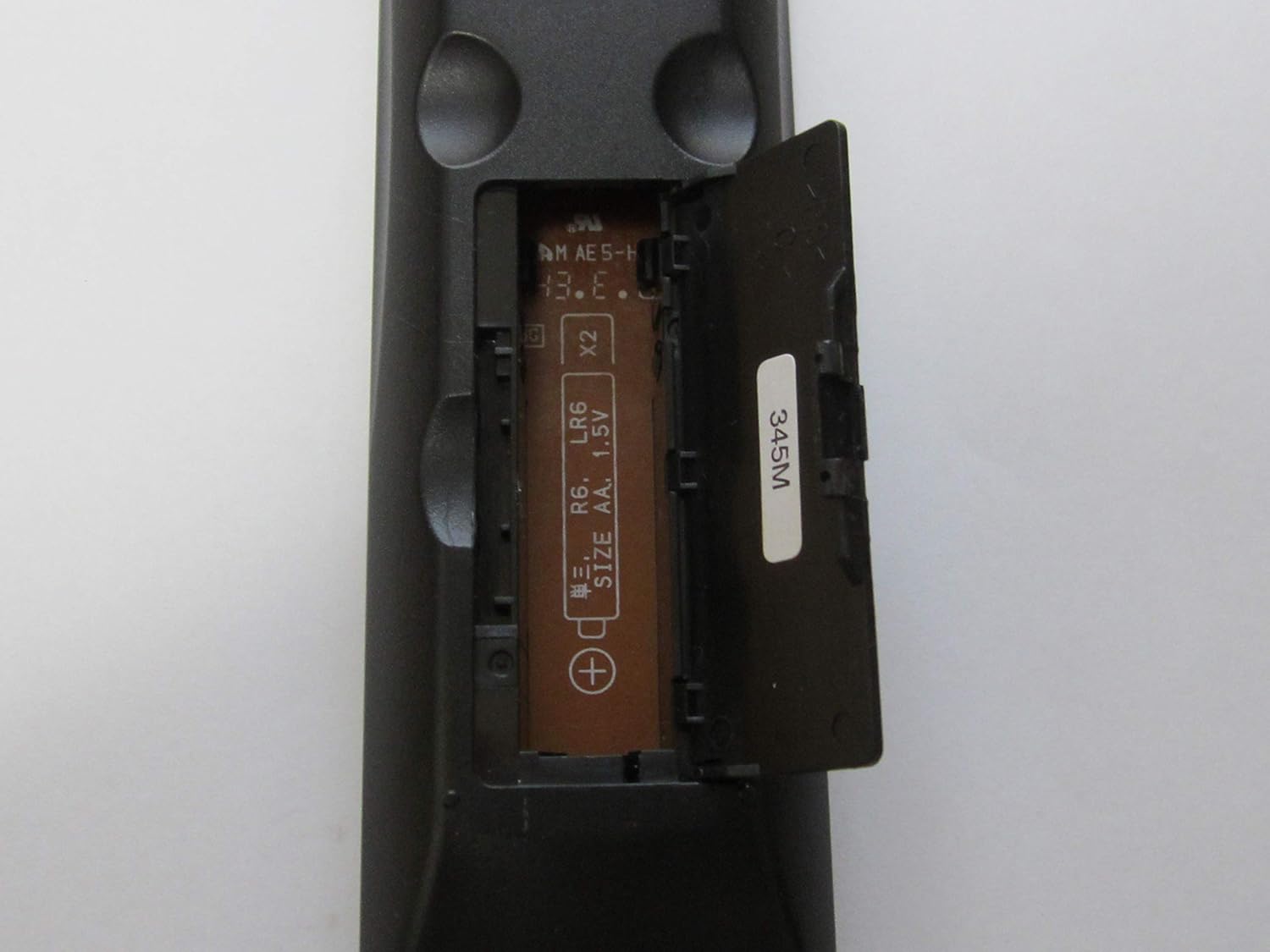
Rajah 3: Remote control with the battery compartment open, revealing the slots for two AA batteries and polarity markings.
- Gantikan penutup petak bateri dengan menggelongsorkannya semula ke tempatnya sehingga ia berbunyi dengan selamat.
4. Arahan Operasi
To operate your Onkyo audio component using the RC-487S remote control, point the remote directly at the component's infrared sensor. Ensure there are no obstructions between the remote and the component.
- Hidupkan/Mati Kuasa: Tekan ke KUASA button to turn the audio component on or off.
- Kawalan Kelantangan: Gunakan JILID + dan JILID - butang untuk melaraskan tahap bunyi.
- Pemilihan Input: Press the designated input buttons (e.g., CD, DVD, TUNER, AUX) to switch between different audio sources.
- Kawalan Main Semula: For compatible devices, use buttons such as BERMAIN, JEDA, BERHENTI, SKIP, dan REWIND/FAST FORWARD untuk mengawal main balik media.
Refer to your Onkyo audio component's specific instruction manual for detailed functions corresponding to each button on the RC-487S remote control.
5. Penyelenggaraan
Proper maintenance ensures the longevity and reliable performance of your remote control.
- Pembersihan: Wipe the remote control with a soft, dry cloth. Do not use abrasive cleaners, waxes, or solvents.
- Penggantian Bateri: Replace both batteries with new ones when the remote control's range decreases or it stops responding. Always replace both batteries at the same time and use the same type (AA alkaline).
- Storan: Jika alat kawalan jauh tidak akan digunakan untuk tempoh yang lama, keluarkan bateri untuk mengelakkan kebocoran dan kemungkinan kerosakan.
6. Penyelesaian masalah
If you experience issues with your RC-487S remote control, refer to the following common solutions:
| Masalah | Penyelesaian |
|---|---|
| Alat kawalan jauh tidak berfungsi. |
|
| Jarak kawalan jauh dikurangkan. |
|
7. Spesifikasi
- Nombor Model: RC-487S
- Jenama: Onkyo
- warna: Silver metallic (Note: Product appearance may vary)
- Dimensi (lebih kurang): 19.2 x 7 x 3.3 cm
- Berat (lebih kurang): 74 g
- Sumber Kuasa: 2 x AA (1.5V) Alkaline Batteries (not included)
8. Waranti dan Sokongan
For warranty information and technical support, please refer to the documentation that came with your Onkyo audio component or visit the official Onkyo webtapak. Simpan resit pembelian anda sebagai bukti pembelian untuk sebarang tuntutan waranti.
If you require further assistance, please contact Onkyo customer support.