pengenalan
Terima kasih kerana membeliasing the Coby CSMP91 2.1 Slim Soundbar. This soundbar is designed to enhance your audio experience with a powerful 2.1 channel system, including a built-in subwoofer, and convenient Bluetooth connectivity. It is ideal for use with 32-37 inch televisions and offers flexible placement options. Please read this manual carefully before operating the device to ensure proper use and to maximize its performance.
Maklumat Keselamatan
- Jangan dedahkan perkakas ini kepada hujan atau lembapan.
- Jangan sekat sebarang bukaan pengudaraan. Pasang mengikut arahan pengilang.
- Jangan pasang berhampiran mana-mana sumber haba seperti radiator, daftar haba, dapur, atau radas lain (termasuk amppenghidup) yang menghasilkan haba.
- Lindungi kabel kuasa dari berjalan atau dicubit, terutama pada palam, wadah kemudahan, dan titik di mana mereka keluar dari perkakas.
- Hanya gunakan lampiran/aksesori yang ditentukan oleh pengilang.
- Cabut plag perkakas ini semasa ribut petir atau apabila tidak digunakan untuk jangka masa yang lama.
- Rujuk semua perkhidmatan kepada pegawai perkhidmatan yang berkelayakan. Servis diperlukan apabila alat telah rosak dengan cara apa pun.
Produk Selesaiview
Depan View
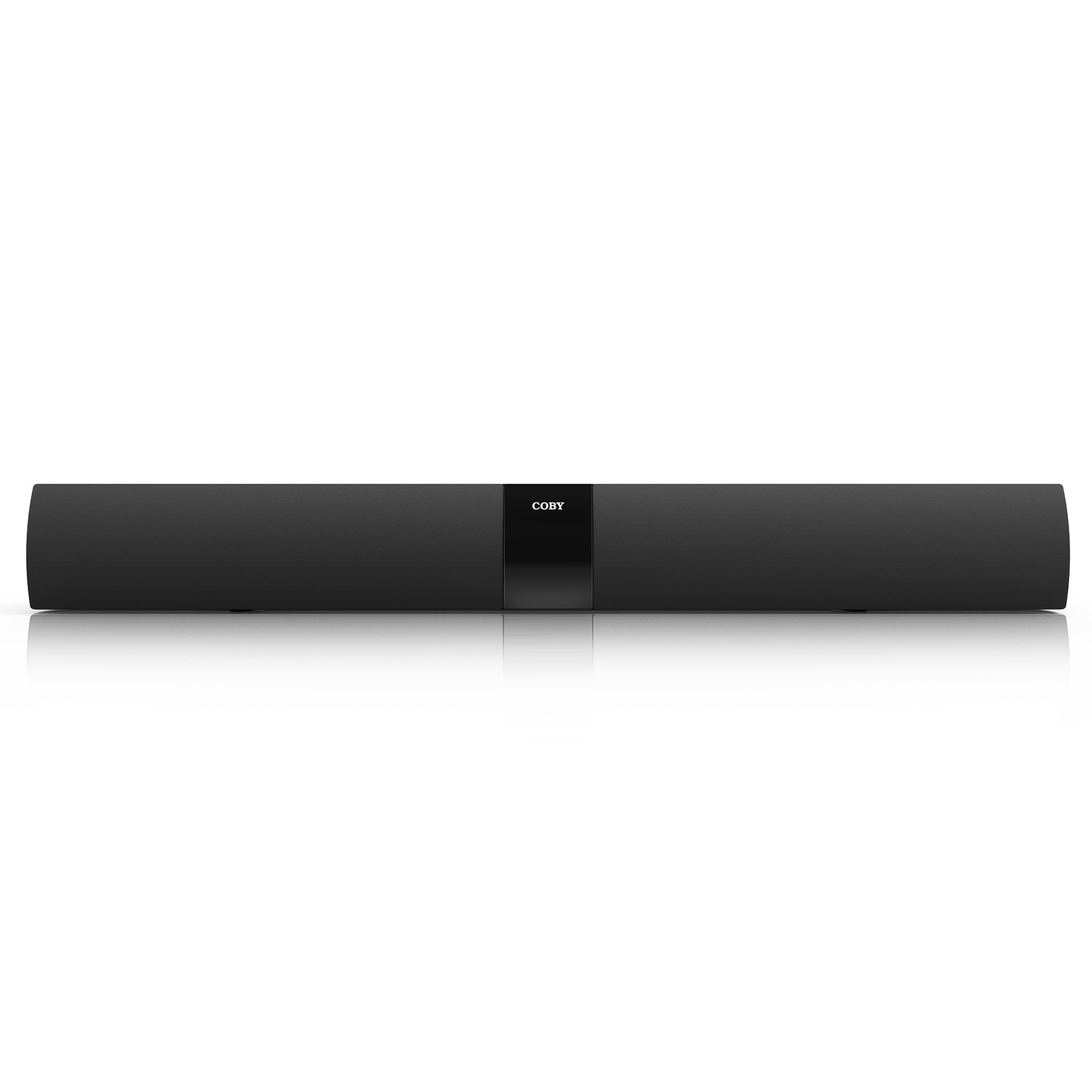
Rajah 1: Depan view of the Coby CSMP91 Soundbar, showcasing its slim design and speaker grille.
Kawalan Panel Atas

Rajah 2: Top panel of the soundbar showing the power, function, volume up/down, and EQ buttons for easy access.
Sambungan Panel Belakang

Rajah 3: Rear panel of the soundbar, featuring various input ports for audio connections and the power input.
sebelah View (Kiri)

Rajah 4: Sebelah kiri view of the Coby CSMP91 Soundbar, highlighting its curved profile.
sebelah View (Betul)

Rajah 5: Sebelah kanan view of the Coby CSMP91 Soundbar, showing the sleek design.
Bawah View

Rajah 6: Bawah view of the Coby CSMP91 Soundbar, illustrating the integrated feet for tabletop placement.
Persediaan
Pilihan Penempatan
The CSMP91 soundbar offers versatile placement to suit your home entertainment setup:
- Peletakan Atas Meja: Place the soundbar on a flat, stable surface directly in front of your television. Ensure it does not obstruct the TV's remote sensor.
- Pemasangan Dinding: The soundbar can be mounted on a wall below your television. Use appropriate wall-mounting hardware (not included) and ensure the wall can support the weight of the soundbar. Refer to the mounting holes on the rear panel (Figure 3) for proper alignment.
Menyambung kepada Kuasa
- Ensure the soundbar is turned off.
- Sambungkan penyesuai kuasa ke port DC IN di bahagian belakang bar bunyi.
- Pasangkan penyesuai kuasa ke soket dinding AC standard.
Sambungan Audio
Connect your audio source (TV, DVD player, etc.) to the soundbar using one of the following methods:
- Input Optik: For digital audio, connect an optical cable (not included) from your TV's optical output to the OPTICAL IN port on the soundbar.
- Line In (3.5mm AUX): For analog audio, connect a 3.5mm audio cable (not included) from your audio source's headphone jack or audio output to the LINE IN port on the soundbar.
Arahan Operasi
Hidupkan/Mati Kuasa
Tekan ke KUASA button on the top panel (Figure 2) or the remote control to turn the soundbar on or off.
Memilih Sumber Input
Tekan ke FUNGSI button on the top panel (Figure 2) or the remote control repeatedly to cycle through the available input sources: Bluetooth, Optical, and Line In. The LED display will indicate the currently selected input.
Melaraskan Kelantangan
Tekan ke VOL+ or vol- buttons on the top panel (Figure 2) or the remote control to increase or decrease the volume level.
Berpasangan Bluetooth
- Turn on the soundbar and select the Bluetooth input mode using the FUNGSI button. The LED display will show 'BT' and flash, indicating it is in pairing mode.
- Dayakan Bluetooth pada telefon pintar, tablet anda atau peranti lain yang didayakan Bluetooth.
- Cari untuk available devices and select 'CSMP91' from the list.
- Jika diminta kata laluan, masukkan '0000'.
- Once paired, the LED display will stop flashing and remain solid 'BT'. You can now play audio wirelessly through the soundbar.
Tetapan Penyama (EQ)
Tekan ke EQ button on the top panel (Figure 2) or the remote control to cycle through preset equalizer modes, optimizing the sound for different content types (e.g., Music, Movie, News).
Penyelenggaraan
Untuk memastikan jangka hayat dan prestasi optimum bar bunyi anda, ikut garis panduan penyelenggaraan ini:
- Pembersihan: Use a soft, dry cloth to wipe the exterior surfaces of the soundbar. Do not use liquid cleaners, abrasive cleaners, or solvents, as these may damage the finish.
- Pengudaraan: Pastikan bukaan pengudaraan tidak disekat untuk mengelakkan terlalu panas.
- Storan: Jika menyimpan bar bunyi untuk tempoh yang lama, cabut plagnya dari salur keluar kuasa dan simpan di tempat yang sejuk dan kering.
Menyelesaikan masalah
| Masalah | Kemungkinan Punca | Penyelesaian |
|---|---|---|
| Tiada kuasa | Kord kuasa tidak disambungkan; Salur keluar kuasa tidak aktif. | Pastikan kord kuasa dipasang dengan selamat. Uji alur keluar dengan peranti lain. |
| Tiada bunyi | Incorrect input source selected; Volume too low; Audio cable not connected properly. | Press FUNCTION to select the correct input. Increase volume. Check audio cable connections. |
| Penggandingan Bluetooth gagal | Soundbar not in pairing mode; Device too far; Incorrect password. | Ensure soundbar is in BT mode and flashing. Move device closer. Enter '0000' if prompted. |
| Alat kawalan jauh tidak berfungsi | Bateri berkurangan; Halangan antara alat kawalan jauh dan bar bunyi. | Replace AAA batteries (2 required). Remove any obstructions. Ensure line of sight. |
| Low volume via optical connection | Output level from source device is low. | Adjust the optical output settings on your TV or source device. Some devices have fixed optical output levels. |
Spesifikasi
| Ciri | Perincian |
|---|---|
| Nama Model | Coby CSMP91 |
| Konfigurasi Saluran Bunyi | 2.1 (with built-in subwoofer) |
| Teknologi Tanpa Wayar | Bluetooth |
| Teknologi Ketersambungan | Bluetooth, Optical, Line In (3.5mm) |
| Output Wattage | 60 Watt |
| Impedans | 8 ohm |
| Dimensi Produk | 32.3 x 3.4 x 3.9 inci |
| Berat Barang | 6.2 paun |
| Sumber Kuasa | Elektrik Bertali |
| Bateri Jauh | 2 bateri AAA (termasuk) |
| Jenis Pemasangan | Meja, Boleh dipasang di dinding |
Waranti dan Sokongan
For warranty information and technical support, please refer to the documentation included with your purchase or visit the official Coby webtapak. Simpan bukti pembelian anda untuk sebarang tuntutan waranti.


