1. Pengenalan
The LASERLINER MultiFinder Plus is a highly versatile and reliable locating device designed for detecting various materials within walls, ceilings, and floors. Equipped with multiple integrated sensors, it provides precise detection of wood, metal (including copper, steel, and iron), and live electrical wires. Its user-friendly LCD screen and automatic calibration feature ensure easy and safe operation for both professionals and DIY enthusiasts.
This manual provides comprehensive instructions for the safe and effective use, maintenance, and troubleshooting of your MultiFinder Plus. Please read it thoroughly before operating the device.
2. Maklumat Keselamatan
WARNING: Always exercise extreme caution when detecting near electrical installations. The device indicates live wires, but it is crucial to verify findings with other methods if there is any doubt. Disconnect power before drilling or cutting into walls.
- Baca semua arahan sebelum digunakan.
- Jangan dedahkan peranti kepada suhu yang melampau, kelembapan atau cahaya matahari langsung.
- Use only the specified battery type (9V alkaline battery, Type 6LR 61).
- Pastikan peranti bersih dan kering.
- Jangan cuba membuka atau mengubah suai peranti ini. Pembaikan hanya boleh dilakukan oleh kakitangan yang dibenarkan.
- Be aware of potential hazards such as gas pipes, water pipes, and electrical cables.
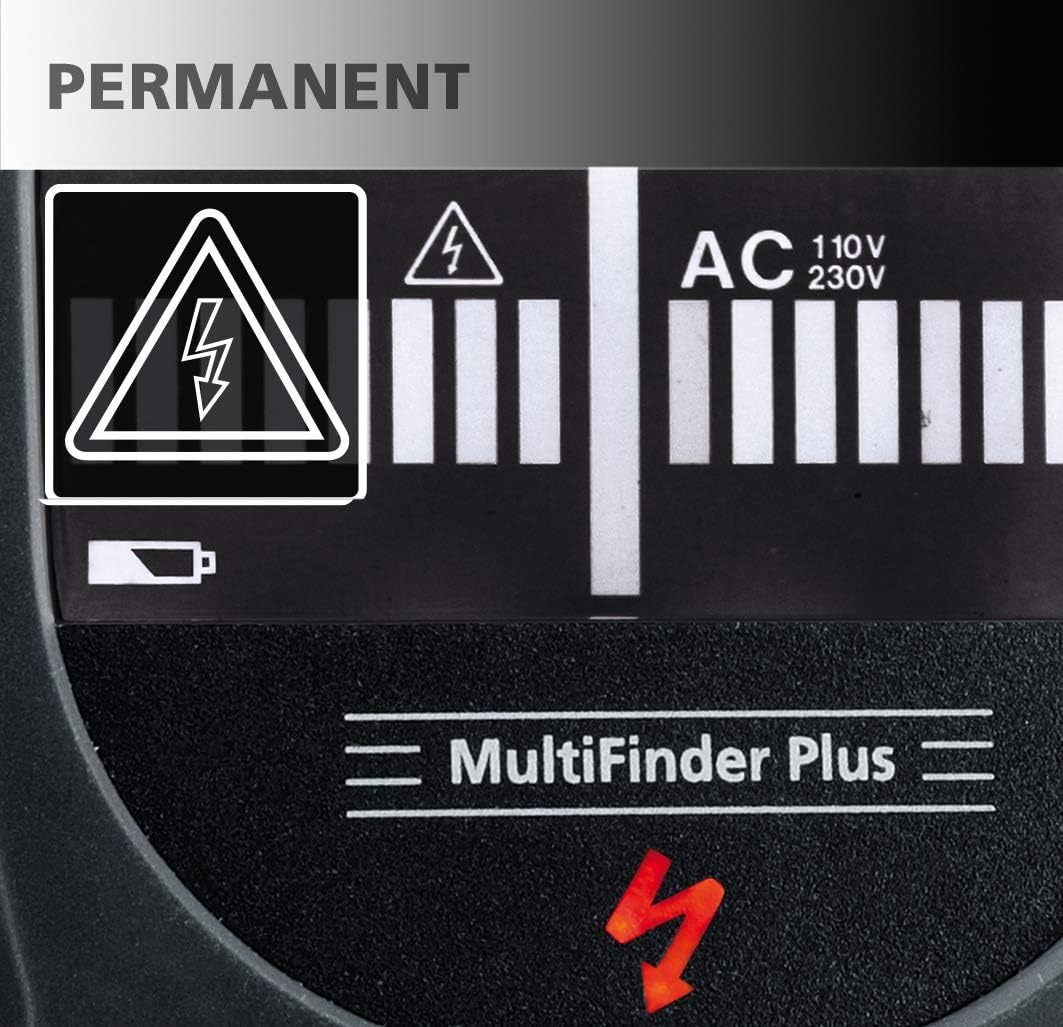
Image: The display shows a permanent electrical warning symbol (lightning bolt in triangle) when live wires are detected, indicating a potential hazard.

Image: A red warning light illuminates on the top of the device, accompanied by a lightning bolt symbol on the display, to alert the user to the presence of live electrical current.
3. Kandungan Pakej
- LASERLINER MultiFinder Plus device
- 1 x 9V alkaline battery (Type 6LR 61)
- Manual Pengguna (dokumen ini)
4. Produk Lebihview
Familiarize yourself with the components of your MultiFinder Plus:

Imej: Depan view of the MultiFinder Plus, showing the LCD display, Mode button, and CAL button.
- Paparan LCD: Shows detection mode, signal strength, battery status, and warning indicators.
- Butang Mod: Used to switch between detection modes (Wood/Stud, Metal, AC).
- Butang CAL: Used for automatic calibration.
- Kawasan Sensor Pengesanan: Located on the back of the device, this area must be placed flat against the surface for accurate readings.
- Petak Bateri: Located on the back for battery installation.
- Lampu amaran: A red LED on the top of the device illuminates when live electrical wires are detected.

Imej: Jarak dekat view of the orange 'Mode' button and the black 'CAL' (Calibration) button, indicating simple, one-touch operation.

Image: The LCD display provides clear information, including 'MOVE' arrows to guide the user during scanning, indicating the direction to move for optimal detection.
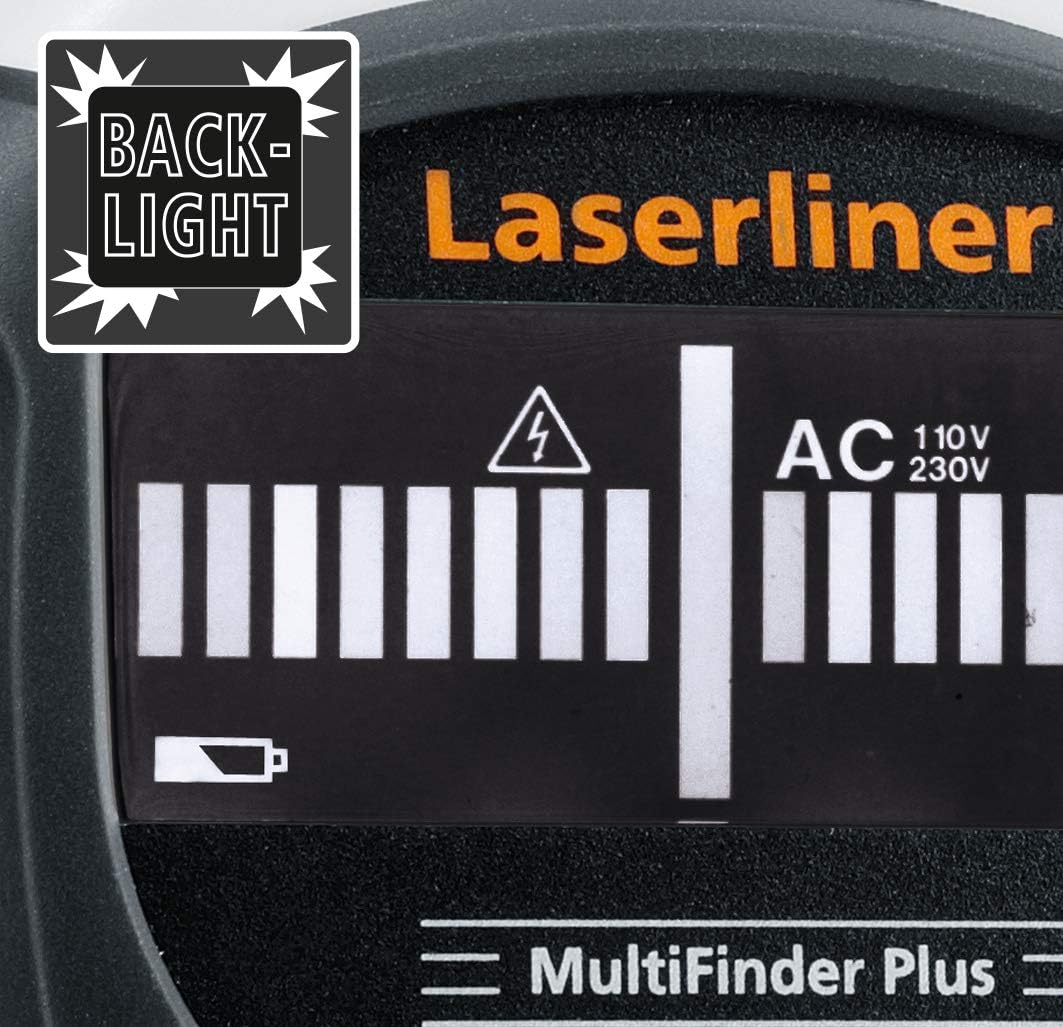
Image: The MultiFinder Plus features a backlight on its display, ensuring readability in low-light conditions.
5. Persediaan
5.1. Pemasangan Bateri
The MultiFinder Plus requires one 9V alkaline battery (Type 6LR 61).
- Cari penutup petak bateri di bahagian belakang peranti.
- Luncurkan penutup terbuka.
- Insert the 9V battery, ensuring correct polarity (+ and -).
- Tutup penutup petak bateri dengan selamat.
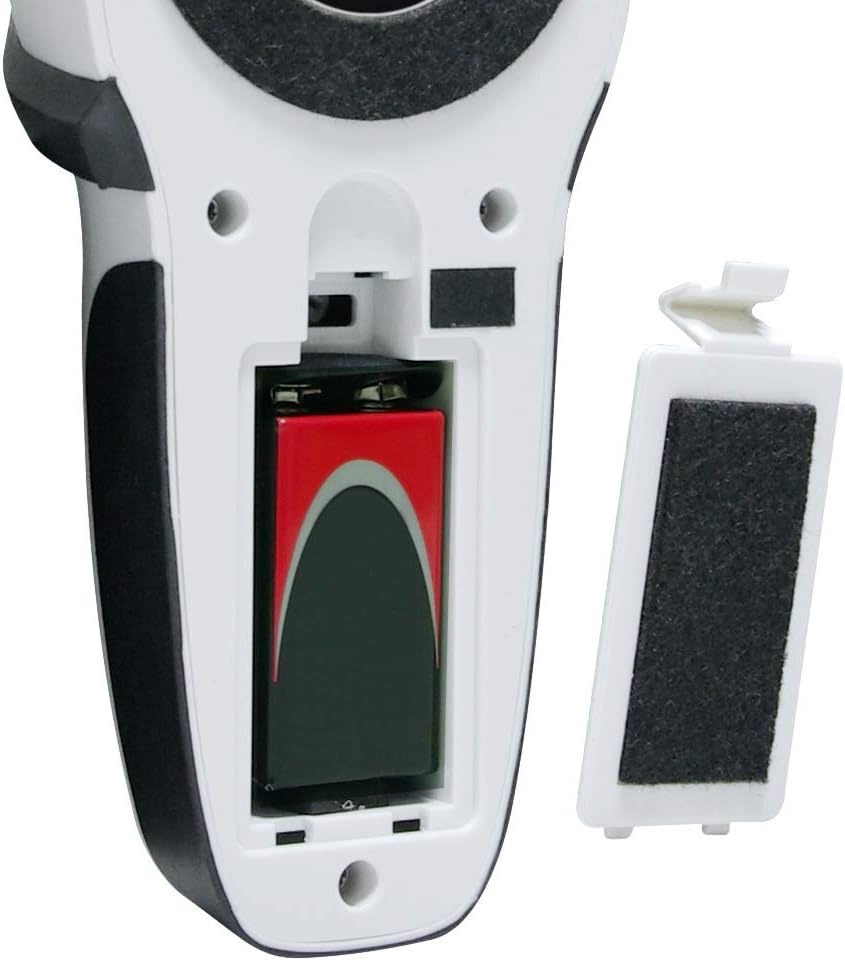
Image: The open battery compartment of the MultiFinder Plus, showing the correct placement of a 9V battery. The battery cover is shown detached.

Image: The MultiFinder Plus device displayed alongside a 9V battery, illustrating the required power source.
5.2. Penentukuran Awal
Before each use, or when switching detection modes, it is recommended to perform an automatic calibration.
- Place the device flat against the surface you intend to scan, ensuring no objects are directly beneath it.
- Tekan dan tahan butang CAL button until the calibration process is complete (indicated on the LCD).
- The device is now ready for use in the selected mode.
6. Arahan Operasi
6.1. Menghidupkan/Mematikan dan Pemilihan Mod
Untuk menghidupkan peranti, tekan butang Mod button. To switch between detection modes (Wood/Stud, Metal, AC), press the Mod button repeatedly until the desired mode is displayed on the LCD.
6.2. Detection Modes and Depths
The MultiFinder Plus offers three primary detection modes:
- Stud-Scan (Wood): Detects wooden studs and beams.
- Detection Depth: Approximately 2 cm to 4 cm.
- Metal-Scan: Detects ferrous and non-ferrous metals, including copper, steel, and iron. This mode can also detect non-live cables under plaster.
- Detection Depth: Up to 10 cm.
- AC-Scan: Detects live electrical wires (110V-230V).
- Detection Depth: Approximately 4 cm to 5 cm.

Image: A visual diagram illustrating the approximate detection depths for different scan modes: Stud-Scan (2-4 cm), AC-Scan (4-5 cm for 110-230 Volt wires), and Metal-Scan (up to 10 cm).
6.3. Prosedur Pengimbasan
- Select the appropriate detection mode using the Mod butang.
- Perform automatic calibration by pressing the CAL button while the device is flat against the surface.
- Slowly move the device horizontally across the surface. Maintain constant contact and pressure.
- Observe the LCD display for signal strength indicators and the 'MOVE' arrows, which guide you towards the center of the detected object.
- When an object is detected, the device will emit an acoustic signal, and the optical display will show a strong signal. For live wires, the red warning light will also illuminate.
- Mark the location of the detected object. For precise localization, scan the area from multiple directions.
6.4. Acoustic and Optical Signals
The MultiFinder Plus provides clear feedback:
- Acoustic Signal: A beeping sound indicates the presence of a detected object. The frequency or intensity may change as you get closer to the object.
- Paparan Optik: The LCD screen shows a bar graph indicating signal strength. The higher the bars, the closer you are to the object.
- Lampu Amaran Merah: Illuminates when live electrical wires are detected, providing an immediate visual alert.
7. Penyelenggaraan dan Penjagaan
- Pembersihan: Lap peranti dengan lembut, damp kain. Jangan gunakan pembersih atau pelarut yang melelas.
- Storan: Store the device in a dry, dust-free environment, away from direct sunlight and extreme temperatures (-20 °C to 70 °C).
- Bateri: Tanggalkan bateri jika peranti tidak akan digunakan untuk tempoh yang lama untuk mengelakkan kebocoran.
- Penentukuran: Regular calibration ensures optimal performance.
8. Penyelesaian masalah
| Masalah | Kemungkinan Punca | Penyelesaian |
|---|---|---|
| Inaccurate readings / False positives | Improper calibration; high humidity; presence of other electronic devices nearby; user error (e.g., not holding flat). | Re-calibrate the device on a clear section of the wall. Ensure the device is held flat against the surface. Move away from other electronics. |
| Peranti tidak dihidupkan | Bateri mati atau tidak dipasang dengan betul. | Check battery polarity. Replace with a new 9V alkaline battery. |
| Weak or no signal detection | Object too deep; incorrect mode selected; battery low. | Ensure the correct mode is selected for the target material. Check battery level. Note maximum detection depths for each mode. |
| Bunyi bip berterusan | Device is picking up ambient interference or needs re-calibration. | Move to a different area and re-calibrate. Ensure no hands or other objects are near the sensor area during calibration. |
9. Spesifikasi
| Ciri | Perincian |
|---|---|
| Nombor Model | 080.965A |
| Pengeluar | Laserliner |
| Mod Pengesanan | Wood/Stud, Metal (ferrous & non-ferrous, non-live wires), AC (live wires) |
| Max. Detection Depth (Wood/Stud) | Approx. 2 cm - 4 cm |
| Max. Detection Depth (Metal) | Sehingga 10 cm |
| Max. Detection Depth (AC) | Approx. 4 cm - 5 cm (110V-230V) |
| Bekalan Kuasa | 1 x 9V Alkaline Battery (Type 6LR 61) |
| Suhu Operasi | 0 °C hingga 40 °C (32 °F hingga 104 °F) |
| Suhu Penyimpanan | -20 °C hingga 70 °C (-4 °F hingga 158 °F) |
| Dimensi (W x H x D) | 80 x 186 x 40 mm (lebih kurang 3.15 x 7.32 x 1.57 inci) |
| Berat badan | 420 gram (lebih kurang 0.93 paun) |
10. Waranti dan Sokongan
Laserliner products are manufactured with high quality standards and undergo strict quality control. This product comes with a standard manufacturer's warranty against defects in materials and workmanship. Please refer to the warranty card included with your purchase or visit the official Laserliner webtapak untuk terma dan syarat jaminan terperinci.
For technical support, service, or spare parts, please contact your local Laserliner distributor or the customer service department. Contact information can typically be found on the Laserliner webtapak atau pada pembungkusan produk anda.
Sila simpan bukti pembelian anda untuk tuntutan waranti.


