1. Pengenalan
The Portronics POR 600 Portable LED Projector is designed for versatile use, offering a compact solution for entertainment and presentations. This manual provides essential information for setting up, operating, and maintaining your projector, ensuring optimal performance and longevity.

Rajah 1: Depan view of the Portronics POR 600 Portable LED Projector.
2. Produk Lebihview
The POR 600 utilizes DLP (Digital Light Processing) technology for reliable color and picture accuracy. It features 100 ANSI Lumens brightness and can project an image size from 15 to 80 inches diagonally, with an optimal projection distance of 0.5 to 3 meters. The native resolution is 854x480.

Figure 2: Illustration of DLP Technology, which provides sophisticated light processing for clear images.
2.1 Ciri-ciri Utama
- Reka Bentuk Ultra Mudah Alih: With compact dimensions and a weight of approximately 948g, the projector is easy to carry.
- Teknologi DLP: Ensures reliable color and picture accuracy.
- 100 ANSI Lumen: Provides sufficient brightness for presentations and viewing in reasonably dark environments.
- Tayangan Skrin Besar: Capable of projecting images up to 80 inches diagonally.
- Pelbagai Pilihan Kesambungan: Supports USB, HDMI, AV, and MicroSD card inputs.
- Bateri Terbina dalam: Features a 3400mAh, 3.7V built-in battery for portable use.
- In-built Speakers: Provides audio output directly from the device.
- Kawalan Jauh: Untuk operasi yang mudah.

Figure 3: The compact size of the projector, highlighting its portability.
3. Apa yang ada di dalam Kotak
Selepas membuka bungkusan, pastikan semua item berikut ada:
- 1N Portronics POR 600 Projector
- Penyesuai kuasa
- Alat kawalan jauh
- Berdiri
- Kabel HDMI
- Manual Pengguna
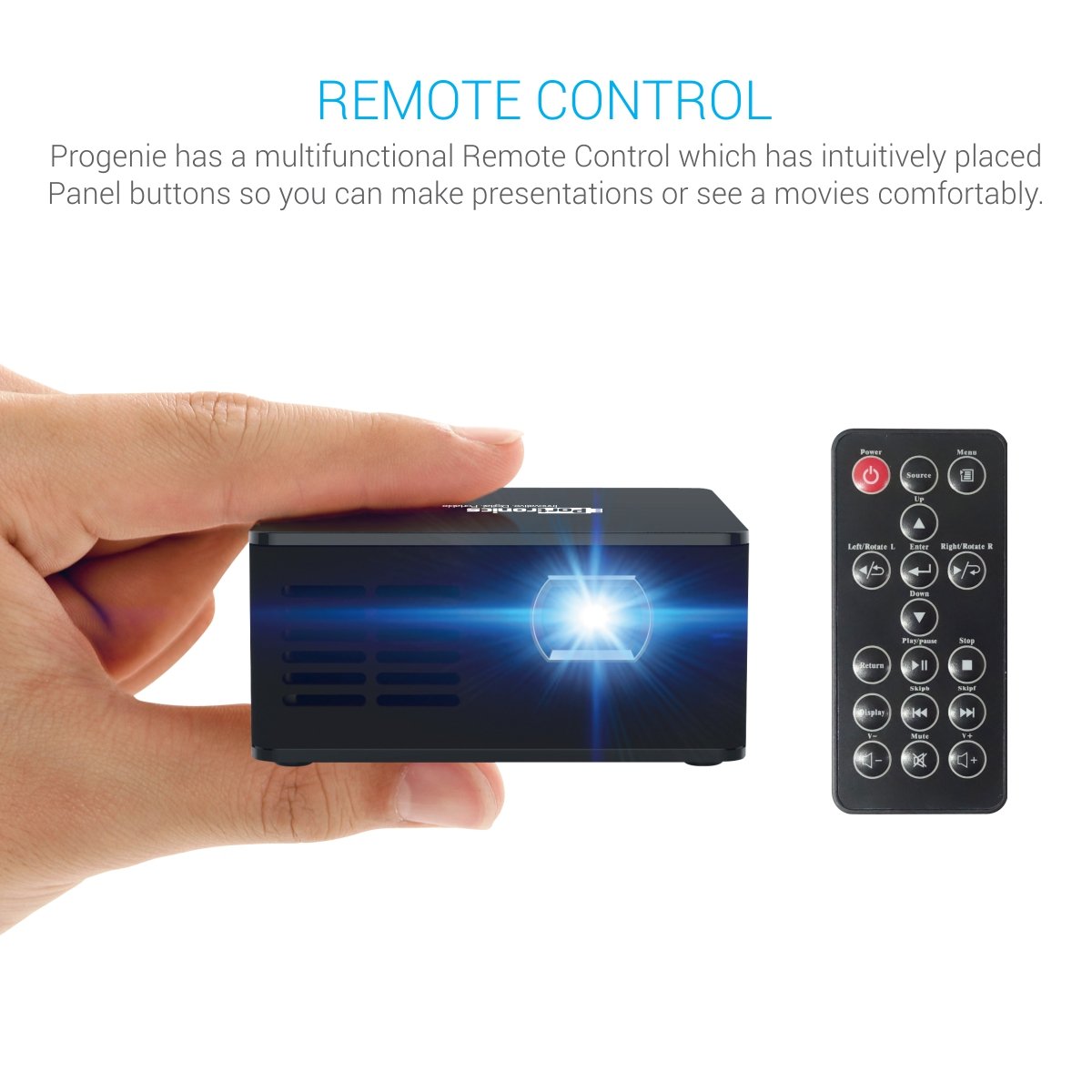
Figure 4: The projector mounted on its included stand.
4. Persediaan
4.1 Sambungan Kuasa
- Connect the provided power adapter to the DC input port on the projector.
- Palamkan penyesuai kuasa ke dalam salur keluar kuasa yang sesuai.
- The projector can also operate on its built-in 3400mAh battery for portable use. Ensure the battery is charged before use.
4.2 Sumber Input
The POR 600 supports various input methods:
- Port HDMI: For connecting laptops, gaming consoles, or other HDMI-enabled devices.
- Pelabuhan AV: Untuk menyambungkan peranti lama menggunakan kabel AV.
- Port USB: For playing media directly from a USB drive.
- Slot Kad Mikro SD: Untuk memainkan media terus daripada kad Micro SD.

Gambar 5: Lebihview of the projector's connectivity ports.
4.3 Positioning and Focus
- Letakkan projektor pada permukaan yang stabil dan rata. Untuk optimum viewing, use the included stand.
- Adjust the distance between the projector and the projection surface (wall or screen) to achieve the desired screen size. An 80-inch diagonal screen can be achieved by placing the projector approximately 8 feet away.
- Rotate the focus ring on the projector lens until the image appears clear and sharp.
5. Operasi
5.1 Hidupkan/Mati Kuasa
Tekan butang kuasa pada projektor atau alat kawalan jauh untuk menghidupkan atau mematikan peranti.
5.2 Pemilihan Sumber
Use the "Source" button on the remote control to cycle through available input modes (HDMI, AV, USB, MicroSD) until your desired input is selected.
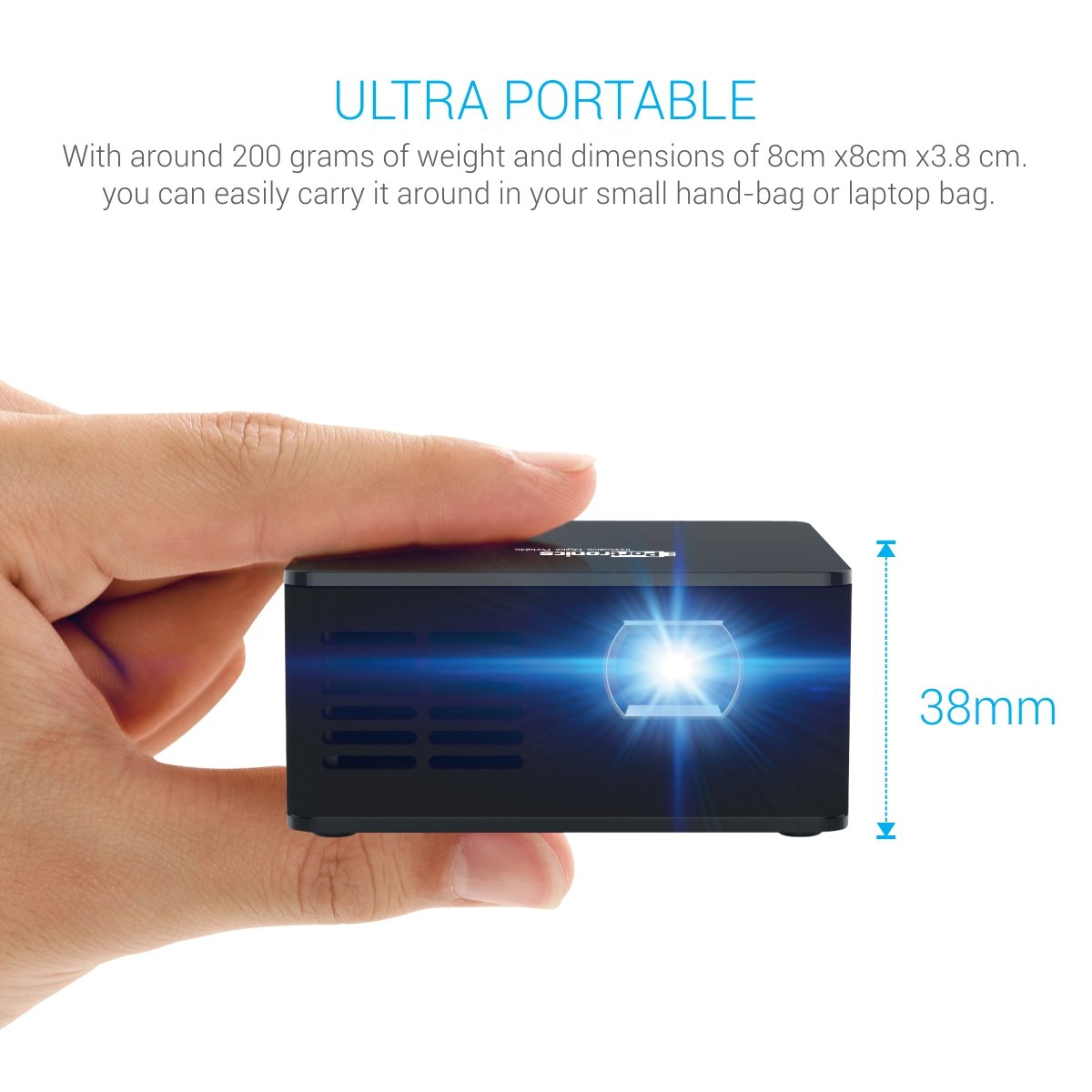
Figure 6: The projector and its multifunctional remote control.
5.3 Keluaran Audio
The projector has built-in speakers. For enhanced audio, connect external speakers via the AUX output port.

Figure 7: The projector's in-built speaker.
5.4 Main Semula Media
The projector supports various media formats for direct playback from USB drives or Micro SD cards, including text (.txt), photo (.jpeg/.bmp/), and audio (.mp3_audio).
Video 1: This video demonstrates the Portronics POR 600 Portable LED Projector's features, connectivity options, and contents of the box. It highlights its portability, DLP technology, and various input methods for media playback.
6. Spesifikasi
| Ciri | Spesifikasi |
|---|---|
| Jenama | Portronics |
| Model | POR 600 |
| Dimensi Produk | 18.8 x 7.6 x 14.9cm; 948g |
| Teknologi Paparan | LED, DLP (Texas Instruments) |
| Resolusi Asli | 854 x 480 |
| Lumen | 100 ANSI Lumen |
| Nisbah Kontras | 1000:1 |
| Image Size (diagonal) | 15”~ 80” |
| Jarak Unjuran | 0.5 to 3 meters (1~10 feet) |
| Lamp kehidupan | Over 20,000 hours (RGB LED) |
| Nisbah Aspek | 16:9 |
| Bateri | Built-in, 3400mAh, 3.7V Lithium Ion |
| Penggunaan Kuasa | 15W (Maks) |
| Bekalan Kuasa | 9V/2A |
| Antara Muka Perkakasan | USB, HDMI, AV, microSD card |
| Peranti Serasi | Smartphones (Android/iOS), Laptops/Computers, USB Devices, SD Cards |
| Format Audio yang Disokong | mp3_audio |
| Jenis Pemasangan | Pemasangan Atas Meja |
7. Penyelesaian masalah
If you encounter issues with your Portronics POR 600 Projector, refer to the following common problems and solutions:
- Tiada Imej Dipaparkan:
- Pastikan projektor dihidupkan dan penutup lensa ditanggalkan.
- Verify that the correct input source (HDMI, AV, USB, MicroSD) is selected using the remote control.
- Periksa semua sambungan kabel untuk memastikan ia kukuh dan dipasang dengan betul.
- Imej Kabur:
- Adjust the focus ring on the projector lens until the image becomes clear.
- Pastikan permukaan unjuran rata dan licin.
- Tiada Bunyi:
- Periksa tetapan kelantangan pada kedua-dua projektor dan peranti sumber yang disambungkan.
- If using external speakers, ensure they are properly connected to the AUX output port and powered on.
- Alat Kawalan Jauh Tidak Menjawab:
- Gantikan bateri dalam alat kawalan jauh.
- Pastikan tiada halangan antara alat kawalan jauh dan penerima IR projektor.
- Projektor Terlalu Panas:
- Ensure the projector's ventilation vents are not blocked.
- Kendalikan projektor di kawasan yang mempunyai pengudaraan yang baik.
8. Waranti dan Sokongan
The Portronics POR 600 Portable LED Projector comes with a 1-year manufacturer warranty. For warranty claims, technical support, or further assistance, please contact Portronics customer service or visit their official webtapak untuk mendapatkan maklumat sokongan yang paling terkini.
Untuk butiran lanjut, lawati Portronics Store.


